
1. Увод
Thank you for choosing the Xtorm Power Bank 20W Fuel Series 4 (FS402). This manual provides essential information for the safe and efficient use of your power bank. Please read these instructions carefully before use and retain them for future reference.
The Xtorm FS402 is a high-capacity portable charger designed to provide fast and reliable power to your mobile devices, including smartphones and tablets, on the go.
2. Производ је готовview
The Xtorm Power Bank FS402 features a robust design and multiple charging ports to keep your devices powered throughout the day.

Слика 2.1: Одозго надоле view of the Xtorm Power Bank FS402, showcasing its textured surface and port layout.
Кључне карактеристике:
- Велики капацитет: 20,000 мАх батерија за вишеструко пуњење уређаја.
- Брзо пуњење: 20W USB-C Power Delivery (PD) and 18W USB-A Quick Charge (QC) 3.0 outputs.
- Више портова: Two USB-A output ports and one USB-C input/output port.
- Сигурносне карактеристике: Automatic shut-off to prevent overcharging and overheating.
- Компактан дизајн: Portable and travel-friendly dimensions.

Image 2.2: The Xtorm Power Bank FS402 highlighting its universal compatibility with various devices via USB-A and USB-C ports.
3. Подешавање
Почетно пуњење преносног пуњача:
- Повежите приложени USB-C кабл са USB-C портом на преносном пуњачу.
- Connect the other end of the USB-C cable to a compatible USB wall charger (not included). For fastest charging, use a 20W Power Delivery charger.
- The LED indicators on the power bank will illuminate to show the charging status. Allow the power bank to fully charge before its first use.
4. Упутство за употребу
Пуњење ваших уређаја:
The Xtorm Power Bank FS402 allows you to charge up to three devices simultaneously.
- Connect your device's charging cable to one of the USB-A output ports or the USB-C input/output port on the power bank.
- Повежите други крај кабла са уређајем.
- Преносна батерија ће аутоматски почети да пуни ваш уређај. У супротном, притисните дугме за напајање једном да бисте започели пуњење.
- ЛЕД индикатори ће приказивати преостали ниво батерије преносног пуњача.
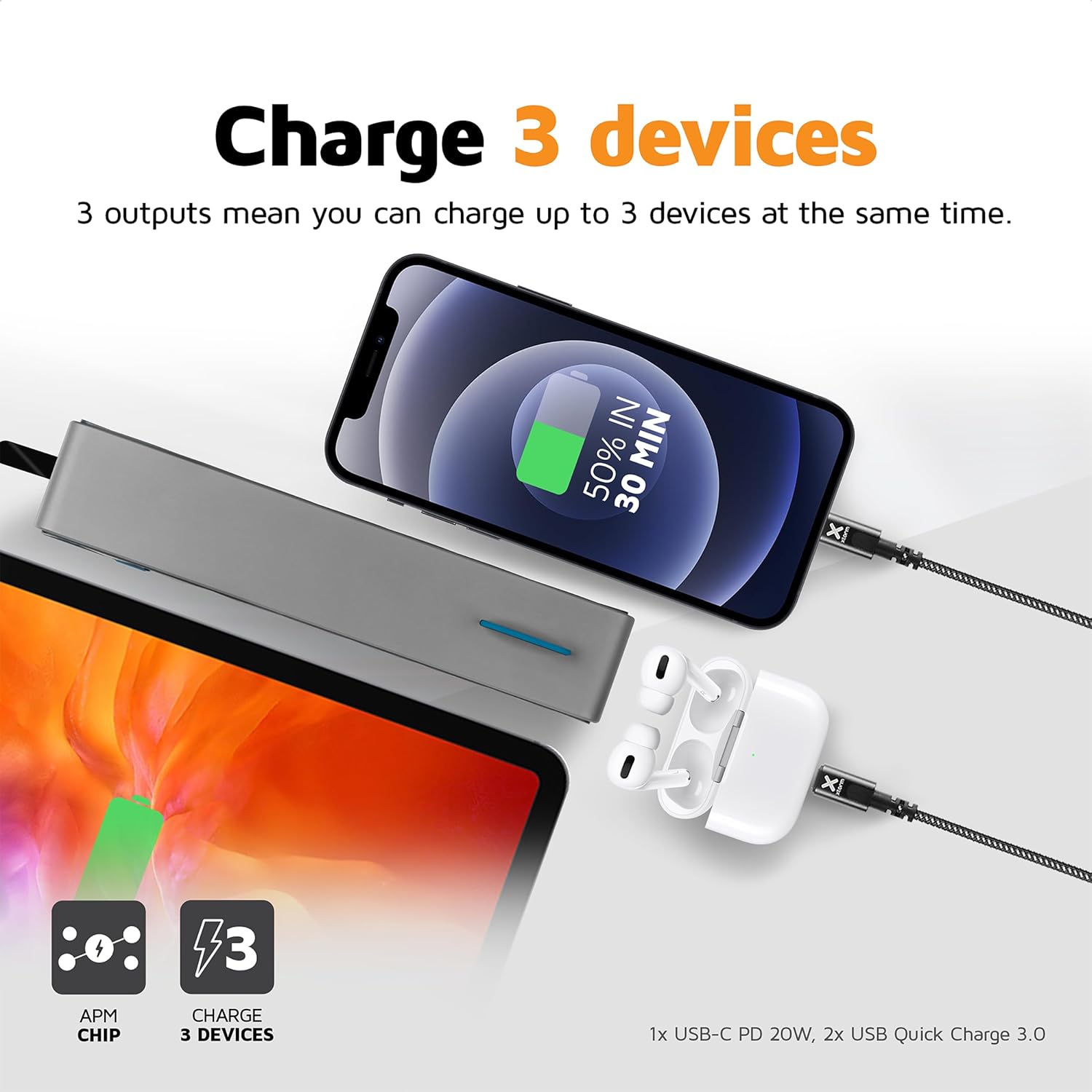
Image 4.1: The Xtorm Power Bank FS402 demonstrating its ability to charge three devices concurrently using its USB-C and two USB-A ports.
Могућности брзог пуњења:
The power bank supports Power Delivery (PD) via the USB-C port and Quick Charge (QC) 3.0 via the USB-A ports, enabling rapid charging for compatible devices.
- USB-C PD (20W): Ideal for fast charging modern smartphones and tablets.
- USB-A QC 3.0 (18W): Provides quick charging for a wide range of Android devices.

Image 4.2: Visual representation of the Xtorm Power Bank FS402's 20W fast charging capability, showing a device reaching 50% charge in 30 minutes.
5. Безбедносне информације
Your safety is paramount. The Xtorm Power Bank FS402 incorporates several safety features to ensure reliable operation.
- Не излажите преносни пуњач екстремним температурама, директној сунчевој светлости или ватри.
- Избегавајте испуштање или излагање повер банк јаким ударцима.
- Не покушавајте да раставите, поправите или модификујете уређај.
- Чувати ван домашаја деце.
- Одложите преносни акумулатор одговорно у складу са локалним прописима.
Интегрисане безбедносне карактеристике:
- Заштита од кратког споја: Prevents damage from electrical shorts.
- Заштита од преоптерећења: Аутоматски зауставља пуњење када је батерија пуна.
- Контрола температуре: Прати и регулише унутрашњу температуру како би спречио прегревање.
- A-Class Batteries: Utilizes high-quality lithium-polymer cells for enhanced safety and performance.

Image 5.1: Diagram illustrating the Xtorm Power Bank FS402's internal safety mechanisms, including control chip, A-Class batteries, temperature control chip, short-circuit protection, and battery temperature sensor.
6. Одржавање
- Очистите преносиву батерију меком, сувом крпом. Не користите абразивна средства за чишћење или раствараче.
- Чувајте преносни пуњач на хладном и сувом месту, даље од директне сунчеве светлости и влаге.
- If storing for extended periods, charge the power bank to approximately 50% every three months to maintain battery health.
КСНУМКС. Решавање проблема
Уобичајени проблеми и решења:
- Преносна батерија се не пуни: Ensure the charging cable is securely connected to both the power bank and the wall charger. Try a different cable or wall charger.
- Уређај се не пуни преко преносног пуњача: Ensure the power bank has sufficient charge. Press the power button to activate charging. Try a different cable or port.
- Споро пуњење: Verify that your device and cable support fast charging. Ensure you are using the correct port (USB-C for PD, USB-A for QC).
- ЛЕД индикатори не раде: The power bank might be fully discharged or require a reset. Try charging it for a few hours.
8. Спецификације
| Спецификација | Валуе |
|---|---|
| Назив модела | ФС402 |
| Бранд | Ксторм |
| Капацитет батерије | 20,000 мАх |
| Састав батерије | Литијум-полимер |
| УСБ-Ц излаз/улаз | Напајање од 20W (PD) |
| УСБ-А излаз (к2) | 18W Quick Charge (QC) 3.0 |
| Тип конектора | УСБ тип Ц, УСБ тип А |
| Препоручена употреба | Паметни телефон, таблет |
| Тежина артикла | 376 грама |
| Боја | Греи |

Image 8.1: The Xtorm Power Bank FS402 showcasing its compact dimensions (136mm x 71mm x 26mm) and travel-friendly features, including its weight of 379 grams.
9. Гаранција и подршка
The Xtorm Power Bank 20W Fuel Series 4 (FS402) comes with a 2 година гаранције од датума куповине, покривајући производне недостатке.

Image 9.1: The Xtorm Power Bank FS402 highlighting its design and the included 2-year warranty.
For warranty claims, technical support, or any questions regarding your product, please contact Xtorm customer service through their official website or your retailer's support channels. Please have your proof of purchase and product model number (FS402) ready.