
1. Увод
This manual provides detailed instructions for the setup, operation, maintenance, and troubleshooting of your WisFox 2.4GHz Wireless Keyboard and Mouse Combo. This full-size ergonomic USB keyboard features a convenient phone holder, and the accompanying mouse offers quiet clicking for a comfortable user experience. It is designed for seamless compatibility with various computer systems.

Figure 1: WisFox Wireless Keyboard and Mouse Combo. The image displays the black full-size keyboard with an integrated phone holder slot at the top, a black wireless mouse, and a small USB receiver.
2. Подешавање
Пратите ове кораке да бисте подесили комбинацију бежичне тастатуре и миша:
- Инсталирајте батерије:
- The wireless keyboard requires 2 AAA batteries. Locate the battery compartment on the underside of the keyboard, open the cover, insert the batteries according to the polarity indicators, and close the cover.
- The wireless mouse requires 1 AA battery. Locate the battery compartment on the underside of the mouse, open the cover, insert the battery according to the polarity indicators, and close the cover.
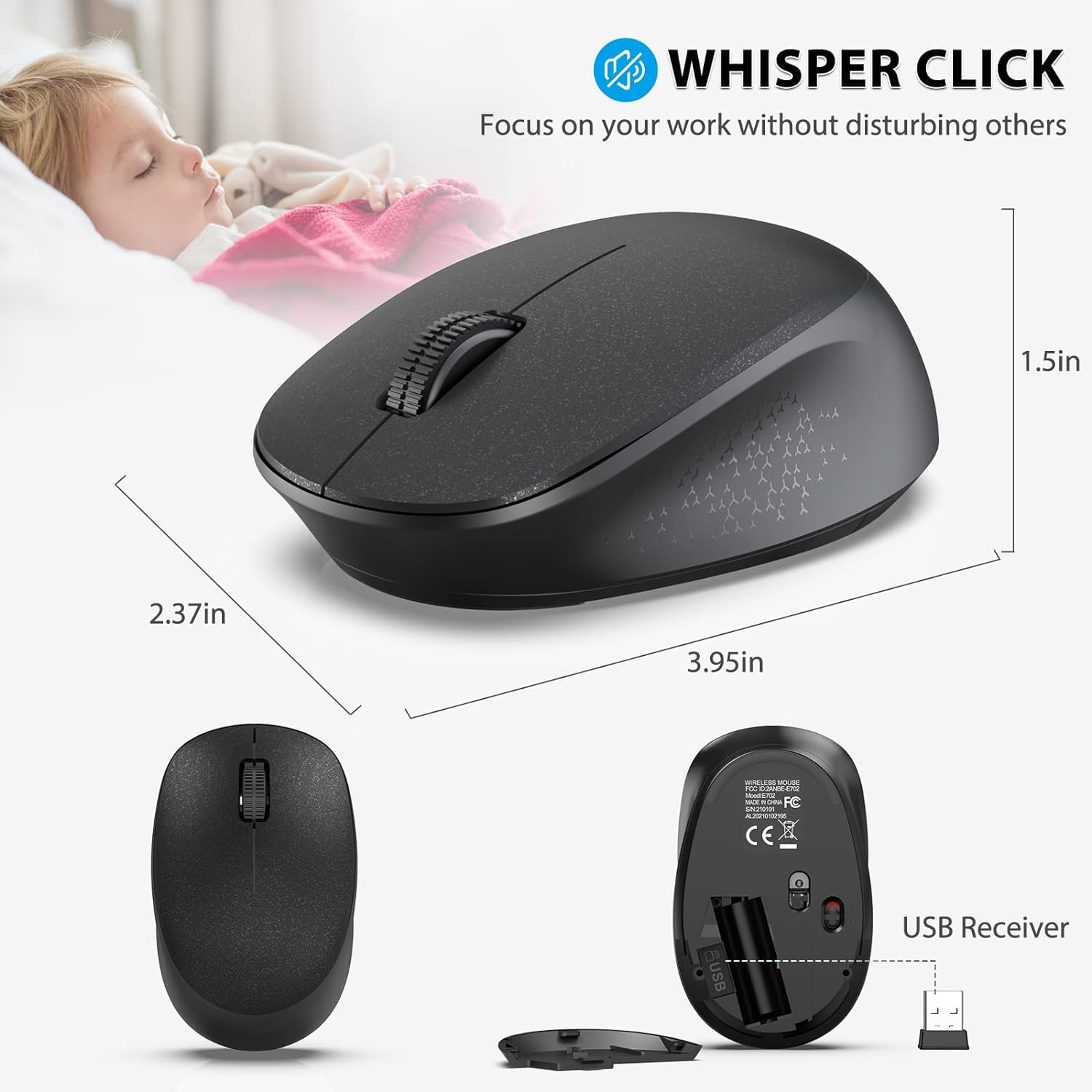
Figure 2: Battery installation for the keyboard and mouse. The image shows the underside of the keyboard with its battery compartment open, revealing two AAA batteries. The mouse's underside is also shown with its battery compartment open, revealing one AA battery. The USB receiver is stored inside the mouse's battery compartment.
- Пронађите УСБ пријемник: The single USB receiver for both the keyboard and mouse is conveniently stored inside the mouse's battery compartment. Carefully remove it.
- Повежите пријемник: Plug the USB receiver into an available USB port on your computer, laptop, or desktop.
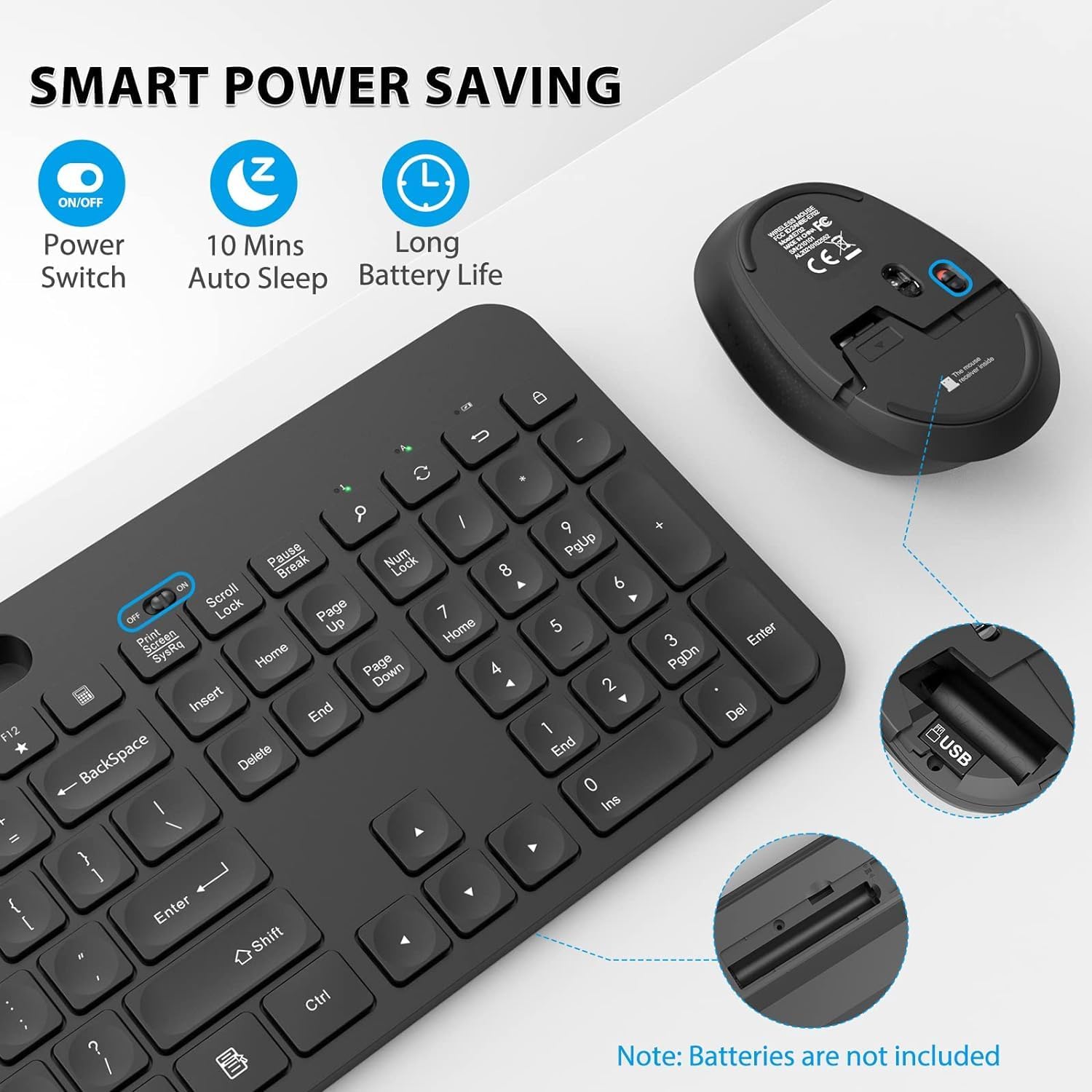
- Укључено: Turn on the keyboard and mouse using their respective ON/OFF switches. The keyboard's switch is located near the top right of the keyboard, and the mouse's switch is on its underside.
- Аутоматско повезивање: The keyboard and mouse should automatically connect to your device within seconds. No additional software installation is required.
Напомена о видео записима: Official product videos from the seller were not available for embedding. The setup process is straightforward as described above.
3. Упутство за употребу
3.1 Карактеристике тастатуре
- Интегрисани држач телефона: The keyboard features a U-shaped holder (approximately 10 inches / 25.5 cm long) at the top. This slot is designed to securely hold smartphones, iPads, and other devices horizontally or vertically, providing a convenient viewing angle for videos, documents, or entertainment while working.
- Изглед у пуној величини: The keyboard has a standard US QWERTY layout with a dedicated number pad. Keys are appropriately spaced for comfortable typing.
- Multimedia & Shortcut Keys: Access 12 multimedia combination keys and 5 independent shortcut keys for efficient control over music, movies, web browsing, email, and more.
Note: Some shortcuts may not be available on Mac systems.
Слика 3: Детаљно view of the keyboard's multimedia and shortcut keys. The image highlights the function keys (F1-F12) with their respective multimedia icons (e.g., play/pause, volume control) and dedicated shortcut keys for calculator, search, and lock screen.
3.2 Карактеристике миша
- Бешумно кликтање: The mouse is designed for whisper-quiet clicks, minimizing disturbance in quiet environments like libraries or during late-night work sessions.
- Висока осетљивост: Features a fixed 1600 DPI for precise and responsive cursor control.
3.3 Компатибилност
The WisFox Wireless Keyboard and Mouse Combo is compatible with a wide range of operating systems and devices, including:
- Виндоус 2000 / ME / XP / Vista / 7 / 8 / 10
- Desktops, Chromebooks, PCs, Laptops, Computers

Figure 4: A user demonstrating the keyboard and mouse combo in an office setting. The image shows the keyboard with a tablet placed in its integrated holder, connected to a desktop computer, illustrating a simplified desktop setup.
4. Одржавање
- Замена батерије: Замените батерије када се перформансе погоршају. Обезбедите исправан поларитет приликом уметања нових батерија.
- Чишћење: Користите меку, суву крпу за чишћење површина тастатуре и миша. За тврдокорну прљавштину, благо дamp Може се користити крпа, али водите рачуна да влага не уђе у унутрашње компоненте.
- Складиштење: When not in use for extended periods, turn off the keyboard and mouse using their ON/OFF switches to conserve battery life. The USB receiver can be stored inside the mouse's battery compartment to prevent loss.
- Штедња енергије: The devices feature smart power-saving modes, including an auto-sleep function after 10 minutes of inactivity, to extend battery life.
КСНУМКС. Решавање проблема
If you encounter issues with your WisFox Wireless Keyboard and Mouse Combo, try the following solutions:
- Нема везе/Кашњење:
- Ensure both the keyboard and mouse are turned ON.
- Проверите да ли су батерије правилно постављене и да ли су довољно напуњене. Замените их ако је потребно.
- Verify that the USB receiver is securely plugged into a working USB port on your computer. Try a different USB port if the issue persists.
- Move the keyboard and mouse closer to the USB receiver to ensure they are within the 10m (33 ft) wireless range.
- Избегавајте постављање пријемника у близини других бежичних уређаја или великих металних предмета који могу изазвати сметње.
- Тастери не реагују:
- Проверите нивое батерије.
- Уверите се да је тастатура укључена и повезана.
- Поново покрените рачунар.
- Mouse Cursor Jumps/Erratic Movement:
- Уверите се да се миш користи на чистој, нерефлектујућој површини.
- Очистите оптички сензор на доњој страни миша.
- Проверите нивое батерије.
Ако ови кораци не реше проблем, погледајте одељак Гаранција и подршка за додатну помоћ.
6. Спецификације
| Феатуре | Детаљ |
|---|---|
| Бранд | WisFox |
| Технологија повезивања | 2.4 GHz бежични (USB пријемник) |
| Распоред тастатуре | Standard US QWERTY, Full Size with Number Pad |
| Посебне карактеристике | Ergonomic design, Integrated Phone Holder, Multimedia Keys, Shortcut Keys, Noiseless Mouse Clicks, Auto-Sleep Function |
| ДПИ миша | Fixed 1600 DPI |
| Домет | До 10 м (33 стопа) |
| Напајање тастатуре | 2 к ААА батерије (нису укључене) |
| Снага миша | 1 к АА батерија (није укључена) |
| Компатибилни уређаји | Laptop, Television, Personal Computer (Windows 2000 / ME/XP/Vista / 7/8/10, Chromebooks, PCs) |
| Боја | Црно |
| Тежина артикла | 2.2 фунти |
| Димензије пакета | 17 к 6 к 2.4 инча |
7. Гаранција и подршка
Your WisFox Wireless Keyboard and Mouse Combo is backed by a 12 месеци бесплатне гаранције од дана куповине.
WisFox is committed to providing superior quality products and professional after-sales support to enhance your user experience.
If you encounter any issues or have questions regarding your product, please do not hesitate to contact us directly via Amazon mail. Our professional customer service team is ready to assist you and provide faster solutions.

Figure 5: Diagram illustrating the customer support process. It shows a user with an issue contacting the seller directly for faster problem resolution, emphasizing the availability of professional customer service.