
Увод
This manual provides essential information for the safe and proper assembly, operation, and maintenance of your ARCADE1UP Frogger Arcade Game with Riser. Please read all instructions carefully before use and retain this manual for future reference.
The ARCADE1UP Frogger Arcade Game brings the classic arcade experience into your home. Navigate Frogger across busy highways and treacherous rivers to reach home safely. This unit features a 17-inch color display, full-size joystick, and buttons, and comes with a matching riser for an authentic arcade height.
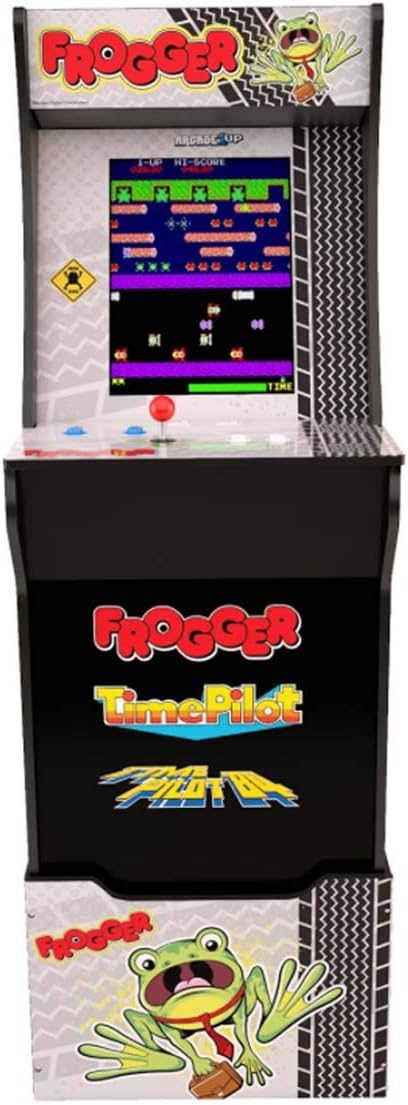
Слика: Фронт view of the ARCADE1UP Frogger Arcade Game cabinet with its matching riser, showcasing the game screen and control panel.
Безбедносне информације
- електрична безбедност: Always connect the power adapter to a grounded outlet. Do not expose the unit to water or excessive moisture. Disconnect power before cleaning or servicing.
- Скупштина: Ensure all components are securely fastened during assembly. Adult supervision is recommended during assembly.
- Пласман: Place the arcade unit on a stable, level surface. Avoid placing it in direct sunlight or near heat sources.
- деца: This product contains small parts and electrical components. Keep out of reach of small children during assembly.
- вентилација: Не блокирајте вентилационе отворе. Обезбедите адекватан проток ваздуха око уређаја како бисте спречили прегревање.
Садржај пакета
Проверите да ли су све компоненте наведене у наставку присутне у вашем пакету:
- ARCADE1UP Frogger Arcade Cabinet
- Matching Riser
- Повер Адаптер
- Joystick (pre-installed)
- Control Buttons (pre-installed)
- Assembly Hardware (screws, cam locks, etc.)
- Упутство за употребу (овај документ)

Слика: Са стране view of the ARCADE1UP Frogger Arcade Game cabinet, showing its profile and wooden paneling.
Монтажа и подешавање
Assembly of the ARCADE1UP Frogger Arcade Game and its riser typically involves connecting pre-fabricated panels using included hardware. Follow the detailed assembly instructions provided in the separate assembly guide that came with your unit.
- Распакујте компоненте: Пажљиво извадите све делове из паковања и проверите садржај паковања у односу на листу.
- Assemble Riser: If using the riser, assemble it first according to its specific instructions. Ensure all connections are tight and stable.
- Склопите ормар: Follow the step-by-step instructions to assemble the arcade cabinet. Pay close attention to cable routing and connections for the display and control panel.
- Attach Cabinet to Riser: Once both are assembled, securely attach the arcade cabinet to the riser using the designated hardware.
- Прикључак за напајање: Connect the power adapter to the arcade unit's power input, then plug it into a standard electrical outlet.
The assembled machine stands approximately 57.8 inches tall with the riser. Its dimensions are 45.8 inches H (57.8 inches H with riser) x 22.75 inches D x 19 inches W.
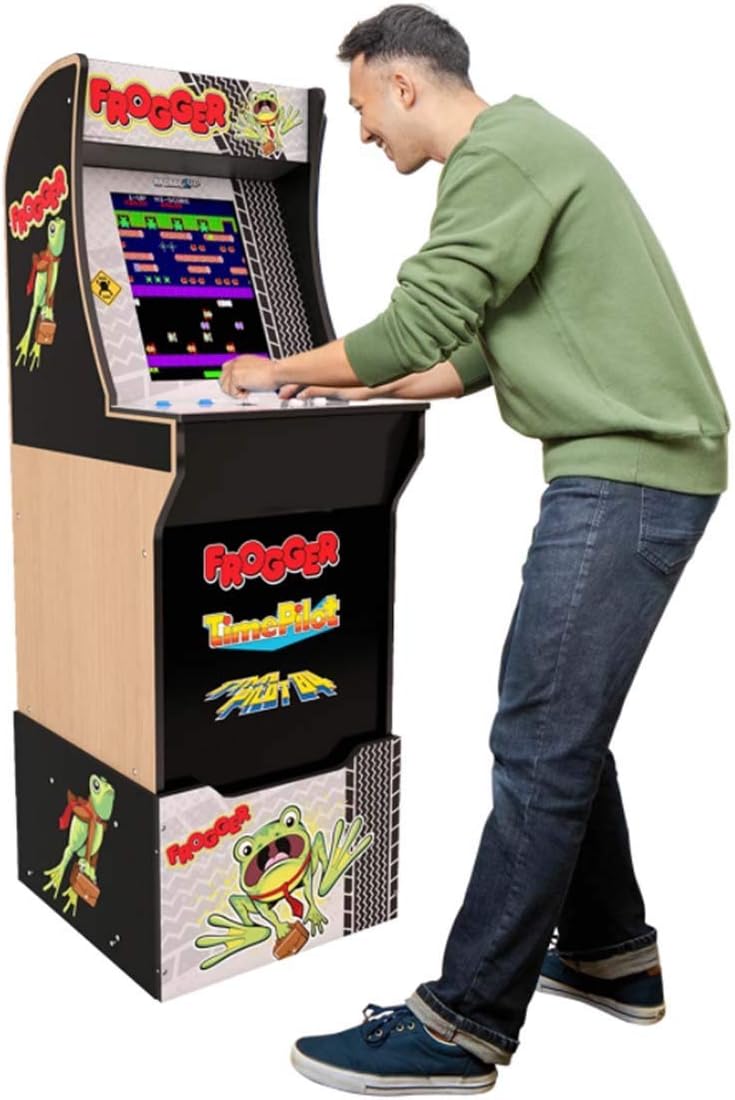
Image: A person standing and playing the ARCADE1UP Frogger Arcade Game, demonstrating the unit's operational height with the riser.
Упутство за употребу
This section details how to power on, play, and adjust settings on your arcade unit.
- Укључено: Locate the power switch, usually on the back or bottom of the control panel. Flip the switch to the 'ON' position. The display will illuminate, and the game will start.
- Играње игре:
- Почни игру: Press the '1 Player' or '2 Player' button to begin a game.
- Кретање: Use the joystick to control Frogger's movement (up, down, left, right).
- Акција: Frogger typically uses only directional controls. Refer to the on-screen instructions for specific game mechanics.
- Контрола јачине звука: A volume control knob or button is typically located on the control panel or behind the unit. Adjust to your preferred sound level.
- Искључивање: To turn off the unit, flip the power switch to the 'OFF' position.

Слика: Крупни план view of the ARCADE1UP Frogger control panel, showing the joystick, player buttons, and volume controls.
Одржавање
- Чишћење: Use a soft, dry cloth to wipe down the cabinet and control panel. For stubborn marks, a slightly damp cloth with mild soap can be used, followed by a dry wipe. Avoid abrasive cleaners or excessive moisture.
- Нега екрана: Clean the screen with a soft, lint-free cloth specifically designed for electronics. Do not spray cleaners directly onto the screen.
- Складиштење: If storing the unit for an extended period, disconnect it from power and cover it to protect against dust. Store in a cool, dry place.
Решавање проблема
| Проблем | Могући узрок | Решење |
|---|---|---|
| Нема напајања/Уређај се не укључује. | Power adapter not connected, power outlet not working, power switch off. | Ensure power adapter is securely plugged into the unit and a working outlet. Check power switch position. |
| Нема звука. | Volume turned down, internal speaker connection issue. | Adjust the volume control. If problem persists, contact customer support. |
| Controls (joystick/buttons) not responding. | Loose internal connection, component malfunction. | Ensure all internal connections are secure (refer to assembly guide). If issue continues, contact customer support. |
| Screen is blank or distorted. | Loose display cable, display malfunction. | Check display cable connections. Power cycle the unit. If problem persists, contact customer support. |
Спецификације
- Број модела: 815221021365
- Бренд: АРЦАДЕ1УП
- игра: Frogger
- Приказ: 17-inch Color LED
- Тип контролера: Јоистицк
- Број играча: 1
- Режим рада: Мануал
- Assembled Dimensions (without Riser): 19 cm Š x 22.75 cm D x 45.8 cm V
- Assembled Dimensions (with Riser): 19 cm Š x 22.75 cm D x 57.8 cm V
- Материјал: Пластика
- УПЦ: 815221021365
Гаранција и подршка
For warranty information, technical support, or replacement parts, please refer to the warranty card included with your product or visit the official ARCADE1UP webсајту. Такође можете посетити ARCADE1UP Store on Amazon за више информација о производу.
Молимо вас да имате при руци број модела (815221021365) и датум куповине када контактирате подршку.