
1. Увод
Thank you for choosing the Beelink GK55 Mini PC. This compact and powerful computer is designed for various applications, from home entertainment to office productivity. This manual provides essential information for setting up, operating, maintaining, and troubleshooting your device.
The Beelink GK55 features an Intel J4125 processor, 8GB DDR4 RAM, and a 256GB SSD, offering efficient performance in a small form factor. It supports 4K video output, dual-band Wi-Fi, Bluetooth 4.2, and multiple connectivity options including Dual HDMI and USB 3.0 ports.
2. Производ је готовview
2.1 Садржај пакета
- Беелинк ГК55 Мини ПЦ
- Повер Адаптер
- ХДМИ кабл
- Упутство за употребу
- VESA Mount (optional)
2.2 Изглед уређаја
Familiarize yourself with the ports and features of your Beelink GK55 Mini PC.

Слика: Предња и бочна страна view of the Beelink GK55 Mini PC, showing the power button, USB ports, and ventilation.

Слика: Позади view of the Beelink GK55 Mini PC, displaying two USB ports, two LAN ports, two HDMI ports, and the DC power input.
2.3 Портови и конектори
- УСБ 3.0 портови: For connecting high-speed peripherals.
- УСБ 2.0 портови: For connecting standard peripherals.
- УСБ Типе-Ц порт: For data transfer and display output.
- HDMI портови (x2): For connecting to displays, supporting dual monitor setup.
- ЛАН портови (x2): За жичану мрежну везу.
- Улаз за једносмерну струју: За повезивање адаптера за напајање.
- Аудио прикључак: За повезивање слушалица или звучника.
- Дугме за напајање: Да бисте укључили/искључили уређај.
2.4 Унутрашње компоненте
The Beelink GK55 is engineered with efficient components for reliable performance.

Слика: Детаљна view of the Intel J4125 processor, highlighting its 4 cores/4 threads, 4M cache, 2.0GHz up to 2.7GHz burst frequency, 8GB DDR4 support, and Intel UHD Graphics 600.

Слика: Интерна view showing the M.2 SATA SSD 2280 slot and the provision for an expandable 2.5-inch HDD, with optional configurations of 128GB, 256GB, and 512GB.

Image: An exploded diagram of the Beelink GK55 Mini PC, illustrating the internal layout of the motherboard, cooling fan, heat sink, and various ports.
Видео: Оверview of the Beelink GK55 Mini PC, showcasing its design, internal components like the Intel J4125 processor, M.2 SATA SSD, cooling system, and various ports. The video also demonstrates its dual display capabilities and compact size.
3. Подешавање
3.1 Повезивање периферних уређаја
- Повежи екран: Use an HDMI cable to connect your monitor(s) to the HDMI ports on the back of the Mini PC. The device supports dual display output.
- Повежите тастатуру и миш: Plug your USB keyboard and mouse into the available USB ports.
- Повежи мрежу (опционо): For a wired internet connection, connect an Ethernet cable from your router or modem to one of the LAN ports.

Image: The Beelink GK55 Mini PC connected to a large 4K display, demonstrating its capability to output high-resolution video.
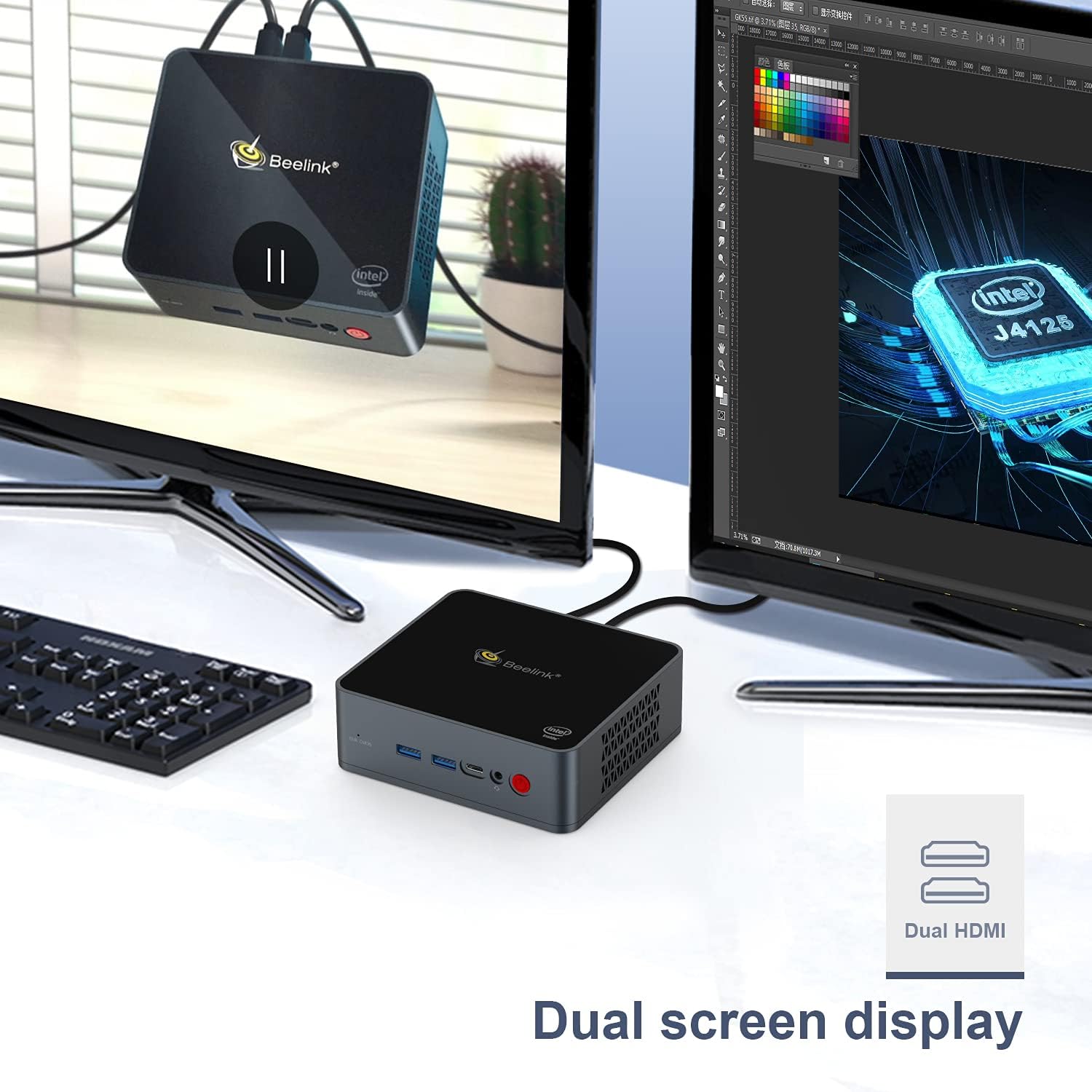
Image: The Beelink GK55 Mini PC connected to two monitors, illustrating its dual screen display capability for enhanced productivity.
3.2 Укључивање
- Connect the power adapter to the DC power input port on the Mini PC, then plug the adapter into a power outlet.
- Press the power button located on the front of the device. The power indicator light will illuminate.
- The Mini PC will boot up, and the operating system (Windows 10 Pro or Linux, depending on your configuration) will load.
4. Упутство за употребу
4.1 Основни рад
- Укључивање/искључивање: Press the power button once to turn on. To turn off, use the operating system's shutdown function or press and hold the power button for 5 seconds.
- Поново покрени: Користите функцију поновног покретања оперативног система.
- Режим спавања: Use the operating system's sleep function.
4.2 Приказ излаза
The Beelink GK55 supports up to 4K resolution at 30Hz via its HDMI ports. For optimal display quality, ensure your monitor and HDMI cables support 4K resolution.
4.3 Бежично повезивање
- Ви-Фи: The device supports 2.4G and 5G Wi-Fi. To connect, navigate to your operating system's network settings, select your desired Wi-Fi network, and enter the password.
- Блуетоотх: The device includes Bluetooth 4.2. To pair Bluetooth devices, go to your operating system's Bluetooth settings and follow the pairing instructions for your specific device.

Image: An illustration showing the Beelink GK55 Mini PC connected to various peripherals such as a monitor, TV, headset, sound system, keyboard, mouse, camera, and gamepad, highlighting its extensive connectivity.
5. Одржавање
5.1 Чишћење
Regularly clean the exterior of the Mini PC with a soft, dry cloth. Use compressed air to clear dust from ventilation openings to ensure proper airflow and prevent overheating.
5.2 Проширење складишног простора
The Beelink GK55 supports storage expansion. You can add an M.2 SATA SSD (2280 form factor) or a 2.5-inch HDD/SSD to increase storage capacity. Refer to the detailed instructions for internal component access if you plan to upgrade storage.
5.3 Систем хлађења
The Mini PC is equipped with a heat pipe and fan for efficient heat dissipation. Ensure the ventilation openings are not obstructed to maintain optimal operating temperatures.
КСНУМКС. Решавање проблема
If you encounter issues with your Beelink GK55 Mini PC, refer to the following common problems and solutions:
- Нема напајања:
- Уверите се да је адаптер за напајање безбедно повезан и са Мини рачунаром и са исправном утичницом.
- Проверите да ли је утичница функционална.
- Без приказа:
- Check that the HDMI cable is firmly connected to both the Mini PC and the monitor.
- Уверите се да је монитор укључен и подешен на исправан улазни извор.
- Пробајте други HDMI порт или кабл.
- No Internet Connection (Wired):
- Verify the Ethernet cable is properly connected to both the Mini PC and your router/modem.
- Check your router/modem status.
- Без Wi-Fi/Bluetooth-а:
- Уверите се да су Wi-Fi и Bluetooth омогућени у подешавањима вашег оперативног система.
- Check for driver updates if issues persist.
- Accessing BIOS/Boot Menu:
- To enter the BIOS setup menu, press the 'Delete' тастер више пута током покретања.
- To enter the boot menu, press the 'F7' тастер више пута током покретања.
7. Спецификације
| Феатуре | Спецификација |
|---|---|
| Бранд | Беелинк |
| Број модела | ГК55 |
| Оперативни систем | Windows 10 Pro (supports Linux) |
| ЦПУ модел | Интел Целерон Ј4125 |
| Брзина процесора | 2.7 GHz (Burst Frequency) |
| Процесор Цоунт | 4 |
| Величина инсталиране РАМ меморије | 8 ГБ ДДР4 |
| Капацитет меморије | 256 ГБ ССД |
| Хард Диск Интерфаце | Serial ATA-600 (for 2.5" HDD/SSD expansion) |
| Опис графичке картице | Интегрисана Интел УХД графика |
| Резолуција | 3840 к 2160 (4К) |
| Технологија повезивања | Bluetooth 4.2, 2.4G+5G WiFi, USB Type-A, USB Type-C, HDMI |
| Хардверски интерфејс | HDMI, USB Type C |
| Димензије артикла | 4.88 к 4.45 к 1.61 инча |
8. Гаранција и подршка
Beelink products come with a standard manufacturer's warranty. For specific warranty terms and conditions, please refer to the warranty card included with your product or visit the official Beelink webсајту.
If you require technical assistance, have questions about your product, or need to report an issue, please contact Beelink customer support through their official channels. Provide your product model (GK55) and serial number for faster service.