
1. Увод
The rockspace AC1200 WiFi Range Extender is designed to expand your existing wireless network coverage and eliminate Wi-Fi dead zones. Utilizing dual-band technology, it supports both 2.4GHz and 5GHz bands, providing stable and high-speed connections for up to 20 wireless devices across an area of up to 2624 sq.ft. This manual provides detailed instructions for setting up, operating, and maintaining your device.

The rockspace AC1200 WiFi Range Extender expands your network coverage.
2. Безбедносне информације
- Не излажите уређај води, ватри или високим температурама.
- Избегавајте постављање уређаја у близини јаких електромагнетних поља.
- Обезбедите одговарајућу вентилацију; не покривајте отворе за вентилацију уређаја.
- Користите само адаптер за напајање који сте добили уз уређај.
- Чувати ван домашаја деце.
3. Садржај пакета
- 1 x rockspace AC1200 WiFi Range Extender
- 1 к Упутство за употребу
4. Производ је готовview
The rockspace AC1200 WiFi Range Extender features a compact design with dual external antennas for enhanced signal reception and transmission. It includes a WPS button for quick setup, an Ethernet port for wired connections, and LED indicators to show device status.

Фронт view of the rockspace AC1200 WiFi Range Extender.
ЛЕД индикатори:
- Signalna LED: Indicates the strength of the signal received from the router.
- ВПС ЛЕД: Означава статус ВПС везе.
- ПВР ЛЕД: Означава статус напајања.
Портови и дугмад:
- ВПС дугме: For quick and easy setup with WPS-enabled routers.
- Етхернет порт: For connecting wired devices or setting up in Access Point mode.
5. Подешавање
Method 1: WPS Button Setup (Recommended)
- Plug the extender into an electrical outlet near your wireless router. Wait for the PWR LED to turn solid blue.
- Press the WPS button on the extender. The WPS LED will start blinking.
- Within 2 minutes, press the WPS button on your wireless router.
- Wait for the Signal LED on the extender to turn solid blue, indicating a successful connection.
- Once connected, you can unplug the extender and relocate it to a desired location within your router's Wi-Fi range. Ensure the Signal LED remains solid blue for optimal performance.

WPS setup for quick connection.
2. метод: Web-based Setup
- Plug the extender into an electrical outlet near your wireless router. Wait for the PWR LED to turn solid blue.
- Connect your computer or mobile device to the extender's default Wi-Fi network (e.g., 'rockspace_EXT' or 'rockspace_5G_EXT'). No password is required initially.
- Отвори а web browser and enter the default IP address (e.g., 192.168.0.254) or domain name (e.g., re.rockspace.local) in the address bar.
- Follow the on-screen instructions to create an administrator password, select your router's Wi-Fi network, and enter its password.
- Once configured, the extender will restart. Reconnect your devices to the new extended Wi-Fi network (usually your original network name with '_EXT' appended).
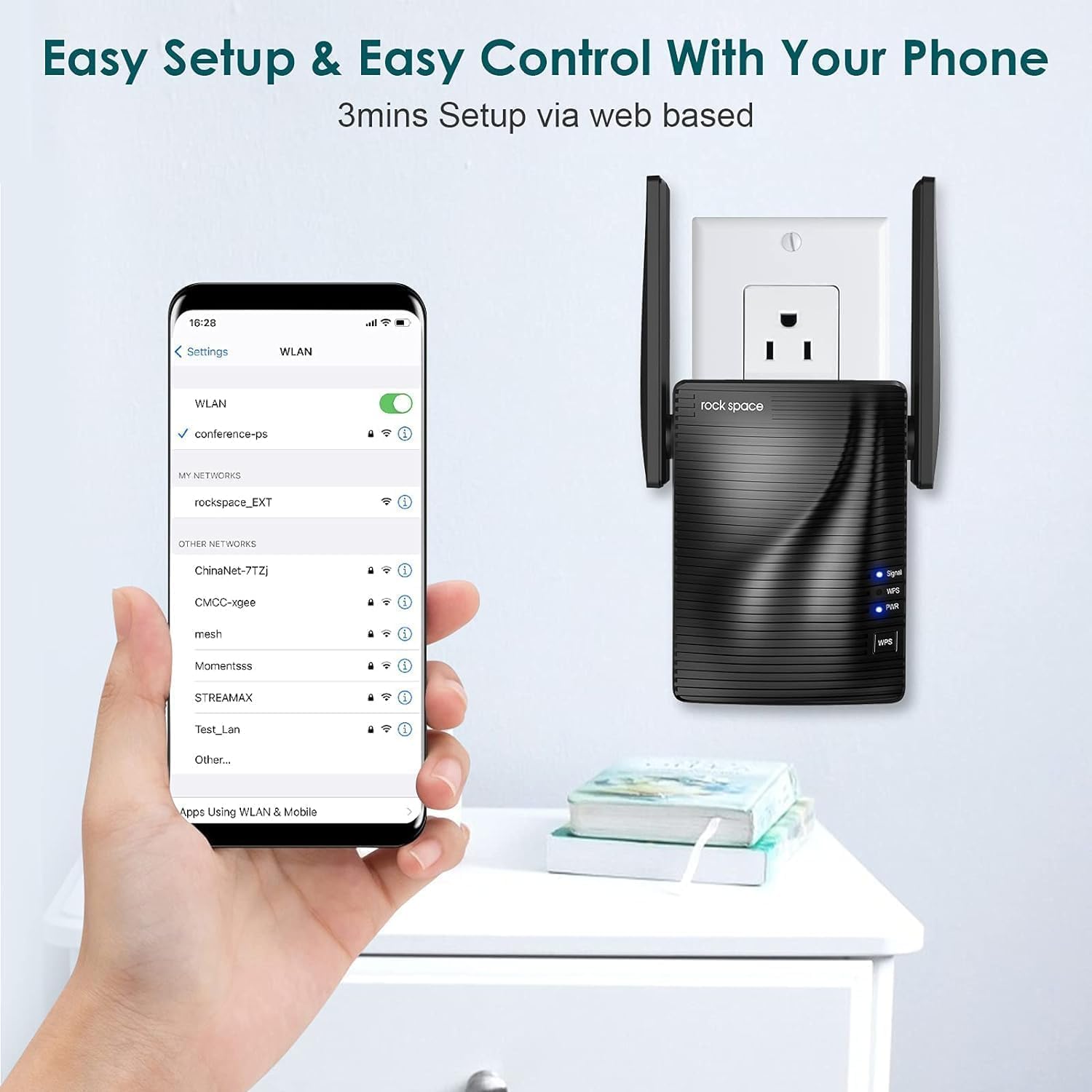
Web-based setup via smartphone.
6. Радни режими
Repeater Mode (Default)
In Repeater Mode, the extender wirelessly connects to your existing router and amplifies its Wi-Fi signal, extending coverage to areas with weak or no signal. This is ideal for expanding your wireless network without running new cables.
Режим приступне тачке (АП).
In AP Mode, the extender connects to your router via an Ethernet cable and creates a new wireless network. This is useful for converting a wired network connection into a wireless hotspot, providing Wi-Fi access in areas where only wired connections are available.

Access Point mode provides stable wired-to-wireless conversion.
7. Одржавање
- Оптимално постављање: Place the extender halfway between your router and the Wi-Fi dead zone. Avoid physical obstructions like thick walls or large metal objects.
- Ажурирања фирмвера: Regularly check the rockspace official webсајт за ажурирања фирмвера како би се осигурале оптималне перформансе и безбедност.
- Чишћење: Нежно обришите уређај меком, сувом крпом. Не користите течна средства за чишћење или аеросоле.
КСНУМКС. Решавање проблема
- Нема напајања: Ensure the extender is securely plugged into a working electrical outlet. Check the PWR LED.
- Нема сигнала/Слаб сигнал: Relocate the extender closer to your main router. Ensure there are minimal obstructions between the router and the extender.
- Мала брзина интернета: This can be caused by interference, too many connected devices, or improper placement. Try adjusting antenna positions or moving the extender.
- Не могу приступити Web Страница управљања: Ensure your device is connected to the extender's Wi-Fi network. Clear your browser's cache and cookies, or try a different browser.
- Заборављена лозинка: Perform a factory reset on the extender by pressing and holding the Reset button (usually a small pinhole) for about 8-10 seconds until the LEDs flash. This will revert all settings to factory defaults.
9. Спецификације
| Феатуре | Детаљ |
|---|---|
| Број модела | 2020 1200RPT |
| Стандард бежичне комуникације | 802.11а/б/г/н |
| Брзина преноса података | 1200 Megabytes Per Second (Mbps) |
| Класа фреквенцијског опсега | Двопојасни (2.4 GHz и 5 GHz) |
| Тип конектора | РЈ45 (Етернет) |
| Тежина артикла | 10.4 унци |
| Димензије пакета | 5 к 5 к 4 инча |
10. Гаранција и подршка
rockspace products typically come with a standard manufacturer's warranty. For specific warranty details, technical support, or to download the latest user guide, please visit the official rockspace website or refer to the included Упутство за употребу (ПДФ).