
Увод
This manual provides essential instructions for the safe and efficient operation, installation, and maintenance of your Candy Smart Inverter CBDO485TWME/1-S integrated front-load washer dryer. Please read all instructions carefully before using the appliance and retain this manual for future reference.

Слика 1: Фронт view of the Candy Smart Inverter CBDO485TWME/1-S integrated washer dryer. This image displays the appliance's overall design, including the control panel, detergent drawer, and main door.
Безбедносне информације
Увек се придржавајте основних мера предострожности када користите електричне уређаје како бисте смањили ризик од пожара, струјног удара и повреда особа.
- Уверите се да је уређај правилно уземљен.
- Немојте користити уређај ако је оштећен.
- Држите децу и кућне љубимце подаље од уређаја током рада.
- Не додирујте уређај мокрим рукама.
- Искључите уређај из струје пре обављања било каквог одржавања или чишћења.
- Користите само детерџенте и адитиве погодне за аутоматске машине за прање веша.
Подешавање и инсталација
1. Распакивање
Carefully remove all packaging materials. The appliance weighs approximately 66 kilograms, so it is recommended to have assistance during unpacking and positioning to prevent injury. Inspect the appliance for any damage incurred during transit.
КСНУМКС. Постављање
This is an integrated front-load washer dryer designed to fit into cabinetry. Ensure the installation area is level, stable, and has adequate ventilation. Do not install the appliance in areas where the temperature may fall below freezing.

Слика 2: The washer dryer shown integrated within a kitchen or utility room cabinet. This illustrates the appliance's intended installation as a built-in unit.
3. Прикључци за воду и одвод
- Прикључите црево за довод воде на славину за хладну воду. Уверите се да су спојеви чврсти како бисте спречили цурење.
- Position the drain hose into a standpipe or secure it over a sink, ensuring it is not kinked.
4. Електрични прикључак
Connect the power cord to a properly grounded 220 Volt electrical outlet. Do not use extension cords or adapters.
5. Initial Check-up
Before the first wash, it is recommended to run a short cycle without laundry and detergent to clean the drum and check for proper operation.
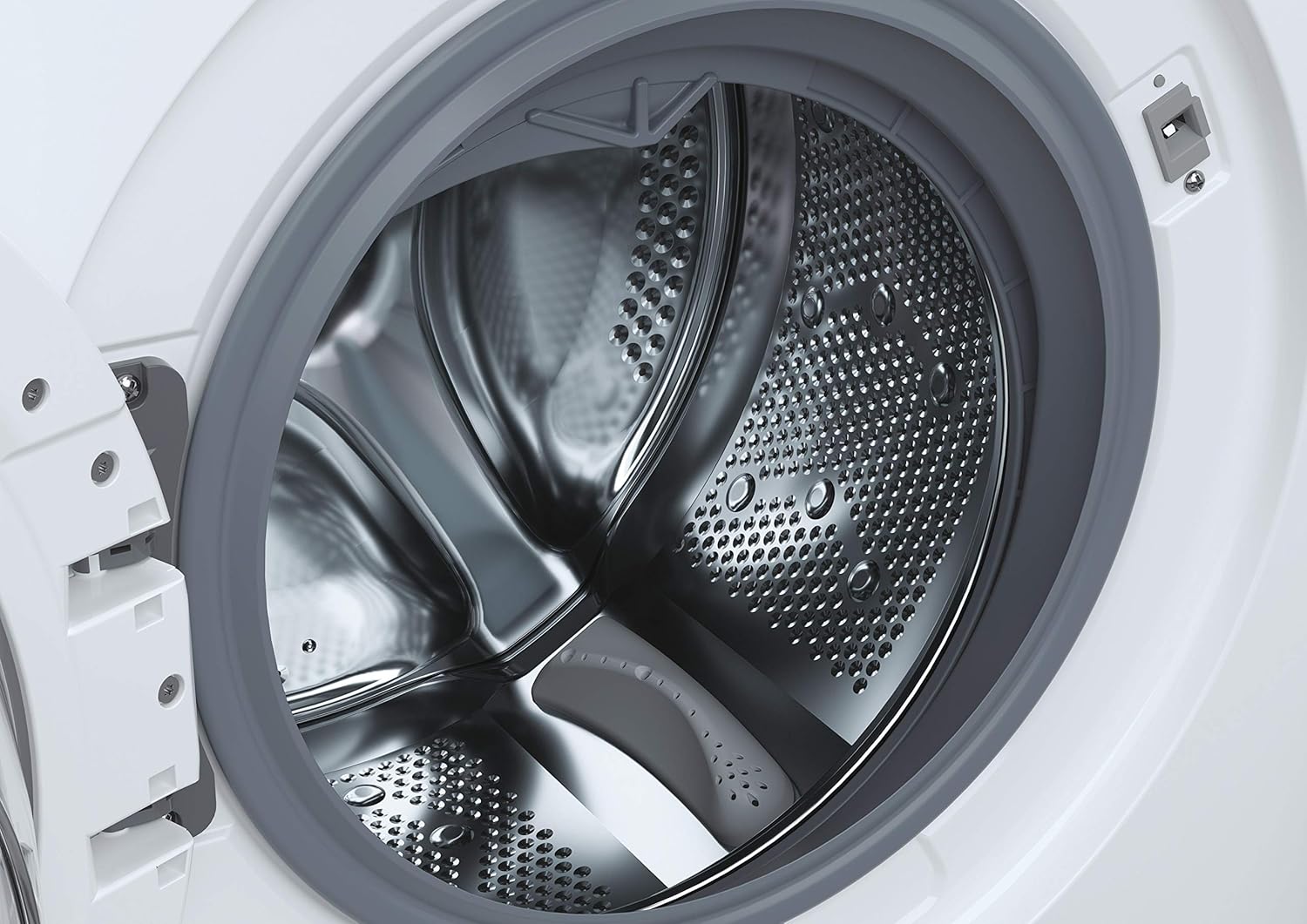
Слика 3: Детаљно view of the stainless steel drum inside the washer dryer. This shows the internal structure where laundry is placed for washing and drying.
6. Smart Fi+ Connectivity
The Candy Smart Inverter CBDO485TWME/1-S features Smart Fi+ for remote control and monitoring via the Simply-Fi app. Download the app from your device's app store.
- За Андроид уређаје: Follow the in-app instructions for pairing.
- For iOS (iPhone) devices: During the setup process, if the washing machine's Wi-Fi network does not appear, ensure that АирДроп is enabled in your iPhone's Control Center. This is crucial for the app to detect and connect to the appliance's network. Once connected, you can complete the registration and use the Smart Fi features.
Упутство за употребу
1. Цонтрол Панел Оверview

Слика 4: Детаљно view of the control panel, showing the program selection dial, digital display, and various option buttons. This panel allows users to select wash and dry cycles and customize settings.
The control panel consists of a program selection dial, a digital display, and several push buttons for additional options.
- Програмско бирање: Користи се за избор жељеног програма прања или сушења.
- Дигитални екран: Приказује трајање програма, кодове грешака и изабране опције.
- Дугмад за опције: Allow customization of temperature, spin speed, delay start, and other functions.
2. Пуњење веша
Open the door and load laundry into the drum. Do not overload the machine; the maximum capacity for washing is 8 kilograms. For drying, refer to the specific program guidelines as drying capacity may differ.

Слика 5: The integrated washer dryer with its door open, revealing laundry inside the drum. This image demonstrates the loading process for the appliance.
3. Додавање детерџента
Pull out the detergent drawer located on the top left of the control panel. Add appropriate amounts of detergent and fabric softener to the designated compartments.
4. Избор програма
Turn the program dial to select your desired wash or dry cycle. Available options include:
- Еко 40-60: Energy-efficient program for normally soiled cotton or mixed items.
- Брзи програми: Options like 14', 30', 44', 59' for lightly soiled items requiring a fast wash.
- Специјални циклуси: Specific programs for different fabric types (e.g., cotton, synthetics, delicates).
- Програми сушења: Includes Sensor Dry for automatic drying based on moisture levels, and Active Steam for refreshing clothes.
5. Прилагођавање подешавања
After selecting a program, use the option buttons to adjust settings such as wash temperature, spin speed (up to 1200 RPM), and delay start, if available for the chosen program.
6. Покретање циклуса
Press the Start/Pause button to begin the cycle. The display will show the remaining time.
Одржавање
1. Чишћење фиоке за детерџент
Редовно вадите и чистите фиоку за детерџент како бисте спречили накупљање остатака. Исперите је под млазом воде и уверите се да су сви одељци празни пре него што је поново уметнете.
2. Чишћење бубња
Run a maintenance wash cycle (e.g., a hot wash without laundry) periodically to clean the drum and remove any odors or residue.
3. Чишћење филтера
The appliance has a filter located at the bottom front (visible in Figure 1). Regularly clean this filter to ensure proper drainage and prevent blockages. Refer to the detailed instructions in the full manual for safe removal and cleaning.
4. Спољно чишћење
Обришите спољашње површине меком, дamp тканина. Немојте користити абразивна средства за чишћење или раствараче.
Решавање проблема
If you encounter issues with your washer dryer, consult the following common problems and solutions before contacting service.
| Проблем | Могући узрок | Решење |
|---|---|---|
| Апарат се не покреће | Нема напајања; врата нису правилно затворена; програм није изабран. | Check power connection; ensure door is securely latched; select a program and press Start. |
| Вода се не пуни | Славина за воду затворена; доводно црево превијено; притисак воде пренизак. | Отворите славину за воду; исправите црево; проверите притисак воде у домаћинству. |
| Вода се не одводи | Drain hose kinked or blocked; filter blocked. | Straighten/clear drain hose; clean the drain filter. |
| Код грешке Е13 | Indicates an electrical issue, potentially with the control board. | Unplug the appliance for a few minutes, then plug it back in. If the error persists, contact authorized service. |
| Превелика вибрација/бука | Appliance not level; transport bolts not removed; unbalanced load. | Adjust leveling feet; ensure transport bolts are removed (if applicable); redistribute laundry inside the drum. |
Спецификације
- Модел: ЦБДО485ТВМЕ/1-С
- Бренд: Цанди
- Тип: Integrated Front-Load Washer Dryer
- Капацитет прања: 8 килограма
- Боја: Бела
- Посебна карактеристика: Инвертер Мотор
- Опције циклуса: Eco, Sensor Dry, Active Steam, various quick wash programs
- Волtage: 220 Волтс
- Тип контроле: Push button and Rotary Dial
- Тежина артикла: 66 килограма
- Укључене компоненте: 1 package (appliance)
Гаранција и подршка
Your Candy Smart Inverter CBDO485TWME/1-S washer dryer is covered by a manufacturer's warranty. The terms and duration of the warranty may vary by region. Please retain your proof of purchase for warranty claims.
For technical assistance, warranty service, or to locate an authorized service center, please contact Candy customer support. It is advisable to verify the availability of local service centers in your area before purchase or if you require assistance.
You can typically find contact information for Candy support on their official webсајт: ввв.цанди-гроуп.цом