
1. Увод
This manual provides detailed instructions for the assembly, operation, and maintenance of your Antec NX410 ATX Mid-Tower Case. Please read this manual thoroughly before beginning installation to ensure proper setup and to maximize the performance and longevity of your system.

Figure 1.1: Antec NX410 ATX Mid-Tower Case (Black)
2. Кључне карактеристике
- Напредно хлађење: Pre-installed with 2 x 140mm ARGB fans in the front and 1 x 120mm ARGB fan in the rear for efficient airflow.
- Бочна плоча од каљеног стакла: A full-side view tempered glass panel allows for showcasing internal components and RGB lighting.
- Оптимизован проток ваздуха: Features a grid front panel design to enhance air intake and maintain optimal temperatures.
- Подршка за матичну плочу: Compatible with ATX, Micro-ATX, and ITX motherboard form factors.
- Ample Expansion: Supports various storage configurations and large graphics cards (up to 335mm) and CPU coolers (up to 168mm).
3. Подешавање и инсталација
3.1 Припрема случаја
Before installing components, ensure the case is placed on a stable, flat surface. The tempered glass side panel can be easily opened via a magnetic latch for access to the interior.

Figure 3.1: Internal Component Layout and Compatibility
3.2 Инсталација матичне плоче
The NX410 supports ATX, Micro-ATX, and ITX motherboards. Install standoffs as required by your motherboard's form factor before mounting the motherboard.
3.3 Fan and Radiator Support
The case comes with pre-installed ARGB fans. Additional fans or radiators can be installed as follows:
- Фронт: Up to 3 x 120mm or 3 x 140mm fans (up to 360mm radiator).
- Врх: Up to 2 x 120mm or 2 x 140mm fans (up to 280mm radiator).
- позади: 1 x 120mm fan (up to 120mm radiator).
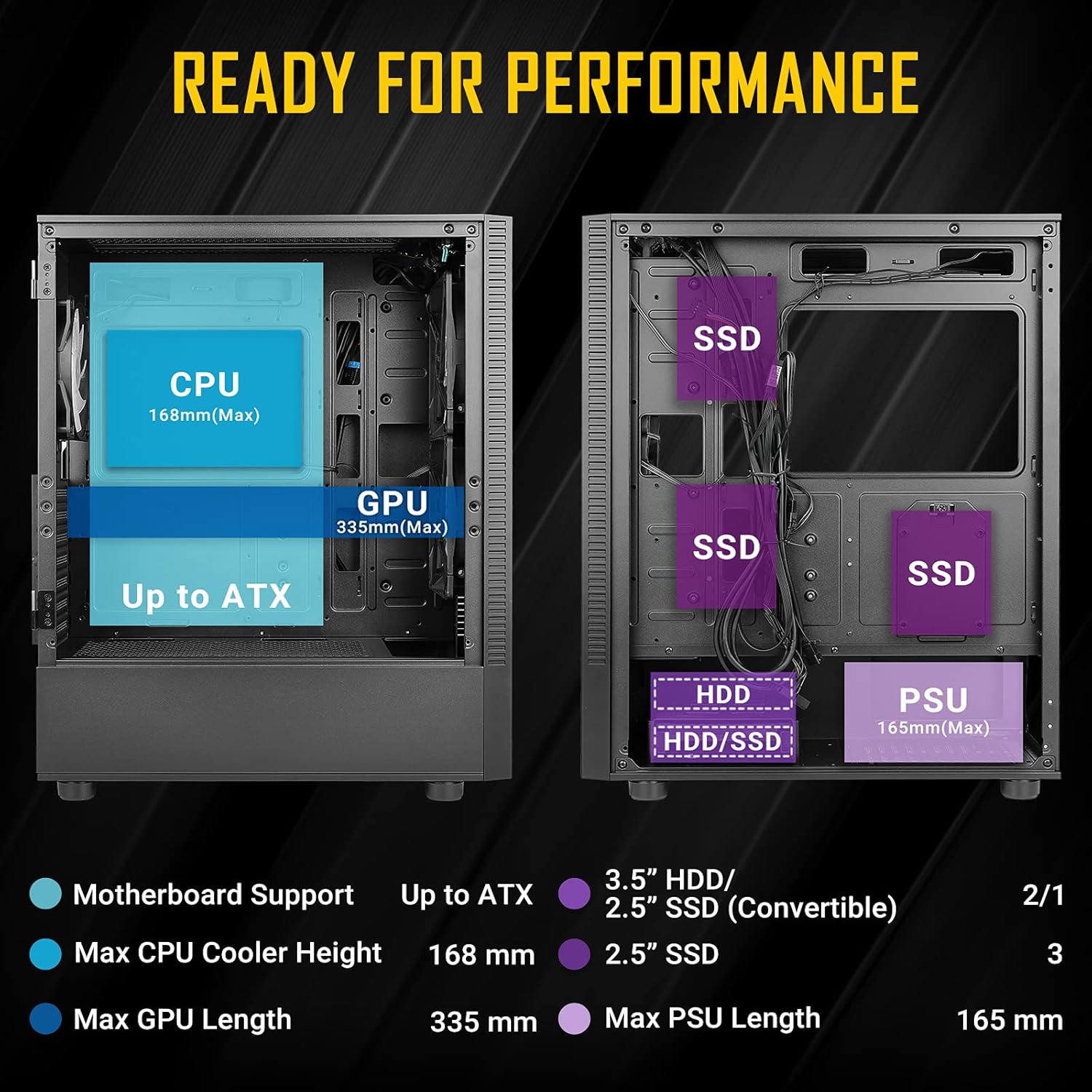
Figure 3.2: Fan and Radiator Configuration
Important Fan Connection Note:
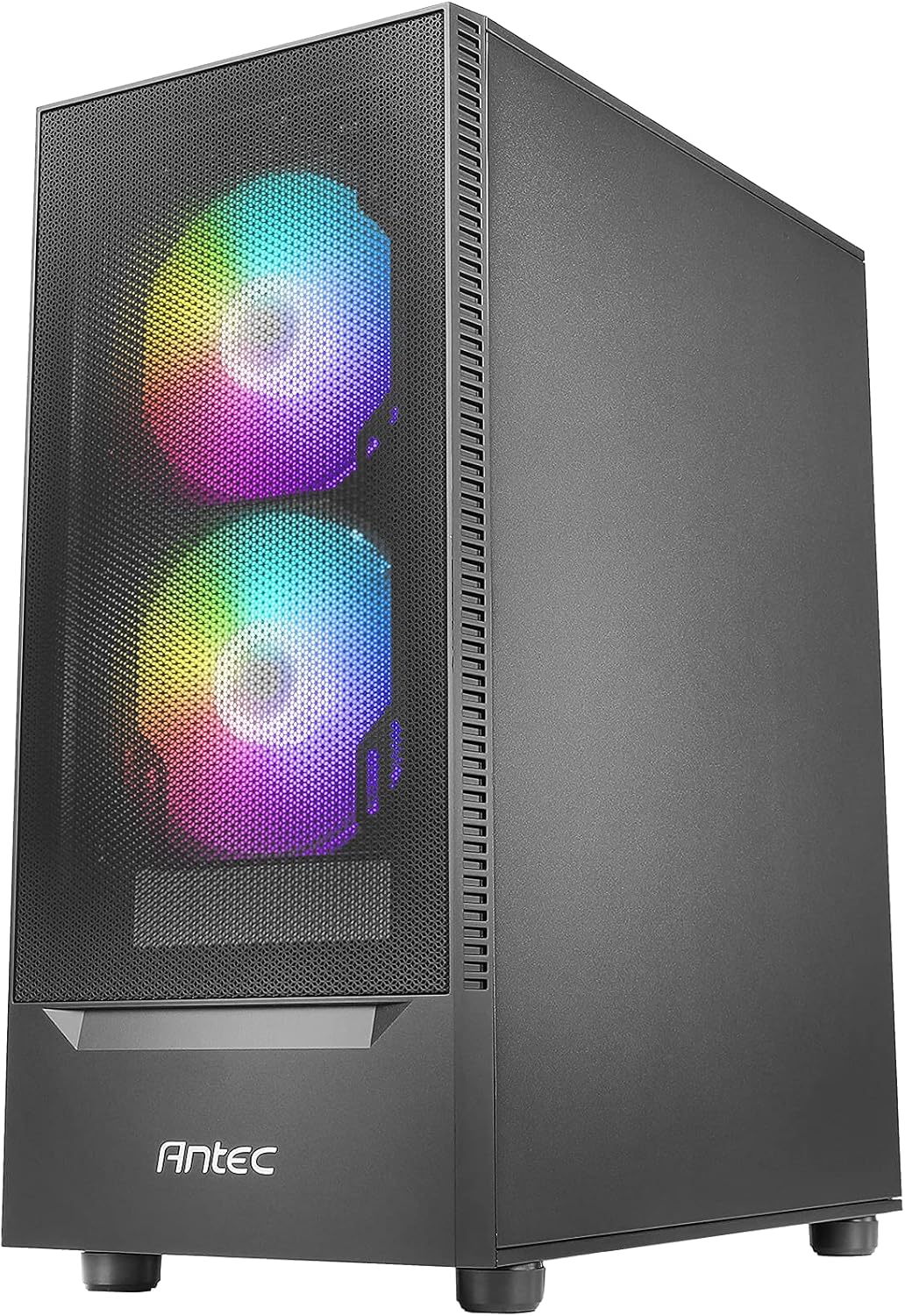
Figure 3.3: Fan Installation Warning
- If you connect the major fan and other fans but do not connect the major fan to the motherboard, other fans will not function.
- The fan kit does not work in sync with the motherboard ARGB function unless properly connected.
3.4 Инсталација уређаја за складиштење података
The case provides bays for 3.5-inch HDDs and 2.5-inch SSDs. Refer to the internal layout diagram (Figure 3.1) for specific mounting locations.
3.5 Инсталација јединице за напајање (ПСУ).
The PSU mounts at the rear bottom of the case. Ensure the PSU length does not exceed 165mm for optimal fit and cable management.
4. Управљање карактеристикама кућишта
4.1 Front Panel I/O Ports
The top front panel provides convenient access to essential ports and controls:
- Дугме за напајање
- ЛЕД контролно дугме
- УСБ 3.0 к 1
- УСБ 2.0 к 2
- HD-AUDIO (Headphone and Microphone jacks)

Figure 4.1: Front Panel I/O Ports
4.2 ARGB контрола осветљења
Use the dedicated LED Control Button on the front panel to cycle through various ARGB lighting effects and colors for the pre-installed fans. This allows for customization of your system's aesthetic.

Figure 4.2: LED Control Button
5. Одржавање
5.1 Чишћење филтера за прашину
The Antec NX410 features a fine mesh front panel and a magnetic dust filter on the top panel to prevent dust buildup. Regularly remove and clean these filters to maintain optimal airflow and cooling performance.
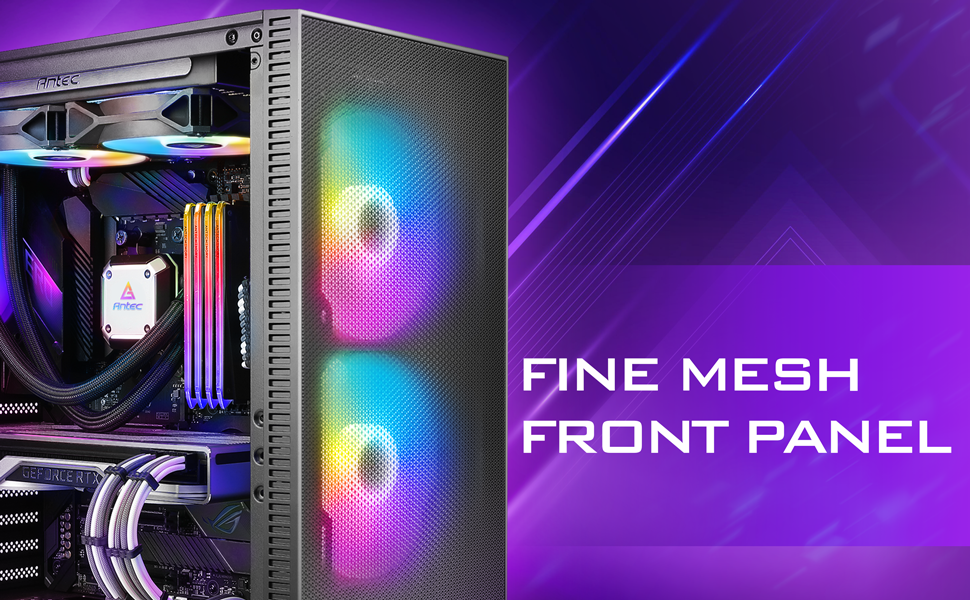
Figure 5.1: Fine Mesh Front Panel
5.2 Accessing Internal Components
The tempered glass side panel is secured with a magnetic latch, allowing for tool-less access to the internal components for upgrades, cleaning, or troubleshooting. Gently pull the handle to open the panel.
КСНУМКС. Решавање проблема
- Систем се не укључује: Ensure all power cables (24-pin ATX, 8-pin CPU, GPU PCIe) are securely connected to the motherboard, graphics card, and power supply. Verify the power supply switch is in the 'ON' position.
- Fans Not Spinning/RGB Not Working: Check fan connections to the motherboard or fan controller. Ensure the LED control button is pressed to cycle through modes. Refer to Figure 3.3 for proper fan wiring.
- Проблеми са прегревањем: Confirm all case fans are installed correctly and spinning. Clean dust filters regularly. Ensure proper thermal paste application on the CPU cooler.
- УСБ портови не раде: Verify the USB headers from the front panel are correctly connected to the motherboard.
7. Спецификације
| Феатуре | Детаљ |
|---|---|
| Бранд | Антец |
| Назив модела | НКСКСНУМКС |
| Тип случаја | Мид Товер |
| Компатибилност матичне плоче | АТКС, Мицро-АТКС, ИТКС |
| Димензије (Д к Ш к В) | 15.35"Д к 8.27"Ш к 19.09"В |
| Материјал | Каљено стакло, челик |
| Унапред инсталирани вентилатори | 2 x 140mm ARGB (Front), 1 x 120mm ARGB (Rear) |
| Максимална висина ЦПУ хладњака | 168мм |
| Максимална дужина ГПУ-а | 335мм |
| Мак ПСУ Ленгтх | 165мм |
| Слотови за проширење | 7 |
| И/О портови | Power, LED Control Button, USB 3.0 x 1, USB 2.0 x 2, HD-AUDIO |
| Фактор облика тврдог диска | 3.5 инча |
| Internal Bays Quantity | 2 (3.5" HDD / 2.5" SSD Convertible), 3 (2.5" SSD) |
8. Гаранција и подршка
The Antec NX410 ATX Mid-Tower Case comes with a 2 година гаранције. For technical support, troubleshooting assistance, or warranty claims, please visit the official Antec webсајт или контактирајте њихову службу за кориснике. Сачувајте доказ о куповини ради потврде гаранције.