
1. Увод
Thank you for choosing the Ortizan X10 Wireless Portable Bluetooth Speaker. This manual provides essential information for setting up, operating, and maintaining your speaker to ensure optimal performance and longevity. The Ortizan X10 is designed for robust outdoor and indoor use, featuring IPX7 waterproofing, powerful 24W sound, extended battery life, and dynamic party lights.
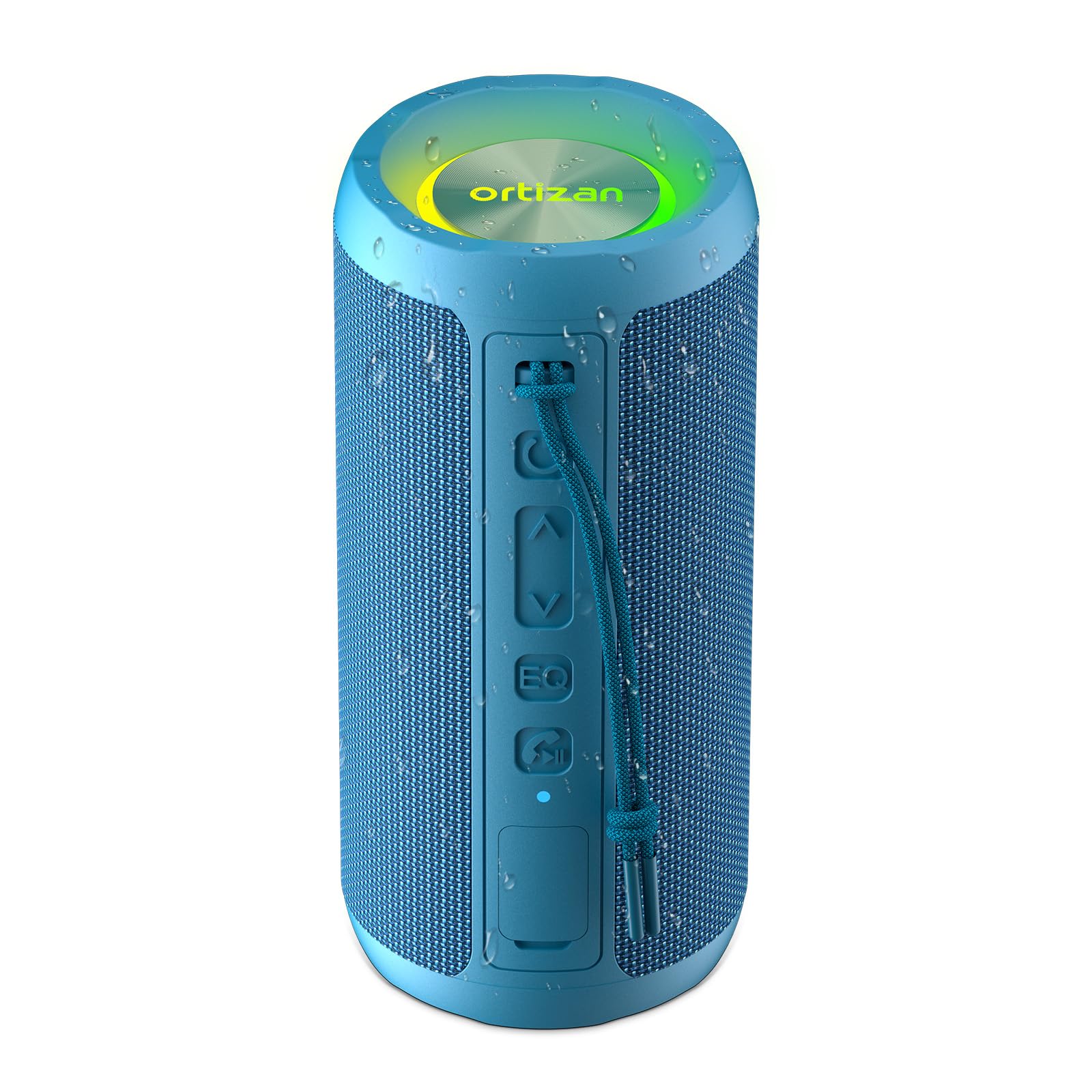
Image 1.1: Ortizan X10 Wireless Portable Bluetooth Speaker in Blue.
2. Садржај пакета
Молимо вас да проверите пакет за следеће ставке:
- 1 x Ortizan X10 Bluetooth Speaker
- КСНУМКС к УСБ-Ц кабл за пуњење
- КСНУМКС к АУКС кабл
- 1 x Carabiner Strap
- 1 x Упутство за употребу (овај документ)
3. Производ је готовview
3.1 Контроле и портови
Familiarize yourself with the buttons and ports on your Ortizan X10 speaker:
- Дугме за напајање: Притисните и држите за укључивање/искључивање.
- Дугме за смањивање јачине звука / претходну нумеру (-): Кратак притисак за смањивање јачине звука, дуг притисак за претходну нумеру.
- Дугме за репродукцију/паузирање (►): Притисните за репродукцију или паузирање музике.
- Дугме за појачавање јачине звука / следећу нумеру (+): Кратак притисак за појачавање јачине звука, дуг притисак за следећу нумеру.
- ЕК тастер: Press to cycle through sound equalization modes (Vocal, 3D Deep Bass, Extra Bass). Double-click to turn on/off light effect.
- Light Mode Button (☀): Притисните за промену режима осветљења.
- Call / TWS Button (☎): Press to answer/end calls. Long press to activate TWS pairing.
- УСБ-Ц прикључак за пуњење: За пуњење звучника.
- AUX-in порт: За жично повезивање звука.
- Слот за ТФ картицу: For playing music directly from a Micro SD card (up to 32GB).

Слика 3.1: Готовоview of speaker controls and connectivity options.
4. Подешавање
4.1 Пуњење звучника
Before first use, fully charge the speaker. Connect the provided USB-C cable to the speaker's charging port and a compatible USB power adapter (not included). The charging indicator light will show charging status.
4.2 Укључивање/искључивање
- За укључивање: Press and hold the Power button (Ⓞ) for 2-3 seconds. You will hear an audible prompt, and the indicator light will flash.
- За искључивање: Press and hold the Power button (Ⓞ) for 2-3 seconds. You will hear an audible prompt, and the indicator light will turn off.
4.3 Блуетоотх упаривање
To connect your Ortizan X10 speaker to a Bluetooth-enabled device:
- Ensure the speaker is powered on and in Bluetooth pairing mode (the indicator light will be flashing blue).
- На свом уређају (паметном телефону, таблету итд.) омогућите Блутут и потражите доступне уређаје.
- Select "Ortizan X10" from the list.
- Once connected, the speaker will emit an audible confirmation, and the indicator light will turn solid blue.
4.4 Упаривање са правим бежичним стерео (TWS) системом
For an immersive stereo experience, you can pair two Ortizan X10 speakers together:
- Ensure both Ortizan X10 speakers are powered on and not connected to any other Bluetooth device.
- On one speaker, long press the Call / TWS button (☎). This speaker will become the primary unit.
- The primary speaker will automatically search for the secondary speaker. Once connected, both speakers will emit an audible confirmation.
- Сада повежите уређај са примарним звучником путем Bluetooth-а као што је описано у одељку 4.3. Звук ће се репродуковати стерео преко оба звучника.

Image 4.1: Two Ortizan X10 speakers configured for True Wireless Stereo (TWS) pairing.
5. Упутство за употребу
5.1 Basic Music Playback
- Пусти/паузирај: Press the Play/Pause button (►).
- Појачавање звука: Short press the Volume Up button (+).
- Смањивање јачине звука: Short press the Volume Down button (-).
- Следећа нумера: Long press the Volume Up button (+).
- Претходни запис: Long press the Volume Down button (-).
5.2 ЕК режима
The Ortizan X10 offers three equalization modes to optimize your listening experience:
- Press the EQ button to cycle through:
- Вокални режим: Enhances clarity for vocals.
- 3D Deep Bass Mode: Provides a rich, deep bass experience.
- Додатни бас режим: Delivers powerful, boosted bass.

Image 5.1: The EQ button allows switching between different sound modes.
5.3 Party Lights
The speaker features dynamic RGB lights that can sync with your music:
- Промените режим осветљења: Press the Light Mode button (☀) to cycle through various light effects.
- Укључите/искључите светла: Double-click the EQ button to toggle the light effect on or off.

Image 5.2: The Ortizan X10 features vibrant RGB lighting.
5.4 Позивање без употребе руку
When connected via Bluetooth, you can use the speaker for hands-free calls:
- Одговори на позив: Press the Call / TWS button (☎).
- Заврши позив: Press the Call / TWS button (☎).
- Одбиј позив: Long press the Call / TWS button (☎).
5.5 Коришћење AUX улаза
Connect an audio device directly to the speaker using the provided 3.5mm AUX cable. The speaker will automatically switch to AUX mode.
5.6 Using TF Card
Insert a Micro SD (TF) card (up to 32GB) with MP3 audio files into the TF card slot. The speaker will automatically detect the card and begin playing music.
6. Одржавање
6.1 Чишћење
Обришите звучник меком, дamp cloth. Do not use harsh chemicals or abrasive cleaners. Ensure all ports are sealed before cleaning with water.
6.2 Водоотпорност (IPX7)
The Ortizan X10 is IPX7 waterproof, meaning it can be submerged in water up to 1 meter (3.3 feet) for 30 minutes. To maintain its waterproof integrity:
- Ensure the rubber flap covering the charging and AUX ports is securely closed before exposing the speaker to water.
- Do not expose the speaker to saltwater or other corrosive liquids.
- After exposure to water, especially chlorinated or saltwater, rinse the speaker with fresh water and dry thoroughly before charging or opening the port cover.

Image 6.1: The Ortizan X10 is designed with IPX7 waterproof protection.
6.3 Складиштење
Store the speaker in a cool, dry place away from direct sunlight and extreme temperatures. If storing for an extended period, charge the battery to approximately 50% every few months to preserve battery health.
КСНУМКС. Решавање проблема
| Проблем | Могући узрок | Решење |
|---|---|---|
| Звучник се не укључује | Ниска батерија | Потпуно напуните звучник. |
| Не могу да упарим преко Bluetooth-а | Speaker not in pairing mode / Device Bluetooth off / Too far from device | Ensure speaker is in pairing mode. Turn on Bluetooth on your device. Move speaker closer to device (within 66ft/20m). |
| Нема звука | Volume too low / Incorrect input mode / Device not playing | Increase speaker and device volume. Check if AUX or TF card is inserted. Ensure music is playing on your device. |
| ТВС упаривање не успева | Speakers already connected to other devices / Too far apart | Disconnect both speakers from any other Bluetooth devices. Ensure speakers are close to each other during TWS pairing. |
| Светла не раде | Lights turned off | Double-click the EQ button to turn lights on. |
8. Спецификације
| Феатуре | Детаљ |
|---|---|
| Назив модела | Кс10 |
| Бранд | Ортизан |
| Спеакер Типе | Оутдоор |
| Технологија повезивања | Bluetooth, Wireless, AUX, TF Card |
| Бежична комуникациона технологија | Блуетоотх 5.3 |
| Максимална излазна снага звучника | 30 вати (24 W RMS) |
| Капацитет батерије | 2600 мАх |
| Плаитиме | До 30 сати (при 30% запремине) |
| Ниво отпорности на воду | ИПКС7 водоотпоран |
| Блуетоотх домет | 66 стопа (20 метара) |
| Димензије производа | 3.11"Д к 3.11"Ш к 6.69"В |
| Тежина артикла | 0.45 килограма (15.8 унци) |
| Посебне карактеристике | Bass Boost, AUX, Hi-Res Audio, 3 EQ Modes, TF Card Port, Dual Passive Radiators, Hands-free, True Wireless Stereo, Shockproof, Stereo pairing |
8.1 Звучне карактеристике
The Ortizan X10 features dual neodymium drivers and a bass radiator, delivering 24W RMS power for clear vocals and deep 60Hz bass with minimal distortion.

Слика 8.1: Унутрашњи view highlighting the dual speakers and bass membrane for enhanced sound.
8.2 Трајање батерије
Equipped with a 2600mAh battery and smart power management, the speaker provides up to 30 hours of playtime at 30% volume. USB-C fast charging allows use while charging.

Image 8.2: Visual representation of the speaker's 30-hour battery life.
9. Званични видео производа
Video 9.1: Official product video demonstrating the Ortizan X10 speaker's features and outdoor use.
10. Гаранција и подршка
The Ortizan X10 Wireless Portable Bluetooth Speaker comes with a limited warranty. For detailed warranty information, product support, or technical assistance, please refer to the official Ortizan webсајт или контактирајте њихову корисничку службу. Сачувајте рачун за куповину за потребе гаранције.
Произвођач: Ортизан


