
1. Увод
The Chieftec MUB-3003C is a versatile USB hub designed for installation into a standard 3.5-inch external drive bay of a desktop computer. It expands your system's connectivity by providing one USB 3.2 Type-C port and two USB 3.0 Type-A ports, offering high-speed data transfer capabilities directly from your PC's front panel.
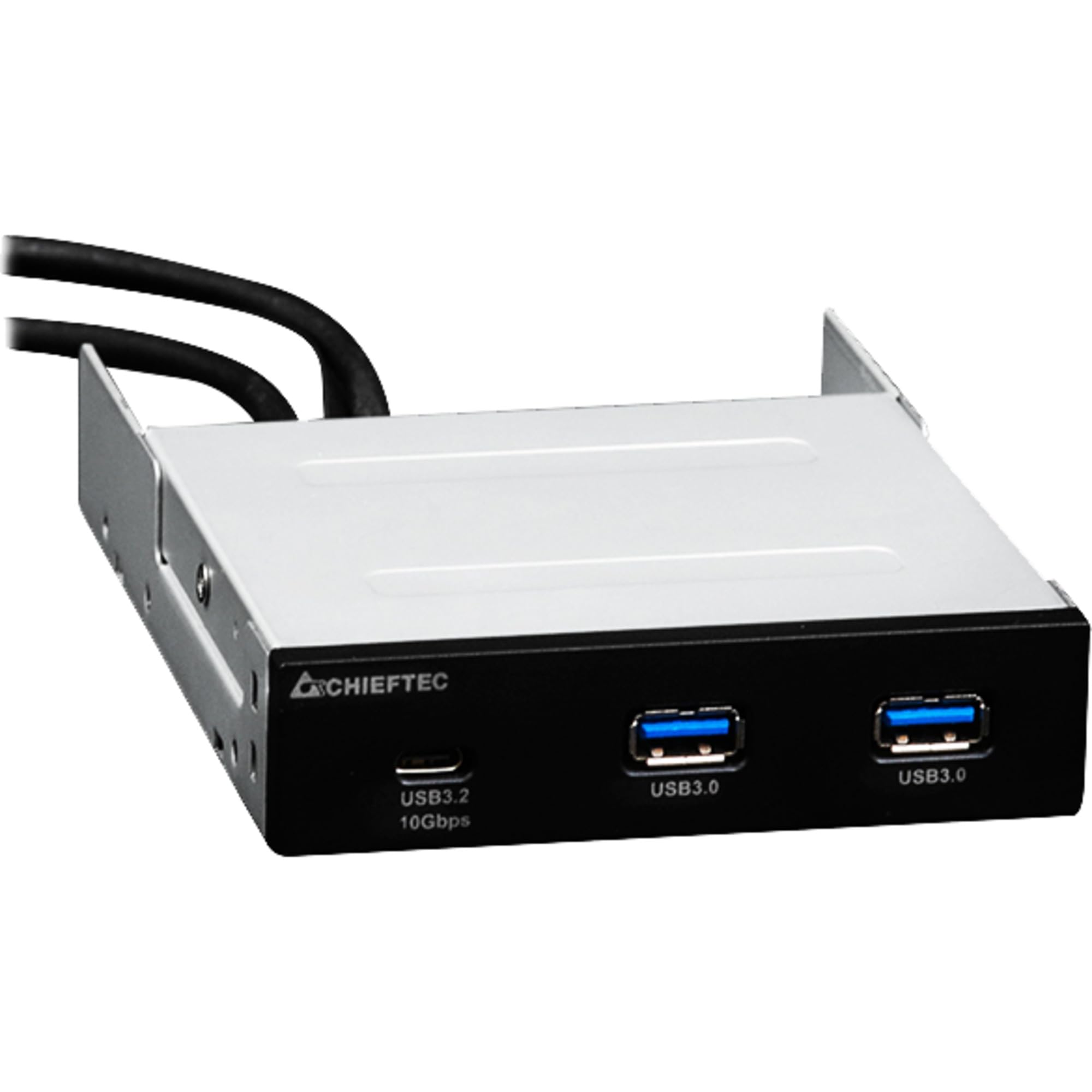
Слика 1.1: Предња страна view of the Chieftec MUB-3003C USB Hub, showing the USB 3.2 Type-C and two USB 3.0 Type-A ports.
2. Безбедносне информације
Please read and follow these safety instructions carefully to prevent damage to the device or injury to yourself.
- Не излажите уређај влази, екстремним температурама или директној сунчевој светлости.
- Не покушавајте да отворите или модификујете уређај. Сва сервисирања препустите квалификованом особљу.
- Ensure proper grounding of your computer system before installation.
- Disconnect power from your computer before installing or removing the USB hub.
- Држите уређај ван домашаја деце.
3. Садржај пакета
Проверите да ли су све ставке присутне у вашем пакету:
- Chieftec MUB-3003C USB Hub
- Internal USB 3.0 Header Cable
- Mounting Screws (typically included with PC cases or the hub)

Image 3.1: The Chieftec MUB-3003C USB Hub shown with its retail packaging.
4. Подешавање и инсталација
Follow these steps to install the Chieftec MUB-3003C USB Hub into your computer system.
- Припремите свој систем: Power off your computer and disconnect the power cable from the wall outlet. Open your computer case to access the internal components.
- Locate a 3.5-inch Bay: Identify an available 3.5-inch external drive bay in your computer case. This is typically found at the front of the case.
- Инсталирајте чвориште: Slide the MUB-3003C USB Hub into the chosen 3.5-inch bay from the front of the case until it is flush with the front panel. Secure the hub using the appropriate mounting screws on both sides.
- Connect Internal Cables:
- Connect the internal USB 3.0 header cable from the MUB-3003C to an available USB 3.0 (or USB 3.1 Gen1) header on your motherboard. This header is usually blue and labeled 'USB3' or 'F_USB3'.
- Напомена: The MUB-3003C typically draws power directly from the USB 3.0 header. No separate SATA power connection is usually required for this model.
- Затворите кућиште и укључите напајање: Once all connections are secure, close your computer case, reconnect the power cable, and power on your computer. The system should automatically detect the new USB hub.

Слика 4.1: Бочна страна view of the Chieftec MUB-3003C USB Hub, illustrating the mounting bracket and the internal USB 3.0 header cable connection.
5. Упутство за употребу
Using the Chieftec MUB-3003C USB Hub is straightforward:
- Повежите уређаје: Plug your USB devices (e.g., flash drives, external hard drives, card readers, smartphones) into the available ports on the front of the hub.
- УСБ 3.2 Типе-Ц порт: This port supports data transfer speeds up to 10 Gbps (USB 3.1 Gen2). Use it for devices that require the highest speed and utilize a USB-C connector.
- USB 3.0 портови типа А: These two ports support data transfer speeds up to 5 Gbps (USB 3.1 Gen1). They are compatible with standard USB-A devices.
- Плуг & Плаи: The hub is plug-and-play compatible, meaning no additional drivers are typically required for most operating systems.

Image 5.1: Close-up of the Chieftec MUB-3003C USB Hub's front panel, highlighting the USB 3.2 Type-C and USB 3.0 Type-A ports.
6. Одржавање
To ensure the longevity and optimal performance of your USB hub:
- Чишћење: Use a soft, dry cloth to gently wipe the exterior of the hub. Avoid using liquid cleaners or abrasive materials.
- Окружење: Keep the hub installed in a well-ventilated area within your PC case to prevent overheating.
- Везе: Periodically check that all internal and external connections are secure.
КСНУМКС. Решавање проблема
If you encounter issues with your Chieftec MUB-3003C USB Hub, refer to the following common problems and solutions:
- Уређај није препознат:
- Ensure the internal USB 3.0 header cable is securely connected to both the hub and the motherboard.
- Try connecting the USB device directly to a motherboard port to verify the device itself is functional.
- Проверите подешавања BIOS/UEFI ваше матичне плоче да бисте били сигурни да су USB портови омогућени.
- Споре брзине преноса података:
- Ensure you are using USB 3.0/3.2 compatible devices and cables. Connecting a USB 2.0 device will result in USB 2.0 speeds.
- Verify that the hub is connected to a USB 3.0 or higher header on your motherboard.
- Avoid connecting multiple high-bandwidth devices simultaneously if you experience performance degradation.
- No Power to USB Devices:
- Confirm the internal USB 3.0 header cable is fully seated on the motherboard.
- Some high-power USB devices may require an externally powered hub. This hub draws power from the motherboard's USB header, which has power limitations.
8. Спецификације
| Феатуре | Спецификација |
|---|---|
| Бранд | Цхиефтец |
| Број модела | MUB-3003C |
| Хардверски интерфејс | УСБ |
| Компатибилни уређаји | Card Readers, Desktops, USB Flash Drives |
| Укупно УСБ портова | 3 |
| Порт Цонфигуратион | 1x USB 3.2 Type-C (10 Gbps), 2x USB 3.0 Type-A (5 Gbps) |
| Installation Bay | 3.5-inch external drive bay |
| Тежина артикла | 10.6 унци |
9. Гаранција и подршка
Chieftec products are designed for reliability and performance. For warranty information, technical support, or service inquiries, please refer to the official Chieftec webсајт или контактирајте локалног продавца. Сачувајте доказ о куповини за потребе гаранције.
Онлине ресурси: For the latest drivers, FAQs, and support documentation, visit the official Chieftec support page.