
Увод
Thank you for choosing the PALOVUE iSound True Wireless Earbuds. These earbuds are designed to provide a superior audio experience with advanced features such as Qualcomm CSR Bluetooth 5.0, aptX HD sound quality, CVC 8.0 noise cancellation, and intuitive touch controls. This manual will guide you through the setup, operation, and maintenance of your new earbuds to ensure optimal performance.
Шта је у кутији
Upon unboxing your PALOVUE iSound True Wireless Earbuds, please verify that all components are present:
- PALOVUE iSound Earbuds (Left and Right)
- Футрола за пуњење
- УСБ-Ц кабл за пуњење
- Ланиард
- 5 Pairs of Silicone Ear Tips (XS, S, M, L, XL)
- Кориснички приручник (овај документ)
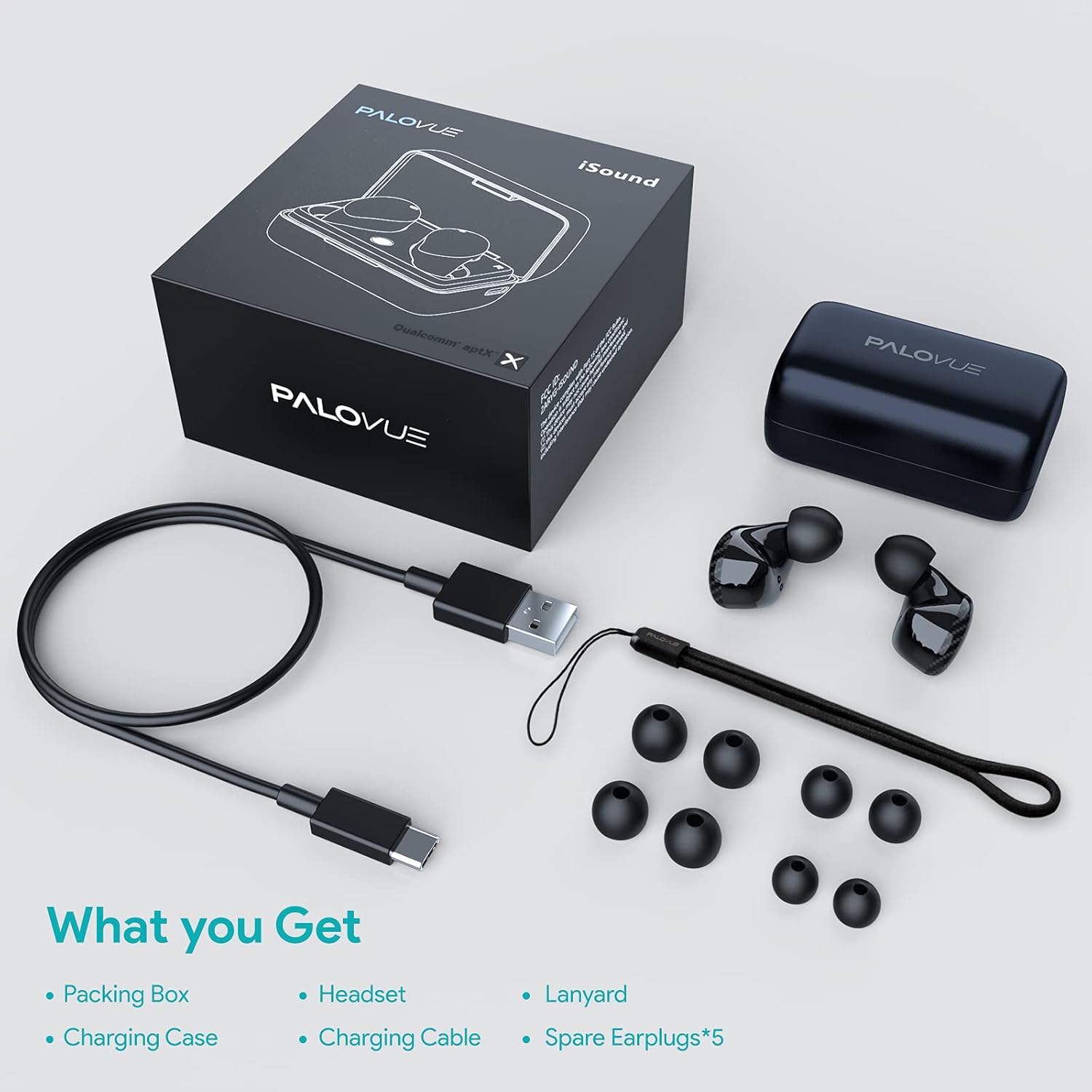
Производ је завршенview
Familiarize yourself with the key components of your PALOVUE iSound Earbuds.


Сетуп
1. Пуњење слушалица и футроле
Before first use, fully charge the earbuds and the charging case. Place the earbuds into the charging case. Connect the USB-C charging cable to the case and a power source. The indicator lights on the case will show the charging status.
- A full charge provides up to 24 hours of playback with the charging case.
2. Упаривање са вашим уређајем
- Уверите се да је Bluetooth на вашем уређају укључен.
- Open the charging case. The earbuds will automatically enter pairing mode (if it's the first time or if they are not connected to a previously paired device).
- On your device, search for Bluetooth devices and select "PALOVUE iSound" from the list.
- Када се повежете, чућете тон потврде.
Аутоматско поновно повезивање: After the initial pairing, simply open the charging case, and the earbuds will automatically connect to your last paired device.
3. Ношење слушалица
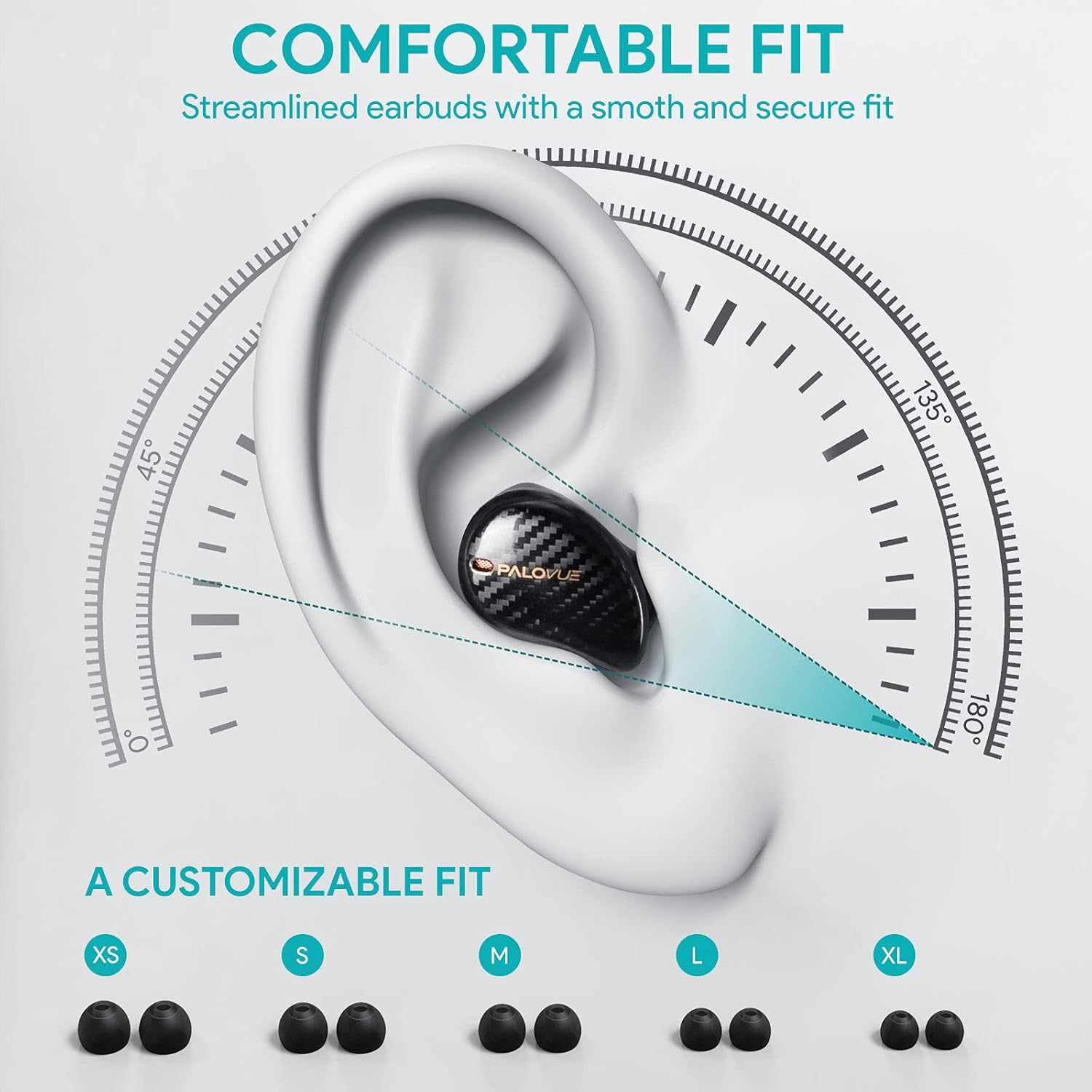
For optimal sound quality and comfort, select the correct ear tip size and ensure a secure fit.
- Choose from the 5 provided ear tip sizes (XS, S, M, L, XL) to find the best fit for your ears.
- Gently insert the earbuds into your ear canal and rotate them slightly until they feel secure and comfortable.
Упутство за употребу
Додирните контроле
The PALOVUE iSound earbuds feature multi-function touch panels on each earbud for easy control of audio playback and calls. Specific touch functions can be customized via the PALOVUE iSound app.
- Пусти/паузирај: Један додир на обе слушалице.
- Следећа нумера: Двапут додирните десну слушалицу.
- Претходни запис: Двапут додирните леву слушалицу.
- Одговори/заврши позив: Један додир на обе слушалице.
- Одбиј позив: Притисните и држите било коју слушалицу 2 секунде.
- Активирање гласовног помоћника: Трипут додирните било коју слушалицу.
- Контрола јачине звука: Customizable via the PALOVUE iSound app (e.g., tap and hold left for volume down, right for volume up).

Call Management and Noise Cancellation
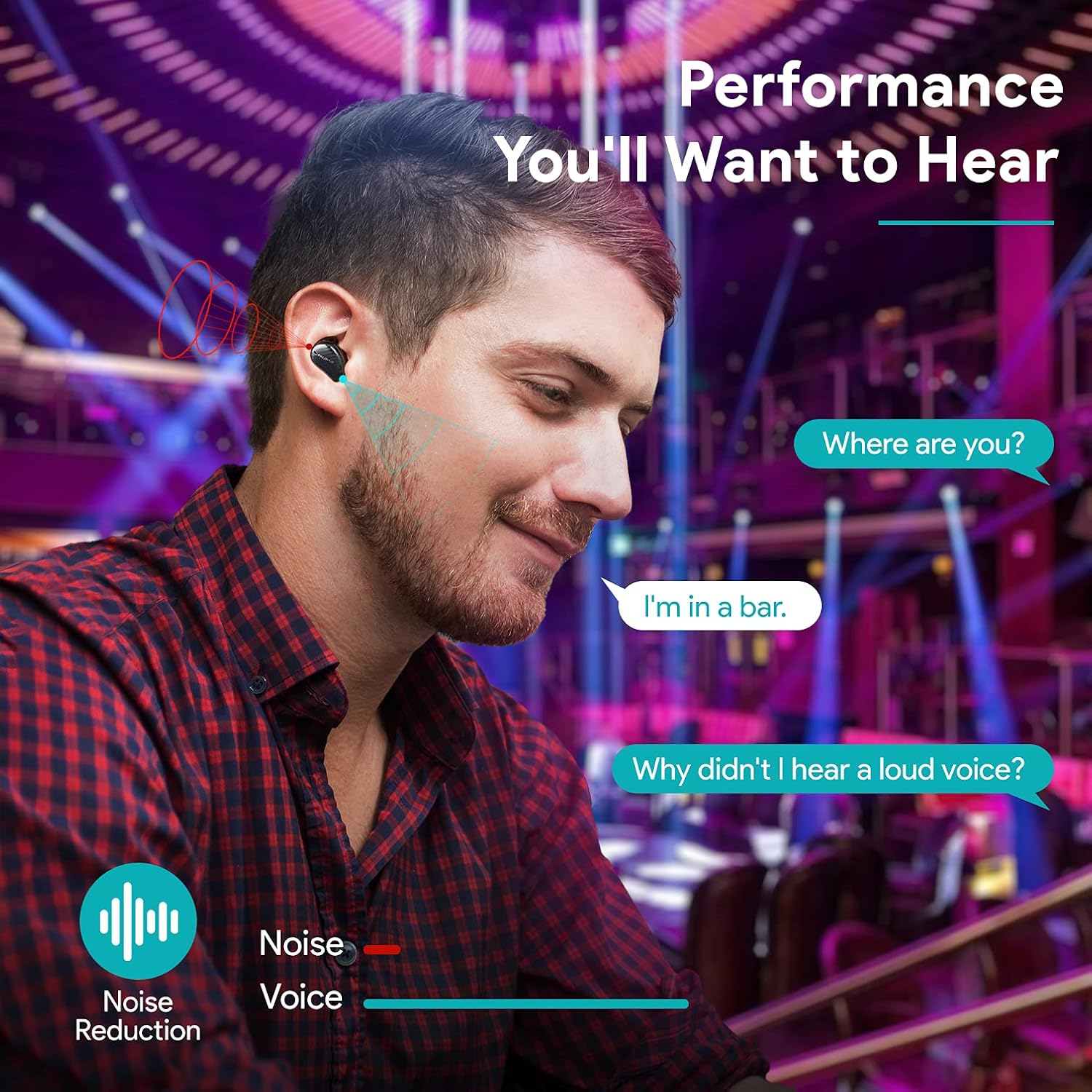
The earbuds are equipped with 4 microphones and CVC 8.0 noise cancellation technology to ensure clear calls even in noisy environments.
PALOVUE iSound App
Download the PALOVUE iSound app to customize touch controls, check battery status, and access additional features for your earbuds.
Одржавање
Правилно одржавање осигурава дуготрајност и оптималне перформансе ваших слушалица.
- Чишћење: Редовно чистите слушалице и кућиште за пуњење меком, сувом крпом која не оставља влакна. Не користите јаке хемикалије или абразивне материјале.
- Савети за уши: Remove and clean the silicone ear tips with mild soap and water. Ensure they are completely dry before reattaching.
- Складиштење: Када се не користе, чувајте слушалице у њиховој футроли за пуњење како бисте их заштитили од прашине и оштећења.
- Избегавајте воду: While the earbuds may have some water resistance, avoid submerging them in water or exposing them to excessive moisture.
Решавање проблема
If you encounter issues with your PALOVUE iSound earbuds, refer to the following common solutions:
- Слушалице се не упарују:
- Уверите се да су обе слушалице напуњене.
- Вратите слушалице у футролу, затворите је, а затим је поново отворите да бисте поново ушли у режим упаривања.
- Forget "PALOVUE iSound" from your device's Bluetooth settings and try pairing again.
- Само једна слушалица ради:
- Уверите се да су обе слушалице напуњене.
- Покушајте да ресетујете слушалице (погледајте упутства за апликацију или произвођача) webсајт за посебна упутства за ресетовање).
- Place both earbuds in the charging case, close the lid, wait a few seconds, then open it again.
- Лош квалитет звука:
- Ensure the ear tips provide a secure seal in your ear canal. Try different sizes.
- Очистите све остатке са млазница слушалица.
- Ensure your device is within the Bluetooth range (up to 10 meters).
- Слушалице се не пуне:
- Уверите се да је кабл за пуњење безбедно повезан и са кућиштем и са извором напајања.
- Проверите да ли су контакти за пуњење на слушалицама и унутар кућишта чисти и без прљавштине.
- Пробајте други USB-C кабл и адаптер за напајање.
For further assistance, please contact PALOVUE customer support.
Спецификације
| Бранд | ПАЛОВУЕ |
| Број модела | 012000125 |
| Тип слушалица | Ин-Еар |
| Технологија повезивања | Бежично (Bluetooth 5.0) |
| Бежична комуникациона технологија | Блуетоотх |
| Посебне карактеристике | Noise Reduction (CVC 8.0), Wireless |
| Чипсет | Qualcomm CSR QCC3020 |
| Аудио Цодец | аптКс ХД |
| Састав батерије | Литхиум Полимер |
| Пуњива батерија | Да |
| Време репродукције | До 24 сати са кућиштем за пуњење |
| Материјал | Пластика |
Гаранција и подршка
PALOVUE products are designed for reliability and performance. For warranty information, please refer to the warranty card included in your product packaging or visit the official PALOVUE webсајту.
If you require technical support or have questions regarding your PALOVUE iSound True Wireless Earbuds, please contact PALOVUE customer service through their official webсајт или контакт информације наведене у документацији вашег производа.
Молимо вас да припремите број модела (012000125) и детаље о куповини када контактирате подршку.