
1. Увод
This manual provides instructions for the Arducam 16MP Autofocus USB Camera, Model B0290. This camera module features a 16-megapixel IMX298 sensor, offering sharp images and accurate color reproduction. It is designed for various applications including home surveillance, 3D printer monitoring, object recognition, and machine vision.

Figure 1: Arducam 16MP Autofocus USB Camera Module (Model B0290).
2. Кључне карактеристике
- High Quality Imaging: Adopts a 16MP IMX298 sensor for sharp images and accurate color reproduction. Maximum still picture resolution: 4656 x 3496.
- Аутоматско фокусирање: Automatically adjusts focus for objects at various distances without manual lens adjustment.
- Брзина кадрова: Supports MJPG 10fps@4656x3496/4160x3120/3264x2448/2592x1944; 30fps@2320x1744/1080P/720; YUY2 10fps@1024x768/800x600/640x480.
- Плуг & Плаи: UVC-compliant, requiring no additional drivers for installation on compatible operating systems.
- Пријаве: Suitable for home surveillance, 3D printer monitoring, object recognition, tracking, and other machine vision tasks requiring high resolution.
3. Шта је у кутији
- УСБ кабл
4. Упутства за подешавање
The Arducam 16MP Autofocus USB Camera is UVC-compliant, allowing for plug-and-play functionality on most compatible operating systems without the need for additional driver installations.
4.1 Connecting to a Computer (Windows, Linux, Mac OS)
- Пронађите слободан УСБ порт на рачунару.
- Connect the provided USB cable to the camera module.
- Укључите други крај USB кабла у USB порт рачунара.
- Оперативни систем би требало аутоматски да детектује и инсталира потребне драјвере.
- Open a camera application (e.g., Camera app on Windows, Guvcview on Linux, Photo Booth on Mac) to verify the camera's functionality.

Figure 2: Connecting the camera to a laptop via USB.
4.2 Connecting to a Raspberry Pi
- Ensure your Raspberry Pi is powered off.
- Connect the provided USB cable to the camera module.
- Plug the other end of the USB cable into an available USB port on your Raspberry Pi.
- Power on your Raspberry Pi. The camera should be recognized as a standard UVC device.
- Use appropriate software (e.g., `fswebcam`, `motion`, or custom Python scripts) to access the camera feed.

Figure 3: Connecting the camera to a Raspberry Pi.
4.3 Connecting to an Android Device
For Android devices, a USB-C to USB-A adapter (not included) may be required if your device uses a USB-C port. Ensure your Android device supports USB OTG (On-The-Go) functionality.
- Connect the provided USB cable to the camera module.
- If necessary, connect the USB-A end of the cable to a USB-C to USB-A adapter.
- Plug the adapter (or USB-A end directly) into your Android device's USB port.
- Install a compatible USB camera application from the Google Play Store (e.g., 'USB Camera' by ShenYao).
- Open the application and select the Arducam camera as the input source.
4.4 Производ завршенview Видео
Видео 1: Оверview demonstrating the Arducam 16MP IMX298 Autofocus USB Camera (Model B0290) connected to various devices and showcasing its autofocus capabilities.
5. Упутство за употребу
Once connected, the Arducam 16MP Autofocus USB Camera operates as a standard webcam or camera module, depending on the host device and software used.
5.1 Autofocus Functionality
The camera features automatic autofocus. Simply point the camera at your desired subject, and the lens will adjust to achieve a clear image. This eliminates the need for manual focus adjustments, making it suitable for dynamic environments or varying object distances.
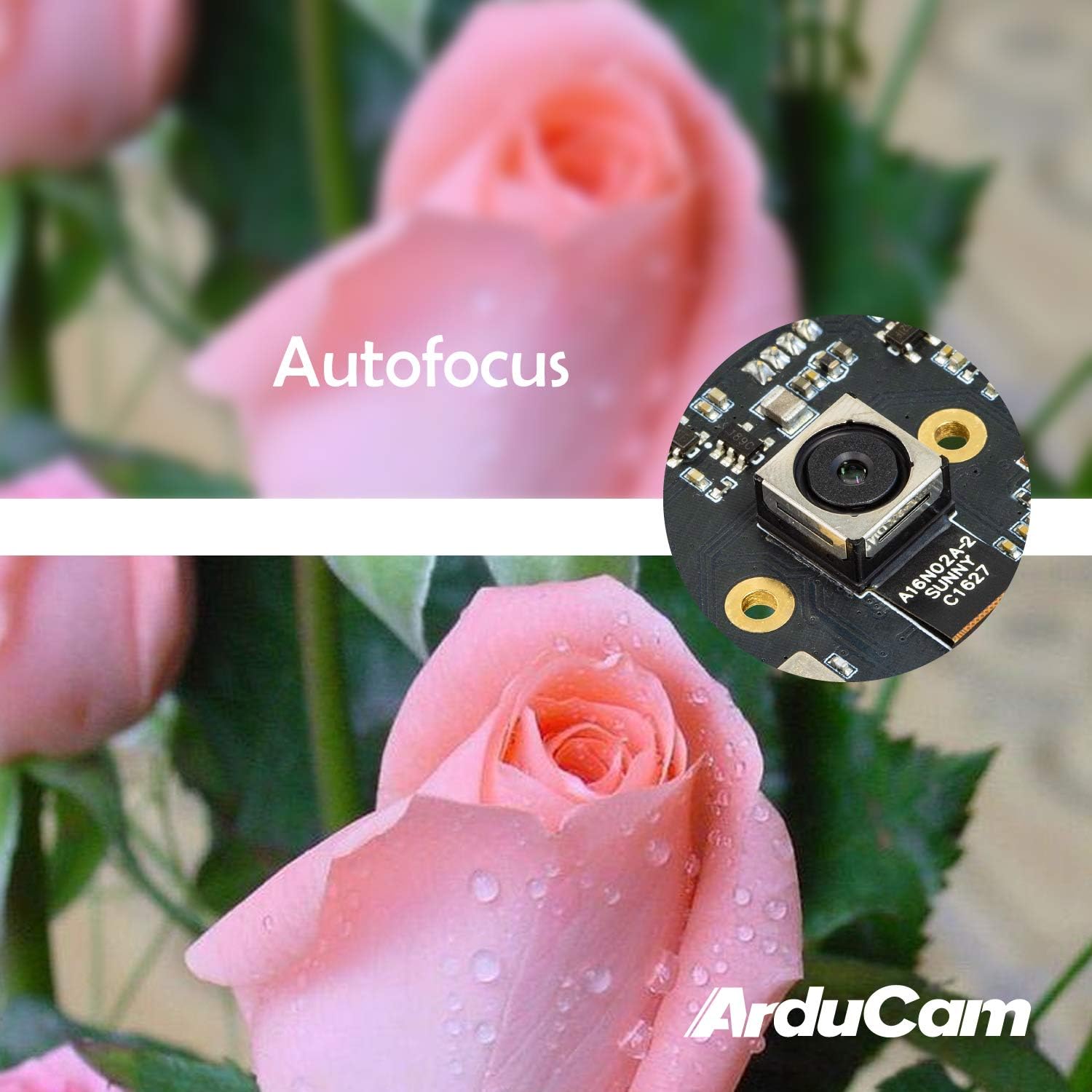
Figure 4: Demonstration of the camera's autofocus capability.
5.2 Компатибилност софтвера
The camera is compatible with standard UVC (USB Video Class) software. On Windows, you can use the built-in Camera app or third-party webcam software. On Linux, applications like Guvcview or Cheese can be used. For Mac OS, Photo Booth or QuickTime Player can access the camera. For advanced applications, programming libraries such as OpenCV can be utilized.
6. Спецификације
| Феатуре | Детаљ |
|---|---|
| Бранд | Ардуцам |
| Број модела | Б0290 |
| Технологија фото сензора | ЦМОС |
| Ефективна резолуција мировања | 16 МП |
| Резолуција снимања видео записа | 1080п |
| Максимална жижна даљина | 100 милиметара |
| Минимална жижна даљина | 100 милиметара |
| Фоцус Типе | Ауто Фоцус |
| Технологија повезивања | УСБ |
| Компатибилност оперативног система | Linux, Mac, Windows |
| Тежина артикла | 0.07 килограма |
| Величина фото сензора | 1/2.8 инча |
| Подржани формат слике | МЈПГ/ИУИ2 |
| Подржани аудио формат | AAC, MP3, or PCM |
| Карактеристике | Лов Лигхт |

Слика 5: Горњи и доњи део views of the camera module with dimensions.
7. Одржавање
To ensure the longevity and optimal performance of your Arducam 16MP Autofocus USB Camera, follow these maintenance guidelines:
- Чишћење: Use a soft, dry, lint-free cloth to gently wipe the camera lens and module surface. Avoid using liquid cleaners or abrasive materials, as they can damage the lens or electronic components.
- Складиштење: When not in use, store the camera in a cool, dry place away from direct sunlight, extreme temperatures, and high humidity. Keep it protected from dust and physical impact.
- Руковање: Handle the camera module by its edges to avoid touching the lens or sensitive electronic components.
КСНУМКС. Решавање проблема
If you encounter issues with your Arducam 16MP Autofocus USB Camera, consider the following troubleshooting steps:
- Камера није откривена:
- Ensure the USB cable is securely connected to both the camera and the host device.
- Try connecting the camera to a different USB port on your device.
- Test the camera on another computer or compatible device to rule out a device-specific issue.
- Restart your computer or host device.
- No Image or Black Screen:
- Verify that the correct camera is selected in your camera application settings.
- Close and reopen the camera application.
- Check if any other application is currently using the camera, as some systems only allow one application to access it at a time.
- Poor Image Quality / Focus Issues:
- Уверите се да је објектив камере чист и без прашине или мрља.
- Provide adequate lighting for your subject.
- For autofocus, ensure there is sufficient contrast in the scene for the camera to lock focus.
- Проблеми са компатибилношћу:
- Confirm that your operating system and software are compatible with UVC devices.
- For Android, ensure USB OTG is supported and enabled.
9. Гаранција и подршка
For warranty information and technical support, please refer to the official Arducam webсајт или директно контактирајте продавца. Сачувајте рачун за куповину за потребе гаранције.
Можете посетити Arducam Store за додатне информације о производима и ресурсе.