
1. Увод
The TELLUR Dash Patrol DC2 is a Full HD 1080P car camera designed to record your driving journeys and provide enhanced security for your vehicle. This manual provides essential information for the proper installation, operation, and maintenance of your device. Please read it carefully before use.
2. Садржај пакета
Проверите да ли су сви предмети присутни и у добром стању приликом распакивања.
- TELLUR Dash Patrol DC2 Car Camera
- Car Mount (Magnetic)
- УСБ кабл
- Цар Цхаргер

Слика: Експлодирана view of the Dash Patrol DC2 showing the camera, magnetic mount, and key features like GPS, Magnetic Charging, Wi-Fi, and Full HD recording.
3. Производ је готовview
Familiarize yourself with the components of your Dash Patrol DC2 camera.
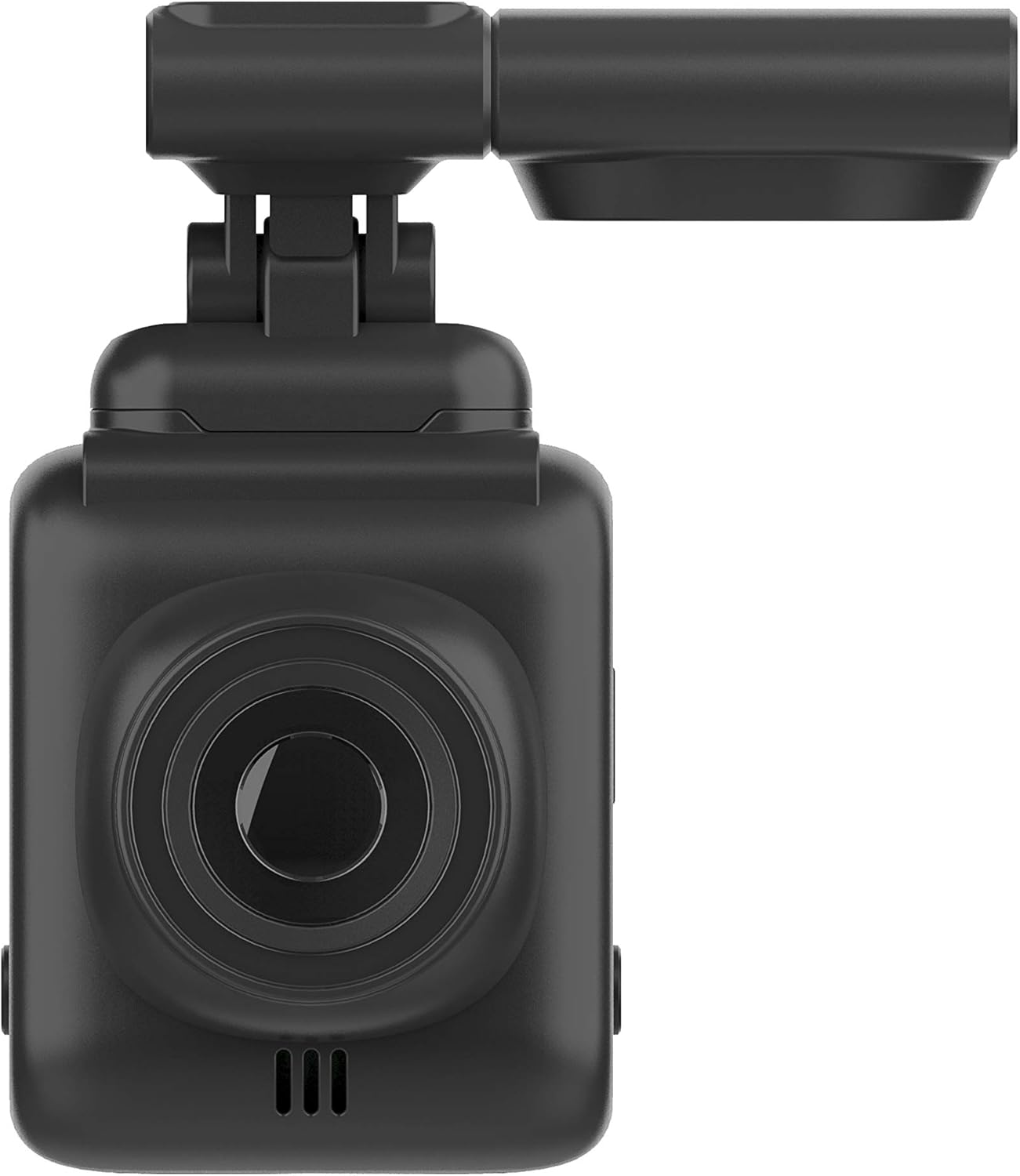
Слика: Фронт view of the Dash Patrol DC2, highlighting the camera lens.
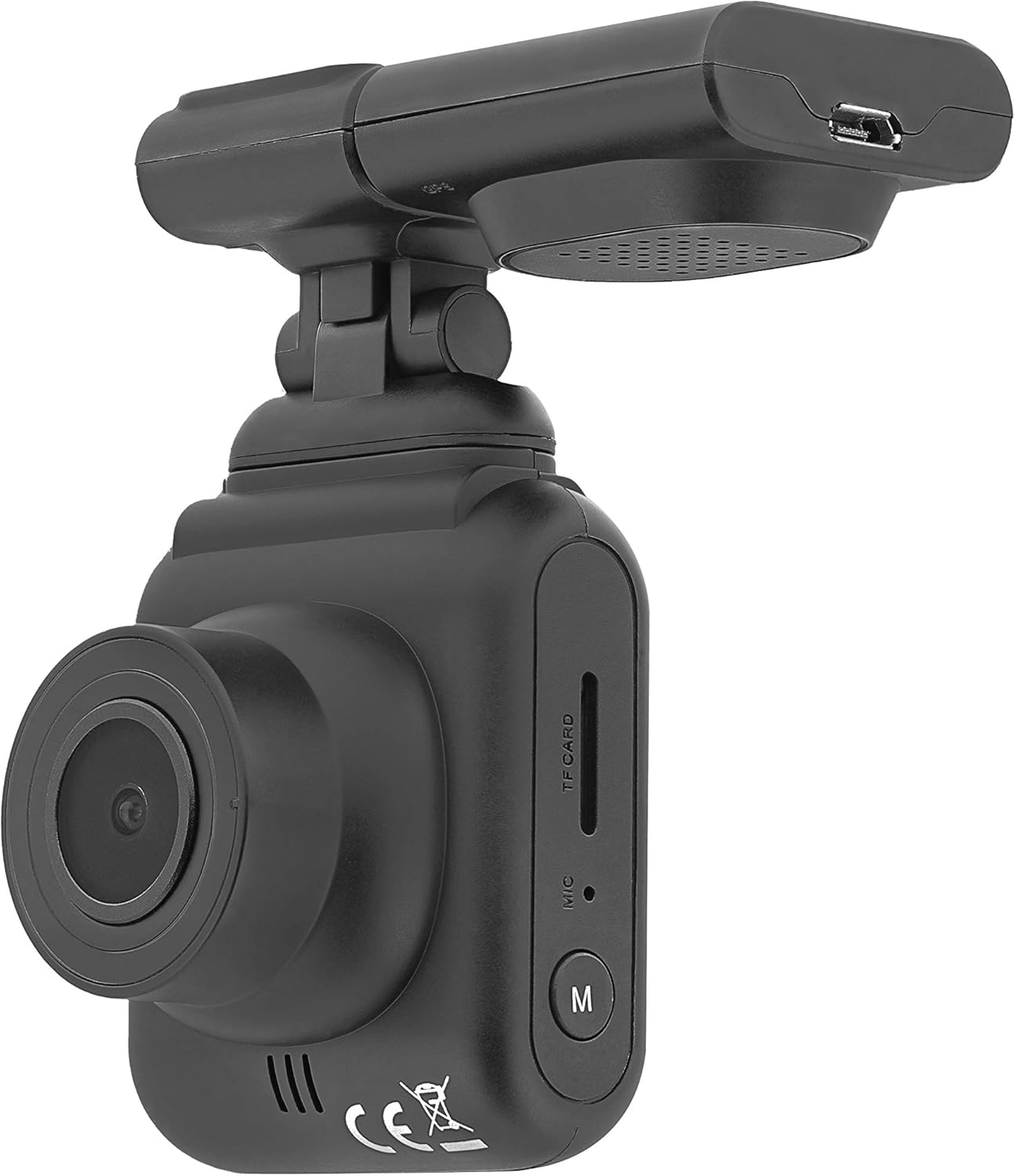
Слика: Са стране view of the Dash Patrol DC2, showing the TF card slot, microphone, and 'M' button.

Слика: Позади view of the Dash Patrol DC2, displaying the screen, navigation buttons, USB port, Reset button, and Power button.
Кључне компоненте:
- Објектив камере: Снима видео фооtage.
- Екран од 2.7 инча: За viewинг ливе фооtagе, репродукција и навигација кроз мени.
- Слот за ТФ картицу: Insert MicroSD card for storage.
- микрофон: Records audio (can be disabled in settings).
- Дугме „М“: Mode button to switch between video, photo, and playback modes.
- Navigation Buttons (Up/Down): For menu navigation and specific functions.
- Дугме ОК: Потврђује изборе и покреће/зауставља снимање.
- Дугме за напајање: Укључује/искључује уређај.
- Дугме за ресетовање: For factory reset (use a thin object to press).
- УСБ порт: За напајање и пренос података.
- Magnetic Mount Connector: For attaching the camera to the car mount.
4. Подешавање
4.1 Installing the MicroSD Card
- Уверите се да је камера искључена.
- Insert a Class 10 or higher MicroSD card (up to 64GB, not included) into the TF card slot until it clicks into place.
- Да бисте је уклонили, нежно гурните картицу док не искочи.
4.2 Монтирање камере
- Очистите подручје на ветробранском стаклу где намеравате да монтирате камеру.
- Attach the magnetic car mount to the windshield using its adhesive or suction cup. Ensure it does not obstruct your view.
- Align the camera with the magnetic connector on the mount until it securely attaches.
- Подесите угао камере да бисте осигурали јасан view пута испред.
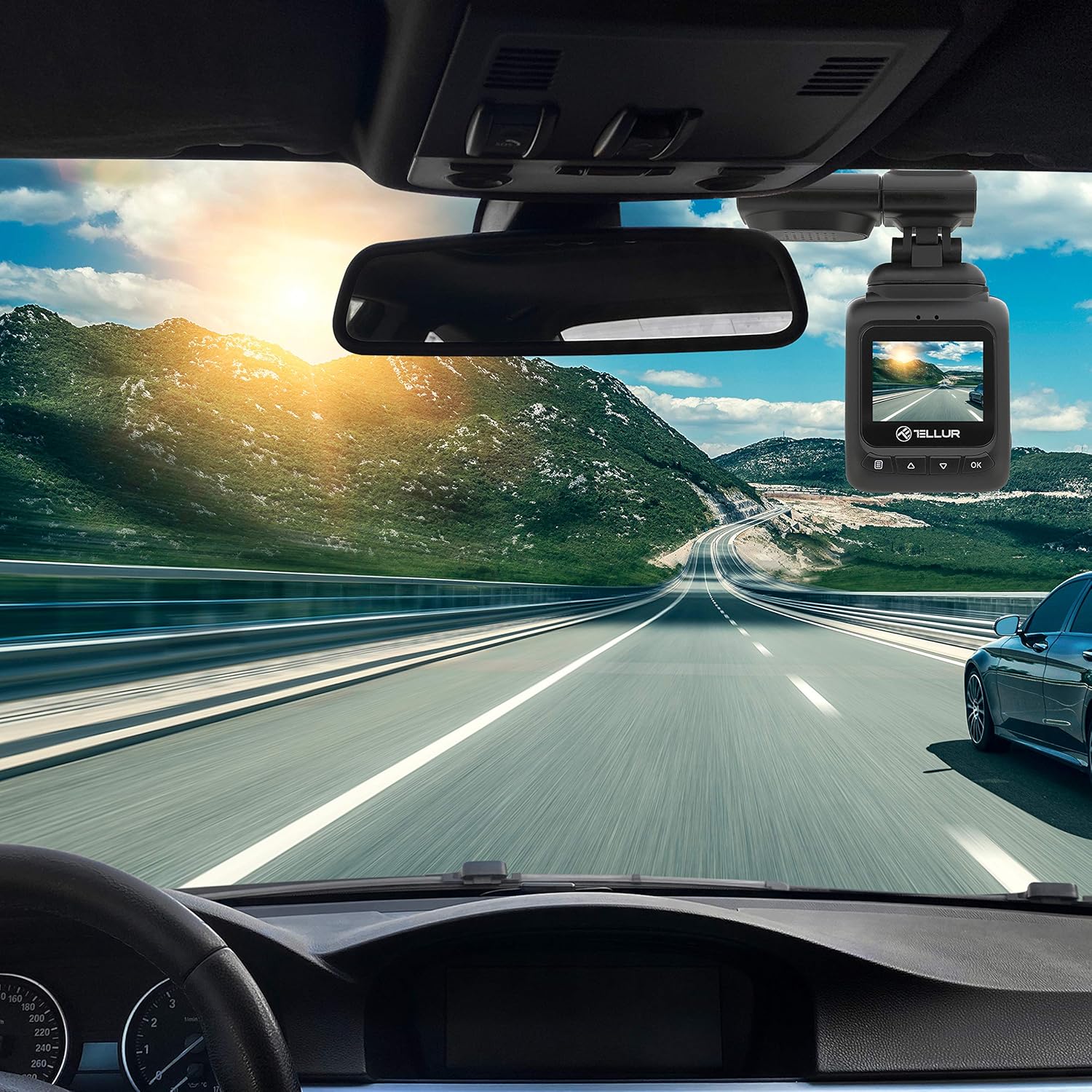
Image: The Dash Patrol DC2 camera mounted on a car windshield, showing its position relative to the rearview mirror for optimal road visibility.
4.3 Напајање камере
- Connect the car charger to your vehicle's 12V power outlet (cigarette lighter socket).
- Connect the other end of the USB cable to the camera's USB port.
- The camera will automatically power on and begin recording when your vehicle starts. It will power off shortly after the vehicle is turned off.
4.4 Почетна подешавања
Upon first use, or after a reset, you may need to set the date and time. Navigate through the menu using the Up/Down buttons and confirm with the OK button.
5. Упутство за употребу
5.1 Основно снимање
The camera automatically starts loop recording when powered on. Older files are overwritten when the memory card is full, except for locked files.
5.2 G-Sensor (Automatic Incident Detection)
The built-in G-sensor detects sudden impacts or collisions. When an event is detected, the current video segment is automatically locked to prevent it from being overwritten during loop recording.

Image: Illustration of the G-sensor function, showing the camera recording and a lock icon appearing when a collision is detected, indicating the video is protected.
5.3 Parking Monitor Function
When enabled, the parking monitor function allows the camera to automatically record when motion or impact is detected while the vehicle is parked and the engine is off. This provides surveillance even when you are away from your vehicle.

Image: Diagram illustrating the parking monitor function, where the dashcam automatically records when motion is detected around a parked car.
5.4 GPS функционалност
The integrated GPS module records your vehicle's speed and location data alongside the video footagе. Ова информација може бити viewed during playback using compatible software on a computer.
5.5 Wi-Fi Connectivity and App
The Dash Patrol DC2 features Wi-Fi connectivity, allowing you to connect to a smartphone app for live view, video playback, and settings adjustment. The compatible app is typically named GoPlus Cam.
- Преузмите GoPlus Cam апликацију из продавнице апликација на вашем паметном телефону.
- Turn on the Dashcam.
- Press and hold the 'Down' button on the camera until the Wi-Fi symbol appears on the screen.
- On your smartphone, go to Wi-Fi settings and connect to the camera's Wi-Fi network (SSID usually starts with 'TELLUR' or similar).
- Open the GoPlus Cam app to manage your camera.

Image: Icon for the GoPlus Cam mobile application, used for connecting to the dashcam via Wi-Fi.
6. Одржавање
6.1 Управљање MicroSD картицама
- Regularly format the MicroSD card (at least once a month) to ensure optimal performance and prevent data corruption. This can usually be done through the camera's menu settings.
- Replace the MicroSD card if you notice frequent errors or degraded performance.
6.2 Чишћење
- Use a soft, dry cloth to clean the camera lens and screen. Avoid abrasive materials or chemical cleaners.
- Keep the camera free from dust and debris.
КСНУМКС. Решавање проблема
If you encounter issues with your Dash Patrol DC2, refer to the following common solutions:
| Проблем | Могуће решење |
|---|---|
| Камера се не укључује. |
|
| Camera turns on but screen is white/blank. |
|
| Camera stops recording or records intermittently. |
|
| Проблеми са Wi-Fi везом. |
|
| GPS data not showing speed on screen. |
|
8. Спецификације
| Феатуре | Детаљ |
|---|---|
| Бранд | ТЕЛЛУР |
| Модел | ТЛЛ711002 |
| Резолуција снимања видео записа | 1080p (FullHD) |
| Величина екрана на стојећем екрану | 2.7 инча |
| Стварно Viewинг Англе | 140 степени |
| Тип флеш меморије | MicroSD (up to 64GB, Class 10 or higher recommended) |
| Посебне карактеристике | Automatic Incident Detection (G-Sensor), Parking Monitor Function, Built-in GPS, Wi-Fi Connectivity |
| Тип монтаже | Dashboard Mount (Magnetic Car Mount) |
| Димензије производа | 50 к 50 к 28 цм |
| Тежина артикла | 270 г |
9. Гаранција и подршка
For warranty information or technical support, please refer to the documentation provided with your purchase or visit the official TELLUR webсајт. Сачувајте доказ о куповини за евентуалне рекламације по гаранцији.