
Увод
This manual provides detailed instructions for the setup, operation, and maintenance of your Sharp Digital Alarm Clock, Model B08TG1QB2B. Designed for simplicity, this clock features a clear LED display, dual ascending alarms, and a battery backup system to ensure reliability.

Слика 1: Предња страна view of the Sharp Digital Alarm Clock, displaying the time 12:08 in green LED digits.
Карактеристике производа
- Дизајн који се лако користи: Једноставан рад погодан за све кориснике.
- Двоструки алармни систем: Set two independent alarms for different schedules.
- Ascending Alarm Volume: Alarm starts softly and gradually increases in volume for a gentle wake-up.
- Резервна батерија: Одржава подешавања времена и аларма током нестанка струјеtages (requires 2x AA batteries, not included).
- Illuminated Green LED Digits: Јасан и лак за читање екран.
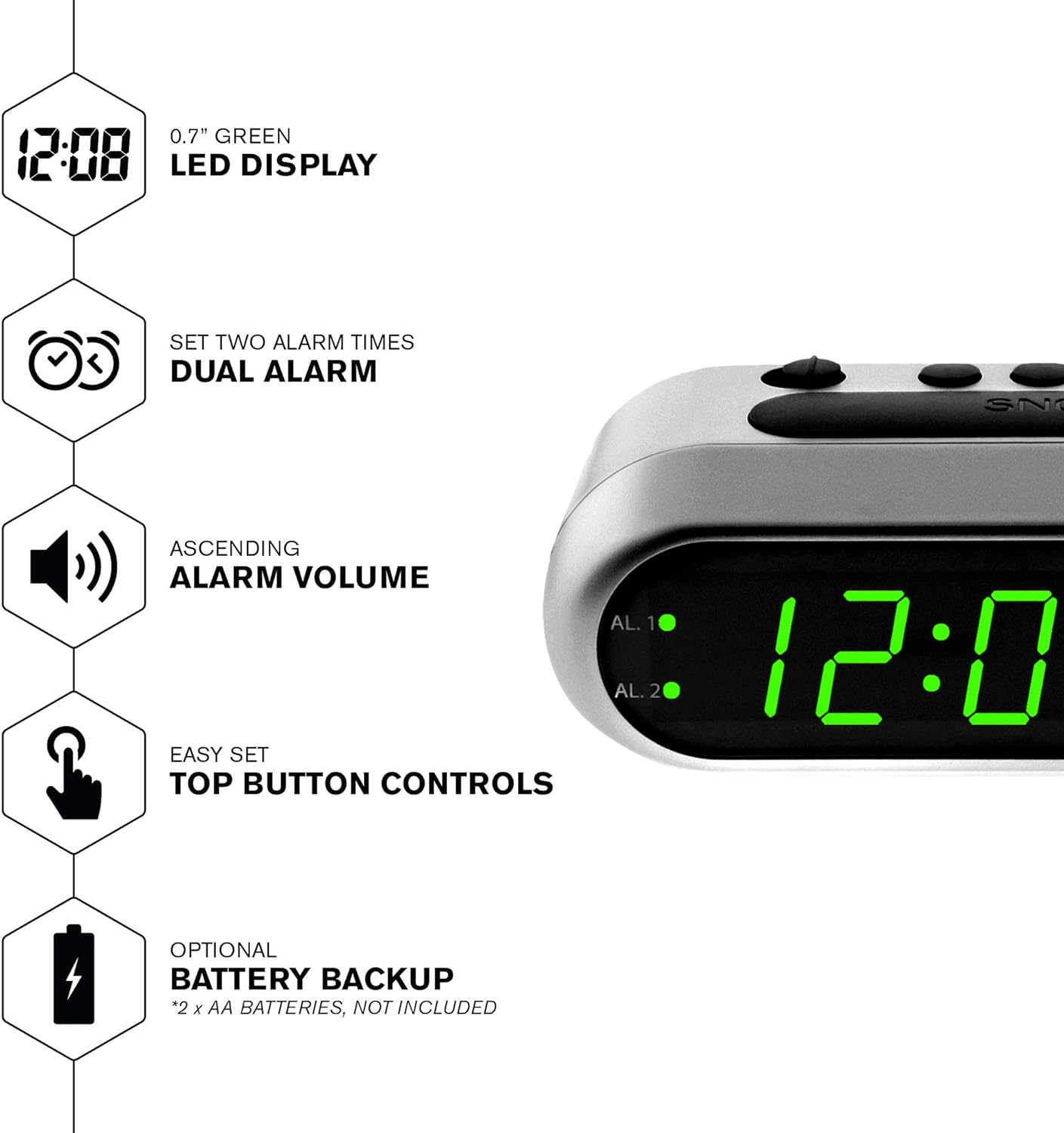
Слика 2: Завршеноview of the clock's main features, including the LED display, dual alarm, ascending volume, and battery backup.
Садржај пакета
- Sharp Digital Alarm Clock (Model B08TG1QB2B)
- АЦ адаптер
- Упутство за употребу
Напомена: 2x AA batteries for battery backup are not included and must be purchased separately.
Контроле и дисплеј
Familiarize yourself with the buttons and indicators on your alarm clock:
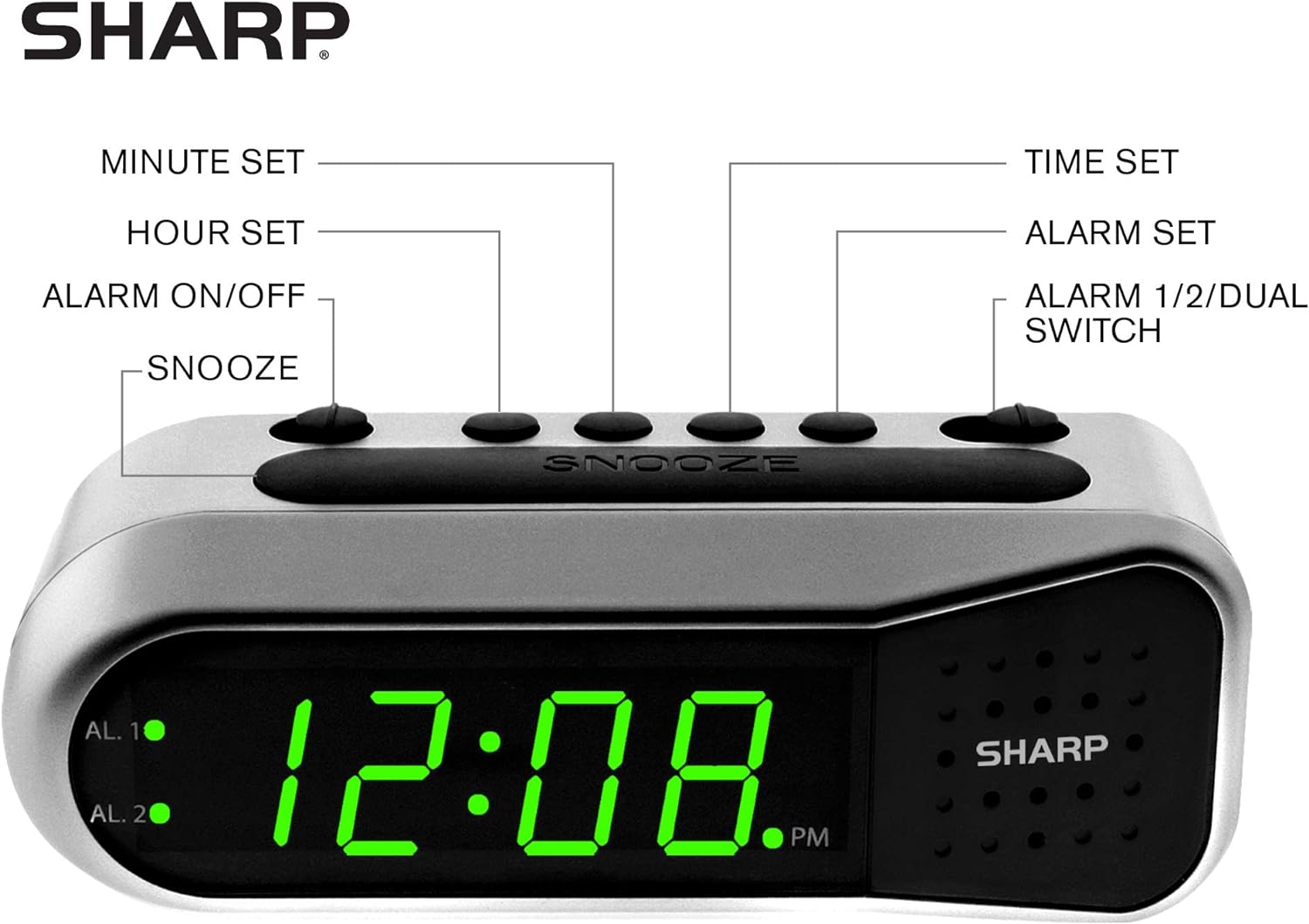
Figure 3: Labeled diagram of the clock's controls and display elements.
- Minute Set Button: Adjusts minutes for time and alarm settings.
- Hour Set Button: Adjusts hours for time and alarm settings.
- Alarm On/Off Switch: Activates or deactivates the selected alarm.
- Дугме за одлагање: Привремено искључује аларм на кратко.
- Дугме за подешавање времена: Улази у режим подешавања времена.
- Дугме за подешавање аларма: Улази у режим подешавања аларма.
- Alarm 1/2/Dual Switch: Selects which alarm (Alarm 1, Alarm 2, or both) is being set or activated.
- AL. 1 Indicator: Lights up when Alarm 1 is active.
- AL. 2 Indicator: Lights up when Alarm 2 is active.
- Индикатор поподнева: Lights up when the displayed time is PM.
Сетуп
1. Прикључак за напајање
Connect the AC power adapter to the DC input jack located on the back of the alarm clock. Plug the adapter into a standard electrical outlet. The display will illuminate.
2. Инсталација резервне батерије
The battery backup feature requires two (2) AA batteries (not included). These batteries maintain time and alarm settings during a power outagе али не напајајте дисплеј.
- Open the battery compartment cover on the bottom of the clock.
- Уметните две (2) АА батерије, водећи рачуна о исправном поларитету (+ и -) као што је назначено унутар одељка.
- Вратите поклопац одељка за батерије.
Напомена: Replace batteries annually or when the clock experiences frequent power interruptions to ensure reliable backup.
3. Почетно подешавање времена
After connecting power, the display will show a default time (e.g., 12:00 AM). Set the current time:
- Притисните и држите ВРЕМЕНСКИ СКЛОП дугме. Цифре сата ће трептати.
- Док држи ВРЕМЕНСКИ СКЛОП, притисните тастер ХОУР СЕТ Више пута притисните дугме да бисте подесили сат. Пратите PM индикатор за исправно AM/PM подешавање.
- Отпустите ВРЕМЕНСКИ СКЛОП дугме.
- Притисните и држите ВРЕМЕНСКИ СКЛОП поново притисните дугме. Цифре за минуте ће трептати.
- Док држи ВРЕМЕНСКИ СКЛОП, притисните тастер МИНУТЕ СЕТ више пута притисните дугме да бисте подесили минуте.
- Отпустите ВРЕМЕНСКИ СКЛОП дугме да бисте уштедели време.
Упутство за употребу
Подешавање аларма 1 или аларма 2
Your clock features two independent alarms. To set an alarm:
- Померите ALARM 1/2/DUAL пређите на било који АЛ. 1 or АЛ. 2, depending on which alarm you wish to set.
- Притисните и држите АЛАРМ СЕТ button. The hour digits for the selected alarm will flash.
- Док држи АЛАРМ СЕТ, притисните тастер ХОУР СЕТ button repeatedly to adjust the alarm hour. Ensure the correct AM/PM is selected.
- Отпустите АЛАРМ СЕТ дугме.
- Притисните и држите АЛАРМ СЕТ button again. The minute digits for the selected alarm will flash.
- Док држи АЛАРМ СЕТ, притисните тастер МИНУТЕ СЕТ више пута притисните дугме да бисте подесили минуте аларма.
- Отпустите АЛАРМ СЕТ дугме да бисте сачували време аларма.
Activating/Deactivating Alarms
To turn an alarm ON or OFF:
- Померите ALARM 1/2/DUAL пређите на АЛ. 1 or АЛ. 2.
- Померите АЛАРМ УКЉУЧЕН / ИСКЉУЧЕН пређите на ON position to activate the alarm. The corresponding AL. 1 or AL. 2 indicator light will illuminate.
- Померите АЛАРМ УКЉУЧЕН / ИСКЉУЧЕН пређите на ОФФ position to deactivate the alarm. The indicator light will turn off.
To activate both alarms, set both alarm times and then slide the ALARM 1/2/DUAL пређите на ДУАЛ. Both AL. 1 and AL. 2 indicators will light up.
Функција одлагања
Када се огласи аларм, притисните велико СНООЗЕ button on top of the clock. The alarm will temporarily stop and sound again after approximately 9 minutes.
Заустављање аларма
To stop the alarm completely after it sounds, slide the АЛАРМ УКЉУЧЕН / ИСКЉУЧЕН пређите на ОФФ position. The alarm will reset for the next day.
Одржавање
Чишћење
Обришите сат меком, сувом крпом. Не користите абразивна средства за чишћење или раствараче, јер могу оштетити завршну обраду.
Замена батерије
Replace the AA backup batteries annually or if the clock loses time during power interruptions. Refer to the "Battery Backup Installation" section for instructions.
Решавање проблема
| Проблем | Могући узрок | Решење |
|---|---|---|
| Приказ сата је празан. | Нема напајања наизменичном струјом. | Ensure the AC adapter is securely plugged into the clock and a working electrical outlet. |
| Аларм се не оглашава. | Аларм није активиран или је погрешно подешен. | Потврдите АЛАРМ УКЉУЧЕН / ИСКЉУЧЕН прекидач је у ON position and the alarm time is correctly set (check AM/PM). |
| Време је нетачно након нестанка струјеtage. | Резервне батерије су празне или нису инсталиране. | Install fresh AA batteries or replace existing ones. Reset the time if necessary. |
| Alarm is too quiet/loud. | Alarm volume is ascending, not fixed. | The alarm features an ascending volume. It starts faintly and gradually increases. This is normal operation. |
Спецификације
- Модел: B08TG1QB2B
- Бренд: Схарп
- Тип приказа: Дигитална ЛЕД диода (зелена)
- Извор напајања: AC Power Adapter (included), 2x AA Batteries (for backup, not included)
- Димензије производа: 5.5" W x 2.1" H x 2.3" D (approximate)
- Тежина: 8.4 унци
- Материјал: Пластика
- Боја: Брусхед Силвер
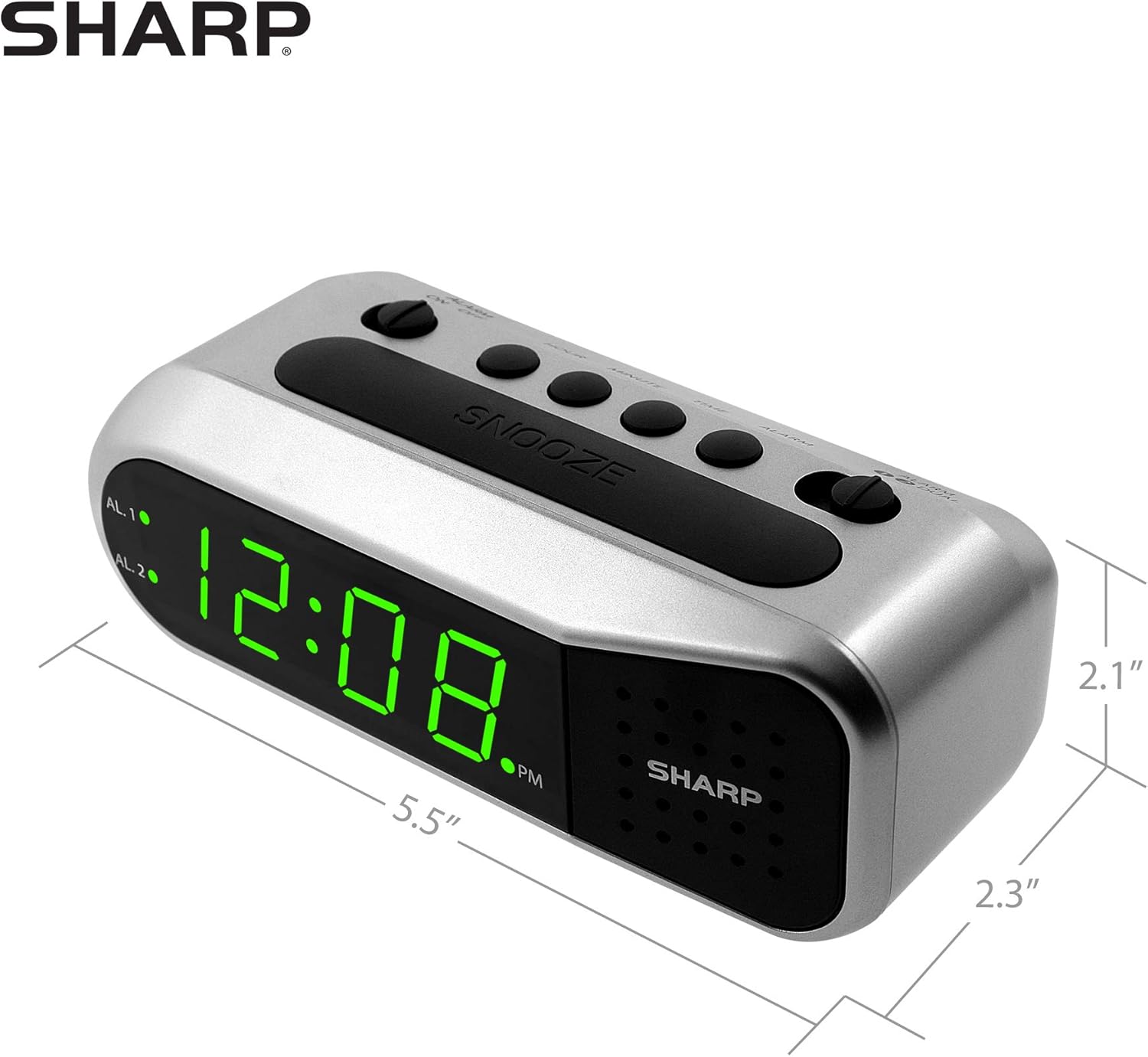
Figure 4: Dimensions of the Sharp Digital Alarm Clock.
Гаранција и подршка
For warranty information or technical support, please refer to the warranty card included with your product or visit the official Sharp webсајт. Сачувајте рачун као доказ о куповини.
For further assistance, you may contact Sharp customer service through their official channels.