
1. Производ је готовview
The TODAAIR JS-P165 is a 1080P HD wireless indoor smart security camera designed for home surveillance. It features night vision, accurate motion detection, 135° viewing angle, and two-way audio communication. This camera connects via 2.4GHz Wi-Fi and supports local TF card storage as well as cloud storage options.

Image 1.1: TODAAIR JS-P165 Camera Features. This image illustrates the camera's key functionalities including 1080P HD resolution, 16.5ft/5m infrared night vision, cloud storage, motion detection, two-way audio, and support for up to 128GB TF cards. It also highlights the 135° wide-angle lens and the manual rotation capabilities of 180° vertically and 360° horizontally.
2. Садржај пакета
Молимо вас да проверите пакет за следеће ставке:
- TODAAIR JS-P165 Smart Security Camera
- УСБ кабл за напајање
- Повер Адаптер
- Mounting Accessories (screws, wall anchors)
- Упутство за употребу
3. Физичке компоненте
Familiarize yourself with the camera's physical features and ports.
Video 3.1: TODAAIR Camera Physical Features. This video demonstrates the manual 360° horizontal rotation and 180° vertical adjustment of the camera. It also highlights the location of the USB power port, the reset button, and the SD card socket on the device.
- Објектив камере: Снима HD видео у 1080P резолуцији.
- Инфрацрвене ЛЕД диоде: Provides clear night vision up to 16.5ft (5m).
- микрофон: За двосмерну аудио комуникацију и детекцију звука.
- говорник: За двосмерну аудио комуникацију и упозорења.
- УСБ порт: Connects the camera to the power adapter using the provided USB cable.
- Дугме за ресетовање: Used to reset the camera to factory settings. Typically located near the USB port.
- Утичница за СД картицу: Supports up to 128GB TF (Micro SD) card for local video storage.
4. Водич за подешавање
4.1 Укључивање
- Connect the USB power cable to the camera's USB port.
- Укључите други крај УСБ кабла у адаптер за напајање.
- Plug the power adapter into a wall outlet. The camera will power on and indicate its status with an LED light.
4.2 Преузимање апликације и регистрација налога
- Download the 'Smart Life' or 'Tuya Smart' app from the Apple App Store or Google Play Store.
- Отворите апликацију и региструјте се за нови налог или се пријавите ако га већ имате.
4.3 Додавање камере у апликацију
- Ensure your mobile device is connected to a 2.4GHz Wi-Fi network. (5GHz Wi-Fi is not supported).
- Open the app, tap '+' or 'Add Device'.
- Select 'Security & Video Surveillance' > 'Smart Camera (Wi-Fi)'.
- Follow the on-screen instructions to reset the camera (if necessary) and confirm the indicator light is blinking rapidly.
- Унесите лозинку за своју Wi-Fi мрежу од 2.4 GHz.
- The app will generate a QR code. Hold your phone with the QR code approximately 6-8 inches (15-20 cm) in front of the camera lens until you hear a prompt.
- Once connected, the camera's LED indicator will turn solid blue, and the camera will appear in your app's device list.
4.4 Монтирање камере
Камера се може поставити на равну површину или монтирати на зид или плафон.

Image 4.1: Camera Dimensions and Mounting Options. This image displays the camera's dimensions (4.53 inches / 115mm height, 3.15 inches / 80mm width) and highlights the screw slots on the base for quick wall mounting.
- Положај стола: Једноставно поставите камеру на било коју равну, стабилну површину.
- Монтажа на зид/плафон: Use the provided mounting accessories. Mark the desired position, drill holes, insert wall anchors, and secure the camera base with screws. Adjust the camera's angle manually as needed.
5. Упутство за употребу
5.1 Уживо View и репродукцију
Once connected, tap on the camera in the app to access the live video feed. You can view у реалном времену фооtage and access recorded videos from the timeline if an SD card is inserted or cloud storage is active.
5.2 Двосмерни аудио
Камера има уграђени микрофон и звучник за двосмерну комуникацију.
Image 5.1: Two-Way Audio Functionality. This image shows a scenario where a user can communicate through the camera using the two-way audio feature, allowing interaction with family members or pets remotely.
- У живо view интерфејс, додирните икону микрофона да бисте говорили преко камере.
- Tap the speaker icon to listen to audio from the camera's environment.
5.3 Детекција покрета и упозорења
The camera can detect motion and send real-time alerts to your phone.

Image 5.2: Motion Detection Alerts. This image demonstrates how the camera detects movement, such as a dog walking, and sends an immediate notification to the user's smartphone via the app.
- Идите до подешавања камере у апликацији.
- Enable 'Motion Detection' and adjust sensitivity levels as desired.
- You will receive push notifications on your phone when motion is detected.
5.4 Ноћни вид
The camera automatically switches to infrared night vision in low-light conditions.
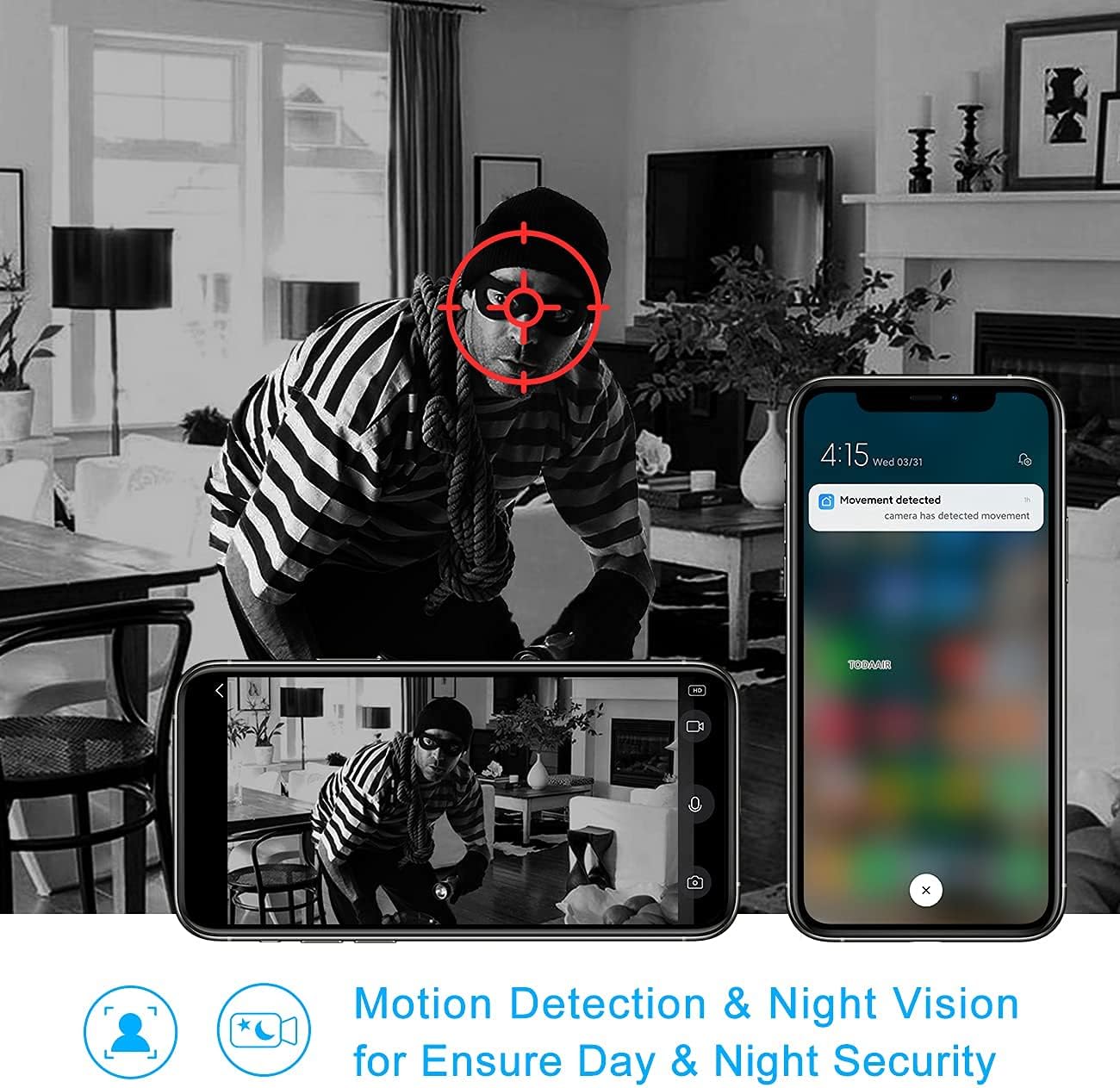
Image 5.3: Night Vision and Motion Detection. This image illustrates the camera's ability to provide clear black-and-white footage in low-light conditions using infrared night vision, alongside its motion detection capabilities for enhanced security.
5.5 Снимање и складиштење
The camera supports both local storage via a TF card and optional cloud storage.

Image 5.4: Cloud and Local Storage Options. This diagram highlights the availability of USA server cloud storage (with data centers in Oregon and Virginia) and local storage via a maximum 128GB TF card, ensuring data privacy and flexible recording options.
- Складиштење ТФ картице: Insert a formatted TF card (up to 128GB) into the SD card socket. The camera will automatically begin recording based on your settings (e.g., continuous, motion-triggered).
- Цлоуд Стораге: Subscribe to the cloud storage service through the app for secure, off-site video backup.
6. Одржавање
6.1 Чишћење сочива
To ensure clear image quality, regularly clean the camera lens with a soft, dry cloth. Avoid using harsh chemicals or abrasive materials.
6.2 Ажурирања фирмвера
Periodically check the app for available firmware updates. Keeping your camera's firmware up-to-date ensures optimal performance and security features. Follow the in-app instructions for any updates.
КСНУМКС. Решавање проблема
- Камера ван мреже:
- Check if the camera is powered on and the power adapter is working.
- Ensure your Wi-Fi network is stable and the camera is within range.
- Поново покрените камеру тако што ћете је искључити и поново укључити.
- If the issue persists, try resetting the camera and re-pairing it with the app.
- Не могу да се повежем на Ви-Фи:
- Потврдите да је ваша Wi-Fi мрежа од 2.4 GHz. Камера не подржава мреже од 5 GHz.
- Уверите се да је лозинка за Wi-Fi унета у апликацији исправна.
- Приближите камеру свом Wi-Fi рутеру.
- Ресетујте камеру и поново покушајте процес упаривања.
- Motion detection alerts not received:
- Check the motion detection settings in the app to ensure it's enabled and sensitivity is appropriate.
- Verify that app notifications are enabled in your phone's settings.
- Уверите се да камера има стабилну интернет везу.
- SD картица не снима:
- Ensure the TF card is inserted correctly and is not full.
- Format the TF card through the camera settings in the app.
- Check if recording settings (e.g., continuous recording, motion-triggered recording) are enabled in the app.
8. Спецификације
| Број модела | JS-P165 |
| Резолуција снимања видео записа | 1080п, 720п |
| Технологија повезивања | Бежично (Wi-Fi 2.4 GHz) |
| Viewинг Англе | 135° |
| Ноћни вид | 16.5ft / 5m (IR LEDs) |
| Опције складиштења | TF Card (up to 128GB), Cloud Storage |
| Аудио | Двосмерни аудио (уграђени микрофон и звучник) |
| Детекција покрета | Да |
| Компатибилни уређаји | Паметни телефон, таблет |
| Тип контролера | Амазон Алекса (гласовна контрола) |
| Тип монтаже | Зидни носач, столна плоча |
| Димензије производа | 6 к 4 к 4 инча (15.24 к 10.16 к 10.16 цм) |
| Тежина артикла | 11.2 унце (317.5 грама) |
| Унутрашња/спољна употреба | Индоор |
9. Гаранција и подршка
9.1 Информације о гаранцији
This product comes with a standard manufacturer's warranty. Please refer to the product packaging or contact TODAAIR customer service for specific warranty terms and conditions.
9.2 Корисничка подршка
If you encounter any issues or have questions regarding your TODAAIR JS-P165 camera, please contact our customer support team. We are committed to providing professional after-sale service within 24 hours.
Контакт информације:
- Емаил: support@todaair.com (Прample email, please replace with actual if available)
- Webсајт: TODAAIR Official Store on Amazon