
1. Увод
Thank you for choosing the FEELWORLD FT6 FR6 5.5 Inch Wireless Video Transmission Monitor. This device integrates a high-quality HD monitor with a wireless video transmission system, offering enhanced mobility and flexibility for professional video production. The FT6 acts as the transmitter, and the FR6 functions as the receiver, providing a reliable solution for monitoring on set. This manual will guide you through the setup, operation, and maintenance of your new monitor system.
2. Безбедносне информације
- Do not expose the device to rain or moisture to prevent fire or shock hazards.
- Avoid disassembling the unit. Refer servicing to qualified personnel only.
- Use only the specified power adapter (12V 1.5A) or compatible F970 batteries.
- Држите уређај даље од јаких магнетних поља.
- Обезбедите одговарајућу вентилацију како бисте спречили прегревање.
3. Садржај пакета
Проверите да ли су све ставке наведене у наставку укључене у ваш пакет:
- 1x FEELWORLD FT6 Wireless Monitor (Transmitter)
- 1x FEELWORLD FR6 Wireless Monitor (Receiver)
- 1x Micro HDMI Cable
- 2к Сунсхаде
- 1x Hot Shoe Mount
- 4x Transmission Antenna
- 1x Type-C to USB Cable
- 1к ручка
- 2к Сцревс
- 1к Ланиард
- 1x 1/4 C-ring Screw
- 1x Small Carrying Case
- 1к упутство за употребу

4. Производ је готовview
The FEELWORLD FT6 FR6 system consists of two 5.5-inch monitors, one configured as a transmitter (FT6) and the other as a receiver (FR6). Both units feature a 1920x1080 Full HD IPS touchscreen display, offering a 1000:1 contrast ratio and Rec.709 color gamut for accurate image representation. The system supports 4K HDMI input and loop-out, making it compatible with a wide range of DSLR and mirrorless cameras.

Кључне карактеристике укључују:
- Бежични пренос: Up to 800ft (250m) range with ultra-low latency of 0.07s.
- Екран високе резолуције: 5.5-inch 1920x1080 IPS screen with 500nit brightness.
- Контрола на екрану осетљивом на додир: Intuitive menu navigation and function adjustments.
- 3D LUT Support: Load up to 50 custom 3D LUTs via Type-C to USB.
- HDR Monitoring: Supports HDR signals for enhanced clarity and detail.
- Dual Battery Plates: Accommodates two F970 batteries for extended operation and hot-swapping.
- Professional Monitoring Tools: Includes Waveform, Vectorscope, Histogram, Focus Assist, False Color, Nine Grid, Exposure, Zoom, Image Flip, Embedded Audio, and Anamorphic Mode.
5. Подешавање
5.1. Attaching Antennas
Screw the four provided transmission antennas onto the designated ports on both the FT6 (transmitter) and FR6 (receiver) units. Ensure they are securely fastened for optimal signal transmission.
5.2. Напајање уређаја
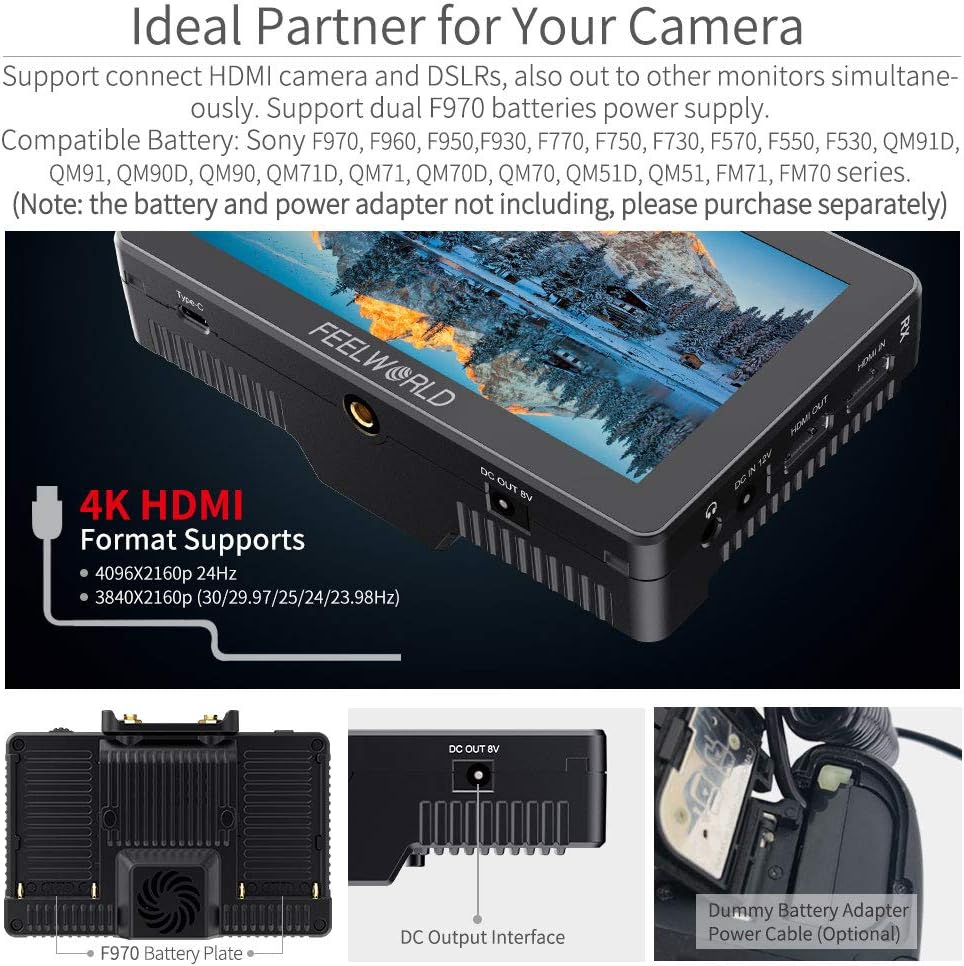
The FT6 FR6 monitors can be powered by either a DC 12V power adapter (not included) or two F970 series batteries (not included). The monitors feature dual battery plates, allowing for continuous power by hot-swapping batteries.

To switch between batteries during operation, double-tap the battery icon displayed on the upper right corner of the monitor screen. The system will switch to the other battery after approximately 3 seconds.
5.3. Connecting to Your Camera
Use the provided Micro HDMI cable to connect your camera's HDMI output to the HDMI IN port on the FT6 (transmitter). If you need to loop out the signal to another monitor, connect an HDMI cable from the HDMI OUT port on the FR6 (receiver) to your external monitor.
5.4. Sunshade Installation
Attach the sunshade to the monitor to improve screen visibility in bright outdoor conditions. The sunshade clips onto the monitor's frame.

6. Упутство за употребу
6.1. Укључивање/искључивање
Press and hold the power button located on the side of the monitor to turn the device on or off.
6.2. Контроле на екрану осетљивом на додир
The FT6 FR6 monitors feature an intuitive touchscreen interface. Double-tap the screen to open the main menu. Swipe gestures allow for quick adjustments:
- Swipe up/down on the right side: Adjust volume.
- Swipe up/down on the left side: Adjust backlight.
- Swipe left/right: Access shortcut menus or switch between functions.

6.3. Wireless Pairing and Channel Selection
The FT6 and FR6 units are designed for automatic pairing. If manual pairing is required, use the WPS pairing function. There are 11 signal channels available for selection to ensure stable transmission.

For optimal performance, select a channel with minimal interference. The system provides real and stable pictures, crucial for professional monitoring.
6.4. Advanced Monitoring Features
The monitor includes a suite of professional tools to assist with exposure, focus, and framing:
- 3Д ЛУТ: Load custom Look-Up Tables to preview твој фооtage with specific color grades.
- Waveform/Vectorscope/Histogram: Analyze video signals for accurate exposure and color balance.
- Помоћ при фокусирању: Highlights in-focus areas for precise focusing.
- Лажна боја: Displays exposure levels using a color overlay.
- Nine Grid: Assists with composition using a rule-of-thirds grid.

6.5. Video Playback and Monitoring
The system supports various video formats including 1080P60, 1080P50, 1080i60, 1080i50, and 4K HDMI formats (4096x2160p 24Hz, 3840x2160p 30/29.97/25/24/23.98Hz). The low latency of 0.07s ensures real-time monitoring.
7. Одржавање
- Чишћење: Use a soft, dry cloth to clean the monitor screen and body. For stubborn smudges, a slightly damp cloth with a mild cleaning solution can be used, ensuring no liquid enters the device.
- Складиштење: When not in use, store the monitor in its carrying case in a cool, dry place away from direct sunlight and extreme temperatures.
- Одржавање батерије: If using F970 batteries, ensure they are charged regularly and stored properly to prolong their lifespan.
КСНУМКС. Решавање проблема
- Cannot turn on the monitor:
Ensure you are using the standard 12V 1.5A power adapter or fully charged F970 batteries. - Noise during recording:
Long press the "<" button to decrease the volume to near zero. This can help avoid noise during recording. Long pressing ">" increases the volume. - Monitor displays "no signal":
- Покушајте да користите други ХДМИ кабл.
- Connect the monitor's HDMI input to a computer to verify if the monitor receives a signal.
- Check your camera's output signal settings and confirm that the monitor supports the camera's output signal format.
- Focus peak displays information on the monitor:
Turn off the "HDMI Information Display" option under the "HDMI Settings" tab in the menu system. This will prevent additional information from being shown when focus peak is active.
9. Спецификације
| Феатуре | Спецификација |
|---|---|
| Бранд | ФЕЕЛВОРЛД |
| Назив модела | FT6 FR6 |
| Величина екрана | 5.5 инча |
| Резолуција | 1920 x 1080 (FHD 1080p) |
| Осветљеност | 500 цд/м2 |
| Однос контраста | 1000:1 |
| Viewинг Англе | 80 степени |
| Дисплаи Типе | ЛЦД |
| Аспецт Ратио | 16:9 |
| Домет бежичног преноса | 800ft (approx. 250m) |
| Латенција | 0.07-их |
| ХДМИ портови | 2 (Input/Output) |
| Повер Инпут | 12 волти ДЦ |
| Додатне карактеристике | 3D LUT, HDR, Touchscreen |
| Компатибилни уређаји | Various DSLR cameras with compatible HDMI options |
| Димензије артикла (Д к Ш к В) | 1.57"Д к 3.9"Ш к 5.8"В |
10. Гаранција и подршка
FEELWORLD provides a 1-year warranty for the FT6 FR6 Wireless Video Transmission Monitor. For any technical assistance or support inquiries, please contact FEELWORLD's official customer service. US local after-sales support is available to address your needs.