
Cooler Master MasterFan MF120 Halo White Edition PC Case Fan Instruction Manual
Model: MFL-B2DW-183PA-R1
Марка: Кулер Мастер
1. Производ је готовview
The Cooler Master MasterFan MF120 Halo White Edition is a 120mm PC case fan designed for efficient cooling and vibrant Addressable Gen2 RGB lighting. This fan features dual-loop ARGB illumination, silent cooling technology, and a hybrid fan blade design for optimal airflow and air pressure. It is compatible with various ARGB motherboard software for synchronized lighting effects.

Image 1: Cooler Master MasterFan MF120 Halo White Edition PC Case Fan (3-pack shown with controller).
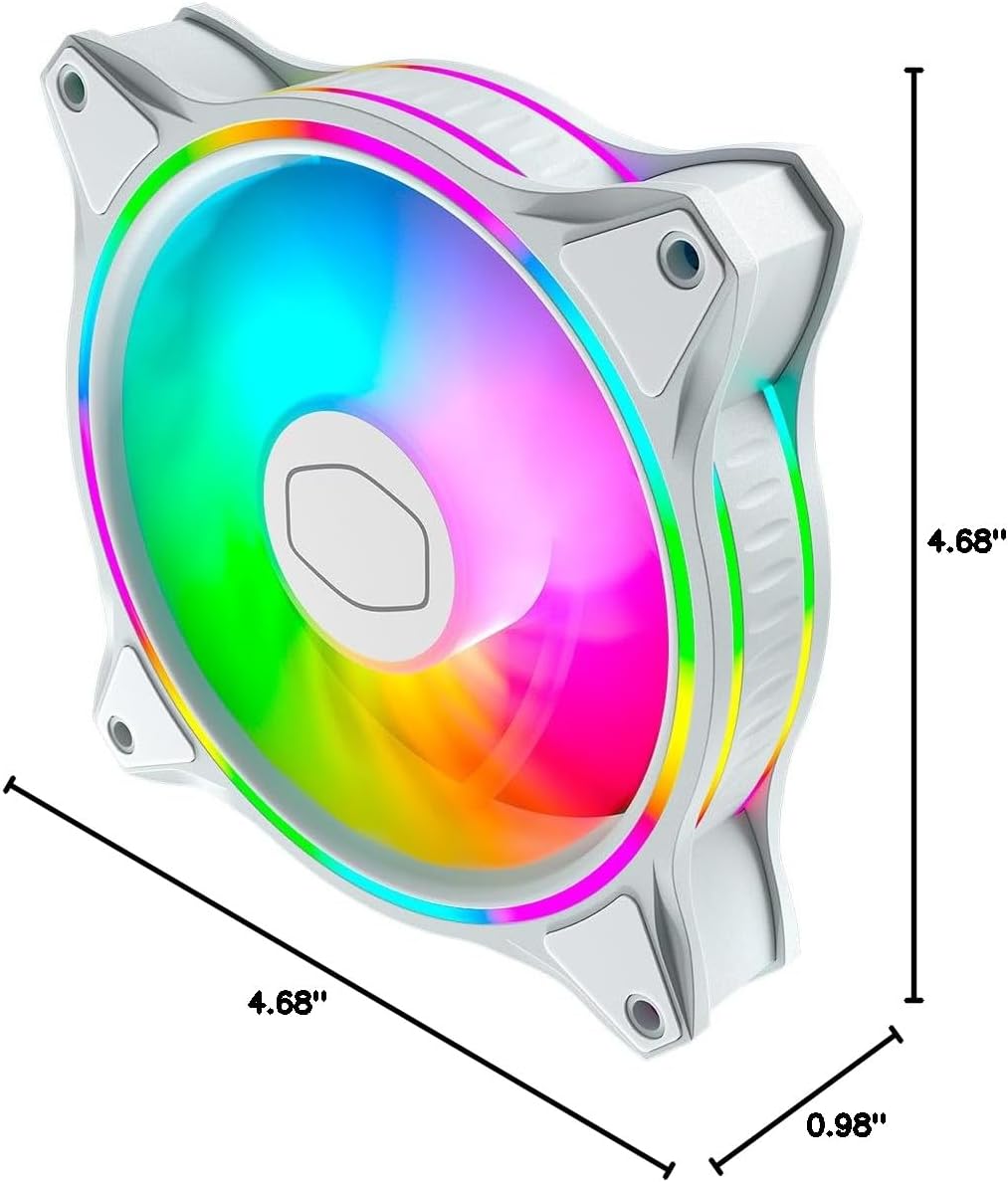
Image 2: Dimensions of the MasterFan MF120 Halo White Edition PC Case Fan, measuring 4.72 inches (L) x 4.72 inches (W) x 0.98 inches (H).
2. Подешавање и инсталација
2.1 Распакивање и компоненте
Carefully unpack the fan and its accessories. Ensure all components are present:
- MasterFan MF120 Halo White Edition PC Case Fan(s)
- Mounting screws or vibration-free mounts
- ARGB connector clips (if included with multi-pack)
- Adapter cables (if included for daisy-chaining)
2.2 Упутство за инсталацију
Follow these steps to properly install your Cooler Master MasterFan MF120 Halo:
- Одређивање правца протока ваздуха: Before mounting, identify the desired airflow direction. The fan blade side typically indicates the direction of airflow into the fan, while the fan frame side indicates airflow out.
- Монтажа вентилатора: Secure the fan to your PC case or radiator using the provided screws or vibration-free mounts. For vibration-free mounts, pull the end through the fan mounting holes and secure it to the case. For screws, use a screwdriver to fasten the fan to the case.
- Повежите се на матичну плочу: Connect the fan's 4-pin header to an available fan socket on your motherboard. For ARGB lighting, connect the ARGB connector to a compatible 3-pin ARGB header on your motherboard or an ARGB controller. Use any included ARGB connector clips to ensure a secure connection.
Video 1: A detailed tutorial demonstrating the installation process for a case fan, including identifying airflow direction, using vibration-free mounts, and securing with screws. This video is provided by THERMALRIGHT.EUR.
Video 2: A general PC build video showcasing the installation of various components, including case fans, within a Cooler Master Elite 301 Panda case. This video is provided by Cooler Master.
3. Упутство за употребу
3.1 ARGB контрола осветљења
The MasterFan MF120 Halo features dual-loop Addressable Gen2 RGB lighting. Once connected to a compatible ARGB header on your motherboard or an ARGB controller, you can customize the lighting effects using your motherboard's software (e.g., ASUS Aura, ASRock RGB, MSI RGB) or Cooler Master's MasterPlus+ software if using a compatible hub.
Video 3: An official video from Cooler Master showcasing the various ARGB lighting effects and customization options of the Halo series fans within a PC build.
3.2 Контрола брзине вентилатора
The fan speed can be controlled via your motherboard's BIOS settings or dedicated fan control software. The MF120 Halo supports PWM (Pulse Width Modulation) for precise speed adjustments, allowing for a balance between cooling performance and noise levels.
4. Одржавање
Regular maintenance ensures optimal performance and longevity of your fan:
- Чишћење: Periodically clean the fan blades and frame to remove dust buildup. Use a soft brush or compressed air. Ensure the fan is powered off before cleaning.
- Управљање кабловима: Ensure all cables are neatly routed and secured using the provided clips or cable ties to prevent interference with fan operation or other components.
КСНУМКС. Решавање проблема
If you encounter issues with your MasterFan MF120 Halo, refer to the following common troubleshooting steps:
- Вентилатор се не окреће:
- Check if the 4-pin fan header is securely connected to the motherboard.
- Verify that the fan power settings in your motherboard's BIOS are correctly configured.
- RGB Not Working or Flickering:
- Ensure the 3-pin ARGB connector is properly seated on the motherboard's ARGB header or controller.
- Confirm compatibility with your motherboard's ARGB software and that the software is up-to-date.
- Check for any loose ARGB connector clips.
- Прекомерна бука:
- Уверите се да је вентилатор безбедно монтиран и да не вибрира у односу на кућиште.
- Check for any cables or obstructions interfering with the fan blades.
- Очистите прашину нагомилану на лопатицама вентилатора.
6. Спецификације
| Феатуре | Спецификација |
|---|---|
| Димензије производа | 4.72 cm D x 4.72 cm Š x 0.98 cm V |
| Бранд | Цоолер Мастер |
| Тип конектора за напајање | 4-Пин |
| Волtage | 110 Волтс |
| Ватtage | 3 вати |
| Метод хлађења | Ваздух |
| Компатибилни уређаји | Десктоп |
| Ниво буке | 30 децибела |
| Материјал | Плочица |
| Максимална брзина ротације | 2000 РПМ |
| Капацитет протока ваздуха | 47.2 кубних стопа у минути |
| Број модела ставке | MFL-B2DW-183PA-R1 |
| Тежина артикла | 6.8 унци |
7. Гаранција и подршка
The Cooler Master MasterFan MF120 Halo White Edition comes with a 5-year EU Spare Part Availability Duration. For specific warranty terms, technical support, or service inquiries, please refer to the official Cooler Master webсајт или директно контактирајте њихову корисничку подршку.