
LIECTROUX C30B
LIECTROUX C30B Hybrid Robot Vacuum and Mop User Manual
Model: C30B
1. Увод
Thank you for choosing the LIECTROUX C30B Hybrid Robot Vacuum and Mop. This intelligent cleaning device is designed to simplify your home maintenance with its advanced features, including dynamic navigation, powerful 4KPA suction, and versatile 2-in-1 vacuuming and mopping capabilities. It integrates seamlessly with smart home systems like Amazon Alexa and Google Assistant for convenient control. Please read this manual thoroughly before operating the device to ensure proper use and maintenance.

Figure 1.1: LIECTROUX C30B Robot Vacuum and Mop with its accompanying mobile application interface and the interchangeable dustbin/water tank.
2. Важна безбедносна упутства
To reduce the risk of injury or damage, read these safety instructions carefully and keep them handy for future reference. This appliance is for household use only.
- Do not operate the robot in environments with open flames or fragile objects.
- Ensure all power cords, small objects, and loose items are cleared from the floor before operation to prevent entanglement.
- Do not allow children or pets to play with the robot. Supervise children when the robot is in use.
- Use only the original charging dock and power adapter provided by the manufacturer.
- Do not use the robot to pick up large debris, liquids, or burning/smoking materials.
- Редовно чистите четке и сензоре како бисте одржали оптималне перформансе.
- Не потапајте робота или његове електронске компоненте у воду.
- If the robot is not used for a long period, fully charge it and store it in a cool, dry place.
3. Садржај пакета
Проверите да ли су све компоненте присутне и у добром стању приликом распакивања.
- Robot Host (Main Unit)
- Станица за пуњење
- Даљински управљач (батерије нису укључене)
- Повер Адаптер
- Резервоар за воду
- Дустбин
- Алат за чишћење
- HEPA Filters (2x)
- Бочне четке (4x)
- Mopping Pads (2x)
- Упутство за употребу
- Водич за инсталацију апликације
4. Производ је готовview
Familiarize yourself with the main components of your LIECTROUX C30B robot vacuum.
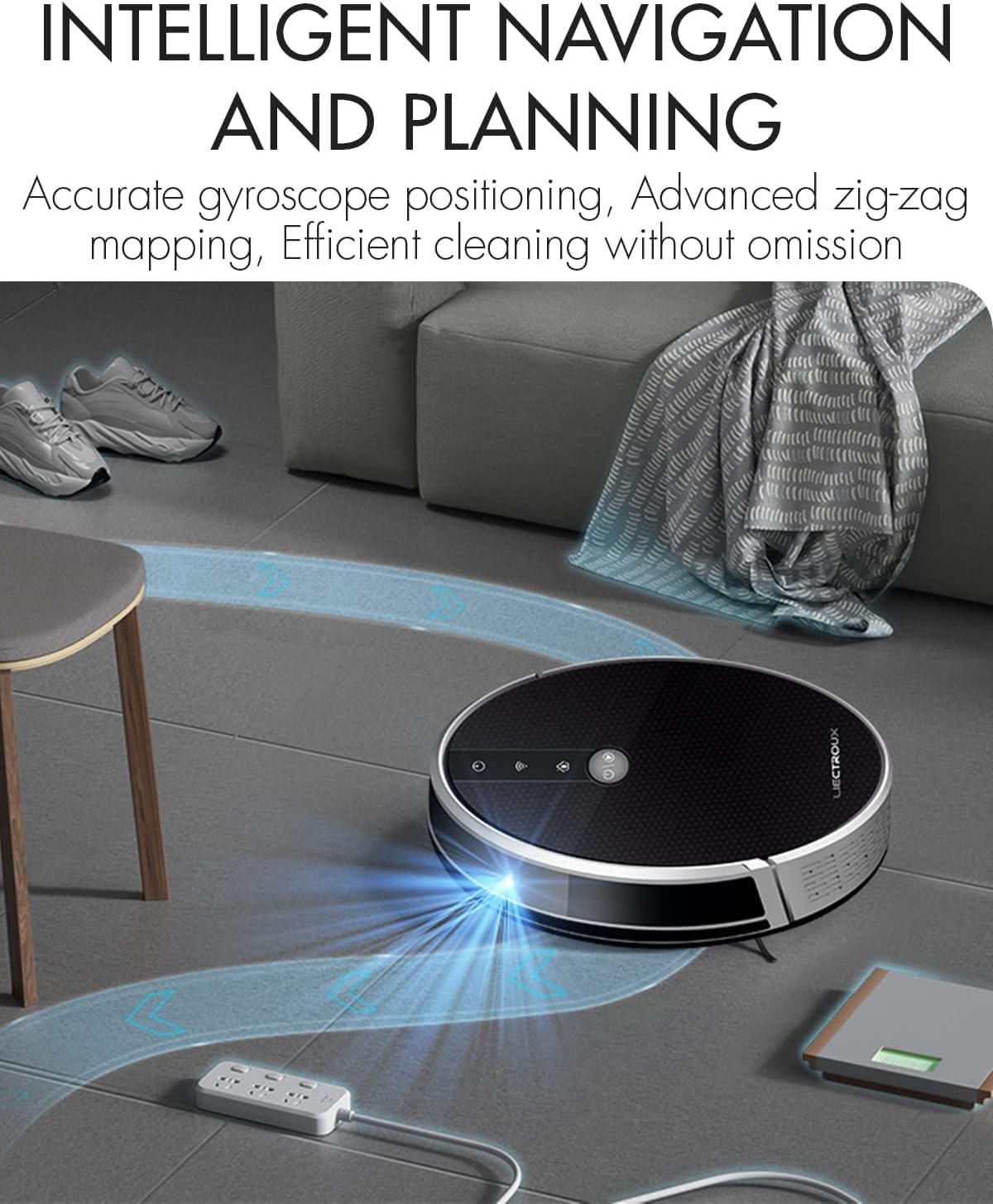
Figure 4.1: The robot vacuum utilizing its intelligent navigation system to plan and execute efficient cleaning paths, ensuring thorough coverage of your home.
4.1. Кључне карактеристике
- Gyroscope Smart Navigation: Detects the entire house and builds a real-time cleaning roadmap for efficient, room-to-room cleaning.
- Super Suction & 2-in-1 Functionality: Equipped with a NIDEC brushless motor and V-shaped floating central brush for deep cleaning. Interchangeable 600ml dustbin and water tank allow for simultaneous vacuuming and mopping.
- Дизајн танког тела: At 7.4 cm (2.9 inches) thin, it can easily clean under furniture and hard-to-reach areas.
- Сензори против пада: Integrated infrared sensors detect obstacles and prevent falls from stairs or ledges.
- Тих рад: Designed to operate at a low noise level (45 dB), minimizing disturbance.
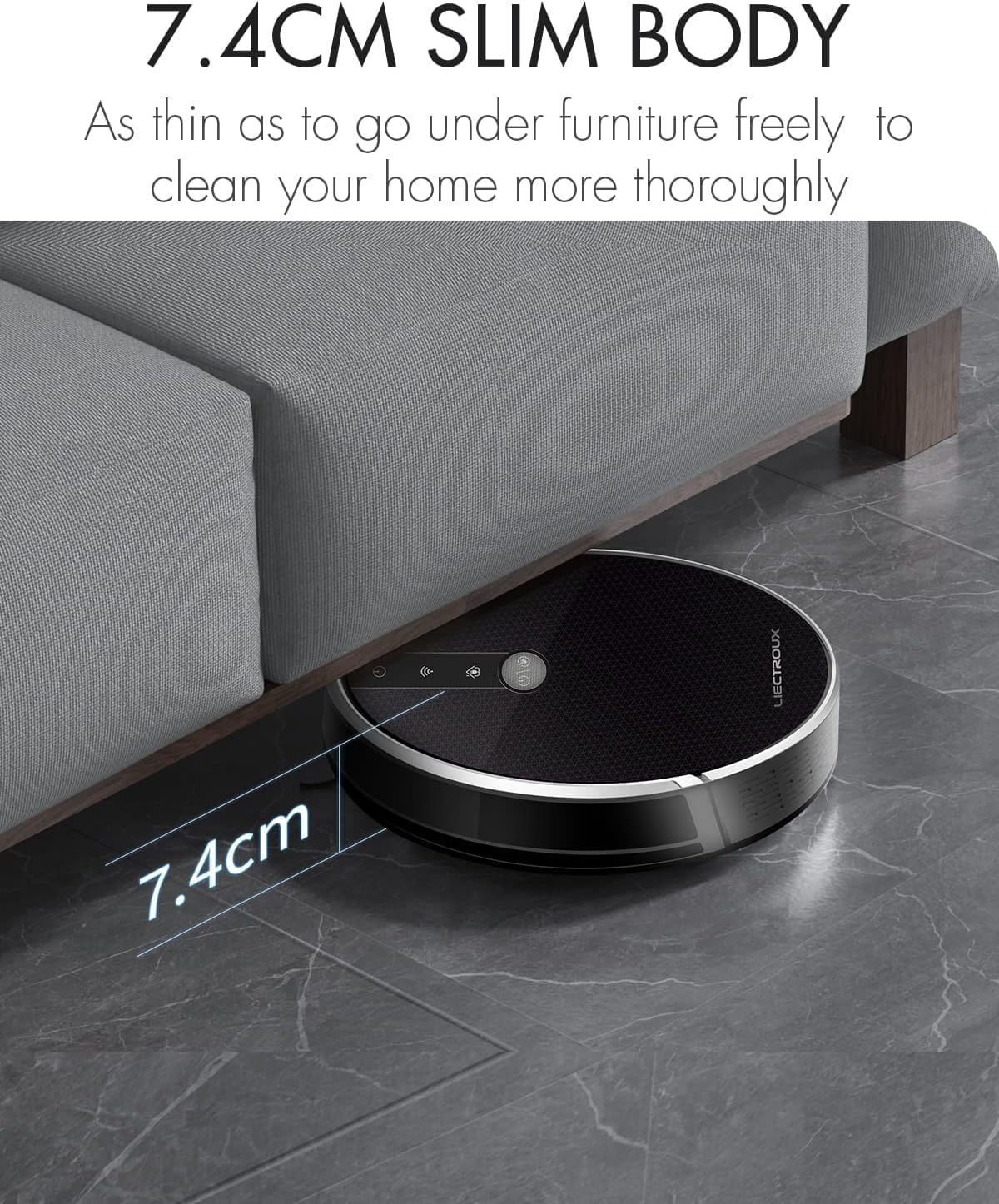
Figure 4.2: The robot's ultra-slim 7.4 cm body allows it to effortlessly clean under low-lying furniture, ensuring no dust or debris is left behind.
5. Подешавање
5.1. Пуњење робота
- Place the charging station against a wall in an open, uncluttered area. Ensure there is at least 1 meter (3.3 feet) of clear space on both sides and 2 meters (6.6 feet) in front of the station.
- Connect the power adapter to the charging station and plug the other end into a wall outlet.
- Place the robot onto the charging station, ensuring the charging contacts align. The robot will automatically begin charging. A full charge takes approximately 4-5 hours.
- For initial use, it is recommended to fully charge the robot before its first cleaning cycle.
5.2. Инсталирање бочних четки
Attach the side brushes by pressing them onto the square posts at the bottom of the robot until they click into place. Ensure the left (L) and right (R) brushes are installed on the correct sides.
5.3. Installing Dustbin or Water Tank
The LIECTROUX C30B comes with an interchangeable dustbin and water tank. Choose the appropriate container for your cleaning needs.
- За усисавање: Insert the dustbin into the designated slot at the rear of the robot until it locks securely.
- For Mopping: Fill the water tank with clean water (do not use detergents or harsh chemicals). Attach a mopping pad to the bottom of the water tank. Insert the water tank into the designated slot at the rear of the robot until it locks securely.
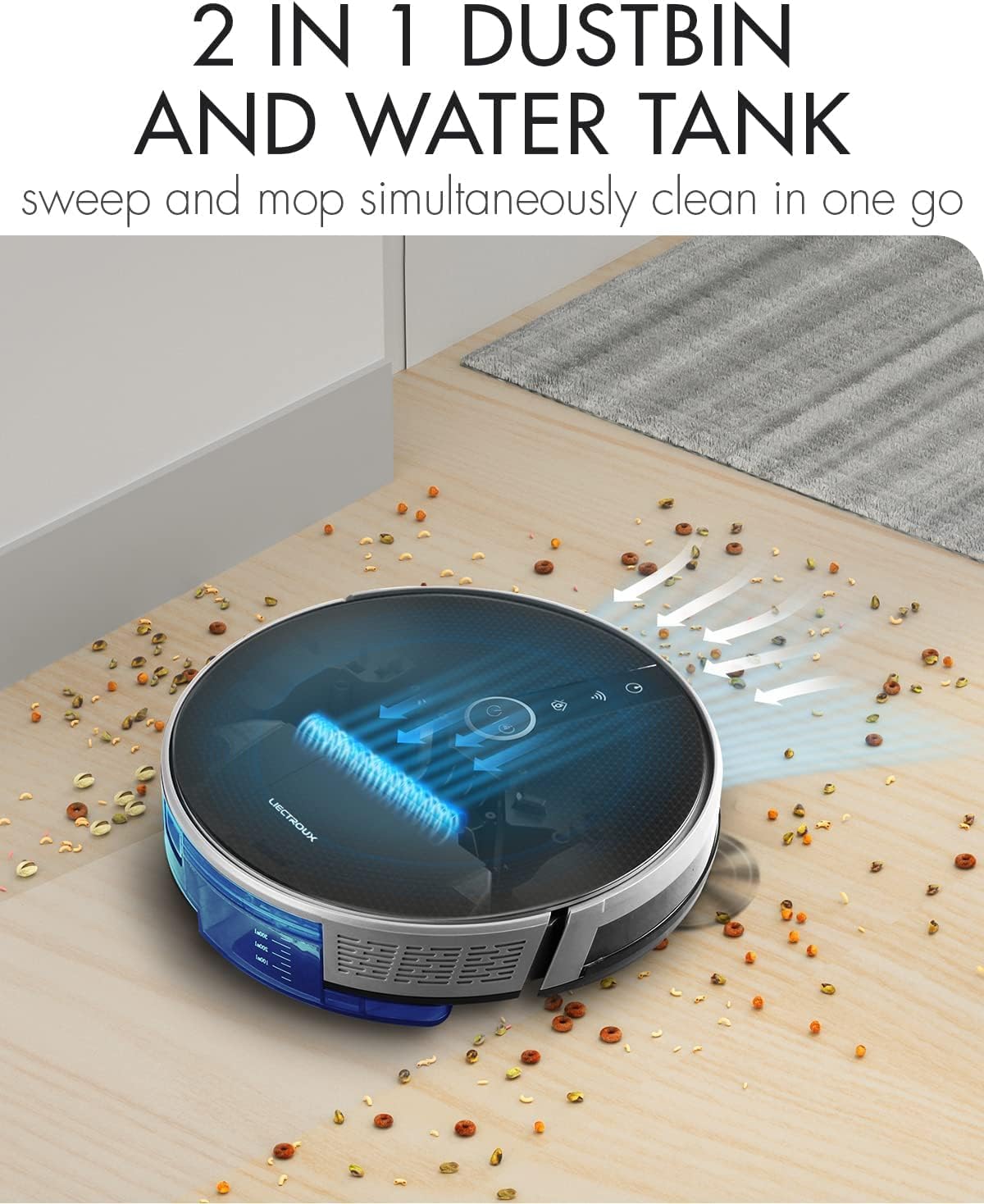
Figure 5.1: The robot's innovative 2-in-1 design allows for easy switching between the dustbin for vacuuming and the water tank for mopping, enabling simultaneous sweep and mop functions.
5.4. Инсталација апликације и повезивање
The LIECTROUX C30B can be controlled via the Tuya Smart app. It also supports voice control through Amazon Alexa and Google Assistant.
- Download the "Tuya Smart" app from the App Store (iOS) or Google Play Store (Android).
- Региструјте налог и пријавите се.
- Ensure your robot is charged and powered on.
- In the app, tap "+" to add a device. Select "Small Home Appliance" > "Robot Vacuum".
- Follow the on-screen instructions to connect the robot to your home Wi-Fi network (2.4GHz only).
- Када се повежете, можете контролисати робота, заказивати чишћење и пратити његов статус са свог паметног телефона.

Figure 5.2: The mobile application provides comprehensive remote control, allowing users to manage cleaning modes, schedules, and monitor the robot's status from anywhere.
6. Упутство за употребу
6.1. Режими чишћења
The LIECTROUX C30B offers 6 cleaning modes to suit various needs:
- Аутоматско чишћење: The robot intelligently plans its route to clean the entire area.
- Режим брисања: When the water tank is installed, the robot will perform wet mopping.
- Чишћење једнокреветне собе: Cleans a specific room. Close the door to confine the robot to that area.
- Чишћење ивица: Робот чисти дуж зидова и ивица намештаја.
- Чишћење места: Concentrates cleaning on a specific dirty area in a spiral pattern.
- Планирано чишћење: Set specific times for the robot to start cleaning automatically via the app.
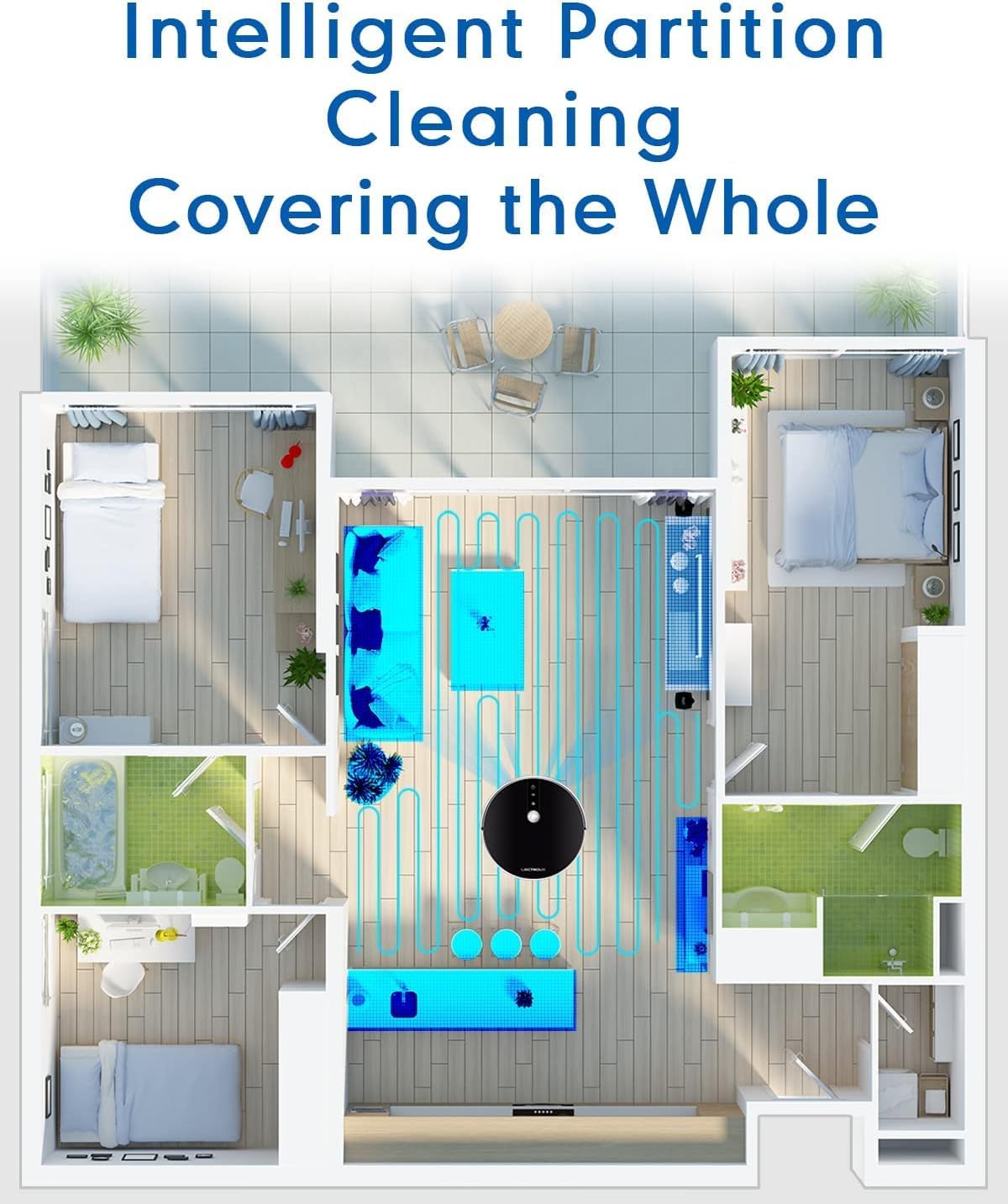
Figure 6.1: The robot's intelligent partition cleaning capability allows it to map and clean different areas of your home systematically, ensuring comprehensive coverage.
6.2. Starting/Pausing Cleaning
- На роботу: Press the power button on the robot's top panel to start or pause cleaning.
- Коришћење даљинског управљача: Use the "Auto Clean" button on the remote control.
- Преко апликације: Use the "Start" or "Pause" buttons within the Tuya Smart app.
6.3. Гласовна контрола (Алекса/Гугл асистент)
Once connected to the Tuya Smart app, you can link your robot to Amazon Alexa or Google Assistant for voice commands.
- Enable the "Tuya Smart" skill in your Alexa or Google Home app.
- Link your Tuya Smart account.
- Откријте уређаје.
- You can now use commands such as:
- "Alexa, start cleaning the robot vacuum."
- "Hey Google, tell the robot vacuum to go back to charging."
- "Alexa, stop the robot vacuum."

Figure 6.2: The robot vacuum seamlessly integrates with smart home assistants like Amazon Alexa and Google Assistant, allowing for convenient voice-activated control of cleaning tasks.
7. Одржавање
Regular maintenance is crucial for optimal performance and longevity of your robot vacuum.
7.1. Пражњење канте за прашину
Empty the dustbin after each use or when the "Dustbin Full" indicator appears on the app.
- Притисните дугме за отпуштање канте за прашину и извуците канту за прашину.
- Open the dustbin cover and empty its contents into a trash can.
- Clean the dustbin with the provided cleaning tool or a soft cloth. It can also be rinsed with water, but ensure it is completely dry before re-installing.
7.2. Чишћење филтера
Clean the HEPA filter and sponge filter weekly. Replace HEPA filters every 3-6 months, depending on usage.
- Уклоните канту за отпатке.
- Take out the HEPA filter and sponge filter.
- Tap the filters gently to remove dust. Do not wash HEPA filters with water.
- Rinse the sponge filter with water if necessary, and ensure it is completely dry before re-installing.
7.3. Чишћење главне четке и бочних четки
Clean the main brush and side brushes weekly to remove tangled hair and debris.
- Главна четка: Flip the robot over. Press the release tabs on the brush guard to remove it. Lift out the main brush. Use the cleaning tool to cut and remove any tangled hair. Reinstall the brush and guard.
- Бочне четке: Gently pull the side brushes off their posts. Remove any hair or debris. If brushes are worn, replace them.
7.4. Cleaning Water Tank and Mopping Pads
После сваког чишћења подова:
- Испразните преосталу воду из резервоара.
- Remove the mopping pad and rinse it thoroughly with water. Allow it to air dry completely.
- Clean the water tank interior if necessary.
7.5. Чишћење сензора и контаката за пуњење
Wipe the sensors and charging contacts regularly with a clean, dry cloth to ensure proper function.
- Сензори против пада: Located on the bottom of the robot.
- Wall Sensors: Located on the front bumper.
- Контакти за пуњење: On the bottom of the robot and on the charging station.

Figure 7.1: The robot is equipped with anti-drop sensors that detect changes in elevation, such as stairs, preventing it from falling and ensuring safe operation.
КСНУМКС. Решавање проблема
Ако наиђете на проблеме са роботским усисивачем, погледајте табелу испод за уобичајене проблеме и решења.
| Проблем | Могући узрок | Решење |
|---|---|---|
| Робот се не укључује. | Слаба батерија или није напуњена. | Place the robot on the charging station and ensure it is fully charged. |
| Робот се често заглављује. | Препреке, замршене четке или прљави сензори. | Уклоните препреке са путање чишћења. Очистите главну четку, бочне четке и све сензоре. |
| Слабе перформансе чишћења. | Пуна канта за прашину, зачепљен филтер или истрошене четке. | Empty dustbin. Clean/replace filters. Clean/replace brushes. |
| Robot does not return to charging station. | Charging station obstructed or out of range. Dirty charging contacts. | Ensure charging station is in an open area. Clean charging contacts on both robot and station. |
| Проблеми са повезивањем апликације. | Incorrect Wi-Fi password, 5GHz network, or robot too far from router. | Ensure you are using a 2.4GHz Wi-Fi network. Re-enter Wi-Fi password. Move robot closer to router. Restart robot and router. |
Ако проблем и даље постоји након што сте испробали ова решења, обратите се корисничкој подршци.
9. Техничке спецификације
| Феатуре | Спецификација |
|---|---|
| Број модела | Ц30Б |
| Бранд | ЛИЕЦТРОУКС |
| Димензије (Д к Ш к В) | КСНУМКС к КСНУМКС к КСНУМКС цм (КСНУМКС к КСНУМКС к КСНУМКС инча) |
| Тежина | 2.7 кг (5.95 лбс) |
| Повер | 28 Ваттс |
| Волtage | 14.4 Волтс |
| Тип батерије | Литијум-јонска (2500 mAh) |
| Ниво буке | 45 дБ |
| Дустбин Цапацити | 0.6 литара |
| Тип филтера | ХЕПА |
| Препорука за површину | Тврди подови, теписи |
| Тип контроле | App Control, Voice Control (Alexa, Google Assistant), Remote Control |
| Рунтиме | 100-120 minutes (approx. 170-220 sq meters) |
10. Гаранција и подршка
The LIECTROUX C30B Hybrid Robot Vacuum and Mop comes with a 24-month professional warranty од датума куповине. Ова гаранција покрива производне недостатке и кварове при нормалној употреби.
10.1. Изузеци из гаранције
Гаранција не покрива:
- Штета настала неправилном употребом, непажњом или несрећом.
- Normal wear and tear of consumable parts (e.g., brushes, filters, mopping pads).
- Оштећења узрокована неовлашћеним поправкама или модификацијама.
- Штета узрокована спољним факторима као што су пренапони или природне катастрофе.
10.2. Корисничка подршка
For technical assistance, warranty claims, or general inquiries, please contact LIECTROUX customer support through the retailer where you purchased the product or visit the official LIECTROUX webсајт за контакт информације.
Please have your model number (C30B) and proof of purchase ready when contacting support.