
ABKO K560
ABKO Hacker K560 Mechanical Gaming Keyboard User Manual
Модел: К560
1. Увод
Хвала вам на куповиниasing the ABKO Hacker K560 Mechanical Gaming Keyboard. This keyboard is designed for an enhanced gaming and typing experience, featuring hotswappable mechanical switches, vibrant Rainbow Moving LED lighting, and durable dual injection keycaps. This manual provides detailed instructions for setup, operation, maintenance, and troubleshooting to ensure optimal performance and longevity of your device.
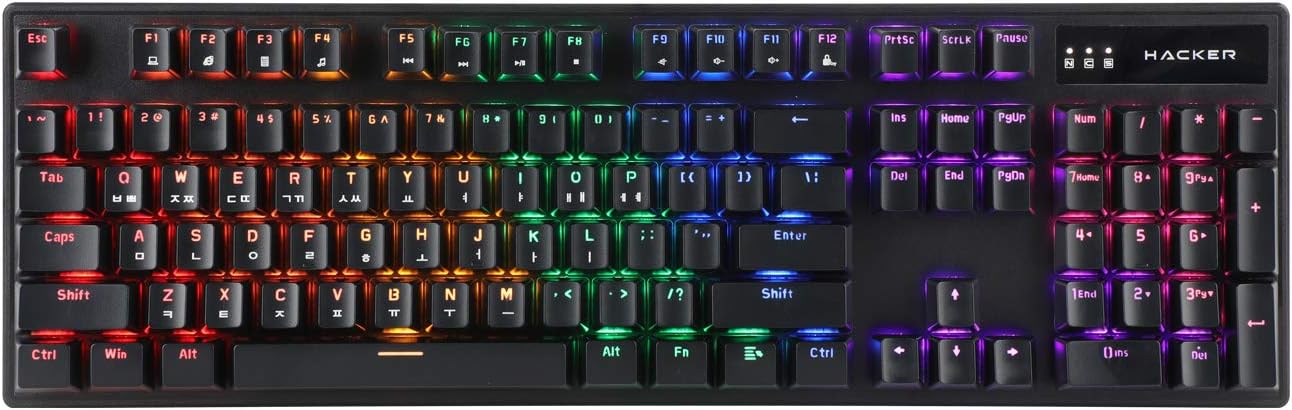
Figure 1.1: ABKO Hacker K560 Mechanical Gaming Keyboard (Top View)
This image displays the full layout of the ABKO Hacker K560 keyboard from a top-down perspective, showcasing its 104-key design and the vibrant rainbow LED backlighting illuminating each key. The Korean-English layout is visible on the keycaps.
2. Кључне карактеристике
- Viki Type: Unique keycap profile за удобно куцање.
- Rainbow Moving LED: Dynamic and customizable RGB lighting effects.
- Механички прекидач: Equipped with durable and responsive mechanical switches (Brown Switch variant).
- Cherry Stabilizer: Enhanced stability for larger keys like Spacebar, Shift, and Enter.
- 104 Keys Layout: Full-size keyboard layout for comprehensive functionality.
- Double Injection Keycaps: Legends are molded into the keycap, preventing wear and fading.
- Hotswap Capability: Allows for easy replacement of switches without soldering.
- Отпоран на воду: Designed to withstand minor spills.

Figure 2.1: ABKO Hacker K560 Keyboard (Angled View)
This image provides an angled perspective of the keyboard, showcasing the ergonomic Viki Type keycap profile and the vibrant illumination of the Rainbow Moving LED backlighting from the side.
3. Водич за подешавање
3.1. Садржај пакета
Пре него што наставите, уверите се да су сви предмети присутни у пакету:
- ABKO Hacker K560 Mechanical Gaming Keyboard
- Кориснички приручник (овај документ)
- Keycap Puller (may be included for hotswap functionality)
- Switch Puller (may be included for hotswap functionality)
3.2. Повезивање тастатуре
- Locate an available USB port on your computer (PC, Laptop, Gaming Console).
- Plug the USB connector of the ABKO Hacker K560 keyboard into the USB port.
- Оперативни систем ће аутоматски открити и инсталирати потребне драјвере. Овај процес може потрајати неколико тренутака.
- Once installation is complete, the keyboard's LED lighting will illuminate, indicating it is ready for use.
4. Упутство за употребу
4.1. Основна употреба
The ABKO Hacker K560 functions as a standard 104-key keyboard. Simply begin typing or using the keys as you would with any other keyboard.
4.2. LED Lighting Control (Rainbow Moving LED)
The keyboard features various dynamic LED lighting modes. Use the following key combinations to control the lighting:
- Fn + F1-F12: (Specific functions may vary, refer to keyboard legends for media controls, volume, etc.)
- Fn + Scroll Lock: Cycle through different Rainbow Moving LED lighting effects.
- Fn + Print Screen: Adjust LED brightness (usually multiple levels).
- Fn + Пауза: Change LED lighting direction or speed (for moving effects).
- Fn + тастери са стрелицама: Some models allow fine-tuning of specific lighting zones or effects.
Experiment with these combinations to find your preferred lighting mode and brightness.
4.3. Hotswap Switch Replacement
The ABKO Hacker K560 supports hotswappable mechanical switches, allowing you to change switches without soldering. This feature is useful for customizing typing feel or replacing faulty switches.
- Искључивање: Disconnect the keyboard from your computer before attempting any switch replacement.
- Уклоните капицу тастатуре: Use the included keycap puller to gently remove the desired keycap.
- Уклоните прекидач: Use the included switch puller to carefully grip the top and bottom clips of the switch and pull it straight up.
- Уметни нови прекидач: Поравнајте пинове новог прекидача са отворима на штампаној плочи. Пажљиво притисните прекидач надоле док не кликне на своје место. Уверите се да пинови нису савијени.
- Замена тастера: Press the keycap onto the new switch until it is firmly seated.
- Тест: Reconnect the keyboard and test the new switch.
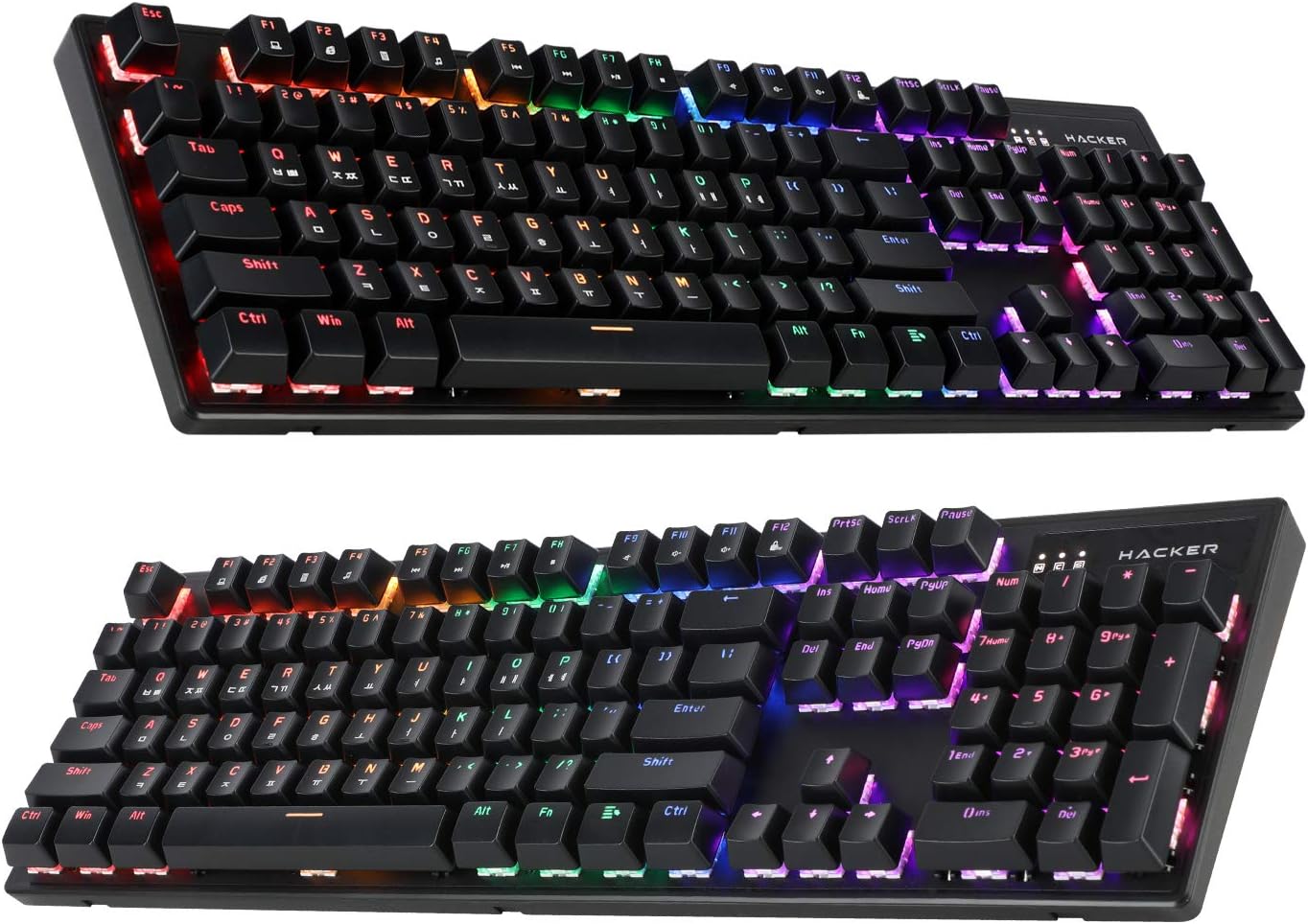
Figure 4.1: ABKO Hacker K560 Keyboard (Dual Angled View)
This image presents two different angled views of the ABKO Hacker K560 keyboard, providing a comprehensive look at its full 104-key layout and the distinct dual injection keycap design, which contributes to its durability and aesthetic.
5. Одржавање
5.1. Чишћење тастатуре
Редовно чишћење помаже у одржавању изгледа и функционалности тастатуре.
- Уклањање прашине: Користите лименку компримованог ваздуха да бисте одували прашину и остатке између тастера.
- Чишћење површине: Wipe the surface of the keycaps and frame with a soft, slightly damp, крпа која не оставља влакна. Избегавајте прекомерну влагу.
- Дубинско чишћење (опционо): For thorough cleaning, keycaps can be removed using a keycap puller and washed with mild soap and water. Ensure they are completely dry before reattaching.
Опрез: Always disconnect the keyboard from your computer before cleaning. Do not immerse the keyboard in water, despite its water-resistant feature, as this is for minor spills, not submersion.
5.2. Складиштење
Када се тастатура не користи дуже време, чувајте је на хладном и сувом месту, даље од директне сунчеве светлости и екстремних температура.
КСНУМКС. Решавање проблема
If you encounter issues with your ABKO Hacker K560 keyboard, refer to the following common solutions:
| Проблем | Могући узрок | Решење |
|---|---|---|
| Keyboard not responding / No input | Лабава УСБ веза, неисправан УСБ порт, проблем са драјвером. |
|
| LED lights are off or not working correctly | LED mode turned off, brightness set to minimum, software conflict. |
|
| Одређени кључ не ради | Остаци испод тастера, неисправан прекидач. |
|
Ако проблем и даље постоји након што сте испробали ова решења, обратите се корисничкој подршци.
7. Спецификације
| Феатуре | Детаљ |
|---|---|
| Назив модела | Hacker K560 |
| Бранд | АБКО |
| Тип тастатуре | Механичка тастатура за игре |
| Тип прекидача | Tactile (Brown Switch) |
| Лаиоут | 104 Keys (Full-size, Korean-English Layout) |
| Кеицап Материал | Двоструко убризгавање |
| Позадинско осветљење | Rainbow Moving LED (RGB) |
| Повезивање | Жичани (УСБ) |
| Посебне карактеристике | Hotswappable Switches, Cherry Stabilizer, Viki Type Keycaps, Water Resistant |
| Компатибилни уређаји | Лаптоп, играчка конзола, рачунар, таблет, паметни телефон |
8. Гаранција и подршка
ABKO products are manufactured to the highest quality standards. For information regarding warranty coverage, technical support, or service inquiries, please refer to the warranty card included with your product or visit the official ABKO webсајту.
Сачувајте доказ о куповини за гаранцијске захтеве.
Ask a question about this manual
Ask about setup, troubleshooting, compatibility, parts, safety, or missing instructions. Manuals+ will review the question and use this page’s manual context to help answer it.