1. Увод
The Tilta Wireless Control Receiver Module (Model TGA-WCR) is designed to enhance the functionality of your DJI RS2, RS3 Pro, RS4, or RS5 gimbal system. This module enables wireless remote control over various gimbal movements, camera settings, and DJI wireless lens control motors, providing greater flexibility and control during operation. It integrates seamlessly with compatible Tilta control handles and accessories, drawing power directly from the gimbal for a cable-free setup.
2. Безбедносне информације
- Read all instructions before use to ensure proper operation and prevent damage.
- Држите модул даље од воде, влаге и екстремних температура.
- Do not attempt to disassemble or modify the module. Repairs should only be performed by authorized personnel.
- Ensure the module is securely attached to the gimbal before operation to prevent accidental detachment.
- Use only with compatible DJI RS series gimbals as specified.
3. Садржај пакета
The Tilta Wireless Control Receiver Module package typically includes:
- Tilta Wireless Control Receiver Module (TGA-WCR)
- Кориснички приручник (овај документ)
4. Подешавање
4.1 Attaching the Module
The TGA-WCR module is designed for quick and secure attachment to your compatible DJI RS series gimbal. It draws power directly from the gimbal, eliminating the need for additional cables or batteries for the module itself.
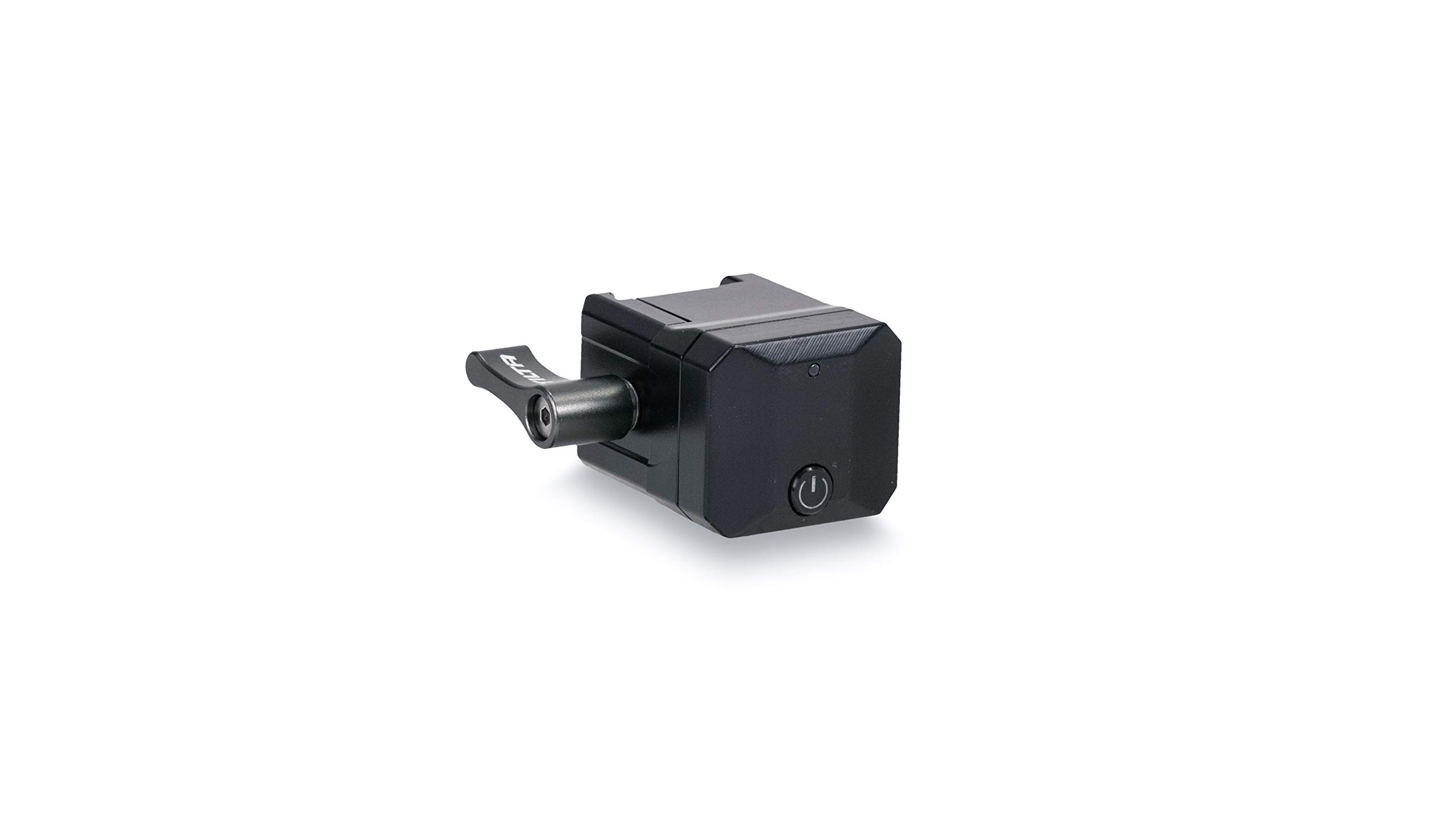
Figure 1: Tilta Wireless Control Receiver Module (TGA-WCR)
To attach the module:
- Locate the designated mounting point on your DJI RS2, RS3 Pro, RS4, or RS5 gimbal. This is typically a port designed for accessories.
- Align the module's connector with the gimbal's port.
- Gently push the module into place until it clicks or is firmly seated. Ensure the locking mechanism (if present) is engaged to prevent accidental removal.
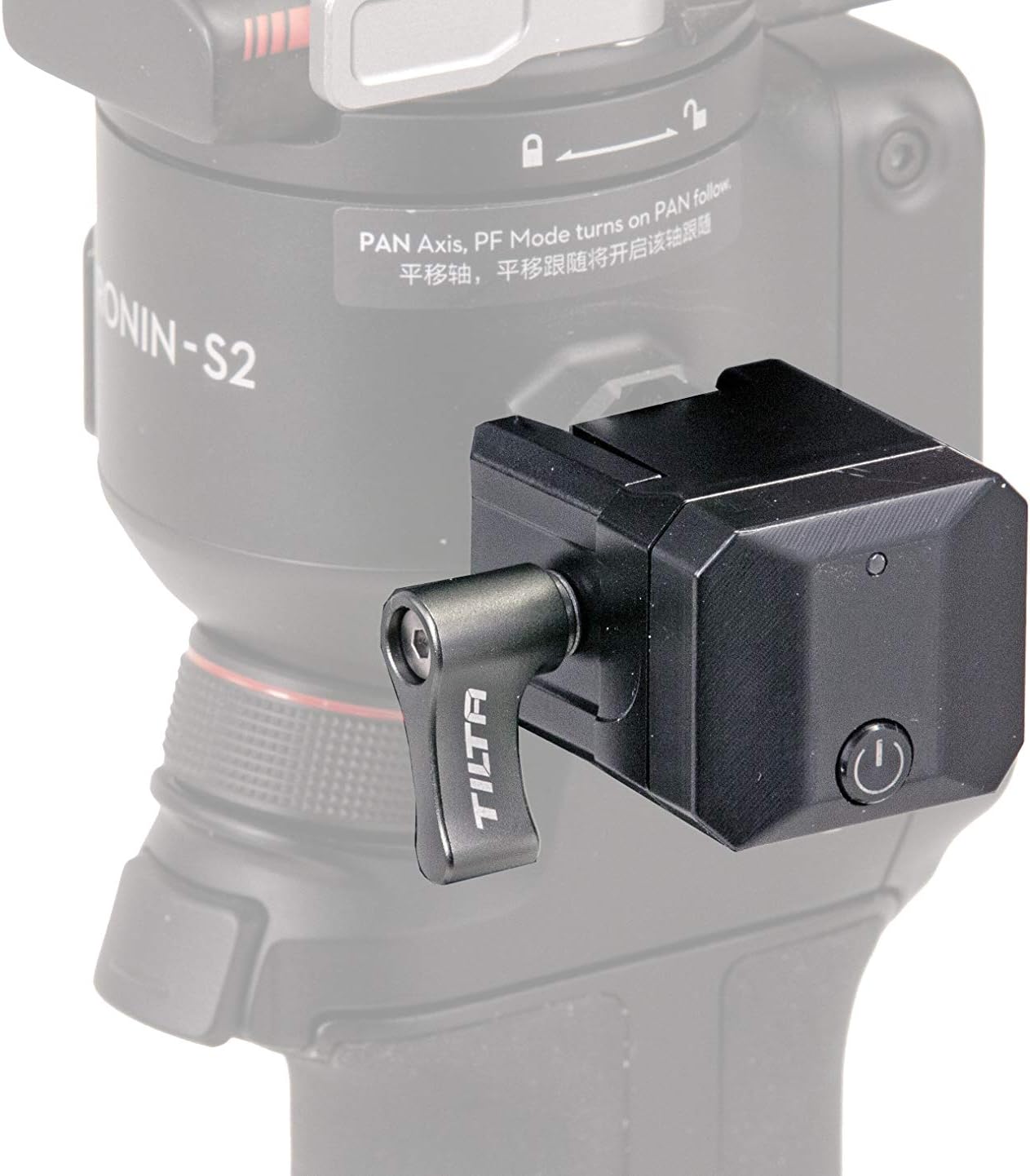
Figure 2: Module attached to a DJI Ronin gimbal
4.2 Pairing with Wireless Controllers
The module facilitates quick pairing with compatible Tilta wireless controllers (e.g., Advanced Ring Grip, Float System, Remote Control Kit). Refer to your specific Tilta wireless controller's manual for detailed pairing instructions. Once paired, the module enables instant communication between your control handles, the gimbal body, and DJI wireless lens control motors.
5. Упутство за употребу
Once the Tilta Wireless Control Receiver Module is securely attached and paired with your Tilta wireless controller, you can begin to remotely control your gimbal system.
5.1 Gimbal Movement and Settings Control
Utilize your Tilta wireless controller to manipulate the gimbal's pan, tilt, and roll axes. Specific controls for adjusting gimbal settings (e.g., follow modes, speed) will be available through your controller's interface. Consult your controller's manual for a comprehensive guide to its functions.
5.2 Управљање камером
The module enables remote control of various camera functions when connected to a compatible camera and gimbal setup. This may include start/stop recording, photo capture, and other accessible camera settings. Ensure your camera is properly connected to the gimbal and configured for remote control.
5.3 DJI Wireless Lens Control Motor Integration
For precise focus, iris, and zoom control, the module facilitates communication with DJI wireless lens control motors. This allows you to operate these motors remotely via your Tilta wireless controller, providing fine-tuned adjustments for your lenses.
Video 1: Tilta Ecosystem for DJI RS2 Introduction. This video demonstrates the broader Tilta ecosystem for DJI RS2, including how various components like the wireless control receiver module integrate for enhanced operation.
6. Одржавање
- Чишћење: Use a soft, dry cloth to clean the module. Avoid using harsh chemicals or abrasive materials.
- Складиштење: Чувати модул на хладном и сувом месту, даље од директне сунчеве светлости и екстремних температура када се не користи.
- инспекција: Periodically inspect the connectors for any signs of wear or damage.
КСНУМКС. Решавање проблема
| Проблем | Могући узрок | Решење |
|---|---|---|
| Модул не реагује | Not properly connected to gimbal. | Ensure the module is firmly seated in the gimbal's accessory port. |
| Модул не реагује | Not paired with controller. | Refer to your wireless controller's manual for pairing instructions. |
| Интермитентна веза | Environmental interference or distance. | Reduce distance between module and controller; avoid areas with strong wireless interference. |
| No camera/lens control | Camera/lens motor not properly connected or configured. | Verify all connections and settings for your camera and lens motors. |
8. Спецификације
- Бренд: Тилта
- Назив модела: TGA-WCR
- Број модела: TGA-WCR
- Боја: Црно
- Компатибилни уређаји: DJI RS2, DJI RS3 Pro, DJI RS4, DJI RS5
- Технологија повезивања: Инфрацрвени
- Тип батерије: None required (draws power from gimbal)
- Тежина артикла: 3.08 Kilograms (Note: This weight seems unusually high for a module and might be a data error, typically modules are much lighter. Please verify actual product weight.)
9. Информације о гаранцији
Tilta products are covered by a limited warranty against defects in materials and workmanship. The specific terms and duration of the warranty may vary by region and product. Please retain your proof of purchase for warranty claims. For detailed warranty information, visit the official Tilta webсајту или контактирајте корисничку подршку.
10. Корисничка подршка
If you encounter any issues or have questions regarding your Tilta Wireless Control Receiver Module, please refer to the troubleshooting section of this manual. For further assistance, technical support, or service inquiries, please visit the official Tilta webсајту или контактирајте њихову службу за кориснике путем контакт информација наведених на њиховој webсајту.