
Увод
Thank you for choosing the LENRUE Bluetooth Speaker. This portable wireless speaker delivers loud stereo sound with rich bass and offers up to 12 hours of playtime. Featuring advanced Bluetooth 5.0 technology and a built-in microphone, it is designed for a superior audio experience and convenient hands-free communication. This manual provides essential information for setting up, operating, and maintaining your speaker.
Садржај пакета
Молимо вас да означите поље за следеће ставке:
- LENRUE Bluetooth Speaker (Model: yun-dong-199)
- УСБ кабл за пуњење
- Помоћни аудио кабл
- Упутство за употребу
Производ је завршенview
The LENRUE Bluetooth Speaker is designed for portability and high-quality audio. It features:
- Врхунски квалитет звука: Dual high-performance drivers and enhanced bass for clear, powerful audio.
- Продужено време репродукције: Up to 12 hours of continuous music playback on a single charge.
- Напредно повезивање: Bluetooth 5.0 for stable, fast wireless connections. Supports USB, Micro SD card (up to 32GB), and AUX input.
- Уграђени микрофон: Enables hands-free calling with clear stereo sound.
- Преносиви дизајн: Lightweight (0.66 lb) and compact, making it ideal for travel and outdoor use.

Image: The LENRUE Bluetooth Speaker, showcasing its compact and sleek design in blue.
Сетуп
1. Пуњење звучника
Before first use, fully charge the speaker. Connect the provided USB charging cable to the speaker's charging port and to a USB power source (e.g., computer, wall adapter). The charging indicator light will show the charging status (refer to LED indicator section for details). A full charge typically takes 2-3 hours.

Слика: Позади view of the speaker highlighting the USB, TF card, DC 9V charging, Reset pinhole, and AUX input ports.
2. Укључивање/искључивање
- To Power On: Press and hold the Power/Mode button (often marked 'M' or with a power icon) until you hear an audible prompt or see the LED indicator light up.
- To Power Off: Press and hold the Power/Mode button again until you hear an audible prompt or the LED indicator turns off.
3. Блуетоотх упаривање
- Ensure the speaker is powered on and in Bluetooth pairing mode (the LED indicator will usually flash blue).
- На свом уређају (паметном телефону, таблету итд.) омогућите Блутут и потражите доступне уређаје.
- Select "LENRUE Speaker" (or similar name) from the list.
- Once paired, the speaker will emit an audible confirmation, and the LED indicator will turn solid blue.

Image: The LENRUE speaker positioned on a desk, wirelessly connected to a laptop, tablet, and smartphone, illustrating its versatile Bluetooth 5.0 connectivity.
4. Connecting via AUX, USB, or Micro SD Card
- АУКС улаз: Connect one end of the provided auxiliary audio cable to the speaker's AUX port and the other end to your audio device's headphone jack. The speaker will automatically switch to AUX mode.
- УСБ репродукција: Уметните УСБ диск који садржи аудио fileу УСБ порт. Звучник ће аутоматски детектовати и репродуковати музику са уређаја.
- Репродукција микро СД картице: Уметните Мицро СД картицу (до 32 ГБ) са звуком files into the TF card slot. The speaker will automatically detect and play music from the card.
Упутство за употребу
Функције дугмета
The speaker features intuitive controls on its top panel:

Слика: Врх view of the LENRUE speaker, displaying the control buttons for power, mode, volume, and track navigation.
- Дугме за напајање/режим (M):
- Притисните и држите за укључивање/искључивање.
- Short press to switch between input modes (Bluetooth, AUX, USB, Micro SD).
- Дугме за репродукцију/паузу:
- Кратак притисак за репродукцију или паузирање музике.
- Short press to answer/end a phone call.
- Притисните и држите да бисте одбили долазни позив.
- Дугме за смањивање јачине звука / претходну нумеру (-):
- Кратко притисните да бисте смањили јачину звука.
- Притисните и држите да бисте прешли на претходну нумеру.
- Дугме за појачавање јачине звука / следећу нумеру (+):
- Кратак притисак да повећате јачину звука.
- Притисните и држите да бисте прешли на следећу нумеру.
Права бежична стерео (ТВС) веза
For an enhanced stereo experience, you can connect two LENRUE Bluetooth Speakers together:
- Уверите се да су оба звучника искључена.
- Power on both speakers. They will automatically enter Bluetooth pairing mode.
- On one speaker, double-press the Power/Mode button. It will search for another speaker to pair with.
- Once connected, you will hear an audible confirmation, and both speakers will play in stereo.
- Now, connect your device to one of the speakers via Bluetooth as described in the "Bluetooth Pairing" section.
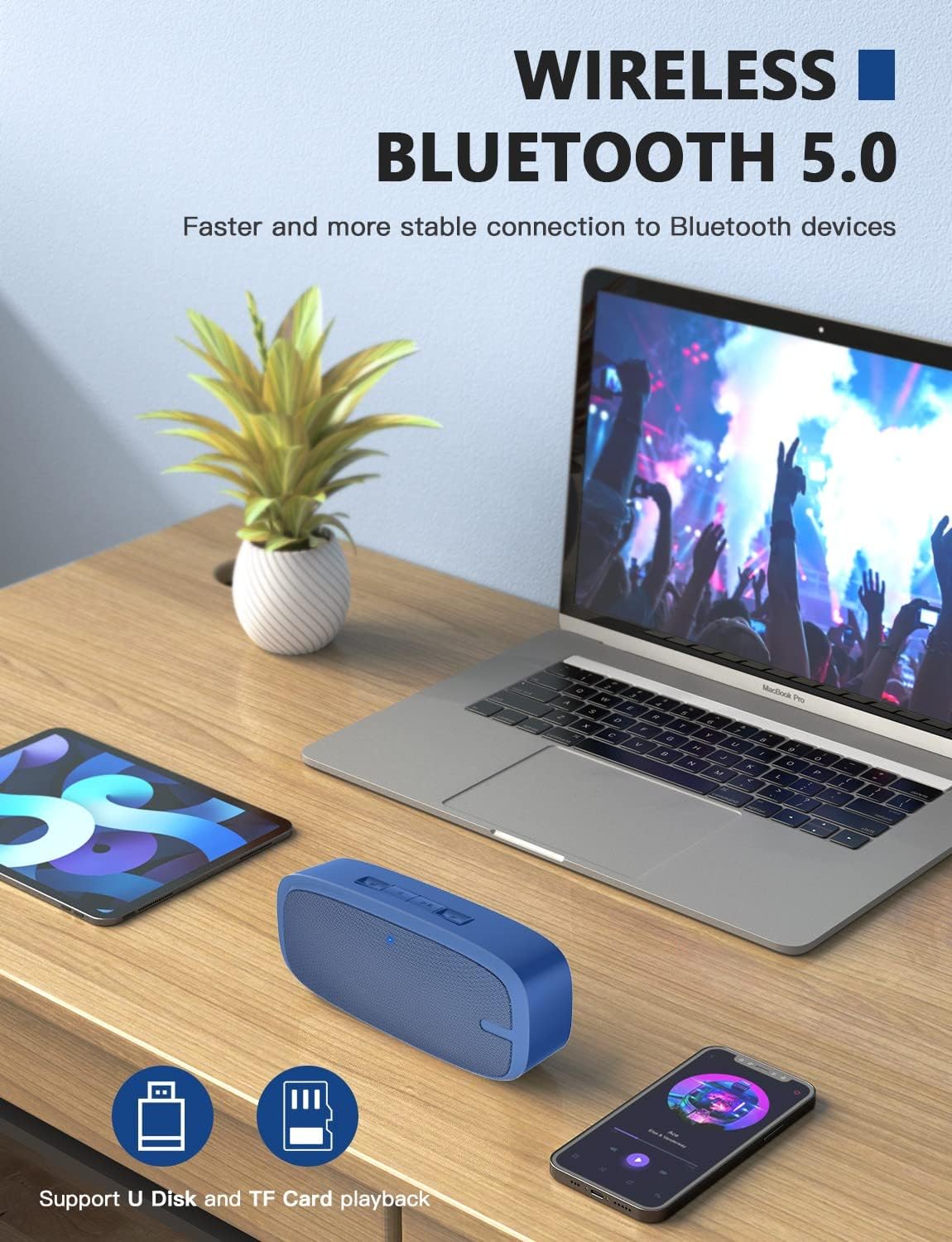
Image: Two LENRUE Bluetooth Speakers shown side-by-side, illustrating the True Wireless Stereo (TWS) connection capability for a wider soundstage.
Одржавање
- Чишћење: Use a soft, dry cloth to clean the speaker's surface. Do not use harsh chemicals or abrasive cleaners.
- Складиштење: Чувајте звучник на хладном и сувом месту, даље од директне сунчеве светлости и екстремних температура.
- Одржавање батерије: Да бисте продужили век трајања батерије, избегавајте често потпуно пражњење звучника. Редовно га пуните, чак и ако се не користи дуже време.
- Отпорност на воду: Овај звучник НИЈЕ водоотпоран. Избегавајте излагање води или прекомерној влази.
Решавање проблема
| Проблем | Могући узрок | Решење |
|---|---|---|
| Звучник се не укључује. | Ниска батерија. | Напуните звучник у потпуности помоћу приложеног УСБ кабла. |
| Није могуће упаривање преко Bluetooth-а. | Звучник није у режиму упаривања; Bluetooth уређаја је искључен; превише је удаљен од уређаја. | Ensure speaker is in pairing mode (flashing blue LED). Turn Bluetooth on your device. Move speaker closer to device (within 10 meters). Forget previous pairings on your device and try again. |
| Нема звука. | Јачина звука је прениска; погрешан режим уноса; уређај не репродукује звук. | Increase speaker and device volume. Check if the correct input mode (Bluetooth, AUX, USB, TF) is selected. Ensure your device is playing audio. |
| Лош квалитет звука. | Low battery; interference; device too far. | Charge the speaker. Move away from other wireless devices. Move speaker closer to your device. |
| Micro SD card or USB drive not recognized. | Нетачно file format; card/drive not inserted correctly; unsupported capacity. | Осигурајте звук files are in a supported format (e.g., MP3). Reinsert the card/drive. Ensure Micro SD card is 32GB or less. |
Спецификације
| Феатуре | Детаљ |
|---|---|
| Бранд | ЛЕНРУЕ |
| Број модела | yun-dong-199 |
| Технологија повезивања | Bluetooth 5.0, Auxiliary, USB |
| Режим аудио излаза | Стерео |
| Максимална излазна снага звучника | 3 Ваттс |
| Просечан век трајања батерије | 12 сата |
| Блуетоотх домет | 10 метара (33 стопа) |
| Тежина артикла | 0.47 килограма (0.66 фунти) |
| Микрофон | Built-in (1 microphone) |
| Подржани медији | USB, Micro SD Card (up to 32GB), AUX |
| Контролни метод | Додирна дугмад |
| Је водоотпоран | ФАЛСЕ |
Гаранција и подршка
The LENRUE Bluetooth Speaker comes with a limited warranty. For detailed warranty information, please refer to the product packaging or contact LENRUE customer support.
If you encounter any issues or have questions about your speaker, please contact our customer support team:
- Подршка на мрежи: Visit the official LENRUE webсајт за често постављана питања и ресурсе за подршку.
- Емаил: Адресу е-поште за корисничку подршку погледајте на паковању производа.