
QFX BT-60
QFX BT-60-BK 4-inch Bluetooth Speaker User Manual
Модел: БТ-60
1. Увод
Хвала вам на куповиниasing the QFX BT-60-BK 4-inch Bluetooth Speaker. This manual provides essential information for setting up, operating, and maintaining your speaker. Please read these instructions carefully before use to ensure optimal performance and longevity of your device.

Слика 1.1: Предња страна view of the QFX BT-60-BK Bluetooth Speaker with active LED lights.
2. Садржај пакета
Молимо вас да означите поље за следеће ставке:
- QFX BT-60-BK Bluetooth Speaker
- Повер Цорд
- Кориснички приручник (овај документ)
3. Производ је готовview
The QFX BT-60-BK is a portable Bluetooth speaker featuring a 4-inch woofer, LED party lights, and multiple input options for versatile audio playback.

Image 3.1: Diagram illustrating the various components and ports of the BT-60-BK speaker.
3.1 Контроле и портови

Image 3.2: Top panel controls of the BT-60-BK speaker.
- M/+ (Mode/LED Light): Press to switch between input modes (Bluetooth, USB, TF, AUX, FM Radio). Press and hold to change LED light patterns.
- - (Volume Down/Previous): Press to decrease volume. Press and hold to go to the previous track.
- ►▮ (Play/Pause/TWS): Press to play or pause audio. Press and hold to activate TWS pairing mode.
- + (Volume Up/Next): Press to increase volume. Press and hold to go to the next track.

Image 3.3: Rear panel ports of the BT-60-BK speaker.
- АУКС улаз: 3.5mm jack for connecting external audio devices.
- МИЦ улаз: 6.35mm jack for connecting a microphone.
- Мицро-УСБ прикључак за пуњење: За пуњење унутрашње батерије звучника.
- ОН/ОФФ прекидач: Power switch for the speaker.
- УСБ порт: За репродукцију звука са УСБ флеш диска.
- ТФ Цард слот: For playing audio from a TF (Micro-SD) card.
- Светлосни индикатор батерије: Indicates charging status.
4. Подешавање
4.1 Пуњење звучника
- Connect the provided power cord to the Micro-USB charging port on the speaker.
- Plug the other end of the power cord into a compatible USB power adapter (not included) or a USB port on a computer.
- The battery light indicator will illuminate during charging. It will turn off or change color when fully charged.
- Пуно пуњење обично траје 2-3 сата.
4.2 Укључивање/искључивање
- To power on the speaker, slide the ON/OFF switch to the 'ON' position.
- To power off the speaker, slide the ON/OFF switch to the 'OFF' position.
5. Упутство за употребу
5.1 Блуетоотх упаривање
- Ensure the speaker is powered on and in Bluetooth mode. If not, press the 'M/+' button repeatedly until 'Bluetooth' mode is announced or indicated.
- Омогућите Блутут на свом мобилном уређају (паметном телефону, таблету итд.).
- Тражи available Bluetooth devices. You should see 'QFX BT-60' in the list.
- Select 'QFX BT-60' to pair. Once paired, the speaker will emit a confirmation tone.
5.2 True Wireless System (TWS) Pairing
TWS allows two BT-60 speakers to connect wirelessly and play Bluetooth audio simultaneously for a stereo sound experience. This feature only works in Bluetooth mode.

Image 5.1: Illustration of two BT-60 speakers connected using True Wireless System (TWS).
- Ensure both BT-60 speakers are powered on and in Bluetooth mode.
- On one of the speakers (this will be the primary speaker), press and hold the '►▮' button for a few seconds until you hear a pairing tone.
- The two speakers will automatically connect to each other. A confirmation tone will sound once connected.
- Now, connect your mobile device to the primary speaker via Bluetooth as described in Section 5.1. The audio will play through both speakers in stereo.
5.3 Репродукција са USB/TF картице
- Insert a USB flash drive or TF (Micro-SD) card into the respective port on the speaker.
- Звучник ће се аутоматски пребацити у режим USB-а или TF картице и почети да репродукује звук files. If not, press the 'M/+' button to select the correct mode.
- Use the '+', '-', and '►▮' buttons to control playback (next track, previous track, play/pause).
5.4 АУКС улаз
- Повежите један крај аудио кабла од 3.5 мм (није укључен) са AUX улазним портом на звучнику.
- Повежите други крај аудио кабла са прикључком за слушалице или аудио излазом вашег екстерног уређаја.
- Press the 'M/+' button to switch the speaker to AUX mode.
- Контролишите репродукцију и јачину звука са свог екстерног уређаја.
5.5 Улаз за микрофон
- Plug a 6.35mm microphone into the MIC input port on the speaker.
- Adjust the microphone volume as needed.
5.6 ЛЕД светлосних режима
- Press and hold the 'M/+' button to cycle through different LED light patterns or to turn the lights off.
6. Одржавање
- Чишћење: Use a soft, dry cloth to clean the speaker's exterior. Do not use abrasive cleaners or solvents.
- Складиштење: When not in use for extended periods, store the speaker in a cool, dry place away from direct sunlight and extreme temperatures.
- Баттери ЦареДа бисте продужили век трајања батерије, избегавајте често потпуно пражњење батерије. Редовно пуните звучник, чак и ако га не користите.
- Изложеност води: This speaker is not waterproof. Avoid exposing it to water or moisture.
КСНУМКС. Решавање проблема
| Проблем | Могуће решење |
|---|---|
| Звучник се не укључује. | Ensure the battery is charged. Connect the speaker to a power source and try again. Check the ON/OFF switch position. |
| Нема звука. | Check the volume level on both the speaker and your connected device. Ensure the correct input mode is selected. Verify audio cables are securely connected. |
| Блуетоотх упаривање није успело. | Ensure the speaker is in Bluetooth mode. Disable and re-enable Bluetooth on your device. Move your device closer to the speaker. Forget 'QFX BT-60' from your device's Bluetooth list and try pairing again. |
| Упаривање TWS-а не успева. | Ensure both speakers are in Bluetooth mode and not connected to any other device. Repeat the TWS pairing steps carefully. |
| УСБ/ТФ картица не репродукује. | Ensure the card/drive is inserted correctly. Verify that the audio files are in a compatible format (e.g., MP3). Check if the speaker is in the correct USB/TF mode. |
8. Спецификације
| Феатуре | Детаљ |
|---|---|
| Број модела | BT-60-BK |
| Спеакер Типе | Коаксијални |
| Пречник вуфера | 4 инча |
| Технологија повезивања | Блуетоотх |
| Бежична комуникација | Блуетоотх |
| Извор напајања | Напаја се батеријама (1 литијум-јонска батерија је укључена) |
| Режим аудио излаза | Stereo (with TWS) |
| Контролни метод | Manual Buttons |
| Димензије производа | 5.59"Д к 4.84"Ш к 7.64"В |
| Тежина артикла | 1.66 фунти |
| Укључене компоненте | Speaker, power cord, user manual |
| УПЦ | 606540039748 |
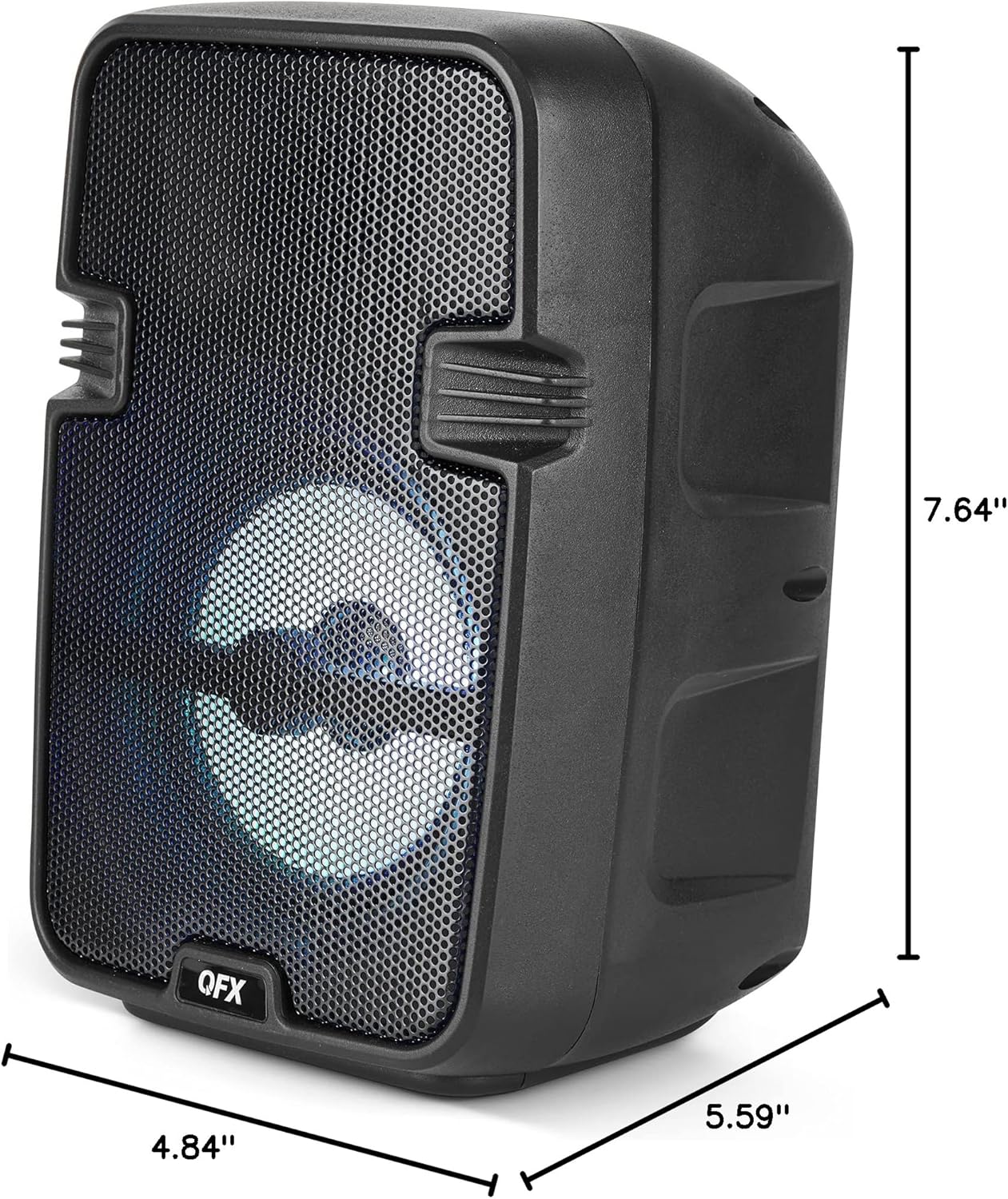
Image 8.1: Product dimensions of the BT-60-BK speaker.
9. Гаранција и подршка
The QFX BT-60-BK speaker comes with a limited warranty. For specific warranty details, please refer to the warranty card included with your purchase or visit the official QFX website. For technical support or customer service inquiries, please contact QFX customer support through their official channels.