
Увод
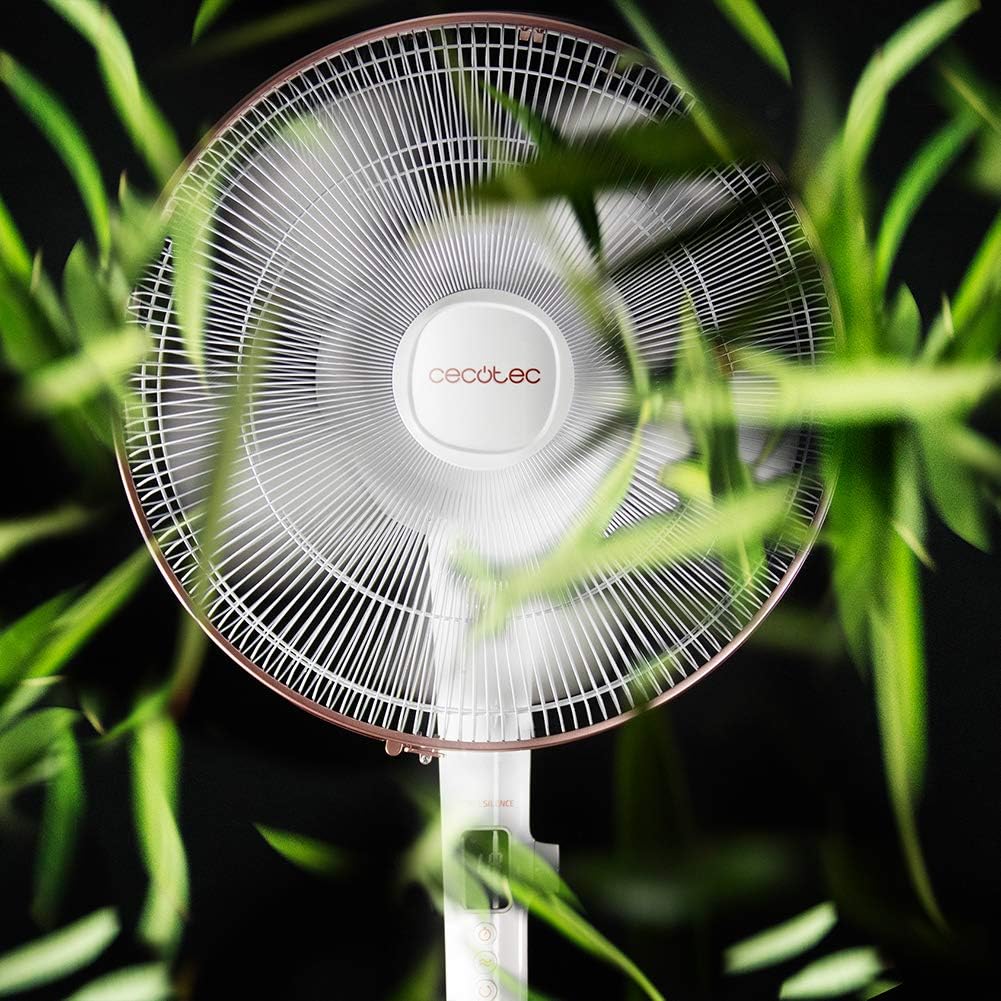
Thank you for choosing the Cecotec EnergySilence 1030 SmartExtreme Pedestal Fan. This fan is designed to provide powerful yet quiet air circulation with advanced features for enhanced comfort. It incorporates a highly efficient DC motor, offering 24 speed settings and 3 operational modes to suit various needs. Please read this manual carefully before use to ensure proper operation, maintenance, and safety.
Шта је у кутији
- Фан Боди
- Ремоте Цонтрол
- Упутство за употребу
Безбедносна упутства
- Увек искључите вентилатор из утичнице пре чишћења или било каквог одржавања.
- Не стављајте прсте или било какве предмете у решетку вентилатора док ради.
- Држите вентилатор даље од воде или других течности. Не користите уamp окружења.
- Ensure the power cord is not damaged or pinched. Do not operate the fan with a damaged cord or plug.
- Овај уређај није намењен за употребу од стране особа (укључујући децу) са смањеним физичким, чулним или менталним способностима, или недостатком искуства и знања, осим ако им је дат надзор или упутства о употреби уређаја од стране особе одговорне за њихову безбедност.
- Поставите вентилатор на стабилну, равну површину како бисте спречили његово превртање.
- Do not cover the fan during operation.
Монтажа и подешавање
The Cecotec EnergySilence 1030 SmartExtreme fan requires minimal assembly. Carefully unpack all components. The main fan body, including the motor and blades, will need to be securely attached to the pedestal and base. Ensure all parts click into place or are tightened as per the visual instructions provided in the included manual. The fan features an adjustable telescopic pole, allowing you to set the height between 115 cm and 135 cm for optimal air distribution.

Упутство за употребу
Цонтрол Панел
The fan features an intuitive control panel with an LED screen displaying the current settings.

- Дугме за напајање (УКЉУЧЕНО/ИСКЉУЧЕНО): Притисните да бисте укључили или искључили вентилатор.
- Подешавање брзине: Use the dedicated buttons or dial to cycle through 24 speed settings. The current speed will be shown on the LED display.
- Дугме за режим: Press to switch between the three available modes: Eco, Sleep, and Turbo.
- Дугме тајмера: Press to activate and set the timer for up to 18 hours.
- Дугме за осциловање: Press to enable or disable the automatic oscillation function.
Ремоте Цонтрол
The fan can also be conveniently operated using the included remote control.

- Све функције доступне на контролној табли су такође доступне преко даљинског управљача.
- Уверите се да је даљински управљач усмерен ка пријемнику вентилатора за оптималан одзив.
- Потребне су ААА батерије (нису укључене).
Режими и брзине
The fan offers 24 speed settings and 3 distinct modes:
- Еко режим: Operates at a lower power consumption, ideal for energy saving.
- Режим спавања: Designed for quiet operation, gradually decreasing fan speed to provide a comfortable sleeping environment.
- Турбо режим: Обезбеђује максималан проток ваздуха за брзо хлађење.
Функција тајмера
The programmable timer allows you to set the fan to operate for a specific duration, up to a maximum of 18 hours. Once the set time expires, the fan will automatically turn off.
Осцилација
Activate the automatic oscillation function to distribute fresh air more widely across the room. This feature ensures a broader coverage area, enhancing overall comfort.
Одржавање
Редовно чишћење обезбеђује оптималне перформансе и продужава век трајања вашег вентилатора.
- Before cleaning, always unplug the fan from the power supply.
- Користите меку, дamp крпом обришите спољашње површине. Не користите абразивна средства за чишћење или раствараче.
- Periodically clean the fan blades and protective grilles to remove dust and debris. This can be done using a soft brush or a vacuum cleaner with a brush attachment.
- Уверите се да је вентилатор потпуно сув пре него што га поново укључите.
Решавање проблема
| Проблем | Могући узрок | Решење |
|---|---|---|
| Вентилатор се не укључује | No power supply; Power cord not properly connected; Fan is off. | Проверите утичницу; Уверите се да је кабл за напајање добро прикључен; Притисните дугме за напајање. |
| Слаб проток ваздуха | Low speed setting; Dust accumulation on blades/grille. | Increase speed setting; Clean fan blades and grilles. |
| Необична бука | Лабави делови; Зачепљење лопатица вентилатора. | Check for loose components and tighten if necessary; Remove any obstructions. If noise persists, contact support. |
| Даљински управљач не ради | Dead batteries; Obstruction between remote and fan. | Replace batteries; Ensure clear line of sight to fan's receiver. |
Спецификације
| Феатуре | Детаљ |
|---|---|
| Бранд | Цецотец |
| Број модела | 05915 |
| Повер | 28 Ваттс |
| Волtage | 230В (АЦ) |
| Димензије производа | 45D x 45W x 135H cm (adjustable height) |
| Тежина артикла | 5.4 килограма |
| Фан Десигн | Педестал Фан |
| Подешавања брзине | 24 |
| Режими | Eco, Sleep, Turbo |
| Тајмер | До 18 сати |
| Осцилација | Аутоматски |
| Посебна карактеристика | Портабле |
Гаранција и подршка
За информације о гаранцији и корисничку подршку, погледајте гарантни лист који је приложен уз ваш производ или посетите званичну веб страницу Cecotec-а. website. If you encounter any issues not covered in this manual, please contact Cecotec customer service for assistance.