
Увод
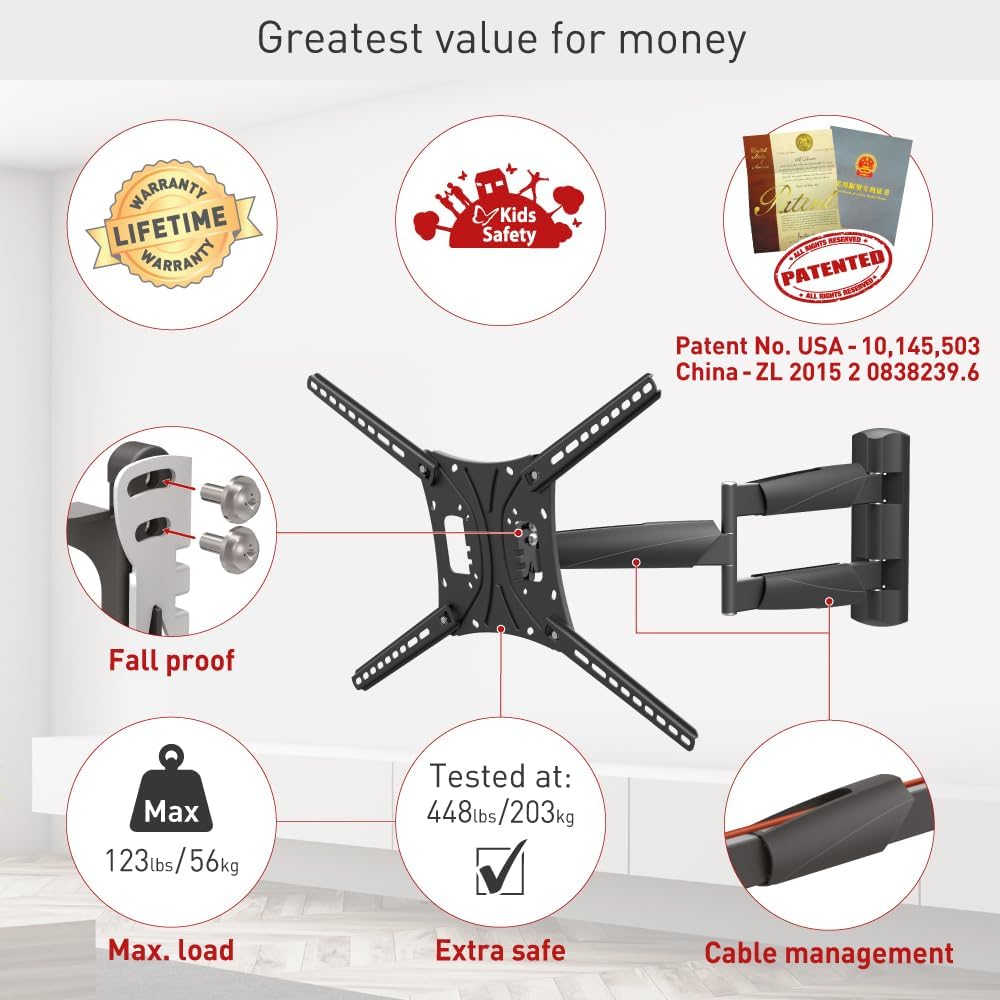
This manual provides detailed instructions for the safe and proper installation, operation, and maintenance of your Barkan Full Motion Articulating TV Wall Mount, Model BM443LP. This mount is designed for flat and curved screens ranging from 13 to 83 inches and supports weights up to 95 lbs (43 kg). It offers four movements: rotation, folding, swivel, and tilt, allowing for optimal viewинг углова.
Безбедносне информације
Please read all instructions carefully before installation. Incorrect assembly or use may result in property damage or personal injury. Ensure you have all necessary tools and hardware before beginning. If you are unsure about any part of the installation, consult a qualified professional.
- Капацитет тежине: Не прекорачујте максималну носивост од 43 кг (95 фунти).
- Величина екрана: Compatible with screens from 13 to 83 inches.
- Тип зида: Ensure the wall structure can safely support the combined weight of the mount and the TV. Refer to the "Wall Compatibility" section for details.
- хардвер: Use only the provided hardware or suitable alternatives as specified. If your TV requires different screen-connection screws, purchase them from a local hardware store or contact Barkan support.
Садржај пакета
Verify that all components are present before starting the installation. The package includes:
- ТВ Моунт
- Комплет хардвера (разни шрафови, анкери, подлошке, одстојници)
- Упутство за монтажу

Спецификације
| Феатуре | Детаљ |
|---|---|
| Тип монтаже | Валл Моунт |
| Мовемент Типе | Артикулација, ротација, окретање, нагињање |
| Компатибилне величине екрана | 13 - 83 инча |
| Максимални капацитет оптерећења | 95 фунти (43 кг) |
| ВЕСА компатибилност | 75x75, 100x100, 100x200, 200x100, 200x200, 200x300, 300x300, 300x400, 400x200, 400x300, 400x400, 400x600, 600x300, 600x400 mm (and non-VESA up to 600x400 mm) |
| Минимална удаљеност од зида | 3.1 инча (8 цм) |
| Maximum Extension from Wall | 26 инча (66 цм) |
| Угао нагиба | -5° до +15° |
| Угао окретања | Up to 180° (near screen connection plate) |
| Ротација | 180° (near wall), 360° (fold) |
| Материјал | Метал |
| Боја | Црно |


Подешавање и инсталација
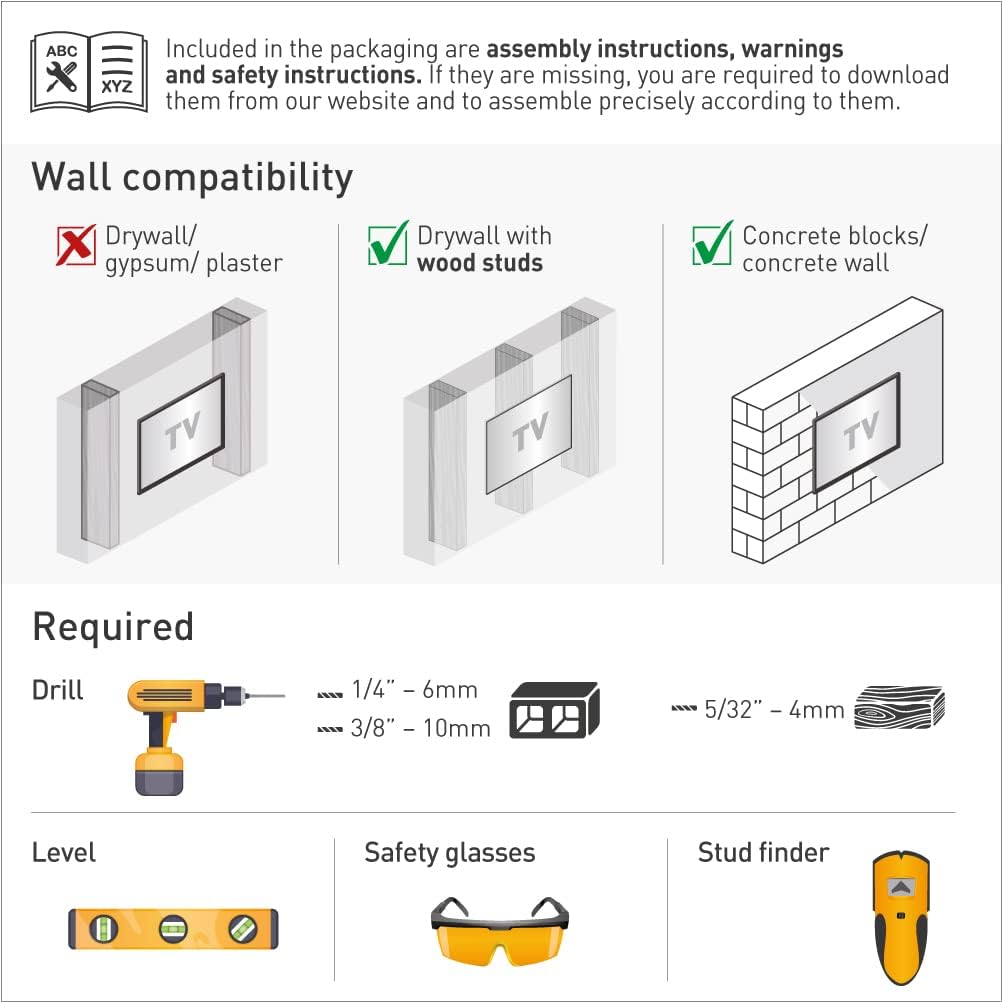
Валл Цомпатибилити
The mount is compatible with the following wall types:
- Суви зид са дрвеним клиновима
- Бетонски блокови / Бетонски зид
Напомена: Not suitable for drywall/gypsum/plaster walls without studs.
Потребни алати
Пре инсталације, уверите се да имате следеће алате:
- Drill (1/4" - 6mm and 3/8" - 10mm bits for concrete/wood, 5/32" - 4mm for wood)
- Ниво
- Заштитне наочаре
- Stud finder (for drywall with wood studs)
Монтажни кораци
Follow these general steps for assembly. A drilling template is included for easy and accurate installation.
- Повежите ТВ плочу са задњом страном телевизора: Attach the adapter plates to the VESA mounting holes on the rear of your television using the appropriate screws from the hardware kit.
- Поставите носач на зид: Securely mount the wall bracket to your chosen wall location, ensuring it is level and using the correct anchors and screws for your wall type.
- Причврстите телевизор на носач: Carefully lift the TV with the attached plates and hook it onto the wall bracket. Ensure it is securely seated and locked into place.

Позиционирање везе са задњим екраном
The mount supports various VESA patterns. Refer to the diagram below for common backscreen connection positioning options. All TV backscreen connections are in millimeters (Width x Height).

Упутство за употребу
The Barkan Full Motion TV Wall Mount offers flexible adjustments for an optimal viewing experience. You can easily rotate, swivel, or tilt the TV by gently pushing or pulling it to the desired angle.
- Нагиб: Adjust the screen vertically from -5° to +15° without tools.
- Окретни: Pivot the screen horizontally up to 180° at the screen connection plate.
- Rotation/Fold: The mount rotates 180° near the wall and folds 360° for extensive positioning.
- Додатак: Extend the TV from a minimum of 3.1 inches (8 cm) to a maximum of 26 inches (66 cm) from the wall.
- Нивелисање: The mount allows for a leveling adjustment of ±5°.

Determining Maximum Swivel Angle
The maximum swivel angle depends on your TV's size and its distance from the wall. For optimal viewing, the line of sight should be perpendicular (90°) to the screen.

Одржавање
To ensure continued safe and optimal performance of your TV wall mount:
- Периодично проверавајте све завртње и спојеве како бисте били сигурни да су чврсто затегнути и безбедно затегнути.
- Очистите носач меком, сувом крпом. Избегавајте абразивна средства за чишћење или раствараче.
- Ensure that cables are properly managed and not pinched by the moving parts of the mount.
Решавање проблема
- Missing or Incorrect Screws: If your screen requires different screen-connection screws than those provided, please purchase them from your local hardware store or contact Barkan support.
- Backscreen Connection Issues: If your TV's backscreen connections do not match any of the positions shown in Figure 7, please contact Barkan support for assistance.
- Планина се осећа лабаво: Re-check all wall and TV connection screws to ensure they are tightened according to the installation instructions. Do not overtighten.
- Тешкоће при подешавању: Ensure no cables are obstructing movement. If the mount is stiff, check for any debris or obstructions in the joints.
Гаранција и подршка
The Barkan Full Motion TV Wall Mount comes with a Доживотна ограничена гаранција. This warranty covers defects in materials and workmanship under normal use. For warranty claims or technical support, please visit ввв.барканмоунтс.цом/суппорт or contact Barkan customer service.