
1. Важне информације о безбедности
Please read this manual carefully before operating the appliance and keep it for future reference. Failure to follow these instructions may result in electric shock, fire, or injury.
- Уверите се да напајање одговара запреминиtagе наведен на етикети са рејтингом.
- Немојте користити уређај са оштећеним каблом или утикачем.
- Држите уређај даље од извора топлоте и директне сунчеве светлости.
- Не блокирајте улазе или излазе ваздуха.
- This appliance contains R290 refrigerant. Handle with care and ensure proper ventilation during installation and maintenance.
- Увек искључите јединицу пре чишћења или сервисирања.
- Не користите хемијске раствараче за чишћење.
- Овај уређај није намењен за употребу од стране особа (укључујући децу) са смањеним физичким, чулним или менталним способностима, или недостатком искуства и знања, осим ако им је дат надзор или упутства о употреби уређаја од стране особе одговорне за њихову безбедност.
2. Садржај пакета
Проверите да ли су сви предмети присутни и неоштећени приликом распакивања.
- 1 x Klarstein Kraftwerk Smart Portable Air Conditioner
- 1 к даљински управљач
- 1 x Window Sealing Kit (for tilt windows)
- 1 x Exhaust Hose with Connectors
- 1 x Water Drainage Hose
- 1 x Упутство за употребу (енглески)

Image: Contents of the delivery, including the air conditioner unit, remote control, window sealing kit, exhaust hose, and drainage hose.
3. Подешавање и инсталација
3.1 Позиционирање јединице
Place the air conditioner on a flat, stable surface. Ensure there is at least 30 cm (12 inches) of space around the unit for proper airflow. The integrated castors allow for easy movement between rooms.

Image: The portable air conditioner with integrated wheels for easy transport.
3.2 Уградња издувног црева
- Прикључите црево за издув ваздуха на излаз за ваздух на задњој страни уређаја.
- Продужите црево до најближег прозора или отвора.
- Use the provided window sealing kit to secure the exhaust hose in the window opening, preventing hot air from re-entering the room.

Image: Quick installation with the window kit, showing the exhaust hose and window seal.
3.3 Drainage Hose (Dehumidifier Mode)
For continuous dehumidification, connect the drainage hose to the designated outlet and route it to a suitable drain or container. In cooling mode, water typically evaporates, but manual drainage may be required if the internal tank fills.
4. Упутство за употребу
4.1 Контролна табла и даљински управљач
The unit can be controlled via the touch control panel on top of the unit or the included remote control. The remote control requires 2x AAA batteries (not included).
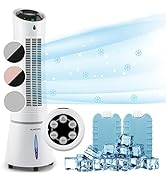
Image: Digital display and remote control for the air conditioner.
4.2 Режими рада
- Режим хлађења: Reduces room temperature. Set desired temperature and fan speed.
- Режим одвлаживача: Уклања вишак влаге из ваздуха.
- Режим вентилатора: Циркулише ваздух без хлађења. Изаберите жељену брзину вентилатора.
- Режим спавања: Operates quietly with reduced fan speed and gradually increases temperature for comfortable sleep.
4.3 Smart Control (App & Alexa)
The Klarstein Kraftwerk Smart can be controlled via the Klarstein app on your smartphone and is compatible with Amazon Alexa and Google Home. Follow the app's instructions for pairing the device.

Image: Simple and practical use with the Klarstein app, compatible with Amazon Alexa and Google Home.
4.4 Функција тајмера
Use the timer function to set the unit to turn on or off automatically after a specified period.
5. Одржавање
Редовно одржавање обезбеђује оптималне перформансе и продужава век трајања вашег клима уређаја. Увек искључите уређај из струје пре него што извршите било какво одржавање.
5.1 Чишћење ваздушног филтера
The air filter should be cleaned every two weeks or more frequently depending on usage. A dirty filter reduces efficiency.
- Искључите и искључите јединицу.
- Пронађите и уклоните ваздушни филтер са задње или бочне стране уређаја.
- Очистите филтер усисивачем или га оперите топлом водом и благим детерџентом.
- Оставите филтер да се потпуно осуши пре него што га поново уметнете.
5.2 Чишћење спољашњости уређаја
Обришите спољашњост јединице меком крпом, дamp крпа. Не користите јаке хемикалије, абразивна средства или раствараче.
5.3 Seasonal Storage
Ако складиштите уређај дуже време:
- Испустите сву акумулирану воду из уређаја.
- Очистите ваздушни филтер.
- Покријте уређај да бисте га заштитили од прашине.
- Чувати на сувом, хладном месту.
КСНУМКС. Решавање проблема
Пре него што контактирате корисничку подршку, погледајте следећу табелу за уобичајене проблеме и решења.
| Проблем | Могући узрок | Решење |
|---|---|---|
| Јединица се не укључује. | No power, power cord unplugged, fuse blown. | Check power connection, wall outlet, and circuit breaker. |
| Недовољно хлађење. | Dirty air filter, blocked air intake/outlet, room too large, windows/doors open, exhaust hose not properly installed. | Clean filter, clear obstructions, ensure proper room size for unit capacity, close windows/doors, check exhaust hose installation. |
| Јединица је бучна. | Уређај није на равној површини, унутрашње компоненте вибрирају. | Ensure unit is on a level surface. Some operational noise is normal for portable AC units. |
| Вода цурење. | Drainage plug not properly sealed, drainage hose blocked or improperly connected. | Check drainage plug and hose connections. Clear any blockages in the drainage hose. |
| Проблеми са Wi-Fi везом. | Incorrect Wi-Fi settings, 5GHz network used, temporary glitch. | Ensure you are connecting to a 2.4GHz Wi-Fi network. Try unplugging the unit for 10 seconds, then reconnecting. Refer to the app's pairing instructions. |
7. Спецификације
| Феатуре | Детаљ |
|---|---|
| Бранд | КЛАРСТЕИН |
| Назив модела | Kraftwerk Smart |
| Капацитет хлађења | 10,000 БТУ (2.9 кВ) |
| Капацитет одвлаживања | 23 литара |
| Волумен протока ваздуха | 440 м³/х |
| Препоручена величина собе | 29-49 м² |
| Ниво буке | 50 dB (Min) / 65 dB (Max) |
| Класа енергетске ефикасности | A |
| Расхладно средство | Р-290 |
| Потрошња енергије | 1150 Ваттс |
| Волtage | 220 Волтс |
| Димензије (Д к Ш к В) | 38P x 35.5D x 82.2V cm |
| Тежина | 26 килограма |
| Контролни метод | Даљински управљач, контрола апликација |
| Тип филтера | Дрвени угаљ |

Image: Energy efficiency label for the product.
Image: Technical drawing with product dimensions.
8. Гаранција и корисничка подршка
8.1 Информације о гаранцији
This product comes with a limited warranty. Please refer to the warranty card included in your package or contact customer support for detailed terms and conditions. The warranty covers manufacturing defects under normal use.
8.2 Корисничка подршка
For technical assistance, spare parts, or any questions regarding your Klarstein Kraftwerk Smart air conditioner, please contact Klarstein customer support. Contact details can typically be found on the official Klarstein webсајту или у вашој документацији о куповини.
Before contacting support, please have your model number (Kraftwerk Smart) and purchase date available.