
1. Увод
This manual provides essential instructions for setting up, operating, and maintaining your ENHANCE Colmi V23 Smart Watch. Please read this manual thoroughly before using the device to ensure proper function and longevity.

Figure 1.1: ENHANCE Colmi V23 Smart Watch
2. Безбедносне информације
Disclaimer: This device is not a medical device and is not intended to replace a Sphygmomanometer (an instrument for measuring blood pressure). Individuals with hypertension or other medical conditions should consult their doctor before using this device for health monitoring purposes.
3. Шта је у кутији
- 1x ENHANCE Colmi V23 Smart Watch
- 1к кабл за пуњење
- 1к упутство за употребу
4. Подешавање
4.1 Пуњење паметног сата
Before initial use, fully charge your smart watch. Connect the magnetic charging cable to the charging points on the back of the watch and plug the USB end into a power adapter (not included) or a computer's USB port. A full charge typically takes approximately 2 hours.

Слика 4.1: Пуњење паметног сата
4.2 Инсталација и упаривање апликације
- Преузмите "Da Fit" application from your device's app store (compatible with iOS 9.0 and above, Android 4.0 and above). You can also scan the QR code provided in the included manual to download the app.
- Open the Da Fit app on your smartphone.
- Follow the in-app instructions to add a new device. Select the V23 Smart Watch from the list of available devices to pair.
- Уверите се да је Блутут омогућен на вашем паметном телефону током процеса упаривања.
5. Управљање паметним сатом
5.1 Навигација помоћу екрана осетљивог на додир
The ENHANCE Colmi V23 features a 1.3-inch HD color full touch screen for easy operation. Swipe left, right, up, or down to navigate through menus and functions. Tap to select options.

Figure 5.1: Touch Screen Interface Overview
5.2 Прилагођавање изгледа сата
Personalize your smart watch with over 100 watch faces available through the Da Fit application. You can also create custom watch faces using your own photos.
- Open the Da Fit app on your smartphone.
- Navigate to "Add a Device" > "WATCH FACES".
- Select an existing watch face or choose "Edit" to customize with a picture.
- Select your desired picture, adjust its position, and save.
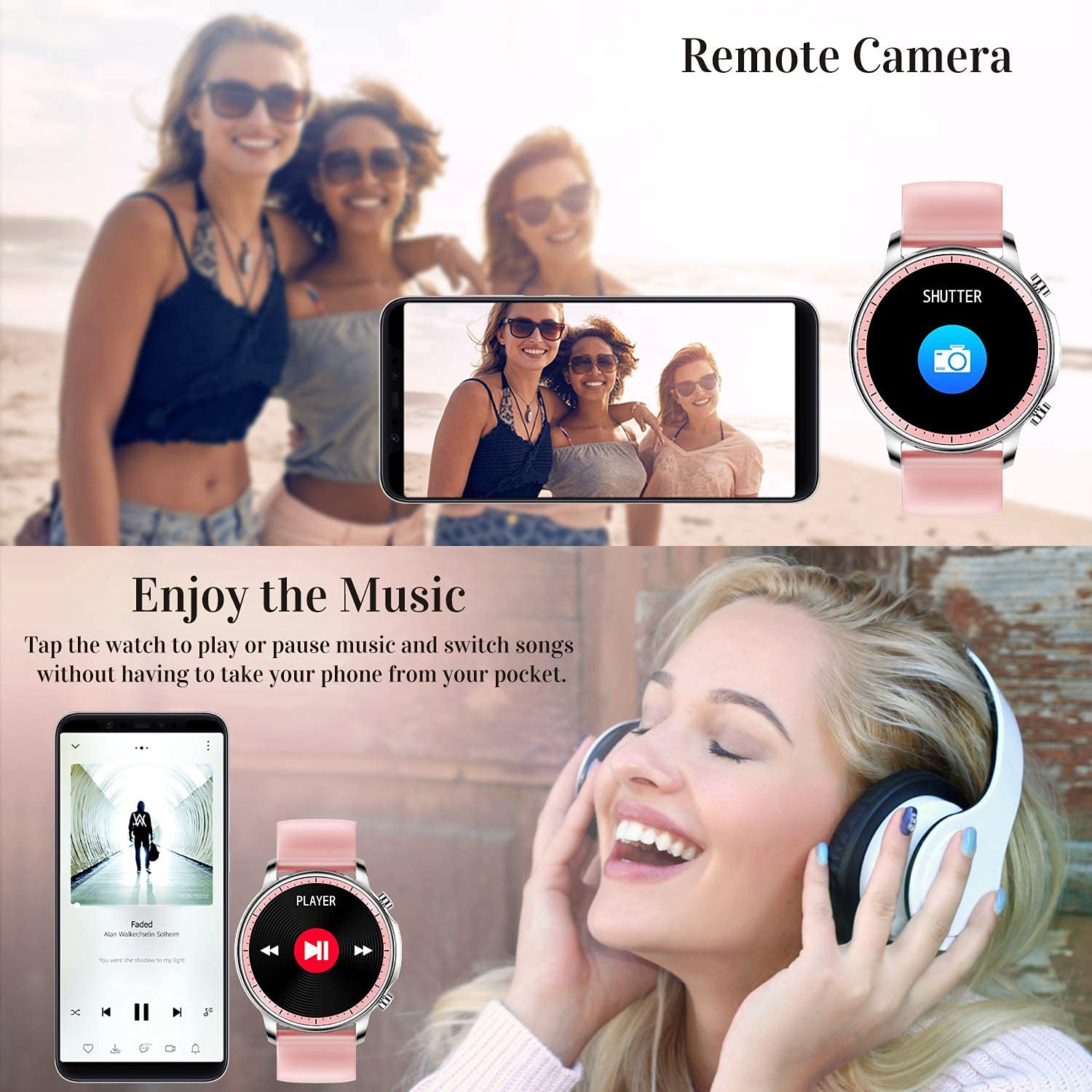
Figure 5.2: Customizing Watch Faces
5.3 Обавештења
Receive call, message, email, and app notifications directly on your smart watch. (Note: The watch cannot answer or make calls.)

Figure 5.3: Call and Message Reminders
5.4 Контрола музике
Control music playback on your smartphone directly from your watch. Tap to play/pause or switch songs without needing to access your phone.
5.5 Даљинска камера
Use your smart watch as a remote shutter for your smartphone camera. This feature allows you to take photos from a distance.

Figure 5.4: Remote Camera and Music Control
6. Карактеристике
6.1 Мониторинг здравља
- Heart Rate (HR) Monitor: Континуирано прати ваш пулс током целог дана.
- Blood Pressure (BP) Monitor: Provides blood pressure readings. (Refer to safety disclaimer in Section 2).
- Монитор кисеоника у крви (СпО2): Мери ниво засићености крви кисеоником.
- Праћење спавања: Records sleep information, including deep sleep, light sleep, and awake time, to help you understand your sleep patterns.
- Праћење женског здравља: Offers features for tracking female health cycles.

Слика 6.1: Праћење откуцаја срца и крвног притиска

Figure 6.2: Smart Sleep Monitoring
6.2 Праћење активности
The smart watch offers 7 data record modes to track various sports activities:
- ходање
- Трчање
- Бициклизам
- Кошарка
- Фудбал
- Бадминтон
- Прескакање
This feature helps you monitor your exercise data and gain insights into your fitness levels.

Figure 6.3: Smart Watch Functions Overview
6.3 Паметни подсетници
- Седентарни подсетник: Reminds you to move and stay active after periods of inactivity.
- Будилник: Подесите аларме директно на свом сату.
6.4 Остале функције
- Штоперица
- Fun Game
7. Одржавање
7.1 Отпорност на воду
The ENHANCE Colmi V23 Smart Watch is IP68 waterproof, making it resistant to daily wet conditions such as hand washing or light rain. Avoid prolonged submersion in water, hot water, or steam, and do not operate buttons underwater.
7.2 Чишћење
Редовно бришите сат и каиш меком, сувом крпом. Ако је потребно, користите благоamp крпом, а затим добро осушите. Избегавајте употребу јаких хемикалија или абразивних материјала.
7.3 Одржавање батерије
To prolong battery life, avoid fully discharging the battery frequently. Charge the watch when the battery level is low. Store the watch in a cool, dry place when not in use for extended periods.
КСНУМКС. Решавање проблема
- Сат се не укључује: Уверите се да је сат потпуно напуњен. Повежите га са пуњачем најмање 30 минута.
- Сат се не упарује са телефоном: Make sure Bluetooth is enabled on your phone and the watch is within range. Restart both the watch and your phone, then try pairing again through the Da Fit app.
- Нетачни здравствени подаци: Ensure the watch is worn snugly on your wrist, not too tight or too loose. Clean the sensor on the back of the watch. Remember, this device is not a medical instrument.
- Обавештења се не приказују: Check notification settings in the Da Fit app and your phone's system settings to ensure permissions are granted for the app to display notifications.
9. Спецификације
| Бранд | ЕНХАНЦЕ |
| Модел | V23 Smart watch |
| Димензије производа | 1.03 к 2 к 4.15 цм |
| Тежина артикла | 42 г |
| Величина екрана | 1.3 инча |
| Резолуција | 240 к 230 |
| Дисплаи Типе | Дигитални ЛЦД |
| Капацитет батерије | 200 mAh (литијум-полимер) |
| Цхаргинг Метход | Magnetic Wire Charging |
| Вирелесс Типе | Блуетоотх |
| Компатибилни уређаји | Mobile Phone (Android 4.0+ & iOS 9.0+) |
| Оперативни систем | Андроид и иОС |
| Отпорност на воду | ИП68 |
| Материјал | Пластика |
10. Гаранција и подршка
For warranty information and customer support, please refer to the documentation included with your product or contact ENHANCE customer service. The included user manual contains details regarding warranty terms and contact information.