
1. Производ је готовview
The UBOTIE Colorful Wireless Keyboard and Mouse Combo offers a full-sized keyboard with retro round keycaps and a responsive optical mouse, designed for comfortable and efficient use. This combo features a 2.4GHz wireless connection for stable performance.
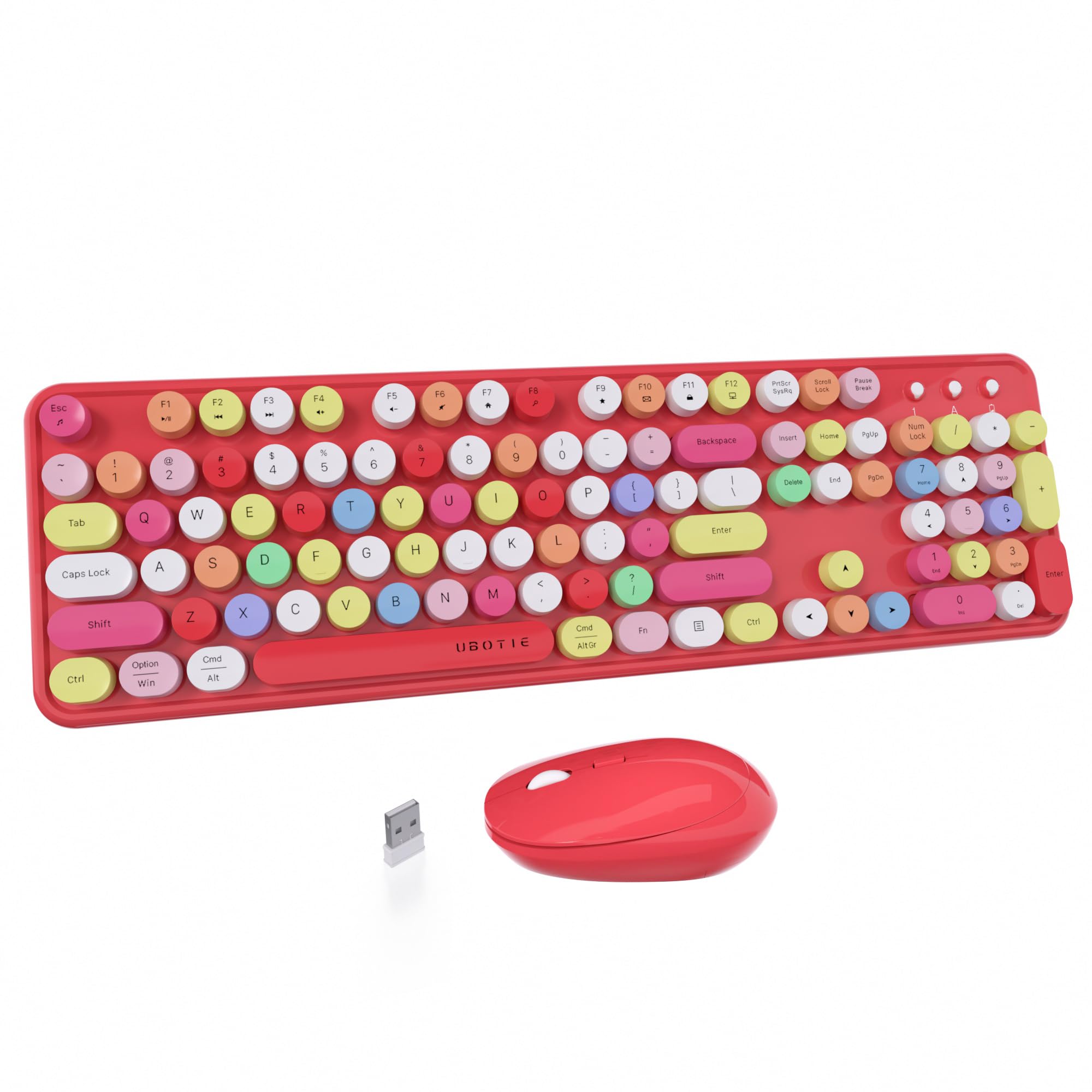
Image 1.1: UBOTIE Colorful Wireless Keyboard and Mouse Combo (Red-Polychrome) on a desk setup.
2. Упутства за подешавање
2.1 Unpacking and Battery Installation
Before first use, ensure all components are present: 1 wireless keyboard, 1 wireless mouse, and 1 USB nano receiver. Batteries are required for operation.
- тастатура: Open the battery compartment on the underside of the keyboard and insert one (1) AA battery.
- миш: Open the battery compartment on the underside of the mouse and insert one (1) AA battery. The USB nano receiver is typically stored within this compartment.

Image 2.1: Illustration of battery installation for both keyboard and mouse, showing the USB receiver storage.
2.2 Повезивање са рачунаром
The keyboard and mouse share a single USB nano receiver for a streamlined setup.
- Locate the USB nano receiver, usually stored in the mouse's battery compartment.
- Plug the USB nano receiver into an available USB port on your computer (desktop, laptop, tablet, etc.).
- Turn on the power switches for both the keyboard and the mouse. The devices are plug-and-play and should connect automatically.

Image 2.2: The USB nano receiver inserted into a laptop's USB port, indicating wireless connection.
2.3 Компатибилност
This combo is compatible with Windows 7/8/10/11 and macOS. Please note that some shortcut keys may not function optimally on updated macOS systems.
3. Упутство за употребу
3.1 Карактеристике тастатуре
- Ретро округле капице за тастатуре: Designed for a comfortable and tactile typing experience.
- Full-Sized Layout: Includes a numeric keypad for enhanced productivity.
- Function (Fn) Keys: Utilize the 'Fn' key in combination with F1-F12 keys for various multimedia and system shortcuts. Refer to the user guide image below for specific functions.

Image 3.1: Detailed diagram of keyboard Fn key combinations for various functions.
3.2 Карактеристике миша
- Оптичко праћење: Обезбеђује прецизну и брзу контролу курсора.
- Ергономски дизајн: Shaped for comfortable use over extended periods.
3.3 Режим уштеде енергије
Both the keyboard and mouse feature an automatic sleep mode to conserve battery life during periods of inactivity. To reactivate, simply press any key on the keyboard or move the mouse.
4. Одржавање
4.1 Чишћење
- The mirror-finish panel can be cleaned with a soft, dry cloth.
- Keycaps are removable for thorough cleaning. Use a keycap puller (if provided) or gently pry them off. Clean with a soft brush or damp cloth, then reattach securely.
4.2 Замена батерије
When the battery indicator light on the keyboard or mouse flashes, it's time to replace the batteries. Use fresh AA batteries for optimal performance.
КСНУМКС. Решавање проблема
Ако наиђете на било какве проблеме, погледајте следећа уобичајена решења:
| Иссуе | Решење |
|---|---|
| Тастатура не ради |
|
| Миш не ради |
|
| Disconnection issues | Re-insert the USB receiver into a different USB port on your computer. Ensure no obstructions are blocking the wireless signal. |

Image 5.1: Visual guide for troubleshooting common keyboard and mouse problems.
5.1 Званични видео снимци производа
Видео 5.1: Оверview of the UBOTIE wireless keyboard and mouse combo, demonstrating its features and design.
Video 5.2: A demonstration highlighting the aesthetic appeal and functionality of the UBOTIE keyboard.
6. Спецификације
| Феатуре | Детаљ |
|---|---|
| Димензије производа | 17.14 к 5.12 к 1.38 инча |
| Тежина артикла | 2.07 фунти |
| Број модела ставке | yun-dong-2 |
| Батерије су потребне | 1 AA for keyboard, 1 AA for mouse (total 2 AA batteries) |
| Технологија повезивања | Radio Frequency, USB (2.4GHz) |
| Компатибилни уређаји | Laptop, Personal Computer, Projector, Tablet, Television |
| Посебна карактеристика | Colorful Aesthetic Round Keycaps |
7. Гаранција и подршка
- Замена на 3 месеци: If you experience any connection or function issues within 3 months of purchase, contact UBOTIE for a free replacement.
- Professional 24-Hour Service: UBOTIE provides professional 24-hour service for quick problem resolution.
For further assistance, please refer to the contact information provided with your product packaging or visit the official UBOTIE webсајту.