
1. Увод
Thank you for choosing the MageGee MK1 Mechanical Gaming Keyboard and Mouse Combo. This product is designed to enhance your gaming and work experience with its responsive mechanical keys, customizable LED backlighting, and ergonomic design. This manual provides detailed instructions for setup, operation, maintenance, and troubleshooting to ensure optimal performance.
The combo includes an 87-key mechanical keyboard with blue switches, an ergonomic gaming mouse, and a large mouse pad. The compact keyboard design saves desk space while offering a tactile and audible typing experience, suitable for both gaming and office tasks.

Слика 1.1: Готовоview of the MageGee MK1 87-key mechanical keyboard with blue backlighting.
2. Упутства за подешавање
Follow these steps to set up your MageGee MK1 Keyboard and Mouse Combo:
- Распакујте компоненте: Carefully remove the keyboard, mouse, and mouse pad from their packaging.
- Повежите тастатуру: Укључите УСБ конектор тастатуре у слободан УСБ порт на рачунару.
- Повежите миш: Укључите УСБ конектор миша у други доступан УСБ порт на рачунару.
- Place the Mouse Pad: Position the large mouse pad on your desk for optimal mouse movement.
- Инсталација драјвера: The keyboard and mouse are plug-and-play devices. Your operating system (Windows 10, 8, 7, Vista, XP, or limited Mac OS support) should automatically detect and install the necessary drivers. No additional software installation is typically required.
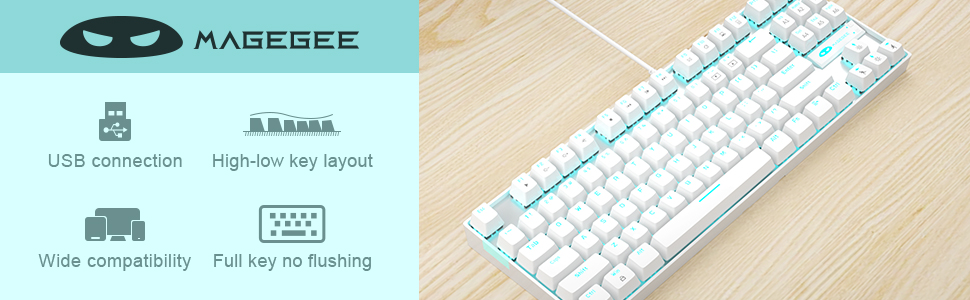
Image 2.1: Key features of the MageGee MK1 keyboard, including USB connection and wide compatibility.
3. Упутство за употребу
3.1 Функције тастатуре
The MK1 keyboard features 87 mechanical keys with blue switches, providing a distinct tactile bump and audible click for precise feedback. The compact layout is designed for efficiency and comfort.
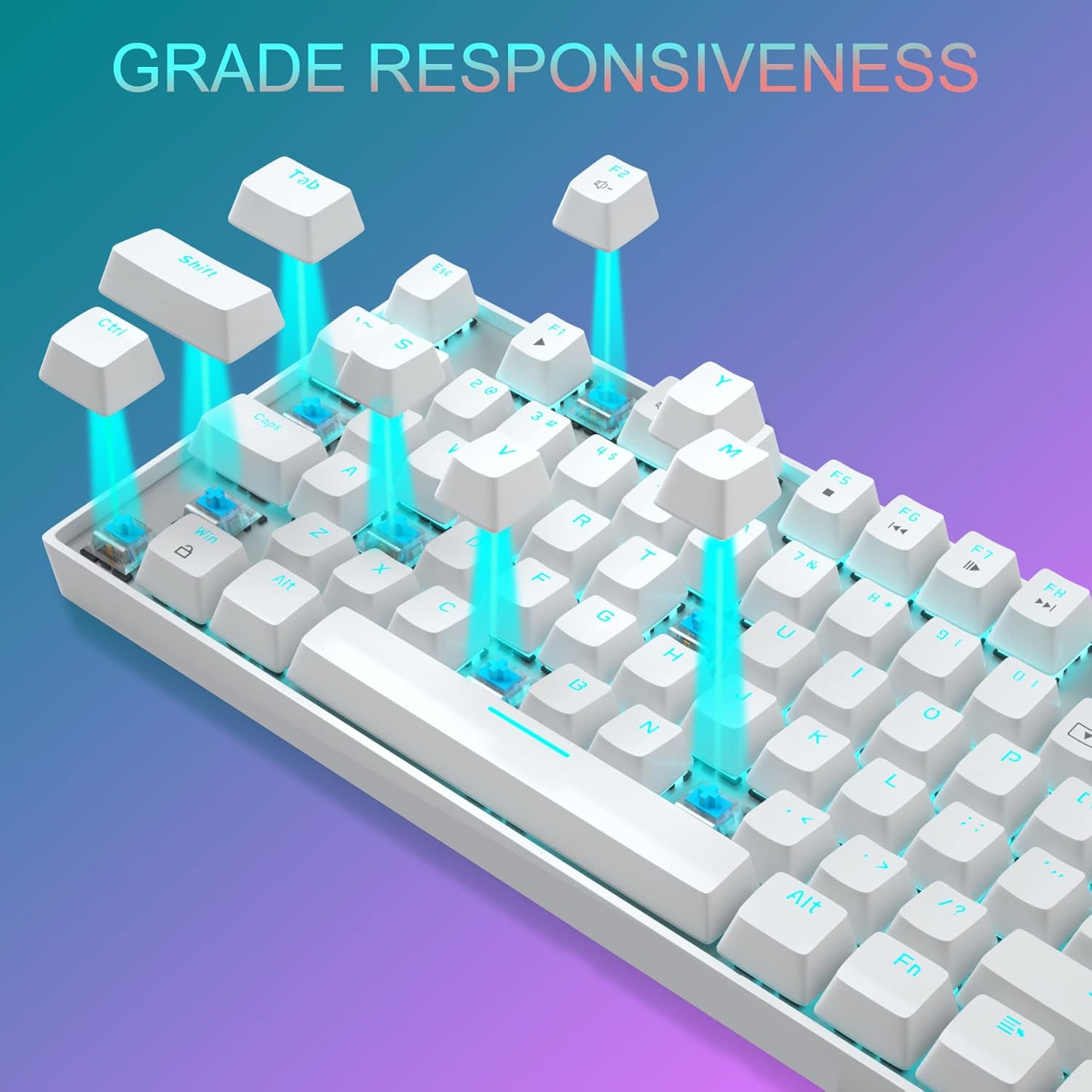
Слика 3.1: Крупни план view of the keyboard demonstrating the blue mechanical switches for responsive typing.
3.1.1 Backlighting Modes
The keyboard supports 24 different LED breathing backlight modes. Use the following key combinations to control the backlighting:
- ФН + ИНС: Cycle through various preset lighting modes.
- ФН + ХОМЕ: Cycle through additional lighting effects.
- ФН + ПГУП: Подесите осветљеност позадинског осветљења (4 нивоа).
- ФН + ПГДН: Adjust breathing speed (4 levels).
- ФН + ДЕЛ: Промените боју позадинског осветљења у одређеним режимима.
- ФН + КРАЈ: Activate or deactivate specific lighting patterns.
You can also customize lighting effects by pressing FN + 1/2/3/4/5 key combinations. The WASD and ARROW keys are interchangeable for user preference.
3.1.2 мултимедијалних тастера
The keyboard includes 12 multimedia function keys, accessible by pressing the FN key in combination with the F1-F12 keys. These provide quick access to common functions:

Image 3.2: Chart detailing the FN key combinations for multimedia controls.
- ФН + Ф1: Медиа Плаиер
- ФН + Ф2: Утишавање звука
- ФН + Ф3: Волуме Уп
- ФН + Ф4: Муте
- ФН + Ф5: Стани
- ФН + Ф6: Превиоус Трацк
- ФН + Ф7: Пусти/Паузирај
- ФН + Ф8: Нект Трацк
- ФН + Ф9: Емаил
- ФН + Ф10: Web/Кућа
- ФН + Ф11: Мој рачунар
- ФН + Ф12: Калкулатор
3.2 Функције миша
The gaming mouse features 7 programmable buttons and adjustable DPI settings for precision control.
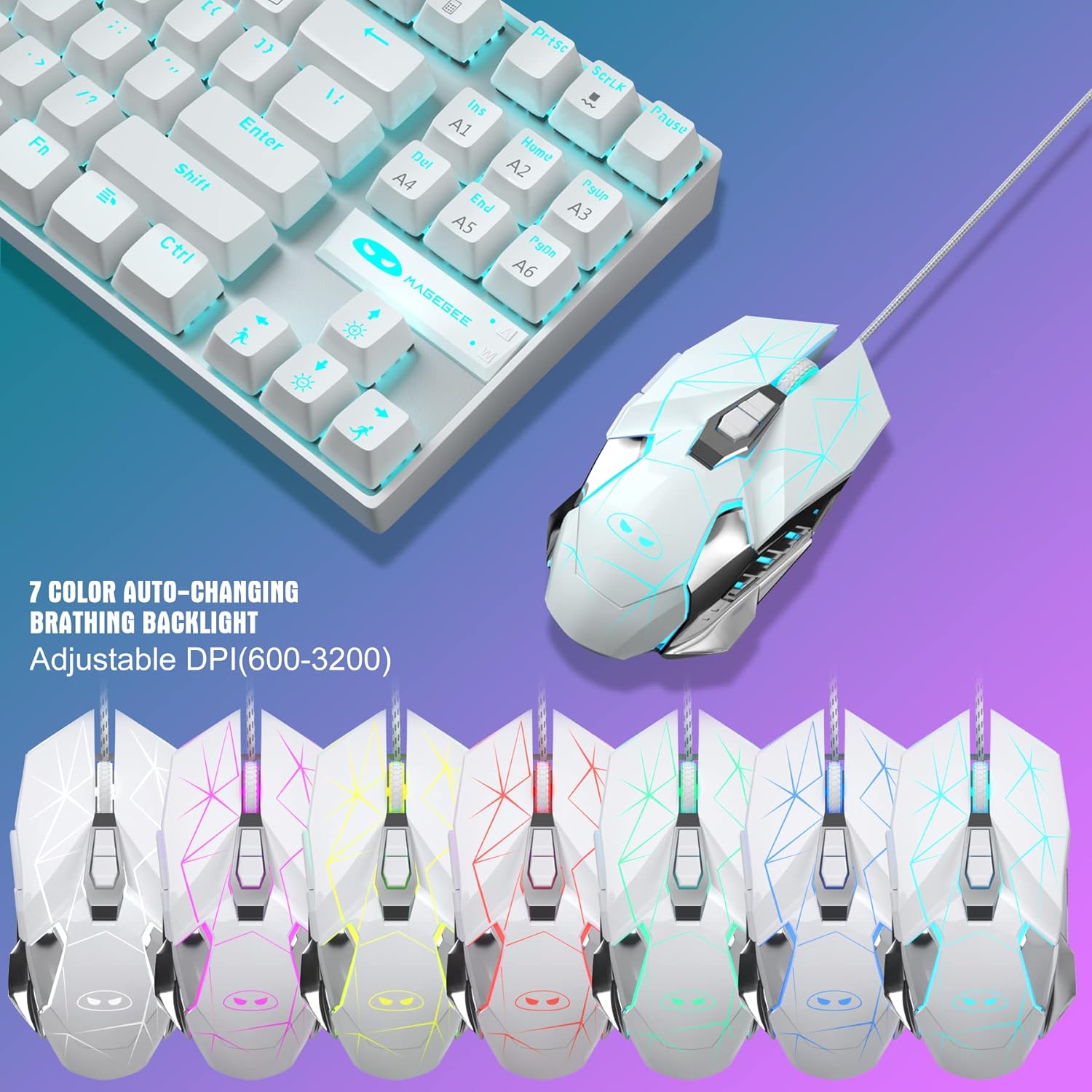
Image 3.3: The MageGee gaming mouse, showcasing its ergonomic design and customizable backlighting.
3.2.1 ДПИ подешавање
The mouse offers 6 adjustable DPI levels (600, 800, 1200, 1600, 2400, 3200). Press the DPI button (usually located behind the scroll wheel) to cycle through these settings in real-time. Each DPI level is indicated by a different backlight color:
- Жута
- Плава
- Љубичаста
- Зелена
- Црвени
- Циан
3.2.2 Mouse Backlight Control
The mouse backlight color changes with the DPI setting. To control the mouse backlight, press the "Forward + DPI" keys simultaneously. This combination allows you to select a single preferred color, enable automatic color flashing, or turn off the backlight.
3.3 Mouse Pad
The included large mouse pad (300x250 mm) features a silk-processed cloth surface for smooth, ultra-precise mouse movements. Its advanced multi-layer surface provides thousands of light-reflecting microscopic points for accurate tracking. The underside is made of natural processed foam rubber, ensuring a stable grip on various surfaces. Stitched edges prevent fraying and curling, enhancing durability. The mouse pad is waterproof and washable for easy cleaning.
4. Одржавање
Proper maintenance ensures the longevity and performance of your keyboard and mouse combo:
- Чишћење тастатуре: Use a soft, dry cloth to wipe down the keycaps and chassis. For deeper cleaning, you can use compressed air to remove dust and debris from between the keys. Avoid using harsh chemicals or abrasive materials.
- Чишћење миша: Обришите површину миша меком, благо длакомamp cloth. Ensure no liquid enters the internal components. Clean the optical sensor area regularly to maintain tracking accuracy.
- Чишћење подлоге за миш: The mouse pad is waterproof and washable. You can gently hand wash it with mild soap and water, then air dry completely before use.
- Складиштење: Када се не користи дуже време, чувајте комбинацију на чистом и сувом месту, даље од директне сунчеве светлости и екстремних температура.
КСНУМКС. Решавање проблема
If you encounter issues with your MageGee MK1 combo, refer to the following common solutions:
- Тастатура/миш не реагује:
- Уверите се да су оба USB кабла безбедно прикључена у USB портове вашег рачунара.
- Покушајте да прикључите уређаје на различите УСБ портове.
- Поново покрените рачунар.
- Test the keyboard/mouse on another computer to determine if the issue is with the device or your system.
- Позадинско осветљење не ради или је неисправно:
- Ensure the backlight is not turned off (check FN key combinations).
- Adjust brightness using FN + PGUP.
- Cycle through different lighting modes using FN + INS/HOME.
- Проблеми са праћењем миша:
- Clean the mouse sensor and the mouse pad surface.
- Adjust the DPI setting to a level suitable for your use.
- Ensure the mouse pad is on a flat, stable surface.
- Кључеви се не региструју:
- Уверите се да је тастатура правилно повезана.
- Очистите околину оштећеног тастера да бисте уклонили све остатке.
- If specific keys consistently fail, contact customer support.
6. Спецификације
| Бранд | MageGee |
| Модел | МК1 |
| Тип тастатуре | Механичка тастатура за игре |
| Тип прекидача | Плави прекидачи |
| Распоред тастера | 87 Keys (Compact) |
| Позадинско осветљење | LED Backlit (24 modes, adjustable brightness/speed) |
| Повезивање | Жичани УСБ |
| Нивои DPI миша | 600, 800, 1200, 1600, 2400, 3200 |
| Дугмад миша | 7 Програмабилна дугмад |
| Величина подлоге за миш | 300 к 250 мм |
| Компатибилност | Windows 10/8/7/Vista/XP, Limited Mac OS support |
| Тежина артикла | 2.59 фунте (приближно) |
| Димензије пакета | 14.92 к 8.94 к 1.77 инча (приближно) |
7. Гаранција и подршка
The MageGee MK1 Mechanical Gaming Keyboard and Mouse Combo comes with a full 1-year manufacturer's warranty from the date of purchase. This warranty covers defects in materials and workmanship under normal use.
For any questions, technical assistance, or warranty claims, please do not hesitate to contact our friendly customer service team. We are available 24 hours a day, 7 days a week to provide support.
Please refer to the contact information provided with your product packaging or visit the official MageGee webсајт за најновије информације о подршци.