
1. Увод
Thank you for choosing the Ledwood Capella Wireless Bluetooth 5.2 Stereo Earphones. This manual provides essential information for the proper setup, operation, and maintenance of your new earphones. Please read it carefully before use and retain it for future reference.
Садржај пакета:
- 1 x CAPELLA In-Ear Headphones
- 1 к кућиште за пуњење
- 1 к УСБ-Ц кабл
- 2 x Pairs of Silicone Earbuds

Image: Ledwood Capella earphones and charging case. The white earphones are shown next to their matching white charging case, which has a USB-C port visible.
2. Подешавање
2.1 Пуњење слушалица и футроле
Пре прве употребе, уверите се да су и кућиште за пуњење и слушалице потпуно напуњене.
- Place the earphones into the charging case. Ensure they are correctly seated to make contact with the charging pins.
- Повежите приложени USB-C кабл са портом за пуњење на кућишту, а други крај са USB извором напајања (нпр. адаптером за зид, USB портом рачунара).
- The LED indicator on the case will show the charging status. Once fully charged, the indicator will change or turn off.
- A full charge typically takes approximately 1 hour. The case provides up to 9 hours of total battery life (3 charges of 3 hours each for the earphones).
2.2 Упаривање са Bluetooth уређајем
To connect your Ledwood Capella earphones to your smartphone or other Bluetooth-enabled device:
- Уверите се да су слушалице напуњене.
- Отворите кућиште за пуњење. Слушалице ће аутоматски ући у режим упаривања, што ће бити назначено трепћућим ЛЕД светлом на слушалицама.
- На свом уређају идите на Блуетоотх подешавања и омогућите Блуетоотх.
- Тражи available devices. You should see "Ledwood Capella" or a similar name appear in the list.
- Select "Ledwood Capella" to connect. Once connected, the LED indicator on the earphones will stop flashing.
- Слушалице ће се аутоматски поново повезати са последњим упареним уређајем када се изваде из футроле, ако је Блутут омогућен на уређају.
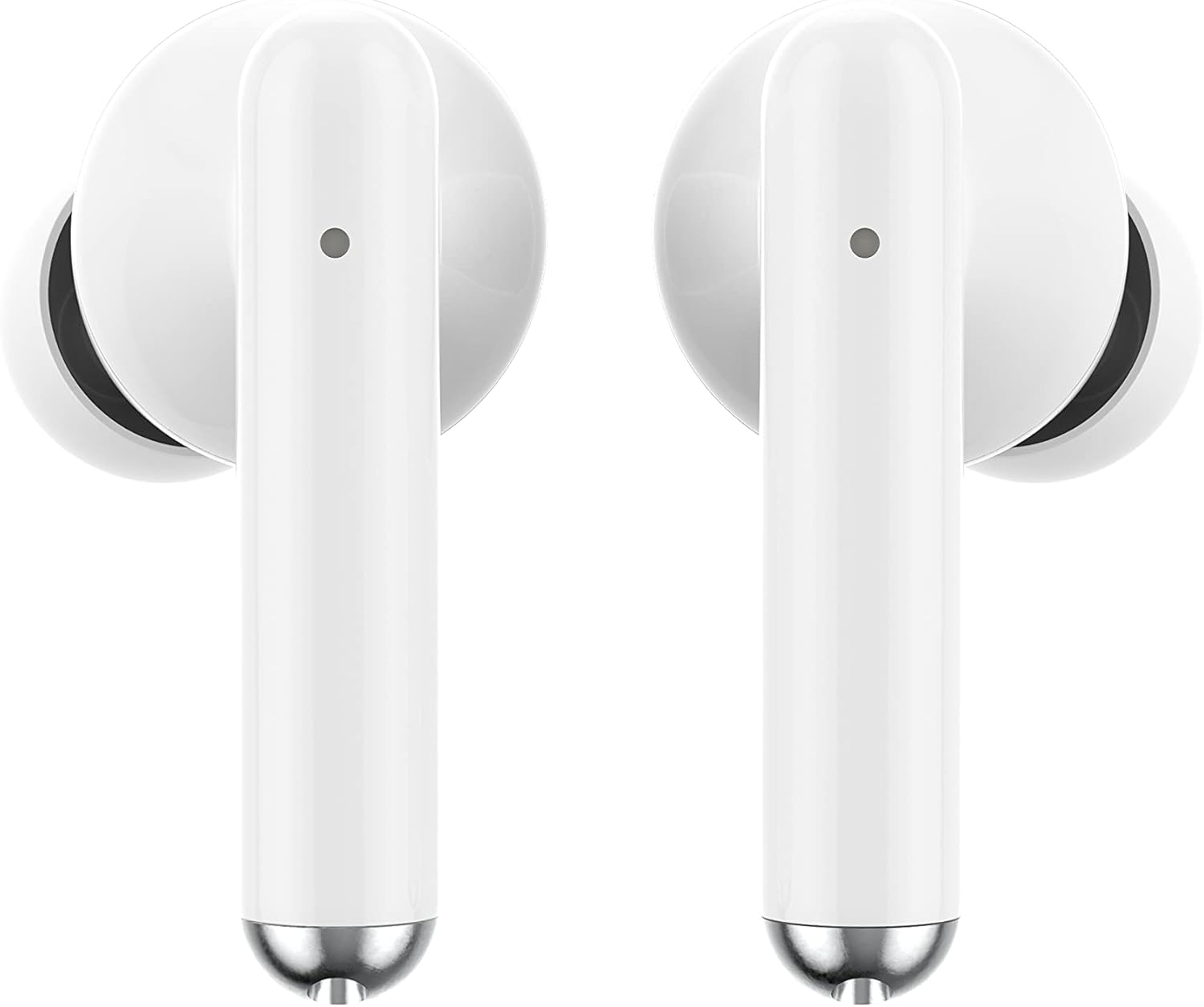
Слика: Крупни план view of the Ledwood Capella earphones. The white earbuds feature a sleek design with a small microphone hole visible on the stem.
3. Употреба слушалица
The Ledwood Capella earphones feature sensitive touch controls for easy management of your audio and calls.
3.1 Контроле на додир
The touch-sensitive area is located on the outer surface of each earphone stem. Refer to the diagram below for typical touch control functions:
- Једнократни додир: Пуштање/паузирање музике, одговарање/прекидање позива.
- Double Tap (Left Earphone): Претходна нумера.
- Double Tap (Right Earphone): Следећа нумера.
- Triple Tap (Left Earphone): Смањите јачину звука.
- Triple Tap (Right Earphone): Повећајте јачину звука.
- Дуги притисак (2 секунде): Activate Voice Assistant, Reject call.
3.2 Гласовни асистент
The Capella earphones are compatible with major voice assistants (e.g., Siri, Google Assistant). To activate your device's voice assistant, perform a long press (2 seconds) on either earphone's touch control area. You can then issue commands through the earphone's microphone.
3.3 Super Bass Technology
The earphones are equipped with Super Bass technology, utilizing highly flexible polymer membranes to reproduce deep and rich bass sounds for an enhanced audio experience.
4. Одржавање
4.1 Чишћење
Да бисте одржали оптималне перформансе и хигијену:
- Редовно чистите слушалице и кућиште за пуњење меком, сувом крпом која не оставља влакна.
- Не користите абразивна средства за чишћење, алкохол или хемијске раствараче.
- Пажљиво уклоните ушни восак или остатке са врхова слушалица и мрежице звучника помоћу мале, меке четкице или памучног штапића.
- Ensure the charging contacts on both the earphones and case are clean and dry.
4.2 Складиштење
Када се не користе, чувајте слушалице у њиховој футроли за пуњење како бисте их заштитили од прашине, оштећења и како би остале напуњене.
КСНУМКС. Решавање проблема
If you encounter issues with your Ledwood Capella earphones, try the following solutions:
- Слушалице се не упарују:
- Уверите се да су обе слушалице напуњене.
- Искључите и укључите Блутут на свом уређају.
- Forget "Ledwood Capella" from your device's Bluetooth list and attempt to pair again.
- Place earphones back in the case, close it, wait a few seconds, then open it again to re-enter pairing mode.
- Нема звука или је јачина звука ниска:
- Проверите ниво јачине звука и на уређају и на слушалицама.
- Уверите се да су слушалице правилно постављене у ушима.
- Clean any debris from the earphone speaker mesh.
- Проблеми са пуњењем:
- Проверите да ли је USB-C кабл безбедно повезан и са кућиштем и са извором напајања.
- Пробајте други USB-C кабл или адаптер за напајање.
- Ensure charging contacts on earphones and case are clean.
- Earphones disconnecting frequently:
- Ensure you are within the 10-meter Bluetooth range of your device.
- Avoid obstacles between the earphones and your device that might interfere with the signal.
- Уверите се да у близини нема других јаких бежичних сигнала који могу изазвати сметње.
6. Спецификације
| Феатуре | Спецификација |
|---|---|
| Назив модела | Цапелла |
| Број модела | ЛД-Т06 |
| Бежична комуникација | Блуетоотх 5.2 |
| Домет | До 10 метара |
| Трајање батерије (слушалице) | Прибл. 3 сата по пуњењу |
| Трајање батерије (са кућиштем за пуњење) | Up to 9 hours (3 x 3 hours) |
| Време пуњења | Прибл. 1 сат |
| Цхаргинг Типе | УСБ-Ц |
| Воице Цонтрол | Да |
| Осетљив додир | Да |
| Материјал | Силикон (вршчићи за уши) |
7. Гаранција и подршка
7.1 Информације о гаранцији
Your Ledwood Capella earphones are covered by a manufacturer's warranty against defects in materials and workmanship. Please refer to the warranty card included in your package or contact your retailer for specific warranty terms and conditions.
7.2 Корисничка подршка
For further assistance, technical support, or inquiries regarding your Ledwood Capella earphones, please contact the retailer where you purchased the product or visit the official Ledwood webсајт за контакт информације за подршку.