
Увод
Welcome to the user manual for your Infinity by Harman CLUBZ 250 Portable Waterproof Wireless Speaker. This guide provides essential information on setting up, operating, maintaining, and troubleshooting your speaker to ensure optimal performance and longevity. Please read this manual thoroughly before using your device.
Шта је у кутији
Након распакивања, проверите да ли су укључене све следеће ставке:
- 1 x Infinity CLUBZ 250 Speaker
- 1 к кабл за пуњење
- 1 x Кратки водич (QSG)
Производ је завршенview
The Infinity CLUBZ 250 is a compact and powerful portable wireless speaker designed for robust audio performance and durability. It features intuitive controls and a rugged, waterproof design.

Слика: Фронт view of the Infinity CLUBZ 250 Portable Wireless Speaker in red, showcasing its cylindrical design and top-mounted control buttons.
Контроле и индикатори
- Дугме за напајање: Located on the top surface, used for turning the speaker on/off.
- Дугме за смањивање јачине звука (-): Смањује јачину звука.
- Дугме за појачавање јачине звука (+): Повећава јачину звука.
- Play/Pause Button (►►): Контролише репродукцију медија.
- Bluetooth Pairing Button (∞): Покреће режим упаривања путем Bluetooth-а.
- ЛЕД индикатор: Приказује статус напајања и везе.
Сетуп
1. Пуњење звучника
Before first use, fully charge your speaker. Connect the provided charging cable to the speaker's charging port and a compatible USB power adapter (not included). The LED indicator will show charging status and turn off when fully charged.

Image: The Infinity CLUBZ 250 speaker on a beach, illustrating its portability and the '10 Hours Playtime' feature.
A full charge provides approximately 10 hours of music playtime under optimum audio settings.
2. Укључивање/искључивање
- За укључивање: Притисните и држите дугме за напајање док се ЛЕД индикатор не упали.
- За искључивање: Притисните и држите дугме за напајање док се ЛЕД индикатор не искључи.
3. Блуетоотх упаривање
- Уверите се да је звучник укључен.
- The speaker will automatically enter Bluetooth pairing mode if not connected to a device. The LED indicator will flash.
- На свом мобилном уређају омогућите Блуетоотх и потражите доступне уређаје.
- Select "Infinity CLUBZ 250" from the list of devices.
- Једном када се повеже, ЛЕД индикатор ће светлети стално плаво.
4. Dual Speaker Connect (TWS Mode)
You can pair two Infinity CLUBZ 250 speakers together for a stereo sound experience.

Image: Two Infinity CLUBZ 250 speakers wirelessly connected to a laptop, demonstrating the Dual Connect feature for stereo sound.
- Ensure both CLUBZ 250 speakers are powered on and not connected to any Bluetooth device.
- On one speaker (this will be your primary speaker), press and hold the Bluetooth pairing button (∞) for 3 seconds. It will enter TWS pairing mode.
- The primary speaker will automatically search for the secondary speaker.
- Once connected, you will hear an audible confirmation, and the LED indicators on both speakers will change to a solid color.
- Сада повежите свој мобилни уређај са примарним звучником путем Блутута као што је описано у кораку 3.
Упутство за употребу
1. Основне контроле
- Пусти/паузирај: Press the Play/Pause button (►►) once to play or pause music.
- Појачавање звука: Притисните дугме „+“ да бисте повећали јачину звука.
- Смањивање јачине звука: Притисните дугме „-“ да бисте смањили јачину звука.
- Следећа нумера: Double-press the Play/Pause button (►►).
- Претходни запис: Triple-press the Play/Pause button (►►).
2. Dual Equalizer Modes
The CLUBZ 250 features Dual Equalizer modes, allowing you to switch between 'Normal' and 'Deep Bass' sound profiles.
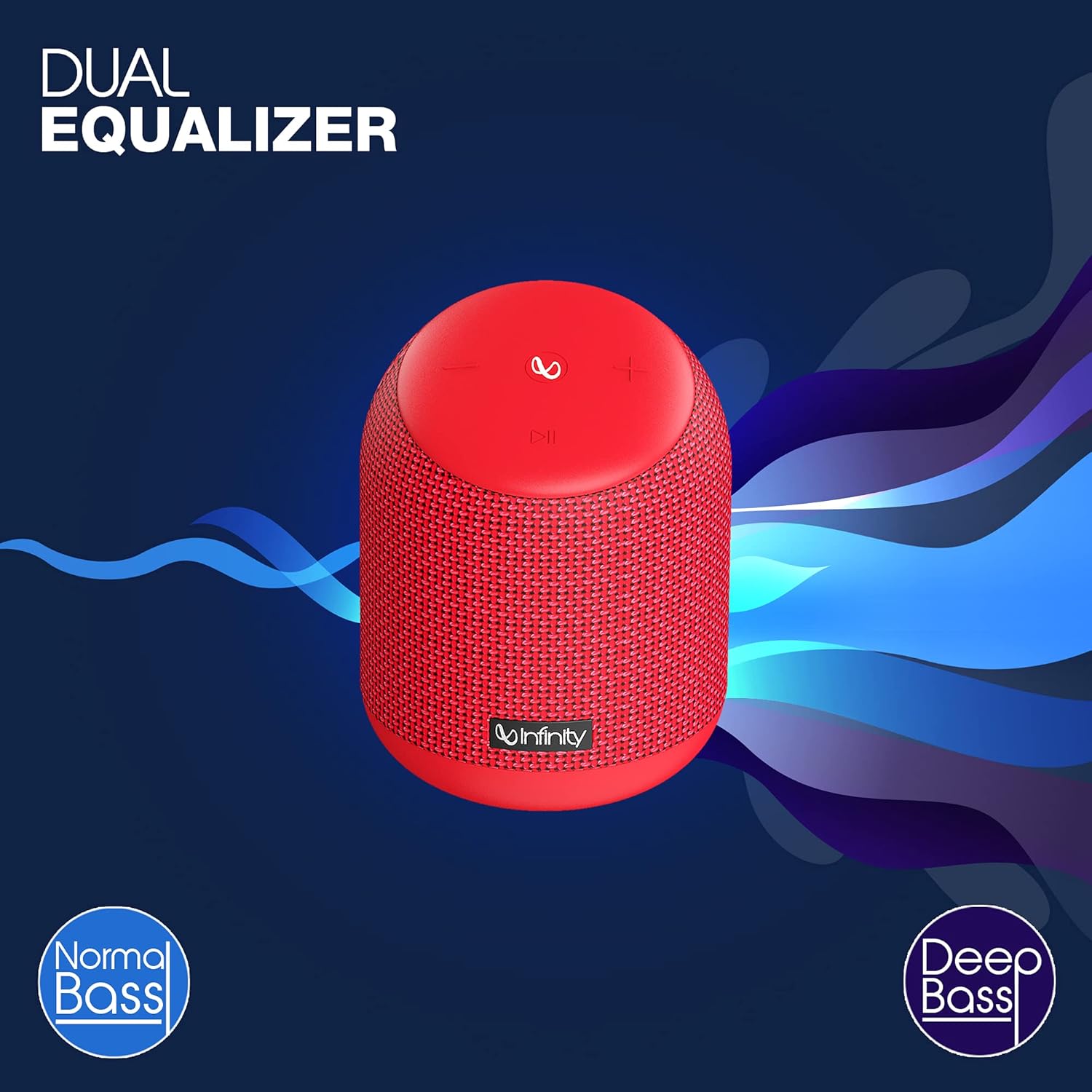
Image: The Infinity CLUBZ 250 speaker highlighting the 'Dual Equalizer' feature with options for 'Normal Bass' and 'Deep Bass'.

Image: The Infinity CLUBZ 250 speaker with a 'Deep Bass' graphic, emphasizing its enhanced bass capabilities.
To switch between modes, press the Bluetooth pairing button (∞) once. You will hear an audible cue indicating the active mode.
3. Интеграција гласовног асистента
Access your device's voice assistant (e.g., Google Assistant, Siri) directly through the speaker.

Image: A woman interacting with the Infinity CLUBZ 250 speaker, which displays a voice assistant interface on a laptop screen, demonstrating 'Voice Assistant Integration'.
To activate, press and hold the Play/Pause button (►►) for 2 seconds. The speaker will then relay your commands to your paired device's voice assistant.
4. Хандс-фрее позивање
When connected to your smartphone, the speaker can be used for hands-free calls.
- Одговори на позив: Press the Play/Pause button (►►) once.
- Заврши позив: Press the Play/Pause button (►►) once during a call.
- Одбиј позив: Press and hold the Play/Pause button (►►) for 2 seconds.
Одржавање
1. Водоотпорност (IPX7)
The Infinity CLUBZ 250 is IPX7 waterproof, meaning it can be submerged in water up to 1 meter for up to 30 minutes. This makes it suitable for use near water, but it is not designed for prolonged underwater use.

Image: The Infinity CLUBZ 250 speaker with water splashing around it, indicating its 'IPX7 Waterproof' rating.
- Уверите се да је поклопац порта за пуњење добро затворен пре него што звучник изложите води.
- Do not expose the speaker to salt water or other chemicals. If exposed, rinse with fresh water and dry thoroughly.
2. Чишћење
Очистите звучник меком, дamp крпа. Не користите абразивна средства за чишћење или раствараче, јер могу оштетити завршну обраду или унутрашње компоненте.
3. Складиштење
Store the speaker in a cool, dry place away from direct sunlight and extreme temperatures. If storing for an extended period, charge the battery periodically to maintain its lifespan.
Решавање проблема
- Нема напајања: Ensure the speaker is charged. Connect it to a power source and try turning it on again.
- Нема звука: Check the volume level on both the speaker and your connected device. Ensure the speaker is properly paired via Bluetooth.
- Проблеми са Блуетоотх упаривањем: Make sure the speaker is in pairing mode (flashing LED). Turn off Bluetooth on other nearby devices that might be interfering. Try unpairing and re-pairing the speaker from your device's Bluetooth settings.
- Лош квалитет звука: Ensure the speaker is within the Bluetooth range of your device. Move away from sources of interference (e.g., Wi-Fi routers, microwaves).
- Dual Speaker Connect Failure: Уверите се да су оба звучника потпуно напуњена и да нису повезана ни са једним другим Bluetooth уређајем пре него што започнете TWS упаривање.
Спецификације
| Феатуре | Спецификација |
|---|---|
| Назив модела | ЦЛУБЗ 250 |
| Излазна снага | 15 Ваттс |
| Повезивање | Блуетоотх |
| Трајање батерије | До 10 сати |
| Водоотпорна оцена | ИПКС7 |
| Контролни метод | Додирните |
| Димензије (ДкШкВ) | 11.6 к 11.6 к 17.8 цм |
| Тежина артикла | 421 грама |
| Тип батерије | Литијум-јонске батерије (1 укључене) |
Гаранција и подршка
Your Infinity by Harman CLUBZ 250 speaker comes with a 1-year manufacturer's warranty. Please refer to the warranty card included in your packaging for detailed terms and conditions.
For technical support, service, or warranty claims, please contact Infinity customer service through their official webсајт или контакт информације наведене у вашем Водичу за брзи почетак.