
Увод
The Topeak HeadLux 100 is a compact and efficient USB rechargeable bike light designed to enhance visibility and safety during cycling. Featuring two super bright 0.5W white LEDs, it provides up to 100 lumens of illumination. Its versatile mounting system allows for easy attachment to various handlebar types, and the direct USB plug simplifies charging without the need for additional cables. Built with an engineering-grade polymer and an IPX6 waterproof rating, this light is designed for reliable performance in diverse weather conditions.
Производ је завршенview
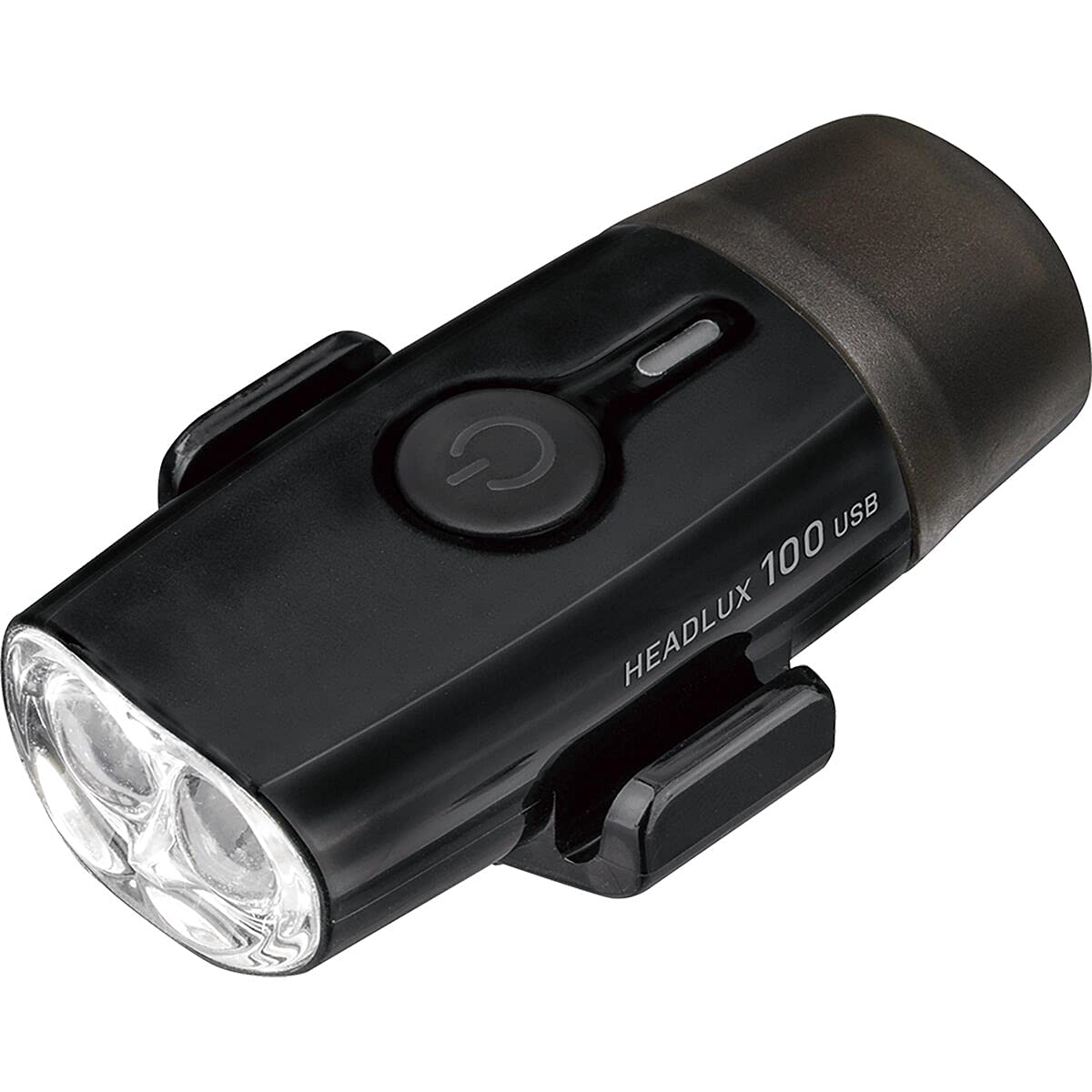
слика: Фронт view of the Topeak HeadLux 100 USB Rechargeable Bike Light, showing the power button and dual LED lenses.
Кључне карактеристике:
- Погодно УСБ пуњење: Direct USB port plug for easy, cable-free charging.
- High-Performance Lighting: Provides up to 100 lumens with two super bright 0.5W white LEDs.
- Више режима осветљења: Offers 3 modes: High (1.5 hr), Middle (3.3 hr), and Blinking (40 hr) for various riding conditions.
- Свестрано монтирање: Silicone strap fits integrated bar/stem combos, and aero or round handlebars, allowing easy attachment and removal.
- Издржљив и водоотпоран: Made from engineering-grade polymer with an IPX6 waterproof rating for reliable performance in all weather conditions.
Подешавање и инсталација
The Topeak HeadLux 100 offers flexible mounting options for both handlebars and helmets.
Монтажа на управљач:

слика: The HeadLux 100 light shown with its flexible silicone mounting band.
- Identify the hooks and grooves on the light body.
- Take the included round silicone band and place a section into one of the grooves at the bottom of the light.
- Stretch and wrap the remaining part of the band over the light and fasten it with the side hooks.
- Wrap the band around your handlebar (aero or round) and ensure the band double stacks in the hooks for increased holding force.
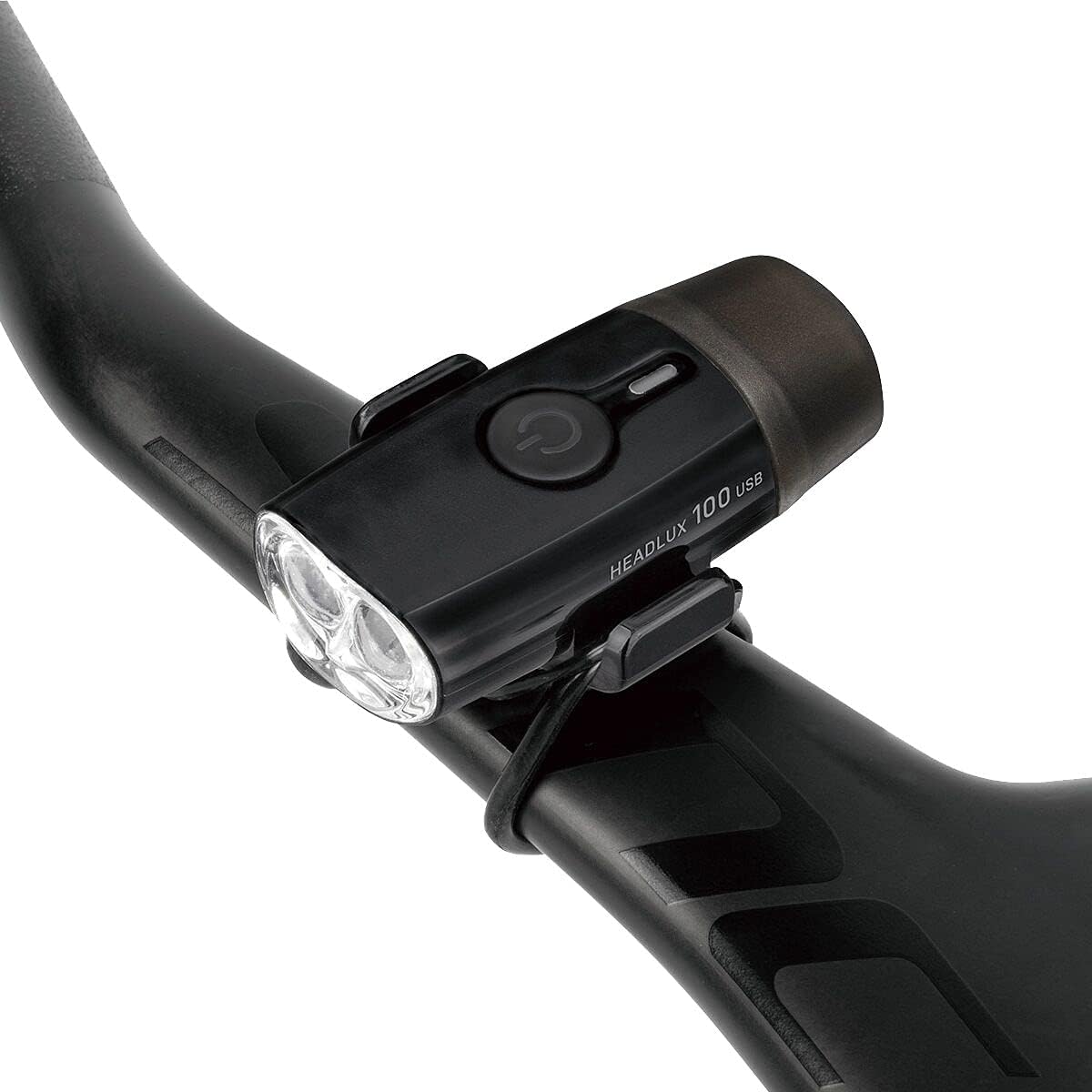
слика: The HeadLux 100 light securely mounted on a bicycle's aero handlebar.
Mounting on Helmet:
For helmet mounting, use the double-ring rubber strap provided.

слика: The HeadLux 100 light attached to the top of a bicycle helmet using the rubber strap.
- Attach one ring of the double-ring rubber strap to one of the hooks on the light.
- Run the strap through a suitable vent or opening on your helmet.
- Secure the other ring of the strap to the remaining hook on the light, ensuring a snug fit.
Видео за инсталацију:
видео: Official Topeak guide demonstrating how to mount HeadLux lights on handlebars and helmets.
Операција
Укључивање/искључивање:
- Да угасиш светло ON, притисните и држите дугме за напајање отприлике 1 секунду.
- Да угасиш светло ОФФ, притисните и држите дугме за напајање отприлике 1 секунду.
Промена начина рада:
Once the light is on, short press the power button to cycle through the available lighting modes:
- High (1.5 hours runtime)
- Middle (3.3 hours runtime)
- Blinking (40 hours runtime)
Пуњење батерије:
The HeadLux 100 features a convenient direct USB plug for charging.

слика: The HeadLux 100 light with its protective cap removed, revealing the integrated USB charging plug.
- Remove the protective cap from the end of the light to expose the USB plug.
- Plug the light directly into any standard USB port (e.g., computer, wall adapter, power bank).
- An indicator light will show the charging status (e.g., red for charging, green for fully charged).
- Once fully charged, remove the light from the USB port and replace the protective cap to maintain its waterproof integrity.
Одржавање
- Чишћење: Обришите тело светла меком крпомamp cloth. Avoid using harsh chemicals or abrasive cleaners, as these can damage the casinг или сочиво.
- Пуњење: For optimal battery life, charge the light regularly, especially after extended use or if it has been stored for a long period.
- Складиштење: Store the light in a cool, dry place away from direct sunlight when not in use. Ensure the protective USB cap is securely in place.
- Инспекција траке: Periodically check the silicone mounting strap for any signs of wear, cracks, or damage. Replace if necessary to ensure secure attachment.
Решавање проблема
- Светло се не укључује: Ensure the battery is charged. Connect to a USB power source and check the charging indicator. If the light still does not turn on after charging, contact customer support.
- Светло се не пуни: Verify the USB port is functional. Try a different USB port or power source. Ensure the light is fully inserted into the USB port. If the issue persists, the battery or charging circuit may be faulty; contact customer support.
- Светло трепери или је пригушено: This usually indicates a low battery. Recharge the light immediately.
- Light falling off during ride: Ensure the silicone mounting strap is correctly installed and double-stacked in the hooks for maximum grip. Check the strap for damage and replace if worn.
Спецификације
| Феатуре | Детаљ |
|---|---|
| Број модела | 65002096 |
| Лигхт Оутпут | 100 лумена |
| Извор светлости | 2 к 0.5В беле ЛЕД диоде |
| Батерија | Пуњиво преко УСБ-а |
| Run Time (High) | 1.5 сата |
| Run Time (Middle) | 3.3 сата |
| Run Time (Blinking) | 40 сата |
| Материјал | Engineering-grade Polymer |
| Отпорност на воду | ИПКС6 |
| Тип монтаже | Handlebar Mount (Silicone Strap) |
| Тежина | 32 грама |
| Боја | Црно |
Гаранција и подршка
The Topeak HeadLux 100 USB Rechargeable Bike Light comes with a Двогодишња гаранција произвођача од дана куповине. Ова гаранција покрива недостатке у материјалу и изради при нормалној употреби.
For warranty claims, technical support, or any questions regarding your product, please contact Topeak customer service through their official webсајт или продавца где је производ купљен. Молимо вас да сачувате доказ о куповини ради потврде гаранције.