
Увод
Хвала вам на куповиниasing the AZATOM A2 Portable DAB/DAB+ Digital Radio. This compact and versatile device is designed to provide high-quality digital and FM radio reception, offering a superior listening experience on the go. Please read this manual carefully to understand the features and operation of your new radio.

The AZATOM A2 radio, showcasing its stylish and compact design, perfect for portability.
Шта је у кутији
- AZATOM A2 Portable DAB/DAB+ Digital Radio
- УСБ-Ц кабл
- Спортске слушалице
- Кориснички приручник (овај документ)
- Гарантни лист
Производ је завршенview
Familiarize yourself with the buttons and ports on your AZATOM A2 radio:

Фронт view of the AZATOM A2 radio, highlighting the display and control buttons.
- Дугме за укључивање: Укључује/искључује радио.
- Дугме МЕНУ: Приступ опцијама менија.
- Дугмад за повећање јачине звука (VOL+) / повећање јачине звука (VOL-): Подешава ниво јачине звука.
- ENTER/SCAN Button: Confirms selections or initiates station scanning.
- PRESET Buttons (1/2, 3/4): Recalls stored preset stations.
- Дугме МОДЕ: Switches between DAB/DAB+ and FM modes.
- Утичница за слушалице: Connects the included earphones, which also function as the antenna.
- УСБ-Ц порт: За пуњење уређаја.
Сетуп
1. Пуњење батерије
Before first use, fully charge the radio. Connect the supplied USB-C cable to the radio's USB-C port and the other end to a USB power adapter (not included) or a computer's USB port. The display will indicate charging status. A full charge provides up to 24 hours of playtime.

The AZATOM A2 features a long-lasting rechargeable battery for extended use.
2. Connecting Earphones (Antenna)
The included earphones serve as the radio's antenna for both DAB/DAB+ and FM reception. It is essential to connect the earphones to the 3.5mm jack before operating the radio to ensure proper signal reception.
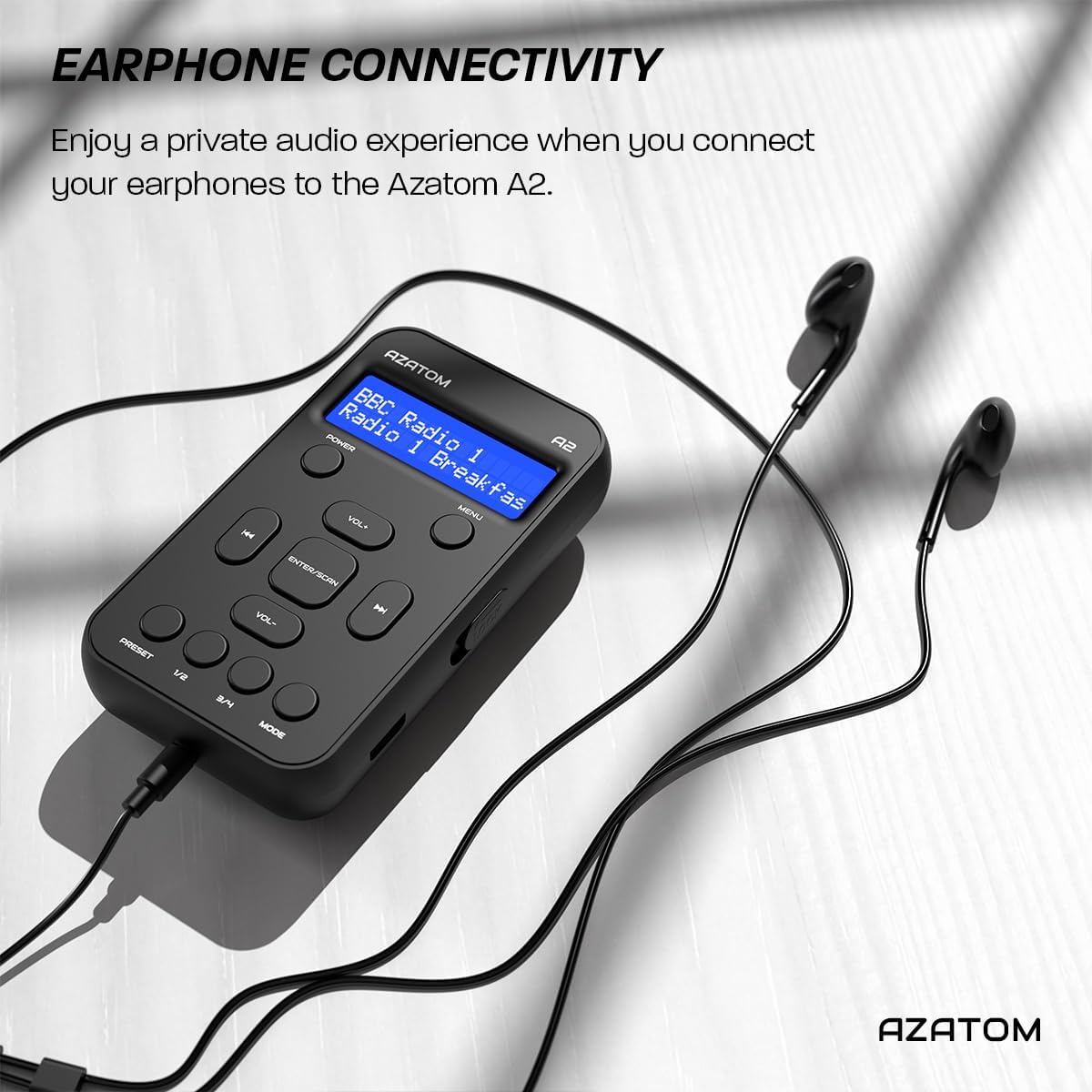
Connect the supplied earphones to the radio for optimal reception and a private listening experience.
Упутство за употребу
Укључивање/искључивање
- Притисните и држите ПОВЕР дугме за укључивање или искључивање радија.
ДАБ/ДАБ+ радио операција

The AZATOM A2 supports both DAB/DAB+ and FM radio technologies.
- Ensure the earphones are connected.
- Притисните тастер МОДЕ button until 'DAB' or 'DAB+' is displayed.
- The radio will automatically perform a full scan for available DAB/DAB+ stations upon first use or if no stations are found. To manually scan, press and hold the ЕНТЕР/СЦАН дугме.
- Користите ВОЛ+ or ВОЛ- buttons to navigate through the list of found stations.
- Притисните ЕНТЕР/СЦАН да бисте изабрали станицу.
Операција ФМ радија
- Ensure the earphones are connected.
- Притисните тастер МОДЕ дугме док се не прикаже „FM“.
- To auto-scan for FM stations, press and hold the ЕНТЕР/СЦАН button. The radio will scan and save available stations.
- Да бисте ручно подесили, кратко притисните ВОЛ+ or ВОЛ- buttons to adjust the frequency in small increments.
Постављање и опозив унапред задатих поставки
The AZATOM A2 allows you to store up to 40 DAB+ and 40 FM favorite stations.

The AZATOM A2 allows for easy recall of your favorite preset stations.
Да бисте сачували предефинисану поставку:
- Подесите жељену станицу.
- Притисните и држите једну од ПРЕСЕТ buttons (1/2 or 3/4) until the display shows 'Preset Store'.
- Користите ВОЛ+ or ВОЛ- дугмад да бисте изабрали жељени број предефинисане станице (1-40).
- Притисните ЕНТЕР/СЦАН to confirm and save the station.
Да бисте позвали унапред подешену вредност:
- Кратко притисните један од ПРЕСЕТ buttons (1/2 or 3/4).
- Користите ВОЛ+ or ВОЛ- buttons to navigate through your stored presets.
- Притисните ЕНТЕР/СЦАН to select and play the desired preset station.
Контрола јачине звука
- Притисните ВОЛ+ за повећање јачине звука.
- Притисните ВОЛ- да смањите јачину звука.
Дисплаи Бригхтнесс
The XL digital display's brightness can be adjusted to your preference. Access this setting through the MENU options.

Крупни план view of the AZATOM A2's clear digital display.
Одржавање
- Чишћење: Користите меку, суву крпу за чишћење површине радија. Не користите абразивна средства за чишћење или раствараче.
- Одржавање батерије: Да бисте продужили век трајања батерије, избегавајте често потпуно пражњење батерије. Редовно пуните радио, чак и ако се не користи дуже време.
- Складиштење: Чувајте радио на хладном и сувом месту, даље од директне сунчеве светлости и екстремних температура.
Решавање проблема
| Проблем | Могући узрок | Решење |
|---|---|---|
| No power/Radio won't turn on. | Батерија је празна. | Charge the radio using the supplied USB-C cable. |
| Слаб радио пријем (DAB/FM). | Earphones not connected or not fully inserted. Weak signal area. | Ensure earphones are securely connected. Try moving to an open area or near a window. Perform a new scan. |
| Нема звука. | Volume is too low or muted. Earphones not connected. | Increase the volume using VOL+. Ensure earphones are connected. |
| Radio freezes or becomes unresponsive. | Привремени софтверски квар. | Press and hold the POWER button to force a restart. If issue persists, allow battery to fully discharge then recharge. |
Спецификације

Dimensions of the AZATOM A2 radio.
| Феатуре | Детаљ |
|---|---|
| Модел | A2 |
| Димензије (Д к Ш к В) | 9 x 4 x 11 цм (приближно 90 мм x 50 мм x 24 мм) |
| Тежина | 90 г |
| Подржани радио бендови | DAB, DAB+, FM |
| Пресетс | 40 ДАБ+, 40 ФМ |
| Тип батерије | Rechargeable Lithium Ion (1800mAh) |
| Плаитиме | До 24 сати |
| Дисплаи Типе | ЛЦД |
| Повезивање | USB-C (for charging), 3.5mm Earphone Jack |
| Материјал | Пластика |
Гаранција и подршка
AZATOM products are designed and engineered in the UK. The AZATOM A2 comes with a premium 3-year warranty (registration required). For any questions or support, please contact our dedicated customer service team. Lifetime customer support is provided to assist you with any queries.
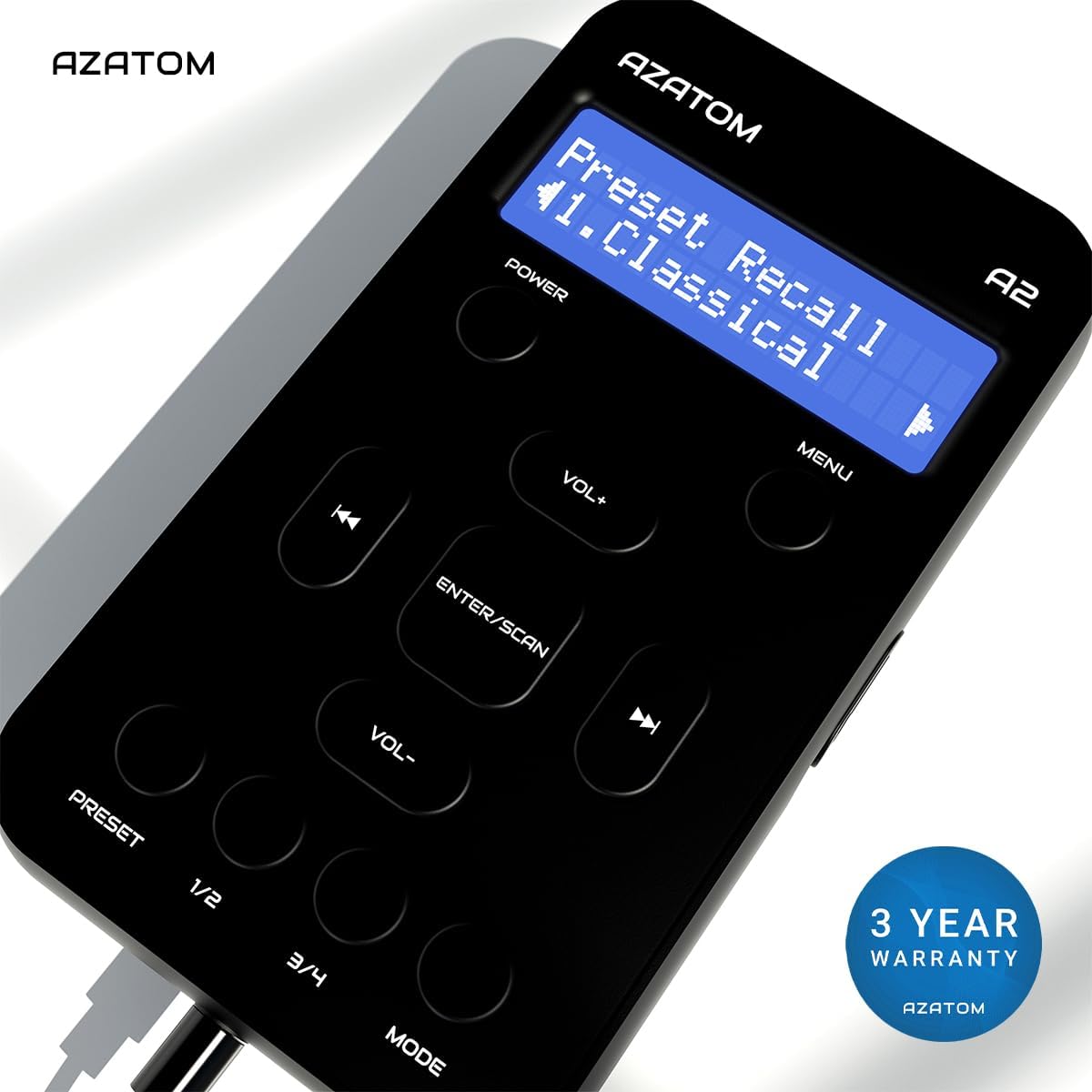
The AZATOM A2 is backed by a 3-year warranty.