
1. Увод
The LiebeWH VC837 is a 6000-count auto-ranging digital multimeter designed for accurate and reliable electrical measurements. It features a non-contact AC voltage (NCV) sensor, True RMS measurement, and functions for measuring voltage, current, resistance, capacitance, frequency, duty cycle, diode, continuity, and temperature. Its compact and portable design makes it a convenient tool for various electrical tasks.

Слика 1.1: Предња страна view of the LiebeWH VC837 Digital Multimeter, displaying its clear LCD and rotary switch.
2. Безбедносне информације
Always read and understand all safety instructions before using this multimeter.
- Do not touch the metal parts of the test leads with your hands during measurement to ensure personal safety.
- Ensure the multimeter is set to the correct function and range before connecting to the circuit.
- Никад не примењивати волtage or current that exceeds the maximum rated limits of the multimeter.
- Будите изузетно опрезни када радите са струјним колима под напоном. Висока јачина звукаtagес може бити опасно.
- Замените батерије када се појави индикатор празне батерије како бисте осигурали тачна очитавања.
- Do not operate the multimeter if it appears damaged or if the case is open.
3. Компоненте производа
Пакет обично укључује следеће ставке:
- 1 x LiebeWH VC837 Digital Multimeter
- 2 x мерне каблове (црвени и црни)
- 1 x Thermal Contact (Thermocouple for temperature measurement)
- 1 к Упутство за употребу

Figure 3.1: The VC837 Multimeter shown with its standard accessories: test leads and a thermocouple.
4. Подешавање
4.1. Инсталација батерије
The multimeter requires 2 x AAA 3V batteries (not included). To install or replace batteries:
- Уверите се да је мултиметар искључен.
- Пронађите одељак за батерију на задњој страни уређаја.
- Користите одвијач да бисте отворили поклопац одељка за батерију.
- Уметните две ААА батерије, водећи рачуна о исправном поларитету (+/-).
- Вратите поклопац одељка за батерије и причврстите га завртњем.

Слика 4.1: Задња страна view of the VC837 Multimeter, indicating the battery compartment location.
4.2. Повезивање мерних каблова
Connect the test leads to the appropriate input jacks for your desired measurement:
- Повежите црна тестни водич до ЦОМ (Обични) џек.
- Фор волtage, resistance, capacitance, frequency, diode, and continuity measurements, connect the црвена тестни водич до ВΩмА Јацк.
- За мерења струје до 600mA, повежите црвена тестни водич до ВΩмА Јацк.
- За мерења струје до 10А, повежите црвена тестни водич до 10А Јацк.
5. Упутство за употребу
The VC837 features a rotary switch for function selection and several buttons for additional features.
5.1. Rotary Switch Functions
Turn the rotary switch to select the desired measurement function:
- ВАН: Powers off the multimeter.
- В ~: АЦ Волtagе мерење.
- В=: ДЦ Волtagе мерење.
- Ω / ->| / Buzzer: Resistance, Diode Test, and Continuity Test. Use the SELECT/ID button to cycle through these functions.
- Hz °C °F / NCV: Frequency, Temperature (Celsius/Fahrenheit), and Non-Contact Voltage detection. Use the SELECT/ID button to cycle through these functions.
- uA / mA / A: Мицроampовде, Милиampere, and Ampere current measurements (AC/DC). Use the SELECT/ID button to cycle through AC/DC modes.
5.2. Функције дугмета
- SELECT/ID: Cycles through sub-functions within a rotary switch position (e.g., Resistance, Diode, Continuity; or AC/DC for current).
- RANGE/REL: Manually selects measurement range (disables auto-ranging) or activates Relative mode.
- HOLD/*: Freezes the current display reading (Data Hold). Long press to activate backlight.
5.3. Performing Measurements
General Measurement Steps:
- Connect the test leads correctly to the multimeter and the circuit.
- Turn the rotary switch to the desired function.
- Очитајте вредност мерења на ЛЦД екрану.
Example: Measuring DC Voltage
- Повежите црни вод на ЦОМ and the red lead to ВΩмА.
- Окрените окретни прекидач у положај V=.
- Connect the test leads across the component or circuit where you want to measure DC voltage.
- Прочитајте књtagе вредност на дисплеју.
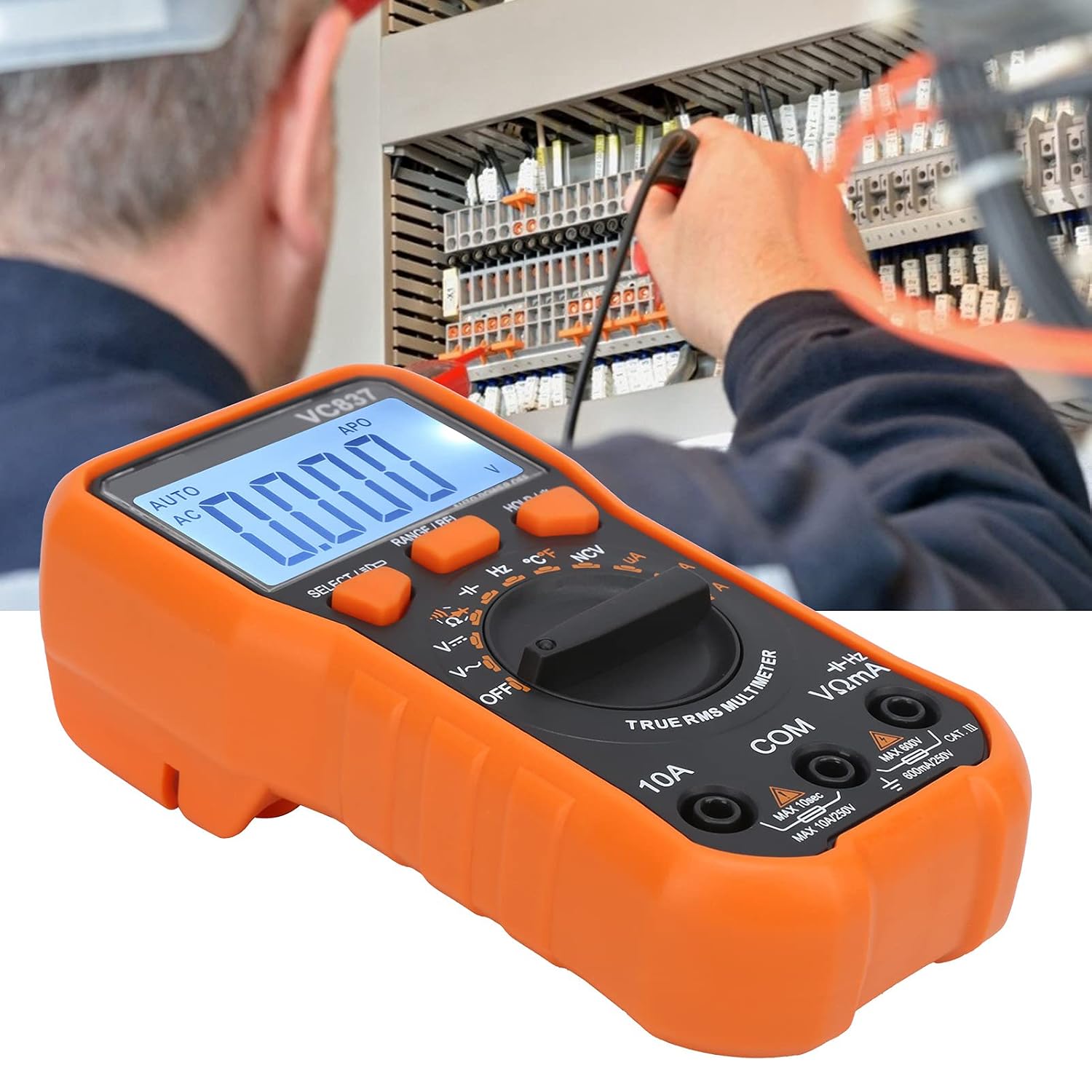
Figure 5.1: The VC837 Multimeter being used to measure electrical parameters in a circuit.
5.4. Нон-Цонтацт Волtagе (НЦВ) Детекција
За детекцију јачине звука наизменичне струјеtage without direct contact:
- Окрените окретни прекидач у положај Hz °C °F / NCV положај.
- Притисните тастер SELECT/ID button until NCV is active (indicated on the display).
- Move the top edge of the multimeter near the conductor. The NCV sensor will detect AC voltage, indicated by an audible beep and LED light.
6. Одржавање
6.1. Чишћење
Обришите кућиште огласомamp krpom i blagim deterdžentom. Ne koristite abrazivna sredstva ili rastvarače.
6.2. Замена батерије
Refer to Section 4.1 for battery replacement instructions. Replace batteries promptly when the low battery indicator appears to maintain measurement accuracy.
6.3. Замена осигурача
This multimeter may contain internal fuses for protection. Fuse replacement should only be performed by qualified personnel. Refer to the full manual for specific fuse ratings and replacement procedures.
КСНУМКС. Решавање проблема
- Нема дисплеја / Слаб дисплеј:
Check battery installation and polarity. Replace batteries if they are low or depleted. - Нетачна очитавања:
Ensure the correct function and range are selected. Check test lead connections. Verify the circuit is properly connected. - "OL" (Overload) Indication:
The measured value exceeds the selected range. Switch to a higher range or ensure the input is within the multimeter's maximum specifications. - Multimeter Does Not Turn On:
Check batteries. Ensure the rotary switch is not stuck between positions.
8. Спецификације
| Феатуре | Спецификација |
|---|---|
| Модел | ВЦ837 |
| Дисплаи | 6000 Counts LCD (approx. 61 x 28 mm) |
| Повер Суппли | 2 x AAA 3V батерије (нису укључене) |
| Sampлинг Рате | КСНУМКС пута / секунди |
| AC Frequency Response | 40Хз-2кХз |
| Инпут Импеданце | 10МΩ |
| Аутоматско искључивање | Отприлике 15 минута |
| Лов Волtagе Аларм | Испод 2.4В |
| Оперативни режим | Auto or Manual Ranging |
| Материјал | АБС |
9. Гаранција и подршка
For detailed warranty information and customer support, please refer to the specific warranty card included with your product or visit the official LiebeWH webсајт. Сачувајте рачун као доказ о куповини.