
1. Увод
This manual provides comprehensive instructions for the setup, operation, and maintenance of your DIGITUS 2D Barcode Scanner (Model: DA-81002). This device is designed for efficient and accurate scanning of 1D and 2D barcodes, including QR codes, supporting bi-directional scanning at 200 scans/sec. Please read this manual thoroughly before using the scanner to ensure proper functionality and longevity.
2. Шта је у кутији
Након отварања паковања, проверите да ли су све компоненте присутне и да ли су оштећене:
- 1 x 2D barcode hand scanner, QR code compatible
- 1 x scanner holder
- 1 x cable, USB - RJ45, 2 m
- 1 x Кратки водич за инсталацију (QIG)
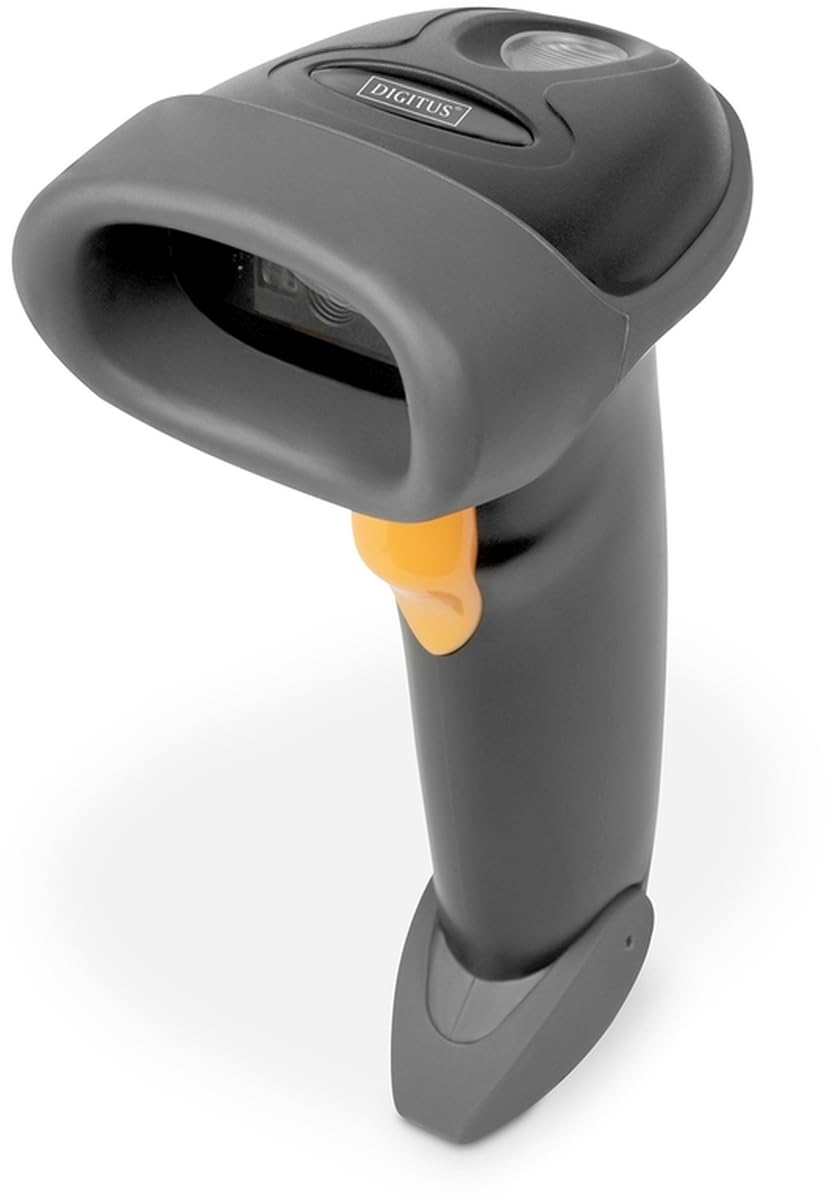
Image: The DIGITUS 2D Barcode Scanner, shown with its included stand and USB-RJ45 cable. The scanner is dark grey with an orange trigger button.
3. Подешавање
- Повежите кабл: Insert the RJ45 end of the provided cable into the port at the base of the barcode scanner. Ensure it clicks securely into place.
- Повежите се са хост уређајем: Plug the USB end of the cable into an available USB port on your computer or point-of-sale (POS) system.
- Инсталација драјвера (Plug & Play): The scanner is typically plug-and-play and should be recognized automatically by most operating systems (Windows, macOS, Linux). No specific driver installation is usually required. If prompted, allow the system to install necessary drivers.
- Позиционирајте скенер: Place the scanner in its holder for hands-free operation, or hold it comfortably for handheld scanning.
- Тест скенирање: Open a text editor (e.g., Notepad, Word) or a compatible application. Scan a known barcode. The data should appear in the open application.
4. Упутство за употребу
The DIGITUS 2D Barcode Scanner is designed for ease of use. Follow these steps for effective scanning:
- Укључено: The scanner powers on automatically when connected to a powered USB port. A successful power-on is usually indicated by a short beep and/or a light indicator.
- Циљање: Point the scanning window towards the barcode you wish to scan. Ensure the entire barcode is within the scanner's field of view.
- Скенирање: Press and hold the trigger button (orange button on the handle). A red aiming beam or illumination light will appear. Position the scanner so the aiming beam crosses the center of the barcode.
- Успешно скенирање: Upon a successful scan, the scanner will emit a short beep and/or the indicator light will flash. The scanned data will be transmitted to your connected device as if typed via a keyboard.
- Bi-Directional Scanning: The scanner supports bi-directional scanning, meaning it can read barcodes regardless of their orientation, improving scanning efficiency.
- QR Code Compatibility: This scanner is fully compatible with QR codes, allowing for versatile data capture.
5. Одржавање
Правилно одржавање осигурава дуготрајност и оптималне перформансе вашег скенера бар кодова:
- Чишћење прозора за скенирање: Regularly clean the scanning window with a soft, lint-free cloth. For stubborn smudges, slightly dampen the cloth with water or a mild, non-abrasive cleaner. Avoid harsh chemicals or abrasive materials that could scratch the window.
- Генерално чишћење: Обришите спољашњост скенера меком, сувом крпом да бисте уклонили прашину и прљавштину.
- Нега каблова: Избегавајте прекомерно савијање или увијање USB кабла, јер то може оштетити унутрашње жице.
- Складиштење: Када се не користи, чувајте скенер на чистом и сувом месту, даље од екстремних температура и директне сунчеве светлости.
- Избегавајте капи: While designed for durability, avoid dropping the scanner, as impact can damage internal components.
КСНУМКС. Решавање проблема
If you encounter issues with your DIGITUS 2D Barcode Scanner, refer to the following common problems and solutions:
| Проблем | Могући узрок | Решење |
|---|---|---|
| Скенер се не укључује. | No power from USB port; loose cable connection. | Ensure USB cable is securely connected to both scanner and host device. Try a different USB port or host device. |
| Скенер не чита баркодове. | Barcode damaged/unreadable; incorrect aiming; scanner not configured for barcode type. | Ensure barcode is clear and undamaged. Aim the scanner correctly. Refer to the QIG for advanced configuration options if specific barcode types are not recognized. |
| Скенирани подаци су нетачни или непотпуни. | Partial scan; software/application issue. | Ensure the entire barcode is within the scanning area. Test with a simple text editor to rule out application-specific issues. |
| Скенер звучно сигнализира, али се подаци не приказују. | Host device not receiving data; application not in focus. | Ensure the cursor is active in the target input field. Restart the application or host device. |
7. Спецификације
Key technical specifications for the DIGITUS 2D Barcode Scanner (Model: DA-81002):
- Димензије производа: 1.1 к 9.7 к 6.5 инча
- Тежина артикла: 3.88 унци
- Број модела ставке: ДА-81002
- Произвођач: Дигитус
- Компатибилни уређаји: Scanner (general purpose)
- Извор напајања: Електрични са каблом (преко УСБ-а)
- Технологија повезивања: УСБ кабл
- Брзина скенирања: 200 кадрова у секунди (fps)
- Компатибилност са бар кодом: 1D and 2D barcodes, including QR Code
- Дужина кабла: 2 meters (USB - RJ45)
8. Гаранција и подршка
For warranty information and technical support, please refer to the Quick Installation Guide (QIG) included in your product package or visit the official Digitus webсајт. Сачувајте рачун као доказ о куповини за потребе гаранције.
For further assistance, you may contact Digitus customer support through their official channels. Details are typically provided in the product documentation or on the manufacturer's webсајту.