
GOCOM G9
GOCOM G9 IP67 Waterproof Two Way Radios User Manual
Модел: Г9
Увод
Thank you for choosing the GOCOM G9 IP67 Waterproof Two Way Radios. This manual provides essential information for the safe and efficient operation of your device. Please read it thoroughly before use and retain it for future reference. The G9 radios are designed for reliable communication in various environments, featuring IP67 waterproofing, NOAA weather alerts, and a built-in SOS function.
Шта је у кутији
Upon opening your GOCOM G9 package, please verify that all the following components are included:
- 2 x GOCOM G9 Walkie Talkies
- КСНУМКС к слушалице
- 4 к слушалице
- 1 x Charger (Original Fast Charger)
- КСНУМКС к антена
- 1 к Ланиард
- Rechargeable Ni-MH Batteries (1200 mAh)
- УСБ кабл за пуњење

Image: The complete package contents of the GOCOM G9 Two Way Radios, including the radios, charging docks, batteries, and various accessories.
Карактеристике производа
The GOCOM G9 Two Way Radios are equipped with a range of features designed for robust and reliable communication:
- 22 канала и 121 код за приватност: Offers 2,662 combinations for clear and private conversations.
- NOAA упозорење о времену: Automatically scans 11 weather (WX) band channels and alerts you to severe weather updates (US only).
- УСБ пуњење: Comes with 18 AA Ni-MH rechargeable batteries (1200 mAh) and supports convenient USB charging via PC, car charger, or power bank.
- SOS Emergency Button & Flashlight: A dedicated red SOS button activates an emergency signal and a bright LED flashlight.
- ИП67 водоотпоран и отпоран на прашину: Provides complete protection from dust and can withstand water immersion for 30 minutes in 1-meter deep water.
- Water Activated LED & Floating Design: If dropped in water, a white LED activates automatically, and the radio floats, aiding in recovery in dark environments.
- Дубинску: Capable of up to 32 miles in open environments.
- High & Crystal Clear Audio: Ensures clear communication.
- VOX Hands-free: Allows for voice-activated transmission.

Image: Visual representation of the GOCOM G9's main features, such as its high luminous flashlight, NOAA weather channel, clear audio, floating design, SOS emergency light, and 22 channels.

Image: The GOCOM G9 radio demonstrating its IP67 waterproof capabilities, showing it submerged in water and highlighting its ability to float and its dewatering system.
Сетуп
1. Инсталација батерије
- Уверите се да је радио искључен.
- Пронађите поклопац одељка за батерију на задњој страни радија.
- Open the cover and insert the provided Ni-MH rechargeable batteries, observing the correct polarity (+/-).
- Сигурно затворите поклопац одељка за батерије.
2. Пуњење батерија
The GOCOM G9 radios can be charged using the included original fast charger or a standard USB charging cable.
- Using the Fast Charger: Place the radio into the charging cradle. Ensure the charging contacts align. The indicator light on the charger will show charging status.
- Using USB Charging: Connect the USB charging cable to the Micro-USB Charging Port on the radio. Connect the other end to a PC, car charger, or power bank.
Сачекајте довољно времена за потпуно пуњење пре прве употребе.
Упутство за употребу

Image: Detailed diagram of the GOCOM G9 radio, labeling all buttons and ports for easy identification and function understanding.
1. Укључивање/искључивање
Притисните и држите Укључивање/искључивање button (usually located on the side or front) until the display lights up or turns off.
2. Подешавање јачине звука
Користите Горе/Доле buttons (often integrated with channel selection) to adjust the listening volume.
3. Избор канала
Притисните тастер Мени button to enter channel selection mode. Use the Горе/Доле buttons to cycle through the 22 available channels. Press Мени again or wait for a few seconds to confirm your selection.
4. Подешавање кодова за приватност (CTCSS/DCS)
To ensure privacy, you can set privacy codes. After selecting a channel, press the Мени button again to access privacy code settings. Use Горе/Доле to select one of the 121 privacy codes. Both radios must be on the same channel and privacy code to communicate.
5. Пренос и пријем
- За пренос: Притисните и држите Притисни за разговор (ПТТ) button located on the side of the radio. Speak clearly into the microphone. Release the PTT button when you are finished speaking.
- За пријем: Ensure the PTT button is not pressed. The radio will automatically receive transmissions on the selected channel and privacy code.
6. NOAA Weather Alert (US Only)
The G9 radio can scan for NOAA weather alerts.
- To activate NOAA Weather Scan, press the Weather Switch button (often labeled WX or similar). The radio will automatically scan through 11 available weather (WX) band channels and lock onto the strongest signal.
- If a severe weather alert is issued, the radio will sound an alarm.
Note: NOAA radio service may not be available in all areas.

Image: The GOCOM G9 radio shown in a cold, snowy setting, illustrating its durability and the NOAA Weather Alert function for extreme conditions.
7. SOS Emergency Button & Flashlight
For emergencies, the G9 features a dedicated SOS button and a powerful LED flashlight.
- СОС сигнал: With the walkie talkie turned on, press and hold the red SOS button for 3 seconds. A red LED light will activate and emit an SOS signal.
- Лампа: The built-in LED bulb provides strong illumination, functioning as a reliable flashlight. The Lamp Он/Офф button controls the flashlight.
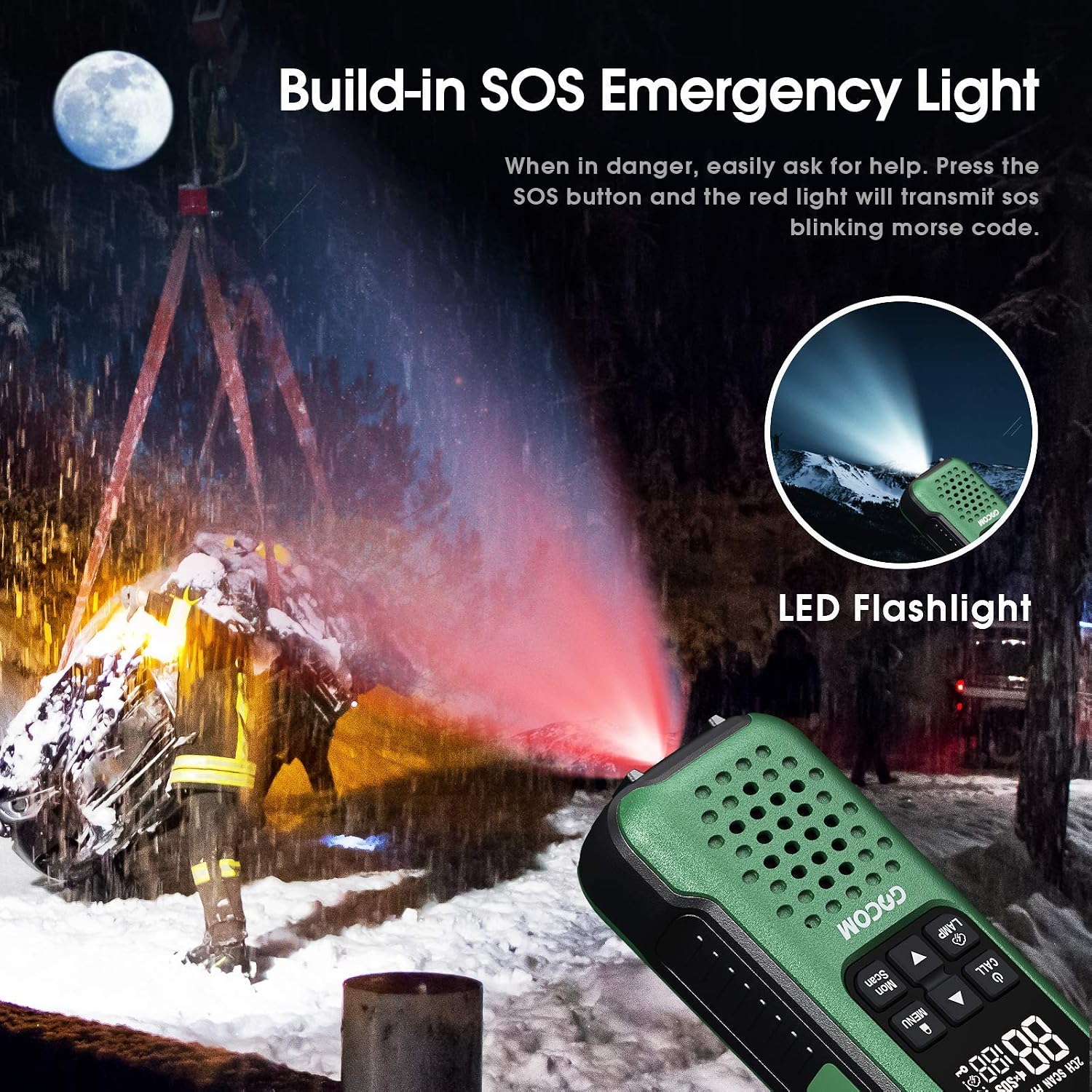
Image: The GOCOM G9 radio's SOS emergency light in action, emitting a red signal in a dark setting, alongside an illustration of its bright LED flashlight.
8. VOX Hands-free Operation
The VOX (Voice Operated Exchange) feature allows you to transmit without pressing the PTT button.
- To enable VOX, access the menu settings (refer to the full manual for detailed menu navigation).
- Adjust the VOX sensitivity level to suit your environment.
- Када је VOX активан, радио ће аутоматски емитовати када детектује ваш глас.
9. Lock/Menu/Scan Functions
- закључавање: Притисните и држите Закључај button to prevent accidental changes to settings. Repeat to unlock.
- Мени: Притисните тастер Мени button to access various settings such as channel, privacy codes, VOX, call tones, etc. Use Горе/Доле за навигацију и Мени поново да потврдим.
- скенирање: Притисните тастер Скенирај button to scan through active channels. The radio will stop on an active channel. Press Скенирај поново да бисте наставили скенирање.
Одржавање
Proper maintenance will ensure the longevity and optimal performance of your GOCOM G9 radios.
- Чишћење: Обришите радио меком, дamp cloth. Do not use harsh chemicals or abrasive cleaners. Despite its waterproof rating, avoid unnecessary exposure to water or submersion unless required.
- Одржавање батерије:
- Always use the provided rechargeable Ni-MH batteries and charger.
- Не покушавајте да пуните непуњиве батерије.
- If storing the radios for an extended period, remove the batteries to prevent leakage.
- Recharge batteries fully before long-term storage and periodically during storage to maintain battery health.
- Складиштење: Чувајте радио-апарате на хладном и сувом месту, даље од директне сунчеве светлости и екстремних температура.
- Потапање у воду: While IP67 rated, after immersion, ensure the radio is thoroughly dried, especially around the speaker and microphone areas, to maintain clear audio. The dewatering system helps, but manual drying is recommended.
Решавање проблема
| Проблем | Могући узрок | Решење |
|---|---|---|
| Но Повер | Батерије су празне или нису правилно постављене. | Charge batteries fully. Ensure batteries are inserted with correct polarity. |
| Cannot Communicate with Other Radios | Different channel or privacy code. Out of range. | Ensure all radios are on the same channel and privacy code. Move closer to the other radio. |
| Лош квалитет звука / Статични шумови | Out of range. Interference. Low battery. | Move closer. Change channel/privacy code. Recharge batteries. |
| Radio Floats but LED doesn't activate in water | Water sensor obstructed or malfunction. | Ensure water sensor area is clean. If issue persists, contact support. |
| NOAA метеоролошка упозорења не раде | Not in a NOAA service area. Feature not activated. | Verify you are in a NOAA service area. Ensure NOAA scan is activated via the Weather Switch button. |
Спецификације
| Феатуре | Детаљ |
|---|---|
| Број модела | G9 |
| Бранд | ГОЦОМ |
| Канали | 22 канала ФРС |
| Кодови за приватност | 121 (CTCSS/DCS) |
| Ниво отпорности на воду | IP67 Waterproof & Dustproof (Submersible 1m for 30 mins) |
| Тип батерије | Ni-MH Rechargeable (1200 mAh) |
| Пуњење | USB Charging, Original Fast Charger |
| Посебне карактеристике | NOAA Weather Alert, SOS Emergency Button, LED Flashlight, Floating Design, Water Activated LED |
| Боја | White (as per product data, though images show green) |
| Укључене компоненте | 2 Walkie Talkies, 1 Headset, 4 Earpieces, 1 Charger, 1 Antenna, 1 Lanyard |
Гаранција и подршка
For warranty information, technical support, or customer service inquiries regarding your GOCOM G9 Two Way Radios, please visit the official GOCOM store on Amazon or contact GOCOM customer support directly.