
Увод
This manual provides detailed instructions for the setup, operation, and maintenance of your Microdigit MD310WK Wireless Keyboard and Mouse Combo. Please read this manual thoroughly before using the product to ensure proper functionality and longevity.
Садржај пакета
- 1 x Microdigit MD310WK Wireless Keyboard
- 1 x Microdigit Wireless Optical Mouse
- 1 x USB Receiver (typically stored inside the mouse battery compartment)
- Batteries (1x AA for mouse, keyboard batteries not specified but typically 2x AAA)
- Кориснички приручник (овај документ)
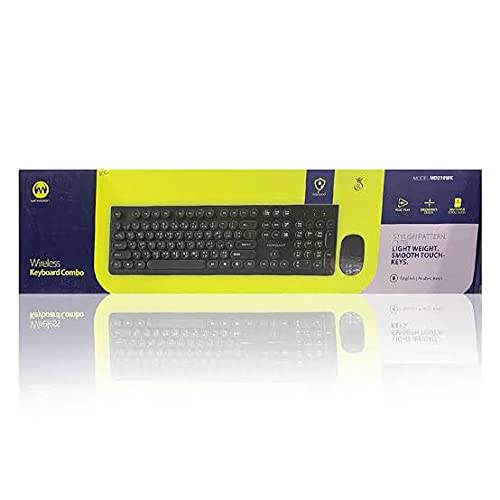
слика: The Microdigit MD310WK Wireless Keyboard and Mouse Combo packaging, showing both devices.
Сетуп
1. Инсталирање батерија
За миша:
- Пронађите поклопац одељка за батерију на доњој страни миша.
- Померите или подигните поклопац да бисте отворили одељак.
- Insert one (1) AA battery, ensuring the polarity (+/-) matches the diagram inside the compartment.
- Вратите поклопац одељка за батерије.
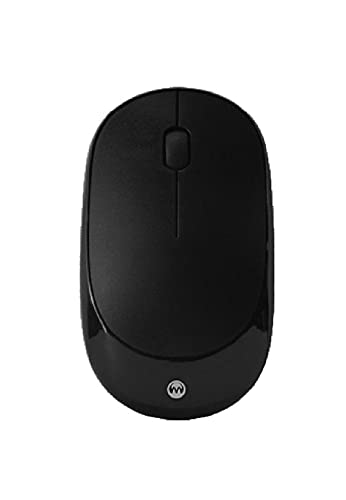
слика: Врх view of the Microdigit Wireless Optical Mouse.
За тастатуру:
- Пронађите поклопац одељка за батерију на доњој страни тастатуре.
- Померите или подигните поклопац да бисте отворили одељак.
- Insert the required batteries (typically two AAA batteries), ensuring the polarity (+/-) matches the diagram inside the compartment.
- Вратите поклопац одељка за батерије.
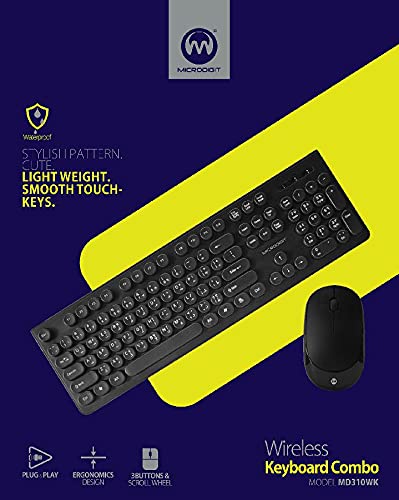
слика: Врх view of the Microdigit MD310WK Wireless Keyboard, showing both English and Arabic key legends.
2. Повезивање USB пријемника
- Locate the USB receiver. It is often stored in a small slot within the mouse's battery compartment for safekeeping during transport.
- Прикључите УСБ пријемник у слободан УСБ порт на рачунару (PC или лаптоп).
- Your operating system should automatically detect and install the necessary drivers. This is a "Plug and Play" installation.
- Turn on the mouse using the power switch (if available, usually on the underside). The keyboard typically activates automatically once batteries are inserted and the receiver is connected.

слика: The Microdigit MD310WK Wireless Keyboard and Mouse, showcasing their slim design.
Упутство за употребу
Употреба тастатуре
- The keyboard features both English and Arabic key legends, supporting multi-language input.
- Keys are designed for a smooth and quiet touch.
- The keyboard is designed to withstand over 50 million keystrokes, ensuring durability.
- Standard modifier keys and function keys (F1-F12) are present for typical computer operations.
Употреба миша
- The mouse is a high-speed wireless optical mouse operating on 2.4G wireless technology.
- It features 3 buttons (left click, right click, scroll wheel click) and a scroll wheel for navigation.
- The DPI (Dots Per Inch) is 1200, providing responsive cursor control.
- The mouse is designed for right-hand orientation.
Компатибилност
This wireless combo is compatible with the following operating systems:
- Виндовс КСП
- Виндовс Виста
- Виндовс 7
- Виндовс 8
- Виндовс 10
- Мац ОС
Одржавање
Чишћење
- To clean the keyboard and mouse, use a soft, dry, lint-free cloth.
- За тврдокорну прљавштину, благо дampОперите крпу водом или благим, неабразивним раствором за чишћење. Избегавајте прекомерну влагу.
- Do not immerse the devices in water or spray cleaning solutions directly onto them.
- Ensure the devices are powered off before cleaning.
Замена батерије
- When the keyboard or mouse performance degrades (e.g., delayed response, erratic cursor movement), it may be time to replace the batteries.
- Пратите кораке за инсталацију батерије наведене у одељку „Подешавање“.
- Истрошене батерије одлажите одговорно у складу са локалним прописима.
Решавање проблема
Нема одговора са тастатуре или миша
- Проверите батерије: Ensure fresh batteries are correctly installed in both the keyboard and mouse, observing polarity.
- Прекидач: Make sure the mouse's power switch (if present) is in the "ON" position.
- УСБ пријемник: Проверите да ли је USB пријемник безбедно прикључен на исправан USB порт на рачунару. Покушајте са другим USB портом.
- Близина: Ensure the keyboard and mouse are within the effective range of the USB receiver (typically up to 10 meters, but closer is better for troubleshooting).
- сметње: Move the devices away from other wireless devices or large metal objects that might cause interference.
- Поново покрените рачунар: Sometimes a simple computer restart can resolve connectivity issues.
Erratic Cursor Movement or Delayed Input
- Слаба батерија: Replace batteries in the affected device.
- Површина: For the mouse, ensure you are using it on a suitable, non-reflective surface.
- сметње: As mentioned above, check for potential wireless interference.
Спецификације
генерал
- Технологија повезивања: бежични (2.4Г)
- Инсталација: Плуг анд Плаи
- Компатибилни уређаји: ПЦ, Лаптоп
- Оперативни системи: Windows XP, Vista, 7, 8, 10, Mac OS
- Извор напајања: Баттери Поверед
Тастатура
- Модел: MD310WK
- Распоред тастатуре: QWERTY (English/Arabic)
- Key Durability: Over 50 Million Keystrokes
- Посебне карактеристике: Slim, Light Weight, Smooth Touch Keys, Multi-language support
Миш
- Тип: High-Speed Wireless Optical Mouse
- ДПИ: 1200
- Дугмад: 3D (3 buttons + scroll wheel)
- Тежина: 47г
- Димензије: 105 x 60 x 28 MM (Length x Width x Height)
- батерија: 1 к АА
- Детекција покрета: Оптицал
- Оријентација руке: Тачно
Гаранција и подршка
For warranty information or technical support, please refer to the product packaging or contact your retailer. Specific warranty terms and support contact details may vary by region and purchase location.
You may also visit the official Microdigit website for further assistance or updated information.