
Амазон Фајер ХД 8
Упутство за употребу таблета Amazon Fire HD 8
Model: Fire HD 8 (2022 Release)
Увод
The Amazon Fire HD 8 tablet is designed for portable entertainment and productivity. Featuring an 8-inch HD display and a faster hexa-core processor, it offers an enhanced experience for reading, browsing, watching videos, and listening to music. This manual provides essential information for setting up, operating, maintaining, and troubleshooting your device.

Image: The Amazon Fire HD 8 tablet, highlighting its compact and portable design.
Сетуп
Шта је у кутији
- Таблет Fire HD 8
- USB-C (2.0) кабл
- 5В адаптер за напајање
- Водич за брзи почетак
Иницијална наплата
Before first use, fully charge your Fire HD 8 tablet. Connect the USB-C cable to the tablet's USB-C port and the 5W power adapter to a wall outlet. A full charge takes approximately 5 hours with the included adapter. For faster charging, a 9W adapter (under 3 hours) or a 15W adapter with a USB-C to C cable (under 2.5 hours) can be purchased separately.
Укључивање и почетно подешавање
Press and hold the power button until the Amazon logo appears. Follow the on-screen prompts to select your language, connect to a Wi-Fi network, and register your device with your Amazon account. This process will guide you through setting up your device preferences.
Operating Your Fire HD 8 Tablet
Навигација и интерфејс
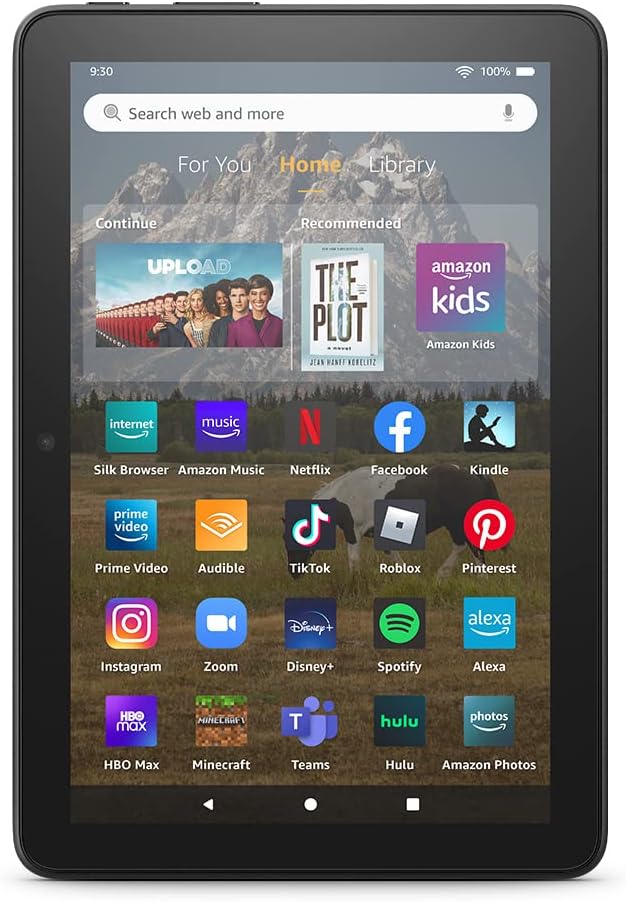
Image: The Fire HD 8 home screen, showing the intuitive Fire OS interface with quick access to apps and content.
The Fire HD 8 runs on Fire OS, providing a user-friendly interface. Swipe down from the top of the screen to access quick settings and notifications. The home screen features a "For You" section with personalized content, a "Home" tab for your apps, and a "Library" tab for quick access to recently viewed content like Kindle books or webсајтовима.
Entertainment and Apps
Stream or download your favorite shows and movies from services like Prime Video, Netflix, Disney+, and HBO. Access a wide range of apps through Amazon's Appstore, including Facebook, Hulu, Instagram, and TikTok. Note that Google Play is not supported, and some apps may require a subscription.
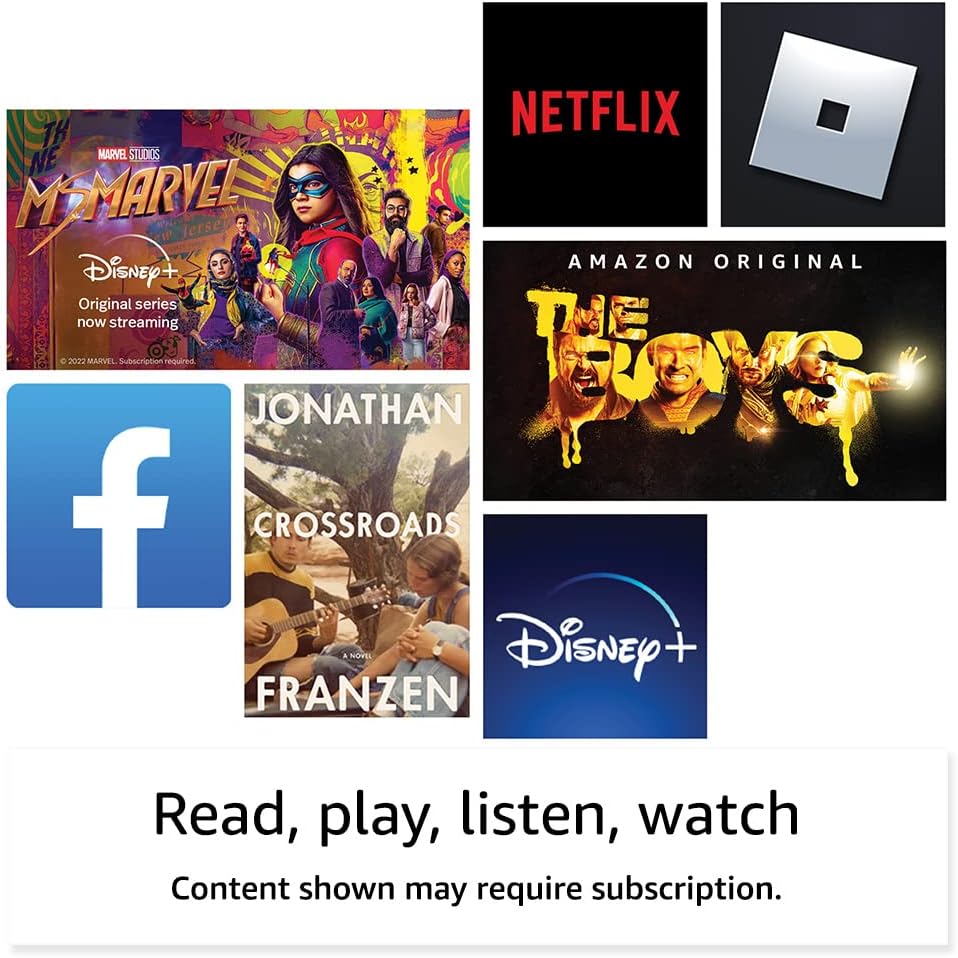
Слика: прamples of popular streaming services and content accessible on the Fire HD 8 tablet.
Reading and Audio
Enjoy reading e-books with the vibrant 8-inch HD display. The tablet also features integrated speakers and a 3.5 mm stereo jack for audio. You can listen to music, podcasts, and Audible books.

Image: The Fire HD 8 tablet is ideal for reading e-books anywhere.

Image: Using Alexa to control audio playback on the Fire HD 8 tablet.
Алека Интегратион
Your Fire HD 8 tablet comes with Alexa built-in. Ask Alexa to play music, get news and weather updates, manage shopping lists, set reminders, and control smart home devices. You can also make video calls to friends and family using apps like Zoom.
Parental Controls with Amazon Kids
Amazon Kids offers easy-to-use parental controls, allowing you to manage content access and screen time. Subscribe to Amazon Kids+ for access to thousands of curated books, apps, games, videos, and Audible books suitable for children.

Image: The Fire HD 8 tablet is suitable for family use, especially with Amazon Kids features.
Одржавање
Чишћење таблета
To clean your Fire HD 8 tablet, use a soft, lint-free cloth. For stubborn smudges, slightly dampen the cloth with water. Avoid using abrasive cleaners, solvents, or aerosol sprays directly on the device.
Баттери Царе
The tablet offers up to 13 hours of battery life for mixed use. To prolong battery lifespan, avoid extreme temperatures and fully discharging the battery frequently. Charge the device using the provided adapter or a compatible USB-C charger.
Управљање складиштем
Your Fire HD 8 comes with either 32 GB or 64 GB of internal storage. You can expand storage up to 1 TB using a microSD card. Regularly review и обришите непотребне files or apps to optimize performance. Some apps may require installation on internal storage.
Решавање проблема
Уобичајени проблеми и решења
| Иссуе | Решење |
|---|---|
| Уређај се не укључује | Ensure the tablet is fully charged. Press and hold the power button for 20-30 seconds to perform a hard reset. |
| Проблеми са Ви-Фи везом | Проверите да ли је Wi-Fi омогућен у подешавањима. Рестартујте рутер и таблет. Заборавите мрежу и поново се повежите. |
| Апликације се руше или замрзавају | Close and reopen the app. Clear the app's cache in settings. Restart the tablet. Ensure sufficient storage space. |
| Споро перформансе | Close unused apps. Clear cache and data for frequently used apps. Free up internal storage. Restart the device regularly. |
За детаљније решавање проблема или упорне проблеме, посетите подршку за уређаје Amazon webсајт или контактирајте корисничку службу Амазона.
Спецификације

Image: Size comparison of various Amazon Fire tablet models, including the Fire HD 8.
| Феатуре | Детаљ |
|---|---|
| Дисплаи | 8” high-definition touchscreen; 1280 x 800 resolution at 189 ppi, HD video playback, with IPS technology |
| Величина | 7.94” x 5.40” x 0.37” (201.90mm x 137.34 mm x 9.60 mm) |
| Тежина | 11.88 унце (337 грама) |
| ЦПУ & РАМ | Hexa-core 2.0 GHz with 2 GB of RAM |
| Складиштење | 32 GB or 64 GB internal storage; microSD slot for up to 1 TB additional storage |
| Трајање батерије | До 13 сати мешовите употребе |
| Време пуњења | Under 5 hours (5W adapter); Under 3 hours (9W adapter); Under 2.5 hours (15W adapter) |
| Ви-Фи повезивање | Dual-band 802.11a/b/g/n/ac (Wi-Fi 6 not supported) |
| Портс | USB-C (2.0) connector, microSD slot |
| Аудио | 3.5 mm stereo jack, integrated speakers |
| камере | 2 MP front-facing, 2 MP rear-facing with 720p HD video recording |
| Блуетоотх | Уграђени Блуетоотх 5.2 |
| Генератион | 12. генерација - издање 2022. |
Функције приступачности
The Fire HD 8 tablet includes various accessibility features to personalize the device for different needs. These can be found under Подешавања → Приступачност.
- ГласView screen reader: Омогућава приступ корисницима који су слепи или слабовиди.
- Увећавач екрана: Allows users to zoom in/out and pan around the screen.
- Додирните за Алексу: Provides access to Alexa via touch through on-screen tiles or a keyboard, including saving favorite actions.
- Приступ прекидачем: Enables access for users with motor impairments via compatible Bluetooth devices.
- Киндл Читање наглас: Алекса може да чита ваше Киндл књиге наглас.
- Additional features include settings for Closed Captioning, Font Size, Display Size, High Contrast Text, Color Inversion, Color Correction, and Convert Stereo to Mono audio.
Гаранција и подршка
Информације о гаранцији
Your Fire HD 8 tablet comes with a 90-day limited warranty and service. Optional 1-year, 2-year, and 3-year extended warranties are available for U.S. customers and are sold separately. Use of the Fire HD 8 tablet is subject to Amazon's Conditions of Use and related terms.
Безбедносна ажурирања софтвера
This device receives guaranteed software security updates for at least four years after it is last available for purchase as a new unit on Amazon webсајтови. За информације специфичне за ваш уређај посетите Управљајте својим садржајем и уређајима.
Корисничка подршка
За додатну помоћ, посетите подршку за Амазон website or contact Amazon customer service directly. You can find more information and support resources at амазон.цом/девицесуппорт.
Ask a question about this manual
Ask about setup, troubleshooting, compatibility, parts, safety, or missing instructions. Manuals+ will review the question and use this page’s manual context to help answer it.