
Увод
The Macally BTBLZKEYSG is a full-size backlit Bluetooth keyboard designed specifically for Mac and iOS devices. It features a MacOS-specific layout with 107 scissor-switch keys and 14 convenient shortcuts, enhancing workflow and productivity. This keyboard allows seamless pairing and switching between up to three Bluetooth-enabled devices, including MacBooks, iMacs, iPhones, and iPads. The integrated white LED backlighting offers three adjustable brightness levels for comfortable typing in various lighting conditions. Powered by a built-in 1500mAh rechargeable battery, it provides extended usage time between charges.
Садржај пакета
- Macally BTBLZKEYSG Backlit Bluetooth Keyboard
- УСБ-Ц кабл за пуњење
- Упутство за употребу
Карактеристике производа
- Тастери са позадинским осветљењем: Crisp white LEDs with 3 brightness levels for typing in low-light environments. Backlight can be turned off.
- MacOS Specific Layout: 107 scissor-switch keys with 14 macOS shortcuts for familiar and efficient use.
- Multi-Device Bluetooth: Easily pair and switch between up to 3 Bluetooth-enabled devices (Mac, iPhone, iPad) within a 30 ft wireless range.
- Пуњива батерија: Built-in 1500mAh battery provides 1 to 4 weeks of runtime with backlighting on. USB-C charging cable included.
- Slim and Comfortable Design: Only 0.87 inches thin with an integrated kickstand for ergonomic typing.
Сетуп
1. Пуњење тастатуре
Before initial use, fully charge the keyboard. Connect the supplied USB-C charging cable to the keyboard's USB-C port and the other end to a USB power source (e.g., computer USB port, USB wall adapter). The LED indicator will show charging status.
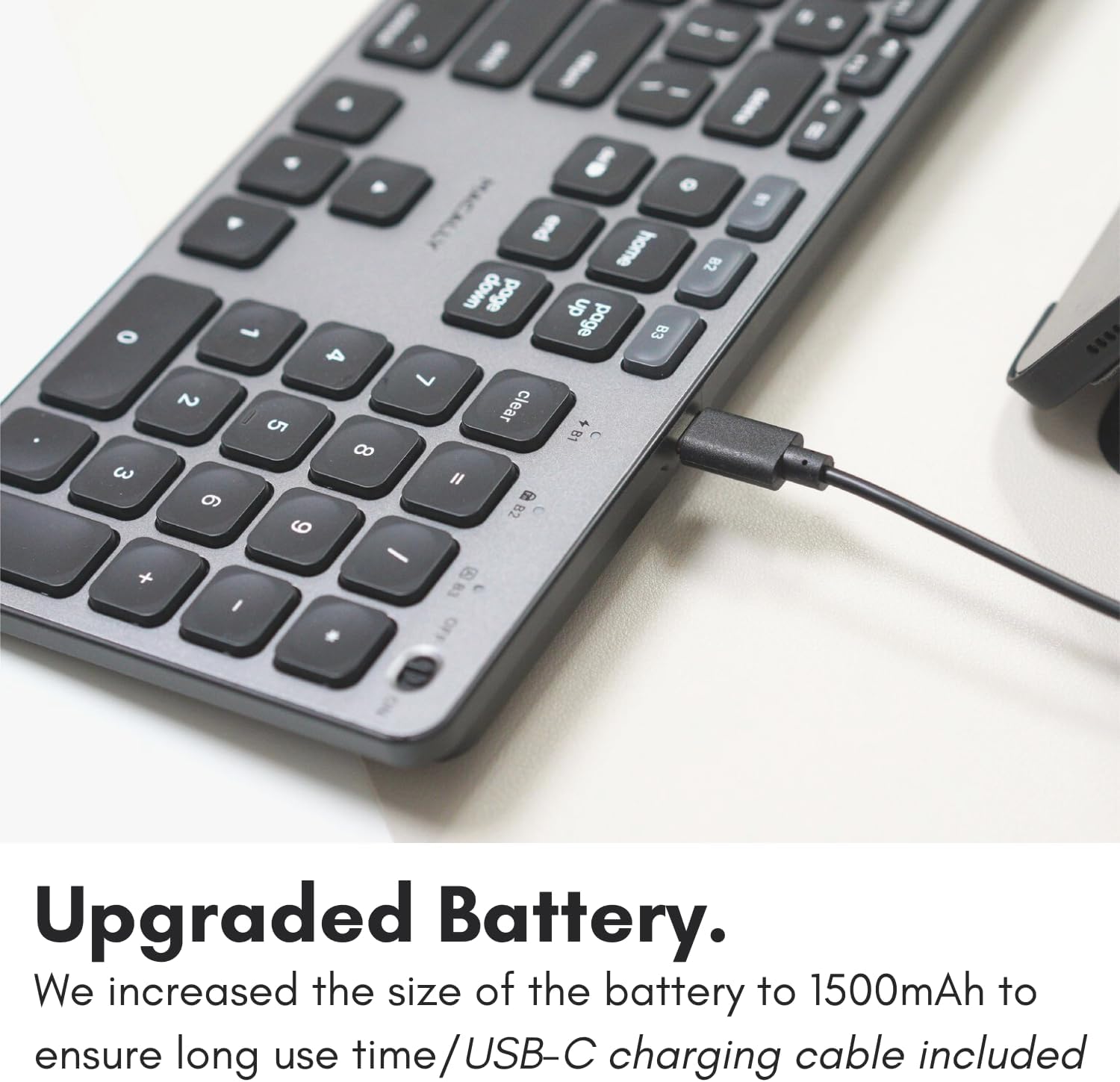
Image: The USB-C charging port on the side of the Macally BTBLZKEYSG keyboard, with the charging cable inserted.
2. Укључивање
Locate the power switch on the keyboard, usually on the top right edge. Slide the switch to the 'ON' position.
3. Упаривање са уређајем
- Уверите се да је тастатура укључена.
- Press and hold one of the Bluetooth pairing keys (B1, B2, or B3) for 3-5 seconds until the corresponding LED indicator above the key starts blinking rapidly. This indicates the keyboard is in pairing mode.
- On your Mac or iOS device, go to Системске поставке (или Системске поставке) > Блуетоотх.
- Look for "Macally BTBLZKEYSG" (or similar name) in the list of available devices and click/tap to connect.
- If prompted, enter the pairing code displayed on your screen using the keyboard and press Ентер.
- Once connected, the LED indicator for the selected Bluetooth channel will stop blinking and remain solid for a few seconds before turning off.

Image: The Macally BTBLZKEYSG keyboard shown with a MacBook and an iPad, illustrating its multi-device capability.
Упутство за употребу
MacOS Specific Keys and Shortcuts
The keyboard features a standard MacOS layout, including function keys (F1-F12) that double as media and system control shortcuts. Use the Fn key in combination with these keys to access their secondary functions.
- Фн + Ф1: Смањите осветљеност екрана
- Фн + Ф2: Повећајте осветљеност екрана
- Фн + Ф3: Контрола мисије
- Фн + Ф4: Лаунцхпад
- Фн + Ф7: Превиоус Трацк
- Фн + Ф8: Пусти/Паузирај
- Фн + Ф9: Нект Трацк
- Фн + Ф10: Искључи звук
- Фн + Ф11: Смањите јачину звука
- Фн + Ф12: Повећајте јачину звука
Контрола позадинског осветљења
The keyboard's backlight can be adjusted to three brightness levels or turned off completely. Use the dedicated backlight control keys, typically located near the function keys or arrow keys, to cycle through the brightness settings.

Image: The Macally BTBLZKEYSG keyboard with its white LED backlighting illuminated at different intensity levels.
Пребацивање између упарених уређаја
To switch between your paired Bluetooth devices, simply press the corresponding Bluetooth pairing key (B1, B2, or B3) that your device is connected to. The keyboard will automatically connect to the selected device.
Одржавање
Да бисте осигурали дуготрајност и оптималне перформансе ваше тастатуре, пратите ова упутства за одржавање:
- Чишћење: Користите меку крпу која не оставља длачицеampened with water or a mild cleaning solution to wipe the keyboard surface. Avoid harsh chemicals or abrasive materials.
- Уклањање прашине: Користите компримовани ваздух да уклоните прашину и остатке између тастера.
- Складиштење: When not in use for extended periods, store the keyboard in a dry, cool place.
- Избегавајте течности: Do not expose the keyboard to excessive moisture or spill liquids on it.
Решавање проблема
| Проблем | Решење |
|---|---|
| Тастатура се не укључује. | Ensure the power switch is in the 'ON' position. Charge the keyboard using the supplied USB-C cable. |
| Тастатура се не упарује са уређајем. | Ensure the keyboard is in pairing mode (LED blinking). Check your device's Bluetooth settings to ensure Bluetooth is enabled and the keyboard is visible. Try restarting both the keyboard and your device. |
| Тастатура се често искључује. | Ensure the keyboard is within the 30 ft wireless range of your device. Check for interference from other wireless devices. Ensure the keyboard battery is sufficiently charged. |
| Позадинско осветљење не ради. | Press the backlight control keys to cycle through brightness levels. Ensure the keyboard battery is charged, as low battery may disable backlighting. |
| Кључеви не реагују. | Check the Bluetooth connection. If connected, try restarting the keyboard. Ensure no debris is lodged under the keys. |
Спецификације
| Феатуре | Детаљ |
|---|---|
| Број модела | BTBLZKEYSG |
| Повезивање | Блутут, бежични |
| Компатибилни уређаји | Mac Mini / Pro Studio, iMac, Macbook Air, MacBook Pro, iPhone, iPad |
| Опис тастатуре | Backlit Keyboard for Mac |
| Посебне карактеристике | Backlit, Multi-Device Bluetooth, Rechargeable |
| Боја | Греи |
| Позадинско осветљење тастатуре | Single Color (White), 3 Brightness Levels |
| Димензије производа | 16.8 cm D x 4.6 cm Š x 0.87 cm V |
| Број кључева | 107 |
| Извор напајања | Battery Powered (1500mAh rechargeable) |
| Тип прекидача | Tactile Scissor Keys |
| Распоред тастатуре | QWERTY (MacOS) |
| Материјал | Алуминијум |
| УПЦ | 701107500362 |
Званични видео производа
Видео: Оверview of the Macally Backlit Bluetooth Keyboard for Mac & iOS, highlighting its features and compatibility.
Гаранција и подршка
The Macally BTBLZKEYSG Backlit Bluetooth Keyboard comes with a warranty of up to two years. For technical support, warranty claims, or further assistance, please visit the official Macally webсајту или се обратите њиховом одељењу за корисничку подршку.