
Увод
Thank you for choosing the Bytech BYMSWR104BK 3 Button Gaming Mouse. This manual provides essential information for setting up, operating, and maintaining your new gaming mouse. Please read this manual thoroughly before use to ensure optimal performance and longevity of your device.
Карактеристике
- Precision Mouse: Designed for accurate tracking and responsive control.
- Подесиви ДПИ: Customize sensitivity for various gaming and productivity needs.
- Three Responsive Buttons: Includes left-click, right-click, and scroll wheel/middle-click for efficient operation.
- Colorful Backlight: Features multi-color LED lighting with 7 distinct color modes for an enhanced aesthetic experience.
- Ергономски дизајн: Shaped to fit comfortably in your palm, reducing fatigue during extended use.
Спецификације
| Бранд | Битецх |
| Број модела | BYMSWR104BK |
| Број дугмади | 3 |
| Резолуција покрета | 1,000 ДПИ |
| Режими боја | 7 Colors (Multi-color Backlight) |
| Цабле Ленгтх | 5 стопа |
| Свитцх Ратинг | 1 милиона кликова |
| Тежина артикла | 4.9 унци |
| Димензије пакета | 7.17 к 4.06 к 2.68 инча |
| Боја | Црно |
| Извор напајања | Електрични са каблом (УСБ) |
| Хардверска платформа | PC |
Садржај пакета
- 1 x Bytech BYMSWR104BK Wired Gaming Mouse
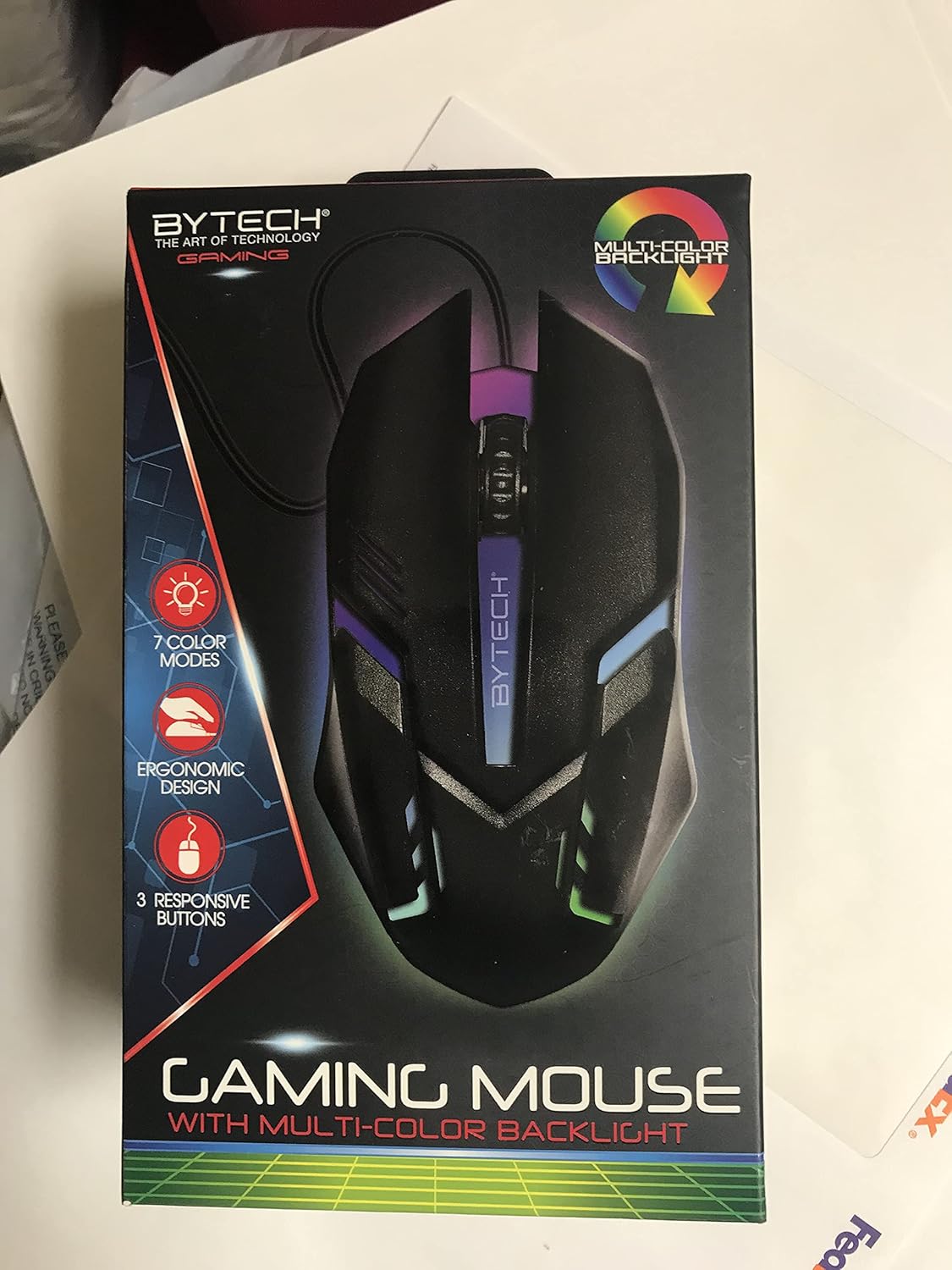
Слика: Фронт view of the Bytech BYMSWR104BK Gaming Mouse in its retail packaging, highlighting its multi-color backlight and ergonomic design.
Сетуп
- Raspakujte: Carefully remove the gaming mouse from its packaging.
- Повежите се: Locate an available USB port on your computer (PC, laptop, etc.). Insert the USB connector of the Bytech BYMSWR104BK Gaming Mouse firmly into the USB port.
- Инсталација драјвера: The mouse is plug-and-play. Your operating system should automatically detect and install the necessary drivers. This process may take a few moments.
- Спремно за употребу: Once the drivers are installed, the mouse will be ready for immediate use. The multi-color backlight will illuminate.

Слика: Позади view of the Bytech BYMSWR104BK Gaming Mouse retail packaging, detailing features, specifications, and universal compatibility.
Упутство за употребу
Основна операција
- Лево дугме: Примарна функција клика, обично се користи за одабир ставки, отварање files, or interacting with software.
- Десно дугме: Функција секундарног клика, обично отвара контекстне меније или пружа додатне опције.
- Точкић за скроловање (средње дугме): Померајте се горе или доле да бисте се кретали по документима и web pages. Pressing the scroll wheel acts as a middle-click button, often used for opening links in new tabs or auto-scrolling.
ДПИ Адјустмент
The Bytech BYMSWR104BK Gaming Mouse features adjustable DPI settings. While specific buttons for DPI adjustment are not explicitly listed on the packaging, many gaming mice allow DPI changes through a dedicated button (often located near the scroll wheel) or through software. Refer to your computer's mouse settings or Bytech's official website for advanced customization options if available.
ЛЕД позадинско осветљење
The mouse features a dynamic multi-color LED backlight with 7 different color modes. These lights will automatically cycle through the modes once the mouse is connected and powered on. There is no manual control for changing modes on the mouse itself.
Одржавање
- Чишћење: Користите меку, суву крпу да обришете површину миша. За тврдокорну прљавштину, благо обришитеampОбришите крпу водом или благим раствором за чишћење. Избегавајте употребу јаких хемикалија или абразивних материјала.
- Брига о сензорима: Одржавајте оптички сензор на дну миша чистим и без прашине или прљавштине како бисте осигурали прецизно праћење.
- Управљање кабловима: Избегавајте оштра савијања или прекомерно повлачење USB кабла како бисте спречили оштећења.
- Складиштење: Када се не користи, чувајте миш на чистом и сувом месту, даље од екстремних температура.

Слика: Са стране view of the Bytech BYMSWR104BK Gaming Mouse retail packaging, showcasing the multi-color backlight effect.
Решавање проблема
| Проблем | Могуће решење |
|---|---|
| Миш не реагује |
|
| Курсор је неправилан или се не креће глатко |
|
| ЛЕД позадинско осветљење не ради |
|
Гаранција и подршка
гаранција: This Bytech product comes with a 12-month warranty from the date of purchase. Please retain your proof of purchase for warranty claims.
Контакт информације:
- Адреса: 2585 West 13th Street, Brooklyn, NY 11223, USA
- Webсајт: ввв.битецхинтл.цом
⚠ УПОЗОРЕЊЕ: Овај производ вас може изложити хемикалијама, укључујући ДЕХП, за који је у држави Калифорнија познато да изазива рак, урођене дефекте или другу репродуктивну штету. За више информација идите на ввв.П65Варнингс.ца.гов.

Слика: Доња страна view of the Bytech BYMSWR104BK Gaming Mouse retail packaging, showing contact information, warranty details, and California Proposition 65 warning.