
1. Увод
Хвала вам на куповиниasing the BYTECH BYMCLB116BK Projector Decor Light-Rainbow. This device is designed to project vibrant rainbow light effects, enhancing room ambiance and providing unique lighting for creative photography. Please read this manual thoroughly before use to ensure proper operation and maintenance.

Image 1.1: The BYTECH BYMCLB116BK Projector Decor Light-Rainbow packaging, highlighting its key features including rainbow glow, secure stabilization, 360-degree rotation and tilt, and USB connectivity.
2. Безбедносне информације
- Држите уређај даље од воде и влаге.
- Не излажите уређај екстремним температурама или директној сунчевој светлости.
- Избегавајте испуштање или излагање уређаја јаким ударима.
- Не покушавајте сами да растављате или поправљате уређај. Све сервисирање препустите квалификованом особљу.
- Use only the provided USB cable or a certified equivalent for power.
- Уверите се да је уређај постављен на стабилну, равну површину како бисте спречили превртање.
- Чувати ван домашаја деце и кућних љубимаца.
3. Садржај пакета
Пажљиво проверите садржај пакета. Ако неке ставке недостају или су оштећене, обратите се продавцу.
- 1 x BYTECH BYMCLB116BK Projector Decor Light-Rainbow
- 1 x USB Power Cable (with wired remote control)
- 1 к Упутство за употребу
4. Подешавање
- Raspakujte: Carefully remove the Projector Decor Light from its packaging.
- Пласман: Place the projector on a stable, flat surface. Consider the desired projection area and distance from the wall or ceiling for optimal effect. The device features 360-degree rotation and tilt for flexible positioning.
- Прикључите напајање: Insert the small end of the USB power cable into the USB port on the projector. Connect the larger end of the USB cable to a standard USB power adapter (not included) or a powered USB port (e.g., on a computer or power bank).
- Secure Stabilization: Ensure the base is firmly placed to prevent accidental movement, utilizing its secure stabilization feature.
5. Упутство за употребу
The BYTECH Projector Decor Light is designed for simple operation.
- Укључивање/искључивање: Once connected to a power source, locate the wired remote control on the USB cable. Press the power button on the remote to turn the light on or off.
- Adjust Brightness/Mode: Use the other buttons on the wired remote control to cycle through different brightness levels or projection modes, if available. Refer to the remote's markings for specific functions.
- Подесите угао пројекције: Ручно подесите лamp head to rotate and tilt 360 degrees to direct the rainbow light projection to your desired area.
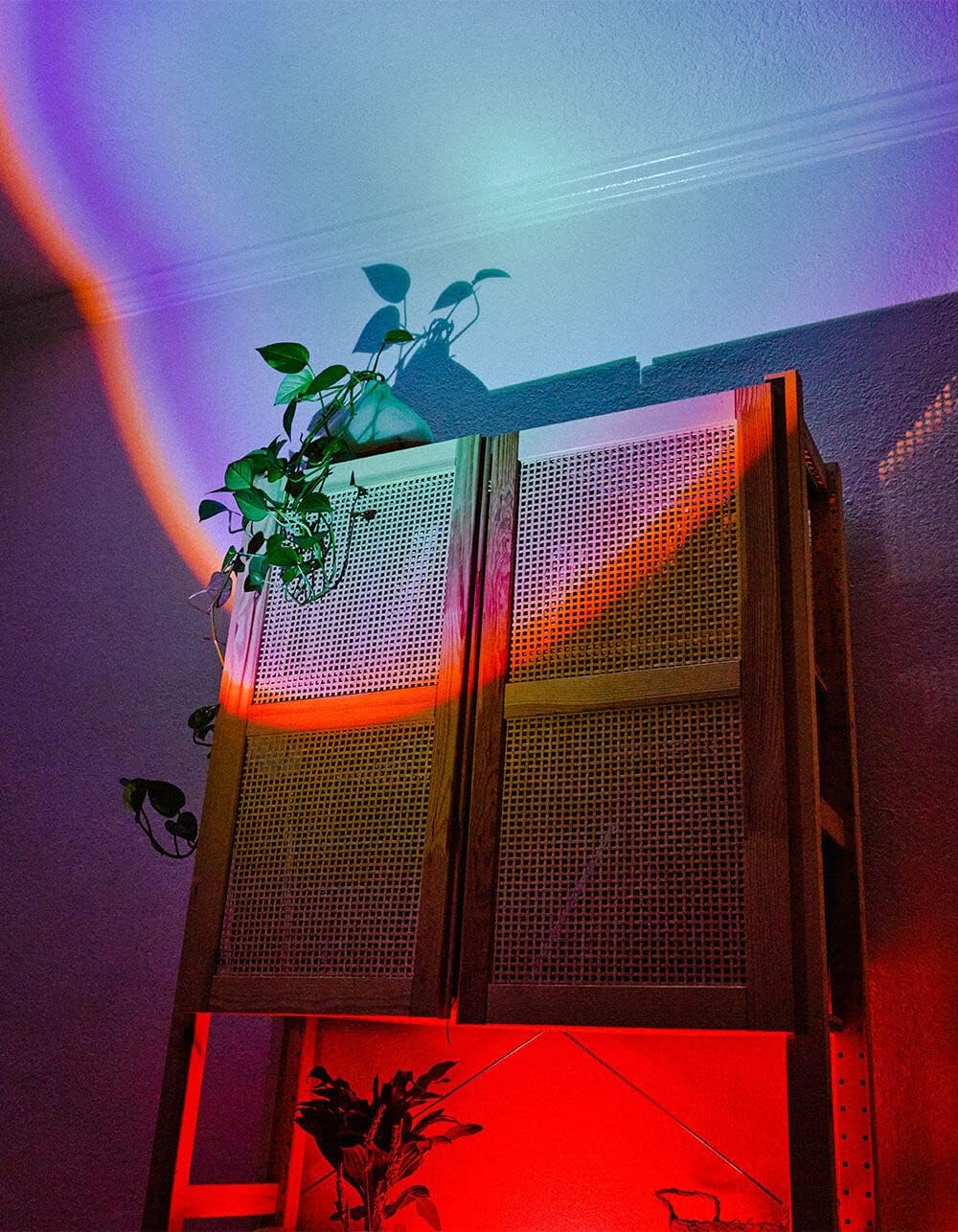
Image 5.1: The BYTECH Projector Decor Light-Rainbow in operation, casting vibrant rainbow light patterns onto a room's wall and furniture, demonstrating its ambient effect.
6. Одржавање
- Чишћење: Disconnect the power before cleaning. Use a soft, dry cloth to wipe the surface of the projector. Do not use abrasive cleaners or solvents.
- Складиштење: When not in use for extended periods, store the device in a cool, dry place, away from direct sunlight and moisture.
- Руковање: Handle the device with care to avoid damage to the lens or internal components.
КСНУМКС. Решавање проблема
| Проблем | Могући узрок | Решење |
|---|---|---|
| Уређај се не укључује. | Нема прикључка за напајање или је кабл неисправан. | Ensure the USB cable is securely connected to both the projector and a powered USB port/adapter. Try a different USB port or adapter. |
| Светлост је пригушена или трепери. | Insufficient power supply or dirty lens. | Ensure the power source provides adequate power. Clean the projector lens gently with a soft, dry cloth. |
| Пројекција је мутна. | Објектив је прљав. | Gently clean the projector lens with a soft, dry cloth. |
8. Спецификације
- Модел: BYMCLB116BK
- Бренд: Битецх
- Улазна снага: USB Powered (5V DC, current not specified, typical for USB)
- Извор светлости: ЛЕД
- Тип пројекције: Rainbow Glow
- Подесивост: 360° Rotation & Tilt
- Димензије пакета: 5 к 5 к 5 инча
- Тежина артикла: 1 фунти
- Произвођач: БИТЕЦХ
9. Гаранција и подршка
This product is covered by a limited warranty provided by BYTECH. For specific warranty terms and conditions, please refer to the warranty card included with your purchase or visit the official BYTECH website. For technical support, troubleshooting assistance, or to inquire about replacement parts, please contact BYTECH customer service through their official channels.
Сачувајте доказ о куповини за гаранцијске захтеве.