
Anova Culinary AN900-10
Anova Precision Smart Oven User Manual
Модел: АН900-10
Увод
The Anova Precision Smart Oven is a versatile countertop appliance designed to bring professional-grade cooking capabilities to your home kitchen. It combines convection, steam, bake, broil, roast, and dehydrate functions, offering precise temperature control for a wide range of culinary tasks. This manual provides essential information for the safe and effective operation and maintenance of your Anova Precision Smart Oven.
For optimal performance and longevity, please read this manual thoroughly before first use and retain it for future reference.
Безбедносне информације
Увек се придржавајте основних мера предострожности када користите електричне уређаје како бисте смањили ризик од пожара, струјног удара и повреда особа.
- Не додирујте вруће површине. Користите ручке или дугмад.
- Да бисте се заштитили од струјног удара, немојте потапати кабл, утикаче или уређај у воду или другу течност.
- Неопходан је пажљив надзор када било који уређај користе деца или у близини деце.
- Искључите из утичнице када није у употреби и пре чишћења. Оставите да се охладе пре стављања или скидања делова.
- Немојте користити ниједан уређај са оштећеним каблом или утикачем, или након што уређај поквари или је на било који начин оштећен.
- Употреба додатака које није препоручио произвођач уређаја може изазвати повреде.
- Не користите на отвореном.
- Не дозволите да кабл виси преко ивице стола или пулта, нити да додирује вруће површине.
- Не стављајте на или близу врућег гасног или електричног горионика, или у загрејану рерну.
- Морате бити изузетно опрезни када померате уређај који садржи врело уље или друге вруће течности.
- Немојте користити уређај за другу употребу осим за предвиђену.
Цомпонентс Оверview
Familiarize yourself with the main components of your Anova Precision Smart Oven:
- Унутрашњост рерне: The main cooking chamber.
- Резервоар за воду: Removable tank for steam generation. Located on the side.
- Контролна табла: Digital display and knobs for setting temperature, time, and cooking modes.
- Сонда за храну: Detachable probe for precise internal temperature monitoring.
- Removable Racks: Multiple racks for various cooking needs.
- Тепсија за печење: Included pan for general baking and roasting.

Слика 1: Предња страна view of the Anova Precision Smart Oven, showing the main oven cavity, control panel, and side-mounted water tank.

Слика 2: Унутрашњост view of the Anova Precision Smart Oven, illustrating the two removable racks and the included baking pan.

Figure 3: A user demonstrating the removal of the clear water tank from the side of the Anova Precision Smart Oven for refilling or cleaning.
Сетуп
Распакивање и постављање
- Пажљиво извадите рерну и сву додатну опрему из паковања.
- Remove any protective film or packaging materials from the oven.
- Place the oven on a stable, level, heat-resistant surface with adequate clearance from walls and other appliances for ventilation. Ensure at least 4 inches of space on all sides and above the oven.
- Уверите се да је утичница лако доступна.
Почетно чишћење
- Пре прве употребе, обришите унутрашњост и спољашњост рерне адитивомamp тканина.
- Wash the removable racks, baking pan, and water tank with warm, soapy water. Rinse thoroughly and dry completely.
Припрема резервоара за воду
- Remove the water tank from its housing on the side of the oven.
- Fill the water tank with distilled water. Do not use tap water as it can lead to mineral buildup.
- Securely reinsert the water tank into its housing until it clicks into place.
Повер Цоннецтион
Plug the oven into a grounded electrical outlet. The display will illuminate, indicating the oven is ready for use.
Упутство за употребу
Контролна табла је завршенаview
The Anova Precision Smart Oven features an intuitive control panel with a digital display and rotary knobs for setting cooking parameters. The display shows temperature, time, and current cooking mode.
Connecting to the Anova App
For enhanced control and access to a recipe library, download the Anova Oven app on your smartphone. Follow the in-app instructions to connect your oven via Wi-Fi.
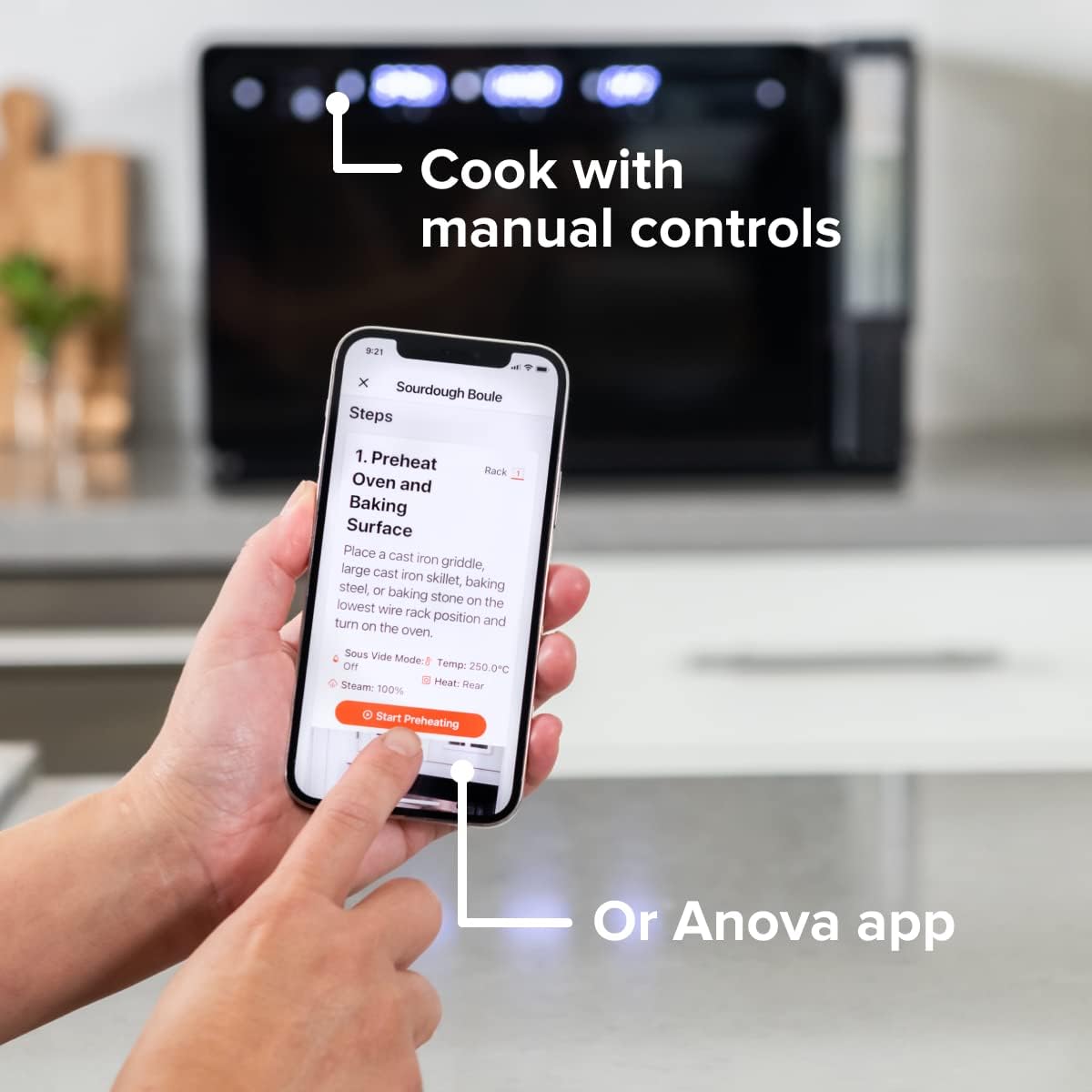
Figure 4: A user interacting with the Anova app on a smartphone, demonstrating remote control capabilities for the oven.
Basic Cooking Modes
The oven offers several cooking modes:
- Конвекција: Uses a fan to circulate hot air for even cooking and browning.
- Стеам: Injects steam into the oven cavity, ideal for baking bread, steaming vegetables, or sous vide style cooking.
- Combi (Convection + Steam): Combines hot air and steam for moist interiors and crispy exteriors.
- Печење/печење: Standard oven functions for baking and roasting.
- Броил: High heat from the top element for searing and browning.
- Дехидрат: Low heat and fan circulation for drying foods.
Setting a Program (Manual Control)
- Turn the mode knob to select your desired cooking mode.
- Adjust the temperature using the temperature knob.
- Подесите време кувања помоћу дугмета за време.
- Притисните дугме Старт/Пауза да бисте започели кување.
- To use the food probe, insert it into the thickest part of your food before starting. The oven will cook until the target internal temperature is reached.
Соус Виде Моде
The Anova Precision Oven can achieve sous vide style results without a water bath. Use the steam function and the food probe to cook food to a precise internal temperature, ensuring tenderness and juiciness.
Steam Injection for Baking
For perfect breads with crispy crusts and soft interiors, utilize the steam injection feature. Ensure the water tank is filled before starting a steam-assisted baking program.

Figure 5: Two loaves of freshly baked bread, showcasing the results of steam injection for a perfect crust and crumb. The Anova Precision Smart Oven is visible in the background.
Одржавање и чишћење
Regular cleaning and maintenance will ensure the longevity and optimal performance of your Anova Precision Smart Oven.
Дневно чишћење
- After each use, allow the oven to cool completely.
- Обришите унутрашње и спољашње површине огласомamp крпу и благи детерџент. Избегавајте абразивна средства за чишћење или жичане сунђере.
- Remove and clean the racks and baking pan with warm, soapy water.
- Empty and rinse the water tank after each use, especially if using steam functions. Allow it to air dry before reinserting.
Descaling (Steam Function Users)
If you frequently use the steam function, mineral buildup may occur. The oven may indicate when descaling is needed. Refer to the Anova app or online resources for detailed descaling instructions using a descaling solution.
Складиштење
When not in use for extended periods, ensure the oven is clean and dry. Store it in a cool, dry place.
Решавање проблема
This section addresses common issues you might encounter with your Anova Precision Smart Oven.
| Проблем | Могући узрок | Решење |
|---|---|---|
| Рерна се не укључује. | Није укључено; струја је искљученаtagе; прекидач је искључен. | Уверите се да је рерна безбедно прикључена у исправну утичницу. Проверите кућни осигурач. |
| Није произведена пара. | Water tank empty or not properly seated; mineral buildup. | Fill water tank with distilled water and ensure it is correctly inserted. Perform descaling if necessary. |
| Храна се не кува равномерно. | Improper rack placement; overcrowding; fan obstruction. | Refer to recipe for recommended rack position. Avoid overcrowding the oven. Ensure nothing obstructs the convection fan. |
| Проблеми са Wi-Fi везом. | Incorrect Wi-Fi password; router too far; network interference. | Double-check Wi-Fi password. Move oven closer to router or use a Wi-Fi extender. Restart oven and router. |
If the problem persists after attempting these solutions, please contact Anova Customer Support.
Спецификације
- Бренд: Анова Цулинари
- Назив модела: Прецизна пећница
- Број модела ставке: АНКСНУМКС-КСНУМКС
- Димензије производа: 18"Д к 22"Ш к 14"В
- Тежина артикла: 59 фунти
- Боја: Црно
- Тип контроле: Кноб
- Извор напајања: Електрични
- Укључене компоненте: Water tank, pan, temp probe
- Посебна карактеристика: Програмабилно
Гаранција и подршка
The Anova Precision Smart Oven comes with a manufacturer's warranty. Please refer to the warranty card included with your product or visit the official Anova Culinary webсајт за детаљне услове гаранције.
For technical support, troubleshooting assistance, or to inquire about replacement parts, please contact Anova Customer Support:
- Подршка на мрежи: Посетите Anova Culinary Store on Amazon или њихов службеник webсајту.
- Упутство за употребу (PDF): Свеобухватни водич за кориснике доступан је за преузимање на овај линк.

Figure 6: The Anova Precision Smart Oven integrated with a smart home assistant (Alexa), demonstrating its connectivity features.
Ask a question about this manual
Ask about setup, troubleshooting, compatibility, parts, safety, or missing instructions. Manuals+ will review the question and use this page’s manual context to help answer it.