
1. Увод
Thank you for choosing the ELEHOT-Store HZ-9457F Portable Bluetooth Speaker. This speaker combines high-quality audio with dynamic LED lighting, offering a versatile listening experience. It features Bluetooth connectivity, True Wireless Stereo (TWS) pairing, and multiple playback options including TF/SD card, USB drive, and AUX input. This manual provides detailed instructions for setup, operation, and maintenance to ensure optimal performance.

Image 1.1: ELEHOT-Store HZ-9457F Portable Bluetooth Speaker
The ELEHOT-Store HZ-9457F is designed for portability and ease of use, making it suitable for various environments, from home use to outdoor gatherings. Its robust design and multi-functional capabilities ensure your music is always with you.

Image 1.2: Speaker demonstrating portability
2. Садржај пакета
Молимо вас да проверите пакет за следеће ставке:
- ELEHOT-Store HZ-9457F Portable Bluetooth Speaker
- УСБ кабл за пуњење
- Упутство за употребу
3. Производ је готовview
Familiarize yourself with the speaker's components and controls:

Image 3.1: Speaker Ports and Controls
3.1. Control Buttons and Ports
- Дугме за напајање (M): Long press to power on/off. Short press to switch modes (Bluetooth, TF/SD, USB, AUX).
- Дугме за репродукцију/паузирање (►||): Play or pause music. Answer/end calls.
- Утишавање звука (-) / претходна нумера: Short press for previous track. Long press to decrease volume.
- Јачина звука (+) / следећа нумера: Short press for next track. Long press to increase volume.
- Light Mode Button (☀): Short press to cycle through LED light modes.
- УСБ порт: For USB drive playback.
- Микро УСБ порт: За пуњење звучника.
- Утор за ТФ/СД картицу: For TF/SD card playback.
- АУКС улаз: За жично повезивање звука.
4. Подешавање
4.1. Пуњење звучника
Before first use, fully charge the speaker. Connect the supplied USB charging cable to the Micro USB port on the speaker and the other end to a USB power adapter (not included) or a computer's USB port. The LED indicator will show charging status (specific indicator behavior may vary by unit, refer to product packaging if available).
4.2. Укључивање/искључивање
- Да се укључи: Long press the Power button (M) until you hear an audible prompt or the LED lights illuminate.
- За искључивање: Long press the Power button (M) again until the speaker powers down.
5. Упутство за употребу
5.1. Блуетоотх упаривање
- Ensure the speaker is powered on and in Bluetooth mode. If not, short press the Power button (M) to cycle modes until you hear a Bluetooth pairing prompt.
- Омогућите Блуетоотх на свом уређају (паметном телефону, таблету, рачунару).
- Тражи available Bluetooth devices and select "HZ-9457F" from the list.
- Once paired, you will hear a confirmation sound, and the speaker's LED indicator will typically show a steady blue light.
- Звучник ће аутоматски покушати да се поново повеже са последњим упареним уређајем када се укључи.
5.2. Упаривање са правим бежичним стерео (TWS) системом
To achieve a more immersive stereo sound, you can pair two HZ-9457F speakers together:
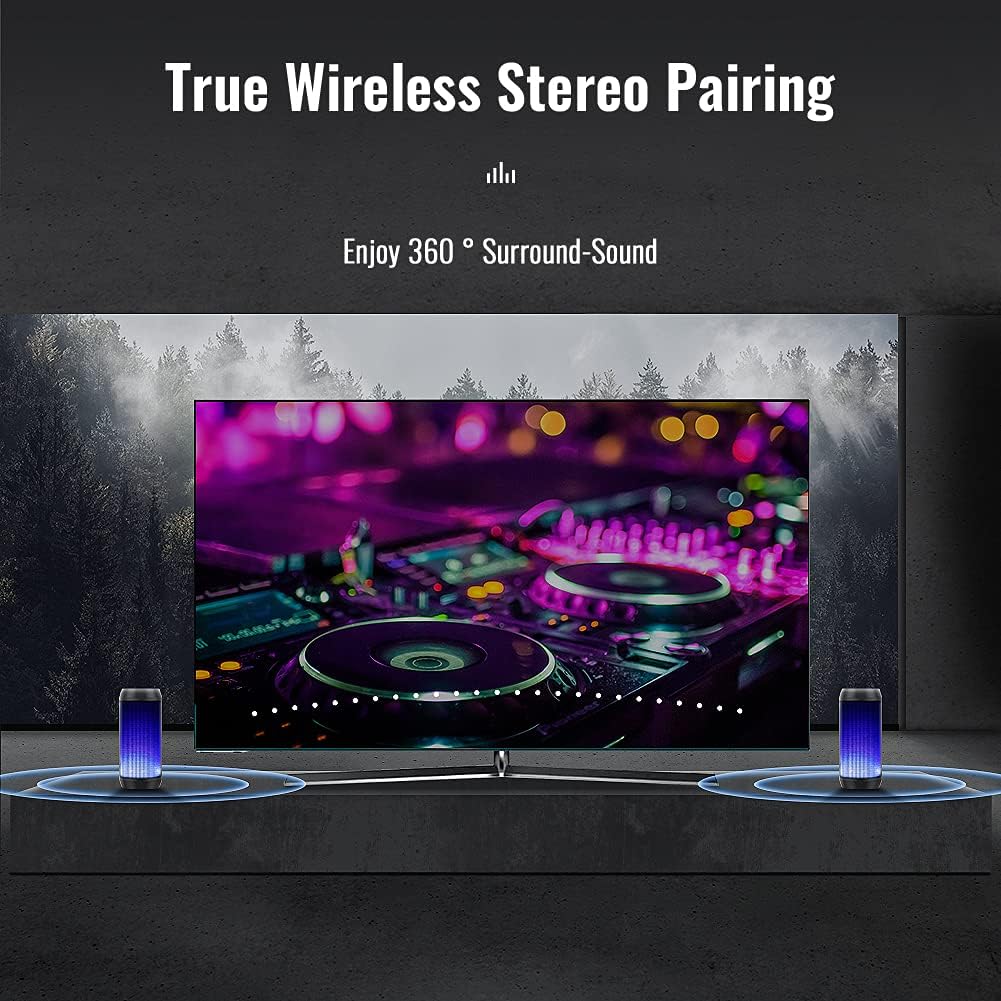
Image 5.1: True Wireless Stereo Pairing
- Ensure both HZ-9457F speakers are powered on and in Bluetooth pairing mode (not yet connected to any device).
- On one of the speakers (this will become the master speaker), long press the Play/Pause button (►||) for approximately 3-5 seconds until you hear a pairing tone.
- The two speakers will automatically connect to each other. You will hear a confirmation sound once TWS pairing is successful.
- Now, connect your device to the master speaker via Bluetooth as described in section 5.1. The device will only show one "HZ-9457F" to connect to.
- Оба звучника ће сада репродуковати звук у стерео режиму.
5.3. Репродукција музике
- Блуетоотх мод: After successful pairing, play music from your connected device.
- Режим ТФ/СД картице: Insert a TF/SD card (up to 32GB, FAT32 format) into the TF/SD card slot. The speaker will automatically switch to TF/SD card mode and begin playback. (Note: Insert the card after powering on the speaker for proper recognition).
- Режим УСБ диска: Insert a USB drive (up to 32GB, FAT32 format) into the USB port. The speaker will automatically switch to USB mode and begin playback. (Note: Insert the drive after powering on the speaker for proper recognition).
- АУКС-ин режим: Connect an audio device to the AUX-in port using a 3.5mm audio cable (not included). Short press the Power button (M) to switch to AUX mode.
5.4. Хандс-фрее позивање
When connected via Bluetooth to your smartphone, the speaker can be used for hands-free calls:
- Одговори на позив: Short press the Play/Pause button (►||).
- Заврши позив: Short press the Play/Pause button (►||) during a call.
- Одбаци позив: Long press the Play/Pause button (►||) when an incoming call rings.
5.5. Режими ЛЕД светла
The speaker features dynamic LED lighting with multiple modes:

Image 5.2: Various LED Light Modes
- Short press the Light Mode button (☀) to cycle through the available light modes.
- Modes include various single colors (e.g., blue, red, green, orange), multi-color gradients, and a mode where lights react to the rhythm of the music.
- Да бисте искључили светла, наставите да притискате дугме за режим светла док се светла не угасе.

Image 5.3: Lights reacting to music rhythm
5.6. Контрола јачине звука и нумере
- Волуме Уп: Long press the Volume Up (+) button.
- Утишавање звука: Long press the Volume Down (-) button.
- Нект Трацк: Short press the Volume Up (+) button.
- Превиоус Трацк: Short press the Volume Down (-) button.
6. Одржавање
- Чишћење: Use a soft, dry cloth to clean the speaker's surface. Do not use abrasive cleaners or solvents.
- СкладиштењеЗвучник чувајте на хладном и сувом месту, даље од директне сунчеве светлости и екстремних температура.
- Баттери ЦареДа бисте продужили век трајања батерије, редовно пуните звучник, чак и ако га не користите дуже време. Избегавајте често потпуно пражњење батерије.
- Отпорност на воду: While the product may offer some resistance to splashes, it is not fully waterproof. Avoid submerging the speaker in water or exposing it to heavy rain.
КСНУМКС. Решавање проблема
| Проблем | Могући узрок | Решење |
|---|---|---|
| Звучник се не укључује. | Ниска батерија. | Потпуно напуните звучник. |
| Није могуће упаривање преко Bluetooth-а. | Звучник није у режиму упаривања; Bluetooth је онемогућен на уређају; уређај је предалеко. | Ensure speaker is in Bluetooth mode. Enable Bluetooth on your device. Move device closer to speaker (within 10 meters). |
| Нема звука. | Јачина звука је прениска; погрешан режим; уређај не репродукује. | Increase speaker and device volume. Ensure correct playback mode (Bluetooth, TF/SD, USB, AUX). Check if music is playing on the source device. |
| TF/SD card or USB drive not recognized. | Card/drive inserted before power on; incorrect format; corrupted files. | Power on speaker first, then insert card/drive. Ensure card/drive is FAT32 format. Try with another card/drive. |
| Упаривање TWS-а не успева. | Speakers already connected to a device; incorrect pairing procedure. | Ensure both speakers are disconnected from any device. Follow TWS pairing steps carefully (Section 5.2). |
8. Спецификације
| Феатуре | Детаљ |
|---|---|
| Бранд | ELEHOT-Store |
| Назив модела | HZ-9457F |
| Технологија повезивања | Блуетоотх |
| Бежична комуникациона технологија | Блуетоотх |
| Посебне карактеристике | Bluetooth, LED Lights |
| Препоручена употреба | For computer, portable audio devices |
| Компатибилни уређаји | Desktop computer, smartphones, tablets |
| Конфигурација канала сурроунд звука | 2.0 |
| Боја | Зелена |
| Укључене компоненте | Speaker, USB cable, manual |
| Димензије производа (Д к Ш к В) | 9 к 9 к 18 цм |
| Тежина артикла | 510 грама |
| Импеданса | 4 ома |
| Водоотпоран | False (Not fully waterproof) |
| Максимални домет | 10 метара |
| Контролни метод | Додирните |
| Величина звучника | 52 милиметара |
| Извор напајања | Напајање батеријама (батерија од 1 А укључена) |
| Излазна снага | 10 Ваттс |
| Максимална излазна снага звучника | 10 Ваттс |
| Фреквенцијски одзив | 200 Хз |
| Режим аудио излаза | Стерео |
| Улазни волtage | 3.7 Волтс |
| Тип монтаже | Таблетоп |
| Материјал | Пластика |
9. Безбедносне информације
- Не излажите звучник екстремним температурама, директној сунчевој светлости или високој влажности.
- Избегавајте испуштање или излагање звучника јаким ударима.
- Do not disassemble, repair, or modify the speaker yourself. Contact qualified service personnel if needed.
- Keep the speaker away from medical devices (e.g., pacemakers) as it contains magnets.
- Одложите батерију и звучник у складу са локалним прописима. Не бацајте у кућни отпад.
- Do not use the speaker while driving or cycling, as it may distract you and cause an accident.
- Слушање при високим нивоима јачине звука у дужем временском периоду може проузроковати оштећење слуха.
10. Гаранција и подршка
For warranty information and customer support, please refer to the documentation provided with your purchase or contact the ELEHOT-Store customer service directly. Please retain your proof of purchase for any warranty claims.