
1. Увод
Хвала вам на куповиниasing the PMW Mini Wireless Controller. This manual provides essential information for setting up, operating, and maintaining your controller. Please read it carefully before use and keep it for future reference.
This controller is designed for use with Nintendo Switch, Switch Lite, Switch OLED, and PC, offering a comfortable and feature-rich gaming experience.
2. Производ је готовview
2.1 Кључне карактеристике
- Cat Ear Design: Delicate and compact, suitable for women and children.
- Continuous Fire Function: Allows rapid firing without holding the button.
- Wake-up from Sleep: Press the HOME button to wake up the Switch console.
- 6-осни жироскопски сензор: Provides precise control for motion-sensing games.
- Функција вибрације: Four adjustable levels (None/Weak/Standard/Strong) for immersive feedback.
- 3.5 мм прикључак за слушалице: Supports wired headphones (wired mode only).
- Батерија великог капацитета: Built-in 300mAh battery for 8-10 hours of continuous play.
- Двоструко повезивање: Supports both Bluetooth wireless and USB wired connections.
2.2 Садржај пакета
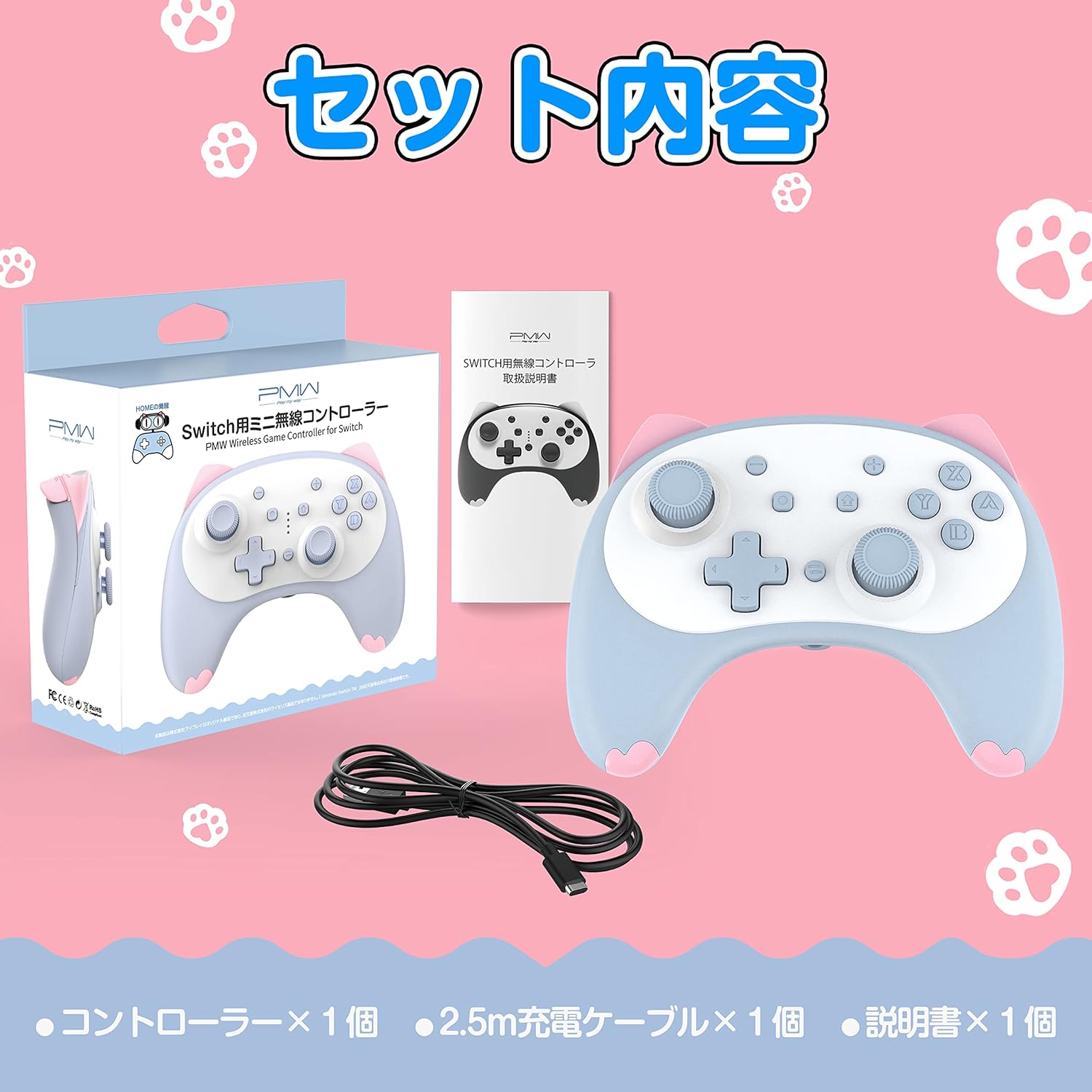
Image: Package contents showing the controller, a charging cable, and the instruction manual.
- PMW Mini Wireless Controller x 1
- 2.5m USB Type-C Charging Cable x 1
- Упутство за употребу к 1
2.3 Распоред контролера

Image: Detailed diagram illustrating the layout and names of all buttons and ports on the controller.
| бр. | Парт Наме |
|---|---|
| 1 | Лефт Стицк |
| 2 | Пад за усмерење (Д-Пад) |
| 3 | 3.5 мм прикључак за слушалице |
| 4 | Тастер за избор менија |
| 5 | Дугме за снимање |
| 6 | Турбо Буттон |
| 7 | Дугме ХОМЕ |
| 8 | Menu Select + Button |
| 9 | Десни штап |
| 10 | Action Buttons (A/B/X/Y) |
| R | Р тастер |
| L | Л дугме |
| ZR | ЗР дугме |
| ZL | ЗЛ дугме |
| Типе-Ц | Порт за пуњење типа Ц |
| Синц | Wireless Connection Button |
3. Подешавање
3.1 Wireless Connection (First Time Setup for Nintendo Switch)

Image: Visual instructions for the initial wireless pairing process with a Nintendo Switch.
- Укључите своју Нинтендо Свитч конзолу.
- У менију ХОМЕ одаберите Контролори > Промените Грип/Ред to enter the controller connection screen.
- Притисните и држите Wireless Connection Button (Sync button) on the back of the controller for 2 seconds. Release the button when the four LED indicators start flashing.
- The Switch console and controller will begin pairing. Once connected, the LED indicator on the controller will light up steadily.
3.2 Wired Connection (for Nintendo Switch and PC)
- Connect the controller to your Nintendo Switch dock or PC using the provided USB Type-C charging cable.
- Контролер ће аутоматски бити препознат и спреман за употребу.
4. Упутство за употребу
4.1 Wake-up from Sleep Mode

Image: The controller's HOME button can be used to conveniently wake up the Nintendo Switch console.
To wake up your Nintendo Switch console from sleep mode, simply press the Дугме ХОМЕ на контролору.
4.2 Continuous Fire (Turbo) Function

Image: The controller's continuous fire function, which allows for repeated button presses without constant input.
The controller features a continuous fire hold function. Once activated, it will maintain rapid firing even after you release the button. This is particularly useful for games requiring fast, repeated button presses.
4.3 6-осни жироскопски сензор

Image: The 6-axis gyro sensor enables precise motion control for characters and vehicles in compatible games.
The built-in 6-axis gyro sensor allows for precise control of in-game characters and vehicles by detecting rotations and changes in direction. This enhances the gaming experience for titles that support somatosensory actions, shooting, and aiming.
4.4 Функција вибрације
The controller includes built-in vibration motors with four adjustable levels: None, Weak, Standard, and Strong. You can customize the vibration intensity to enjoy immersive feedback during gameplay.
4.5 Headphone Jack Usage

Image: The controller's 3.5mm headphone jack in use, demonstrating that wired headphones are supported when the controller is in wired mode.
The controller is equipped with a 3.5mm headphone jack. Important Note: The headphone function is only available when the controller is connected via wired mode (USB cable).
5. Пуњење

Image: Visual representation of the controller's battery, highlighting its 8-10 hour usage time and 2-hour charging time.
- The controller has a built-in 300mAh large capacity battery.
- Потпуно пуњење траје око 2 сата.
- Once fully charged, the controller provides 8 to 10 hours of continuous use.
- To charge, connect the controller to a USB power source (e.g., Switch dock, PC, USB wall adapter) using the provided USB Type-C cable.
6. Спецификације
| Феатуре | Детаљ |
|---|---|
| Модел | Mini Wireless Controller |
| Компатибилност | Nintendo Switch, Switch Lite, Switch OLED, PC |
| Повезивање | Bluetooth (Wireless), USB Type-C (Wired) |
| Тип батерије | 1 литијум-јонска батерија (укључена) |
| Капацитет батерије | 300мАх |
| Време пуњења | Прибл. 2 сата |
| Време непрекидног коришћења | 8-10 сати |
| Димензије | 127 к 95 к 52 мм |
| Тежина | Прибл. 138г |
| Посебне карактеристике | 6-Axis Gyro, Vibration (4 levels), Continuous Fire, 3.5mm Headphone Jack (wired only) |
КСНУМКС. Решавање проблема
- Controller does not connect wirelessly:
- Ensure the Switch console is on and you are on the 'Change Grip/Order' screen.
- Press and hold the Sync button on the back of the controller for 2 seconds until LEDs flash.
- Проверите да ли је контролер напуњен.
- If issues persist, try restarting both the Switch console and the controller.
- Headphone jack not working:
- The headphone jack only functions when the controller is connected via a wired USB cable. Ensure it is in wired mode.
- Check if the headphones are properly plugged in and functional.
- Контролор не реагује:
- Проверите ниво батерије и по потреби је напуните.
- Try resetting the controller by pressing the small reset button (if available, usually a pinhole) or by turning it off and on.
- Reconnect the controller to the console/PC.
- Vibration is too strong/weak or not working:
- Adjust the vibration intensity settings on the controller or within the game/console settings.
8. Одржавање
- Држите контролер даље од екстремних температура, директне сунчеве светлости и влаге.
- Очистите контролер меком, сувом крпом. Не користите јаке хемикалије или абразивне материјале.
- Избегавајте испуштање контролера или његово излагање јаким ударцима.
- Када се контролер не користи дуже време, чувајте га на хладном и сувом месту.
9. Гаранција и подршка
Specific warranty information for this product is not available in the provided data. Please refer to the product packaging or contact the retailer/manufacturer directly for warranty details and customer support.