
Увод
Хвала вам на куповиниasing the Acctim Model 15789 Alarm Clock. This compact and versatile alarm clock features an LCD display showing time, calendar, and indoor temperature. It is designed for ease of use and portability, making it an ideal travel companion. Please read this manual carefully to ensure proper setup and operation.
Важне информације о безбедности
- Не излажите сат екстремним температурама, директној сунчевој светлости или високој влажности.
- Избегавајте испуштање сата или његово излагање јаким ударцима.
- Немојте мешати старе и нове батерије или различите типове батерија.
- Извадите батерије ако се сат неће користити дуже време како бисте спречили цурење.
- Чувати ван домашаја деце.
Садржај пакета
- Acctim Model 15789 Alarm Clock
- Кориснички приручник (овај документ)
Карактеристике производа
- Multi-function LCD display with time, calendar, and indoor temperature.
- Foldable travel case design for portability.
- Аларм са функцијом одлагања.
- Компактне димензије: 71 к 63 к 63 мм.
Сетуп
1. Инсталација батерије
The Acctim Model 15789 requires 2 x AAA batteries (not included).
- Отворите поклопац одељка за батерије који се налази на полеђини сата.
- Уметните две нове ААА батерије, водећи рачуна о исправном поларитету (+ и -) као што је назначено унутар одељка.
- Добро затворите поклопац одељка за батерије.
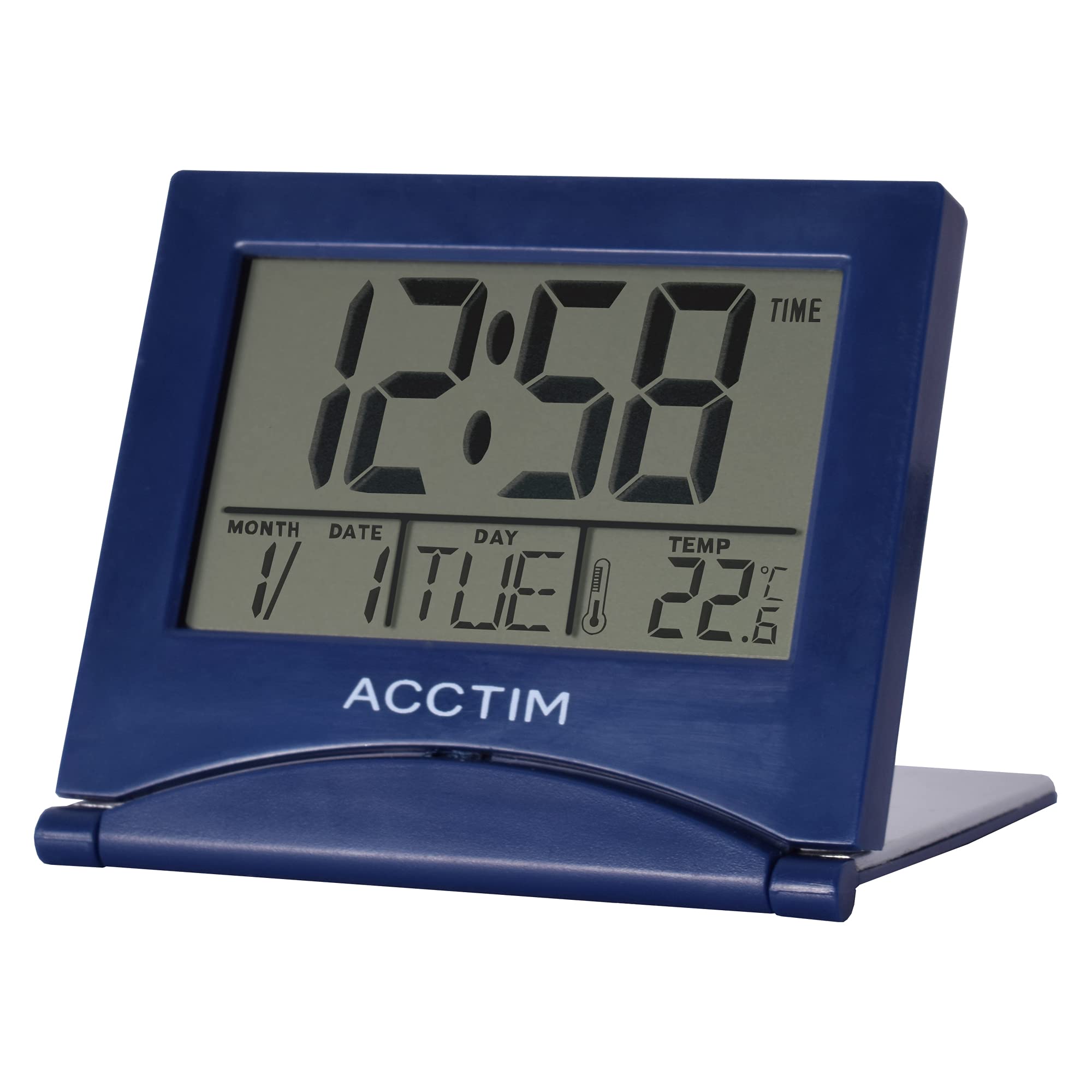
Слика: Фронт view of the Acctim Model 15789 Alarm Clock, showing the LCD screen and compact design. This image illustrates the product's appearance for reference during setup and operation.
2. Прво укључивање
Upon inserting the batteries, the clock will power on and display default time and date settings. You will need to set the current time and date.
Упутство за употребу
Familiarize yourself with the buttons on your alarm clock. Typically, these include MODE, SET, UP, DOWN, and SNOOZE/LIGHT.
1. Подешавање времена
- Притисните тастер МОДЕ button repeatedly until the time display starts flashing or you enter time setting mode.
- Користите UP or ДОВН дугмад за подешавање сата.
- Притисните СЕТ (или МОДЕ again) to confirm the hour and move to setting the minutes.
- Користите UP or ДОВН дугмад за подешавање минута.
- Притисните СЕТ (или МОДЕ again) to confirm the minutes and exit time setting mode.
2. Подешавање аларма
- Притисните тастер МОДЕ button until the alarm time is displayed (often indicated by an alarm icon).
- Притисните и држите СЕТ button until the alarm hour starts flashing.
- Користите UP or ДОВН дугмад за подешавање сата аларма.
- Притисните СЕТ to confirm the alarm hour and move to setting the alarm minutes.
- Користите UP or ДОВН дугмад за подешавање минута аларма.
- Притисните СЕТ to confirm the alarm minutes.
- Да бисте активирали или деактивирали аларм, притисните дугме UP or ДОВН button while the alarm time is displayed. An alarm icon will appear or disappear on the screen.
3. Функција одлагања
Када се огласи аларм, притисните СНООЗЕ / СВЕТЛО button to temporarily silence the alarm. The alarm will sound again after a few minutes (typically 5-10 minutes, depending on the model). To turn off the alarm completely, press any other button.
4. Calendar and Temperature Display
The clock automatically displays the current date and indoor temperature. You can cycle through different display modes (e.g., time only, time and date, time and temperature) by pressing the МОДЕ button. To set the date, enter the time setting mode and continue pressing СЕТ until the year, month, or day flashes, then adjust with UP/ДОВН.
5. Позадинско осветљење
Притисните тастер СНООЗЕ / СВЕТЛО button to activate the backlight for a few seconds, allowing you to read the display in low light conditions. Note that some models may emit a soft beep when this button is pressed.
Одржавање
- Очистите сат меком, сувом крпом. Не користите абразивна средства за чишћење или раствараче.
- Replace batteries promptly when the display dims or functions become erratic.
Решавање проблема
| Проблем | Могуће решење |
|---|---|
| Екран је туман или празан. | Replace the batteries with new AAA batteries. Ensure correct polarity. |
| Аларм се не оглашава. | Ensure the alarm is activated (alarm icon visible). Check if the alarm volume is set (if applicable) or if batteries are low. |
| Нетачно време или датум. | Follow the "Setting the Time" and "Calendar and Temperature Display" instructions to reset. |
| Дугмад не реагују. | Извадите и поново уметните батерије да бисте извршили меко ресетовање. Ако проблем и даље постоји, замените батерије. |
Спецификације
- Број модела: Acctim 15789
- Димензије: 6.3 к 7.1 к 6.3 цм (В к Ш к Д)
- Тежина: 44 г
- Извор напајања: 2 к ААА батерије (нису укључене)
- Тип приказа: ЛЦД
- Посебне карактеристике: Alarm, Temperature Indicator, Calendar Display, Foldable Design
- Материјал: Пластика
Гаранција и подршка
This Acctim product comes with a 2 година гаранције from the date of purchase. This warranty covers manufacturing defects. It does not cover damage caused by misuse, accidents, unauthorized modifications, or normal wear and tear.
For technical support or warranty claims, please contact your retailer or visit the official Acctim webсајт за информације о корисничкој служби. Молимо вас да сачувате доказ о куповини ради потврде гаранције.