
1. Производ је готовview
The NETVUE Sentry 2 is a 1080P outdoor security camera designed to provide comprehensive surveillance for your home. It features advanced functionalities such as 360° pan and 110° tilt for wide area coverage, real-time motion and human detection, two-way audio communication, and enhanced night vision capabilities. Its IP66 weatherproof rating ensures reliable performance in various outdoor conditions.
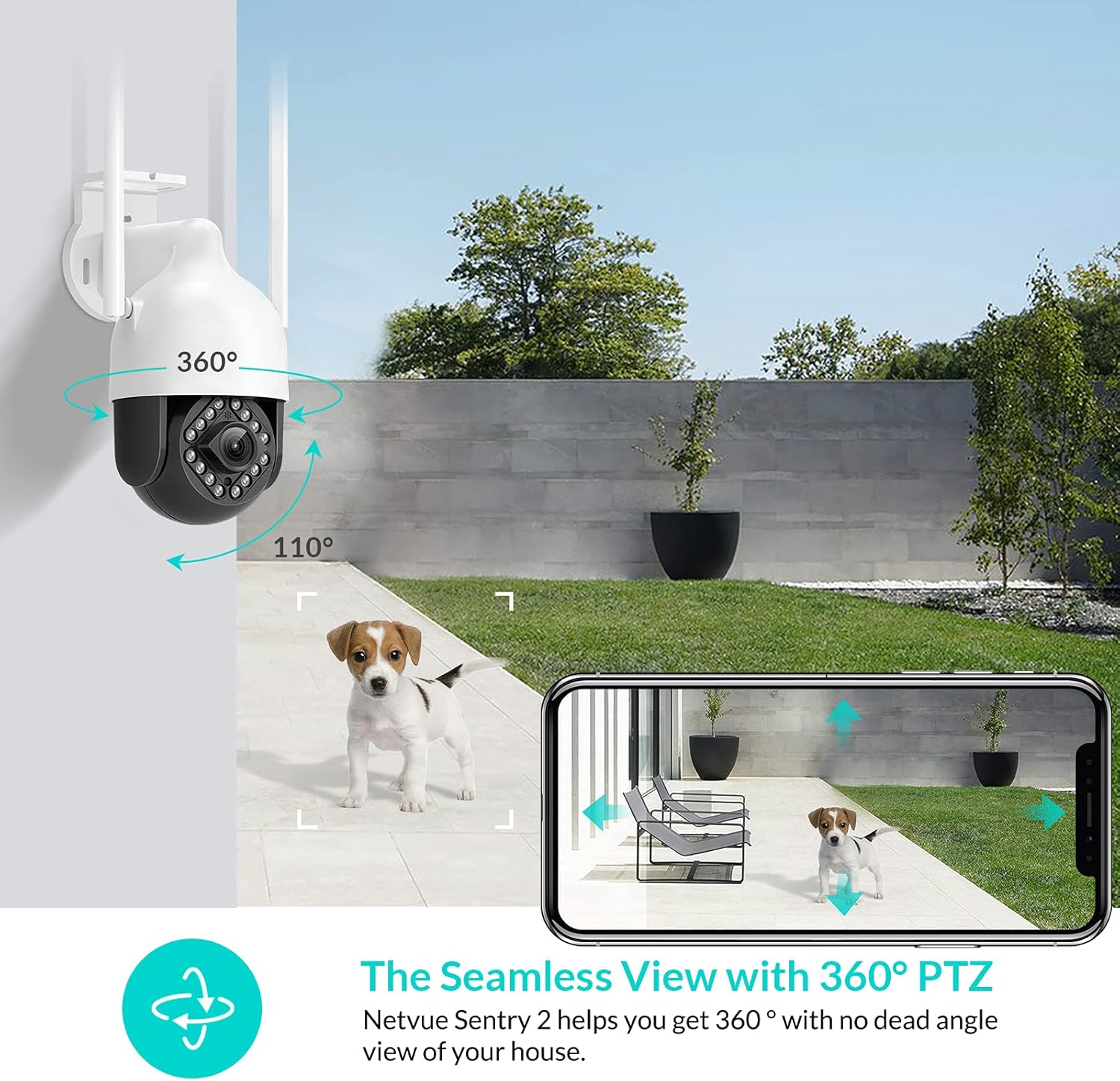
Image: NETVUE Sentry 2 Outdoor Security Camera showcasing its 360° pan and 110° tilt view.
2. Шта је у кутији
Upon unboxing your NETVUE Sentry 2 camera, please verify that all components are present:
- NETVUE Sentry 2 Outdoor Security Camera
- Повер Адаптер
- Носач
- Монтажни вијци и зидни анкери
- Waterproof Kit for Cable Connections
- Кориснички приручник (овај документ)
For a visual guide on the product and its components, please refer to the official product video below:
Video: Official Netvue Outdoor Security Camera Sentry 2 overview, including unboxing and installation steps.
3. Подешавање и инсталација
3.1 Укључивање
- Прикључите адаптер за напајање на улаз за напајање камере.
- Укључите адаптер за напајање у стандардну електричну утичницу.
- Wait for the camera to power on and initiate its self-test.
3.2 Преузимање апликације и креирање налога
- Download the official NETVUE app from your device's app store (iOS or Android).
- Отворите апликацију и креирајте нови налог или се пријавите ако га већ имате.
3.3 Ви-Фи веза
The NETVUE Sentry 2 camera supports 2.4GHz Wi-Fi networks. Ensure your mobile device is connected to a 2.4GHz Wi-Fi network during the setup process.
- In the NETVUE app, tap 'Add Device' and select your camera model.
- Пратите упутства на екрану да бисте повезали камеру са Wi-Fi мрежом. То обично подразумева скенирање QR кода који генерише апликација помоћу објектива камере.

Image: NETVUE Sentry 2 camera demonstrating stable Wi-Fi connection in distance.
3.4 Физичка инсталација
Choose a suitable outdoor location for mounting the camera, ensuring it has a clear view and is within Wi-Fi range. The camera is IP66 weatherproof, suitable for various outdoor conditions.
- Use the mounting bracket as a template to mark drill holes on the desired surface.
- Избушите рупе и уметните зидне анкере.
- Причврстите носач за монтажу на површину помоћу приложених вијака.
- Причврстите камеру на носач за монтажу.
- Ensure all cable connections are properly sealed using the waterproof kit to prevent water ingress.
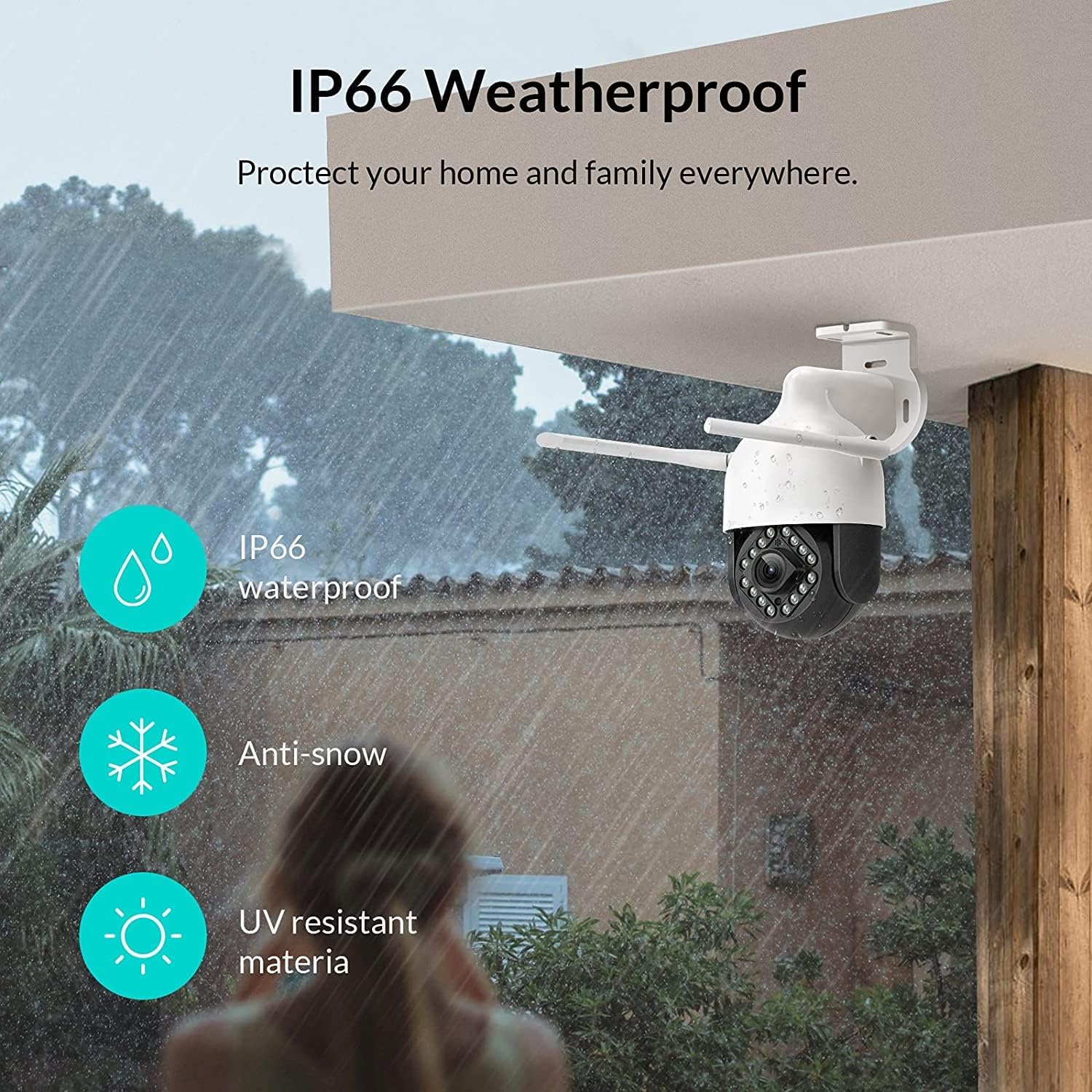
Image: NETVUE Sentry 2 camera highlighting its IP66 weatherproof features against rain and snow.
4. Руковање камером
4.1 Уживо View и контрола панорамирања/нагиба
Access the live video feed from your camera through the NETVUE app. You can remotely control the camera's pan (horizontal) and tilt (vertical) movements to adjust the viewугао по потреби.
4.2 Motion and Human Detection
The camera is equipped with motion and human detection capabilities. When motion or a human figure is detected, you will receive immediate notifications on your mobile device.

Image: Real-time motion detection alert displayed on a smartphone from the NETVUE Sentry 2 camera.

Image: Motion and human detection alert from the NETVUE Sentry 2 camera, showing a person at the front door.
4.3 Двосмерни аудио
Utilize the two-way audio feature to communicate with individuals near the camera. This is useful for interacting with visitors or deterring unwanted guests.

Image: Two-way audio feature of the NETVUE Sentry 2 camera, allowing communication with a delivery person.
4.4 Ноћни вид
The NETVUE Sentry 2 camera is equipped with 16 infrared lights for super night vision, providing clear video footage even in low-light or complete darkness.

Image: Close-up of the NETVUE Sentry 2 camera's 16 infrared lights for super night vision.
5. Одржавање
5.1 Чишћење камере
Periodically clean the camera lens and housing to ensure optimal performance. Use a soft, damp cloth to wipe away dust and dirt. Avoid using harsh chemicals or abrasive materials that could damage the lens or finish.
5.2 Ажурирања фирмвера
Regularly check the NETVUE app for available firmware updates. Keeping your camera's firmware up-to-date ensures you have the latest features, security enhancements, and bug fixes.
5.3 Управљање складиштем
The camera supports local storage via a microSD card (not included) and cloud storage options. If using a microSD card, ensure it is properly formatted and regularly check its status within the app to prevent recording issues.
КСНУМКС. Решавање проблема
6.1 Проблеми са Wi-Fi везом
- Ensure 2.4GHz Wi-Fi: The camera only supports 2.4GHz Wi-Fi. Confirm your router is broadcasting a 2.4GHz signal and your phone is connected to it during setup.
- Јачина сигнала: Verify the camera is installed within a strong Wi-Fi signal range. Relocate the camera or use a Wi-Fi extender if necessary.
- Подешавања рутера: Check your router settings for any restrictions that might prevent new devices from connecting.
6.2 SD Card Not Detected or Recording
- Reinsert SD Card: Power off the camera, remove the microSD card, and reinsert it firmly. Power the camera back on.
- Форматирајте СД картицу: Format the SD card through the NETVUE app. If issues persist, try a different, high-quality microSD card.
- Проверите подешавања апликације: Ensure recording settings are correctly configured in the NETVUE app.
6.3 No Motion Alerts
- Омогући упозорења: Confirm motion detection and notification alerts are enabled in the NETVUE app settings.
- Подесите осетљивост: Adjust the motion detection sensitivity to an appropriate level.
- Check Schedule: Ensure motion detection is not disabled during specific times via a schedule.
6.4 Општа питања
- Поново покрените камеру: Disconnect the power adapter, wait 10 seconds, and reconnect it to restart the camera.
- Ажурирај апликацију: Ensure your NETVUE app is updated to the latest version.
7. Спецификације
| Компатибилни уређаји | Видео Монитор |
| Извор напајања | АЦ/ДЦ |
| Цоннецтивити Протоцол | Ви-Фи |
| Тип контролера | Ирис |
| Тип монтаже | Валл Моунт |
| Резолуција снимања видео записа | 1080п |
| Број ставки | 1 |
| Број канала | 1 |
| Бежична комуникациона технологија | Ви-Фи |
| Батерије су потребне? | бр |
| Лов Лигхт Тецхнологи | Нигхт Цолор |
| Тип упозорења | Мотион Онли |
| Тип извора светлости | Инфрацрвени |
| Формат видео снимања | МПЕГ-4 |
| Унит Цоунт | 1.0 Цоунт |
| Оцена међународне заштите | ИП66 |
| Димензије пакета | 11.3 к 6.1 к 5.91 инча |
| Тежина артикла | 2.12 фунти |
| Препоручена употреба за производ | Оутдоор Сецурити |
| Унутрашња/спољна употреба | Оутдоор |
8. Гаранција и подршка
For warranty information and technical support, please refer to the official NETVUE website or contact NETVUE customer service directly. Keep your purchase receipt for warranty claims.