
1. Увод
The Keychron Q4 is a fully customizable mechanical keyboard featuring a compact 60% layout. Constructed with a solid full aluminum frame, the Q4 is designed for easy assembly and personalized typing. It supports QMK/VIA for advanced key remapping and macro programming, and includes hot-swappable switches for user-defined switch preferences. The double-gasket design and internal sound-absorbing foams contribute to a refined typing experience.

Image 1.1: Keychron Q4 keyboard highlighting key features like QMK/VIA support, double-gasket design, CNC aluminum body, macOS & Windows compatibility, 1000 Hz polling rate, hot-swappable switches, south-facing RGB, and OSA PBT keycaps.
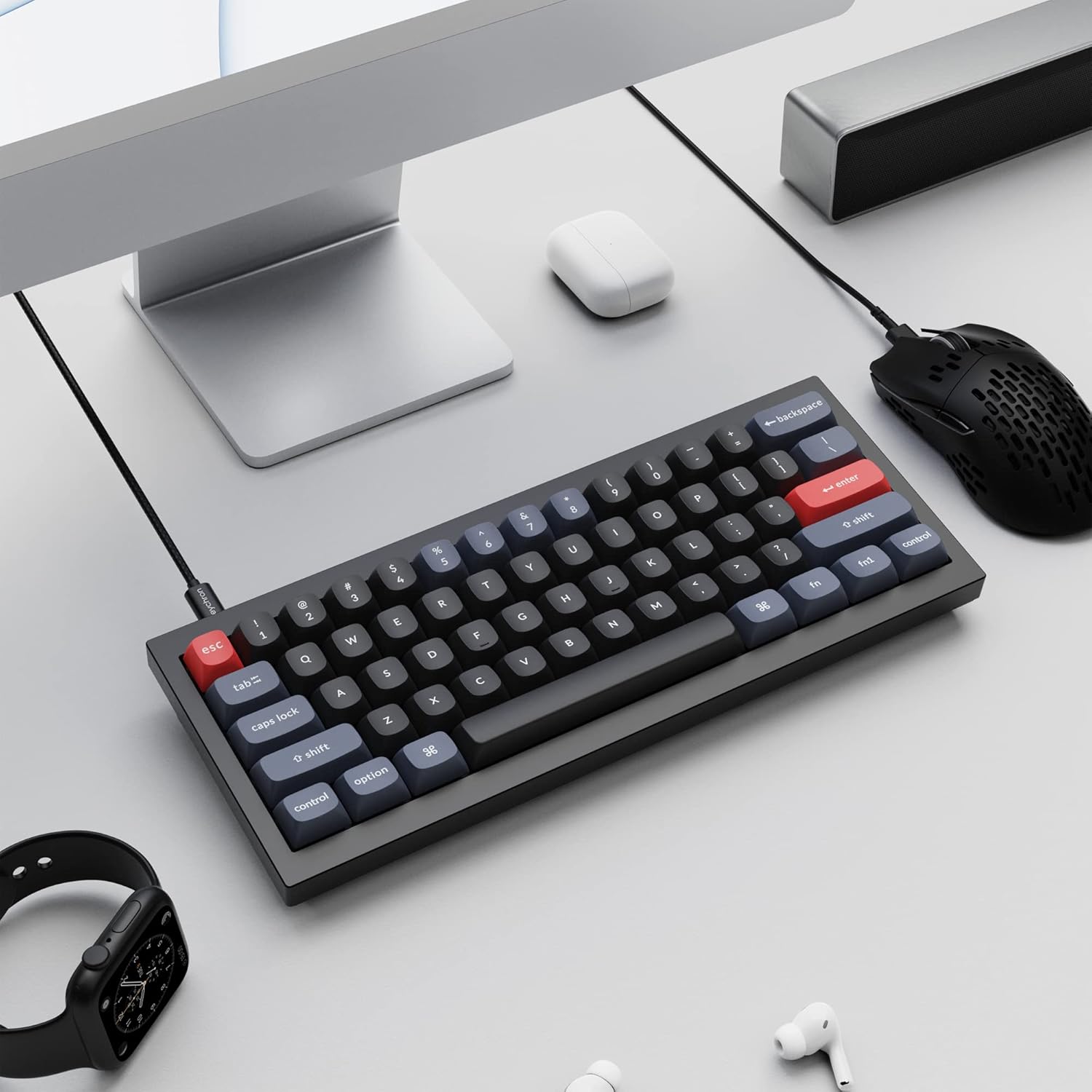
Image 1.2: The Keychron Q4 keyboard integrated into a typical desk setup, connected via USB-C.
2. Подешавање
2.1 Садржај пакета
Before beginning, verify that all components are present in the box:

Image 2.1: Diagram illustrating the contents of the Keychron Q4 package, including the fully assembled keyboard, cables, and tools.
- тастатура: 1x Fully Assembled Keyboard (including 1x Aluminum Case, 1x PCB, 1x Steel Plate, 1x Sound Absorbing Foam, 1x Case Foam, 12x Gaskets (8 Installed and 4 in the Box), 5 sets x Stabilizers, 1 set x Keycaps (Double-Shot PBT), 1 set x Switches (Gateron G Pro))
- Кабл: 1x Type-C to Type-C Cable, 1x Type-A to Type-C Adapter
- Алати: 1x Switch Puller, 1x Keycap Puller, 1x Screwdriver, 1x Hex Key
Note: All tools are located on the bottom of the box.
2.2 Повезивање
Connect the Keychron Q4 keyboard to your computer using the provided USB-C cable. The keyboard is compatible with both macOS and Windows operating systems.
2.3 Промена оперативног система
The keyboard features a physical switch to toggle between macOS and Windows layouts. Locate the switch on the side or back of the keyboard and set it to your desired operating system.

Image 2.2: Close-up of the physical switch on the keyboard for selecting between Windows and macOS operating system layouts.
3. Операција
3.1 Основне функције тастера
The Keychron Q4 features a 60% layout, which means some keys may have secondary functions accessed via the 'Fn' key. Refer to the keycap legends for these functions.

Слика 3.1: Детаљан view of the Keychron Q4's 60% keyboard layout, showing the compact arrangement of keys.
3.2 South-Facing RGB Backlighting
The keyboard is equipped with south-facing RGB LEDs. This design ensures that the backlight effectively illuminates the keycap legends from the typist's perspective, especially with non-shine-through PBT keycaps.

Слика 3.2: Крупни план view of the south-facing RGB LED lights illuminating the mechanical switches beneath the keycaps.
4. Прилагођавање
4.1 QMK and VIA Programmability
The Keychron Q4 supports full QMK and VIA functionality, allowing users to program and remap each key and create custom macros. To utilize this feature:
- Connect the Q4 to your device via the USB-C cable.
- Download and install the VIA software.
- Import the Q4 keymap JSON file into the VIA software.
- Use the drag-and-drop interface within VIA to remap keys or assign macro commands for macOS, Windows, or Linux operating systems.
Refer to the official Keychron website for detailed instructions and the latest VIA software and keymap files.

Image 4.1: The Keychron Q4 keyboard displayed alongside the VIA software interface, demonstrating key remapping capabilities.

Слика 4.2: Детаљан view of the VIA software interface, showing the keymap configuration for the Keychron Q4.
4.2 Прекидачи са могућношћу замене током рада
The Keychron Q4 features a hot-swappable PCB, allowing you to change mechanical switches without soldering. It supports most 3-pin and 5-pin MX-style mechanical switches (e.g., Cherry, Gateron, Kailh, Panda).
Замена прекидача:
- Пажљиво уклоните капицу тастера помоћу приложене алатке за извлачење капица тастера.
- Use the switch puller to gently grip the switch and pull it straight up from the PCB.
- Поравнајте пинове новог прекидача са отворима на штампаној плочи. Уверите се да су пинови прави како бисте избегли савијање.
- Чврсто притисните нови прекидач на место док не кликне.
- Замените поклопац тастера.

Слика 4.3: Крупни план view of the keyboard's PCB with several switches removed, demonstrating the hot-swappable feature.
4.3 Double-Gasket Design and Internal Foams
The Q4 incorporates a double-gasket design, which enhances typing flexibility and improves the overall sound profile. Additionally, sound-absorbing and case foams are installed internally to reduce resonance and noise between metal components. Each keyboard component is designed for easy reassembly, allowing for further customization.

Image 4.4: An exploded diagram showing the various layers of the Keychron Q4, including keycaps, switches, top case, gaskets, plate, PCB, sound absorbing foam, silicone gaskets, case foam, and bottom case.
5. Одржавање
5.1 Чишћење тастатуре
To maintain optimal performance and appearance, regular cleaning is recommended:
- Тастери: Use the keycap puller to remove keycaps. Clean them with a mild soap solution and a soft cloth, then rinse thoroughly and allow them to dry completely before reattaching.
- Тело тастатуре: Користите меку крпу која не оставља влакна, благо навлаженуampened with water or a gentle cleaning solution, to wipe down the aluminum frame. Avoid excessive moisture.
- Између кључева: Use compressed air to remove dust and debris from between the switches. A small brush can also be used for stubborn particles.
Avoid using harsh chemicals or abrasive materials, as these can damage the keyboard's finish or components.
КСНУМКС. Решавање проблема
6.1 Тастери не реагују
- Проверите повезаност: Уверите се да је USB-C кабл безбедно повезан и са тастатуром и са рачунаром. Покушајте са другим USB портом или каблом.
- Verify OS Switch: Confirm the macOS/Windows switch is set to the correct operating system.
- Проверите прекидаче: If individual keys are not responding, carefully remove the keycap and then the switch using the switch puller. Inspect the switch pins for any bends or damage. Straighten bent pins gently with tweezers or replace the switch if damaged. Reinsert the switch firmly.
- QMK/VIA Configuration: If keys are remapped incorrectly, check your keymap configuration in the VIA software.
6.2 Проблеми са позадинским осветљењем
- Подешавање осветљености: Ensure the backlight brightness is not set to its lowest level. Use the designated key combinations (often Fn + arrow keys or similar) to adjust brightness.
- Контрола софтвера: If using QMK/VIA, verify that lighting settings are correctly configured.
6.3 Keyboard Not Recognized by Computer
- Поново покрените рачунар: Једноставно поновно покретање често може решити проблеме са повезивањем.
- Пробајте са другим рачунаром: Test the keyboard on a different computer to determine if the issue is with the keyboard or the original computer's setup.
- Ажурирање фирмвера: Check the Keychron website for any available firmware updates for the Q4 model. Follow the instructions carefully for firmware installation.
7. Спецификације
| Димензије производа | 11.93 к 4.76 к 0.78 инча (30.3 к 12.1 к 2.0 цм) |
| Тежина артикла | 4.66 фунте (2.11 кг) |
| Произвођач | Кеицхрон |
| Број модела ставке | Кеицхрон К4 |
| Компатибилни уређаји | PC (macOS, Windows, Linux) |
| Технологија повезивања | УСБ-Ц |
| Опис тастатуре | Механички |
| Посебна карактеристика | Backlit (South-facing RGB) |
| Боја | Black (Gateron G Pro Brown Switch) |
| Материјал | Aluminum, Polybutylene Terephthalate (PBT) |
| Укључене компоненте | Keyboard, USB-C Cable, Type-A to Type-C Adapter, Switch Puller, Keycap Puller, Screwdriver, Hex Key |
8. Гаранција и подршка
For warranty information, technical support, and additional resources, please visit the official Keychron website or contact Keychron customer service.
Више информација и подршке можете пронаћи на Keychron Store.