
DALS Lighting SM-BLBA19
Smart A19 RGB and CCT LED Light Bulb User Manual
Model: SM-BLBA19 | Brand: DALS Lighting
Увод
The DALS Lighting Smart A19 RGB and CCT LED Light Bulb offers advanced lighting control for your home. With the Dals Connect app, you can easily manage your home’s lighting from anywhere, anytime. Enjoy full RGB color and CCT (Correlated Color Temperature) adjustable control to create the perfect ambiance for any occasion.
This smart bulb is designed for indoor use only and is compatible with popular voice assistants like Amazon Alexa and Google Assistant.
Безбедносне информације
- Само за унутрашњу употребу: This product is designed exclusively for indoor applications. Do not use it outdoors or in enclosed fixtures like soffits, as this may lead to overheating and damage.
- No External Dimmer Switches: This smart bulb is not compatible with traditional dimmer switches or external timers. All dimming and timing functions must be controlled through the Dals Connect app. Using an external dimmer may damage the bulb or cause malfunction.
- Искључите напајање пре инсталације: Always ensure the power supply to the light fixture is turned off before installing or removing the bulb to prevent electric shock.
- Пропер Волtage: Уверите се да је јачина звука уређајаtagе одговара наведеној запремини сијалицеtagе (120 волти).
- Избегавајте излагање води: Do not expose the bulb to water or excessive moisture.
- Радна температура: Operate the bulb within its specified temperature range. Extreme temperatures can affect performance and lifespan.
Садржај пакета
Молимо вас да проверите да ли су све ставке присутне у пакету:
- 1 x DALS Lighting Smart A19 RGB and CCT LED Light Bulb (Model: SM-BLBA19)
- 1 x Quick Start Guide (or similar documentation)
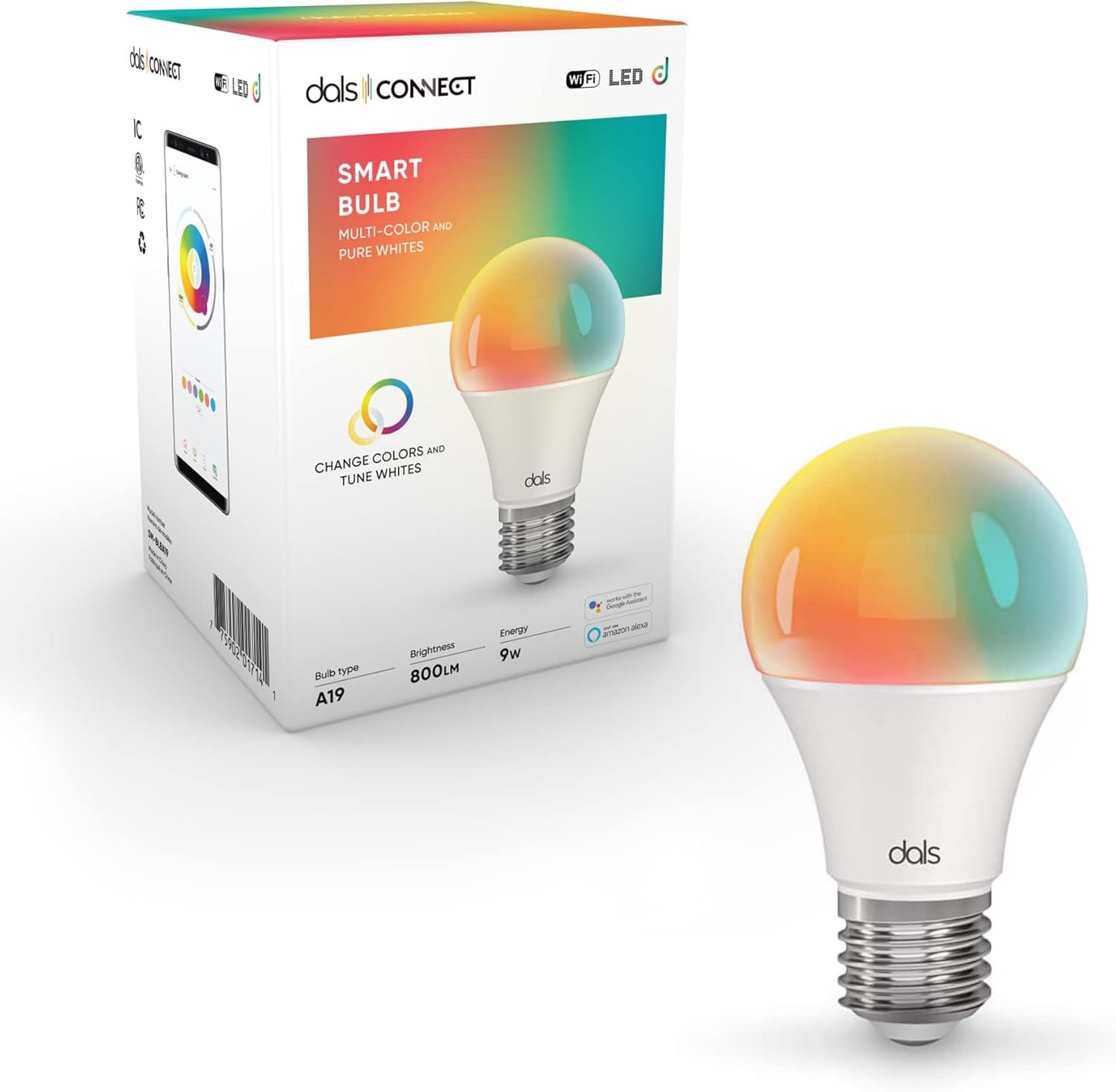
Image: The DALS Smart A19 LED Light Bulb shown alongside its retail packaging, highlighting its multi-color and pure white capabilities.
Сетуп
1. Install the Bulb
- Ensure the power to the light fixture is turned OFF at the switch before installation.
- Carefully screw the DALS Smart A19 LED Light Bulb into a standard E26/E27 light socket.
- Turn the power ON at the switch. The bulb should illuminate.

Слика: Детаљна view of the DALS Smart A19 LED Light Bulb, showcasing its standard screw base and colorful dome.
2. Download the Dals Connect App
The Dals Connect app is essential for controlling your smart bulb. Тражи "Dals Connect" on the Apple App Store (for iOS devices) or Google Play Store (for Android devices) and download the application.

Image: Two smartphones displaying the Dals Connect application interface, showing device management and color control screens.
3. Pair the Bulb with the App
- Open the Dals Connect app and create an account or log in.
- Follow the in-app instructions to add a new device. This typically involves ensuring the bulb is powered on and in pairing mode (it might flash or cycle colors).
- Select your Wi-Fi network (2.4GHz only) and enter your Wi-Fi password when prompted.
- Once successfully paired, you will see the bulb listed in your app, ready for control.
Operating the Smart Bulb
Контрола апликација
The Dals Connect app provides comprehensive control over your smart bulb:
- Он/Офф: Пребаците напајање сијалице.
- Осветљеност: Adjust the light intensity (800 Lumens maximum).
- Избор боја: Изаберите из пуног спектра RGB боја.
- Температура боје (ЦЦТ): Подесите интензитет беле светлости од топлих до хладних тонова.
- сцене: Select pre-set lighting scenes or create custom ones for different moods or activities.
- Schedules/Timers: Set schedules for the bulb to turn on/off or change settings automatically.
- групе: Group multiple DALS smart bulbs together for synchronized control.
Voice Control (Amazon Alexa & Google Assistant)
To enable voice control, link your Dals Connect account with your Amazon Alexa or Google Assistant account through their respective apps. Once linked, you can use voice commands such as:
- „Алекса, упали светло у дневној соби.“
- "Hey Google, set the bedroom light to blue."
- „Алекса, пригуши светло у кухињи на 50%.“
- "Hey Google, change the office light to warm white."
Одржавање
- Чишћење: Ensure the bulb is powered off and cool before cleaning. Wipe gently with a soft, dry cloth. Do not use liquid cleaners or abrasive materials.
- Складиштење: If storing the bulb for an extended period, keep it in its original packaging or a protective container in a cool, dry place.
- Ажурирања фирмвера: Periodically check the Dals Connect app for firmware updates for your bulb. Updates can improve performance, add new features, or fix bugs.
Решавање проблема
| Проблем | Могући узрок | Решење |
|---|---|---|
| Bulb does not turn on. | Нема напајања у расветном телу; сијалица није правилно заврнута; сијалица је неисправна. | Check the light switch and circuit breaker. Ensure the bulb is securely screwed into the socket. Test the bulb in another working fixture. |
| Повезивање на Ви-Фи није могуће. | Incorrect Wi-Fi password; Not a 2.4GHz network; Router too far; Too many devices on network. | Double-check Wi-Fi password. Ensure you are connecting to a 2.4GHz network (5GHz is not supported). Move the bulb closer to the router. Reduce network congestion. |
| Bulb is unresponsive in app. | Wi-Fi disconnected; App glitch; Bulb needs reset. | Check your Wi-Fi connection. Close and reopen the Dals Connect app. Try turning the bulb off and on at the switch. If issues persist, try re-pairing the bulb. |
| Гласовна контрола не ради. | Account not linked; Incorrect commands; Internet connection issue. | Ensure your Dals Connect account is correctly linked to Alexa/Google Assistant. Use the exact commands specified. Check your internet connection. |
| Bulb flickers or behaves erratically. | Used with a dimmer switch; Electrical interference; Faulty bulb. | DO NOT use with a dimmer switch. Ensure the bulb is in a standard, non-dimmable socket. Check for other electrical devices causing interference. If the problem persists, the bulb may be faulty. |
Спецификације
| Феатуре | Детаљ |
|---|---|
| Број модела | СМ-БЛБА19 |
| Бранд | DALS Lighting |
| Булб Типе | ЛЕД |
| Величина облика сијалице | А19 |
| Ватtage | 9 вати |
| Ужарени еквивалент | 60 Ватт Еквивалент |
| Осветљеност | 800 лумена |
| Волtage | 120 Волтс |
| Лигхт Цолор | RGB (Full Color) & CCT (Tunable White) |
| Повезивање | Wi-Fi (само 2.4 GHz) |
| Контролни метод | App (Dals Connect), Voice (Amazon Alexa, Google Assistant) |
| Материјал | акрилонитрил бутадиен стирен (АБС) |
| Димензије производа | 2.35 к 2.35 к 4.5 инча |
| Тежина артикла | 3.2 унци |
| Просечан живот | 500,000 сата |
| Унутрашња/спољна употреба | Само за унутрашњу употребу |
Гаранција и подршка
DALS Lighting products are manufactured to the highest quality standards. For specific warranty information regarding your Smart A19 RGB and CCT LED Light Bulb, please refer to the warranty card included with your purchase or visit the official DALS Lighting webсајту.
For technical support, troubleshooting assistance, or general inquiries, please contact DALS Lighting customer service:
- Webсајт: www.dalslighting.com (Молимо вас да проверите званичну website for the most up-to-date contact information.)
- Емаил: Погледајте webсајт за подршку путем е-поште.
- Телефон: Погледајте webсајт за број телефона за подршку.
When contacting support, please have your product model number (SM-BLBA19) and purchase date available.