
Crosscall 1001011101114
Crosscall CORE-M5 User Manual
Модел: 1001011101114
Увод
This manual provides comprehensive instructions for the setup, operation, maintenance, and troubleshooting of your Crosscall CORE-M5 rugged smartphone. Designed for durability and performance in challenging environments, the CORE-M5 is built to withstand various conditions while providing essential communication and smart device functionalities.
Please read this manual thoroughly before using your device to ensure proper operation and to maximize its lifespan.
Садржај пакета
Након отварања пакета, проверите да ли су сви састојци присутни:
- Crosscall CORE-M5 Device
- УСБ кабл за пуњење
- Водич за брзи почетак
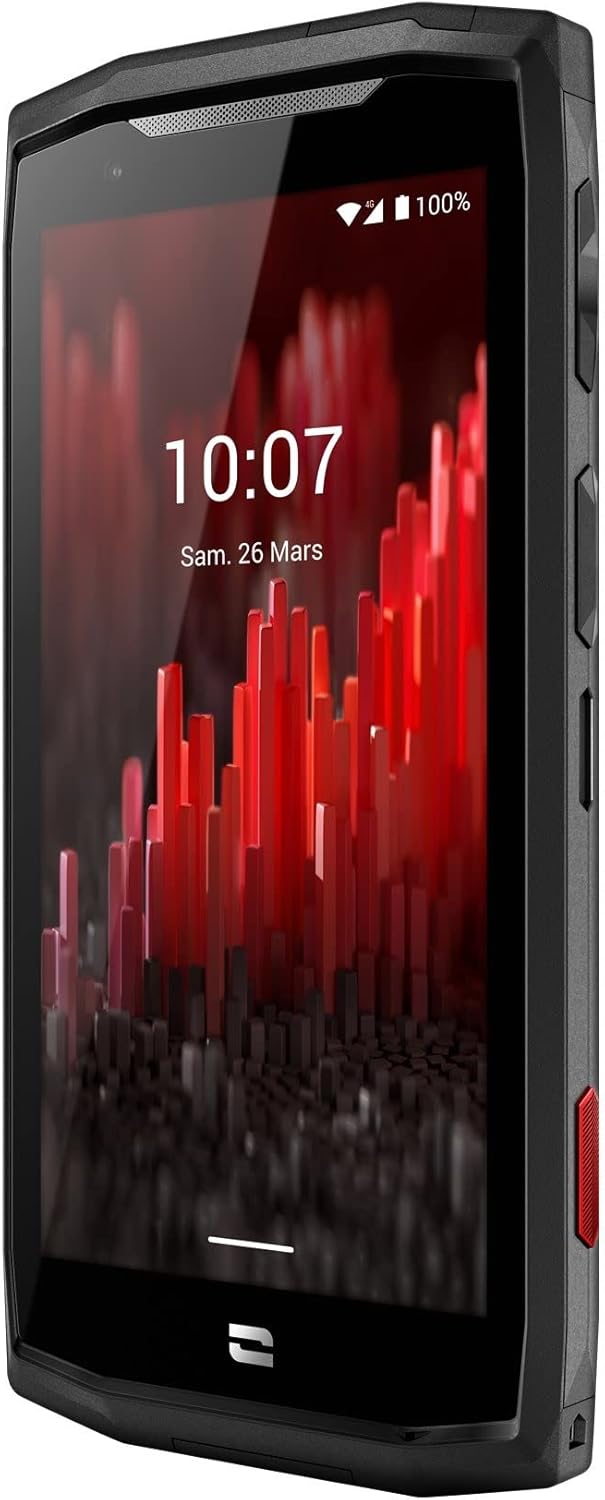
Слика: Предњи угао view of the Crosscall CORE-M5 device, highlighting its robust design and display.
Сетуп
1. Уметање SIM картице и меморијске картице
The CORE-M5 supports SIM cards for cellular connectivity and an optional memory card for expanded storage. Locate the SIM/memory card tray on the side of the device.
- Power off the device completely.
- Use the provided SIM ejector tool (or a small paperclip) to open the SIM/memory card tray.
- Carefully place your SIM card(s) and/or memory card into the designated slots on the tray, ensuring correct orientation as indicated on the tray.
- Лагано гурните лежиште назад у уређај док не кликне на своје место.

Image: A user demonstrating the insertion of a SIM card into the device's slot.
2. Почетно пуњење
Before first use, it is recommended to fully charge your CORE-M5.
- Connect the USB charging cable to the device's charging port.
- Connect the other end of the cable to a compatible USB power adapter or a computer's USB port.
- The charging indicator on the screen will show the charging status. Allow the device to charge until the battery icon indicates a full charge.
3. Укључивање и почетна конфигурација
- Press and hold the Power button (usually located on the side) until the Crosscall logo appears.
- Пратите упутства на екрану да бисте завршили почетно подешавање, укључујући избор језика, Wi-Fi везу, подешавање Google налога и безбедносна подешавања.
Operating the CORE-M5
Основна навигација
- екран осетљив на додир: Navigate the device using taps, swipes, and pinch gestures on the 4.95-inch touchscreen display.
- Дугме за напајање: Press to turn the screen on/off, or press and hold to power off/restart the device.
- Дугмад за јачину звука: Подесите јачину звука медија, јачину звука позива или јачину звука звона.
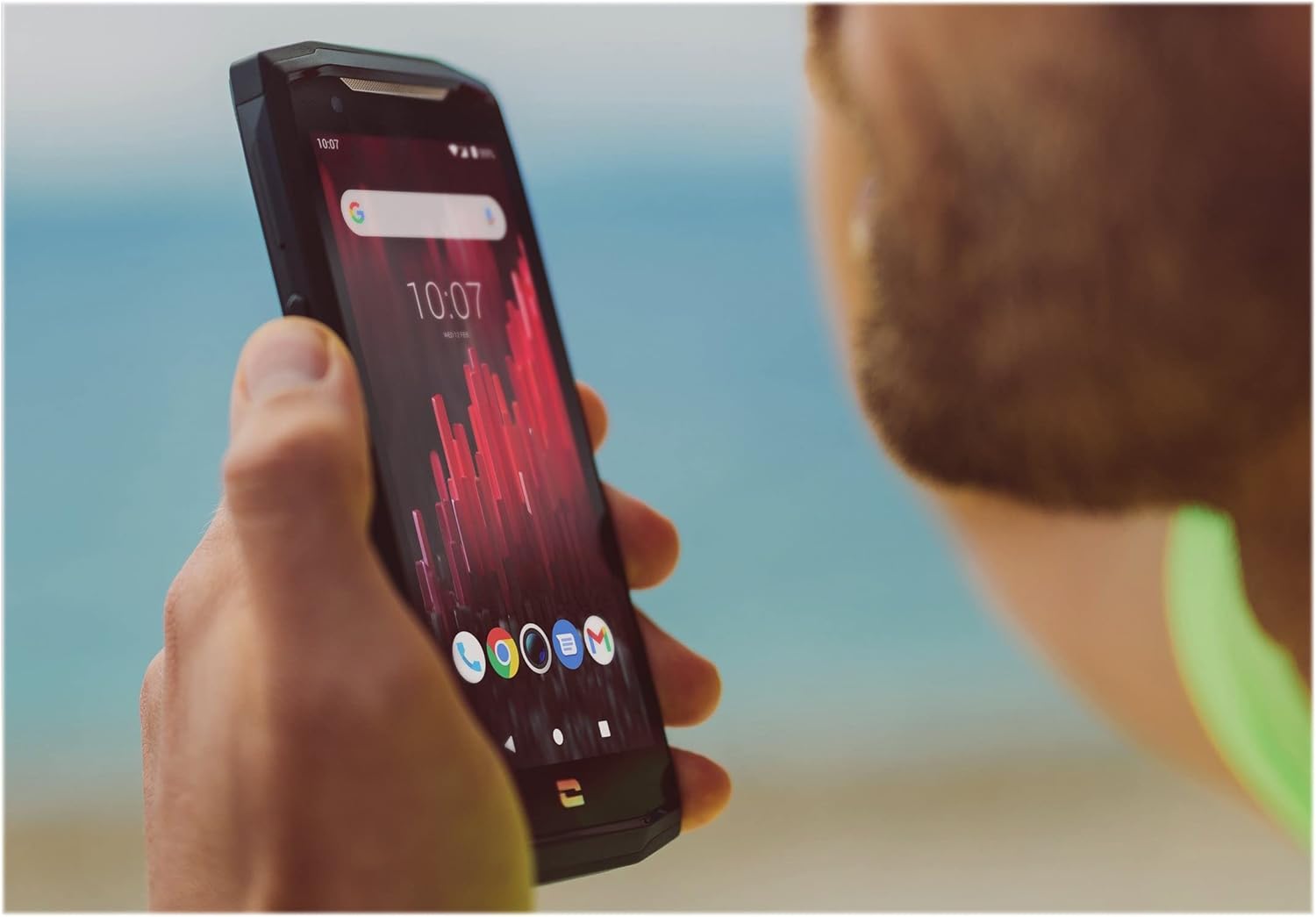
Image: The CORE-M5 in use, demonstrating its compact size and clear display for outdoor visibility.
Повезивање
- Ви-Фи: Приступите подешавањима Wi-Fi мреже из панела Брза подешавања или апликације Подешавања да бисте се повезали са бежичним мрежама.
- Блуетоотх: Pair with Bluetooth devices such as headphones, speakers, or other smartphones via the Bluetooth settings.
- УСБ: Connect the device to a computer using the USB cable for data transfer or charging.
- Мобилни подаци: Enable or disable mobile data from the Quick Settings or Network & Internet settings. Supports 2G and 3G cellular technologies.
Функционалност камере
The CORE-M5 features both front and rear cameras for capturing photos and videos.
- Отворите апликацију Камера са почетног екрана или из фиоке апликација.
- Додирните дугме затварача да бисте снимили фотографију или пребаците се у режим видео записа да бисте снимали.
- Користите контроле на екрану да бисте пребацивали између предње и задње камере, подешавали зумирање или примењивали филтере.
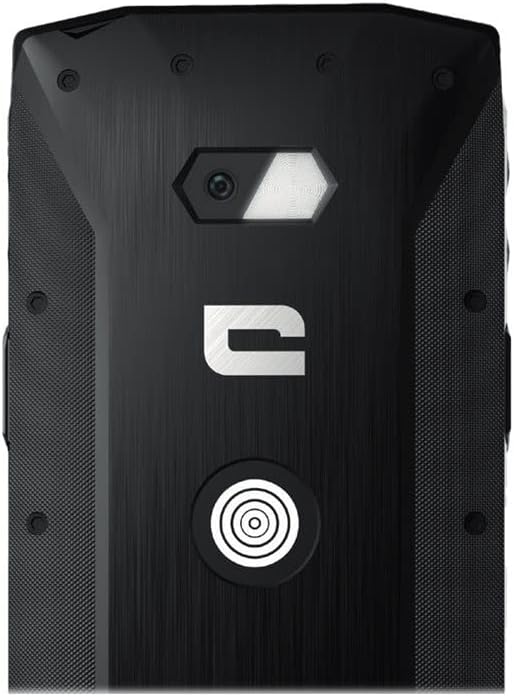
Слика: Детаљна view of the CORE-M5's rear, highlighting the camera module and the X-Link magnetic connection system.
X-Link System
The CORE-M5 is equipped with Crosscall's X-Link magnetic connection system on the back, allowing for easy attachment of compatible accessories such as chargers, mounts, and external batteries.
- Align the X-Link accessory with the magnetic connector on the back of your CORE-M5.
- The magnets will guide the accessory into place, ensuring a secure connection.

Image: The CORE-M5 securely mounted in a vehicle, demonstrating the utility of the X-Link system for hands-free use.
Одржавање
- Чишћење: Користите меку, дamp cloth to clean the device. Avoid harsh chemicals or abrasive materials. Ensure all ports are closed before cleaning if exposed to water.
- Отпорност на воду и прашину: The CORE-M5 is designed to be rugged. However, ensure all port covers are securely closed to maintain water and dust resistance. Avoid prolonged submersion beyond specified limits.
- Одржавање батерије: To prolong battery life, avoid extreme temperatures. Do not allow the battery to fully discharge frequently.
- Ажурирања софтвера: Редовно проверавајте и инсталирајте системска ажурирања како бисте осигурали оптималне перформансе и безбедност.
Решавање проблема
| Проблем | Могући узрок | Решење |
|---|---|---|
| Уређај се неће укључити | Слаба батерија; пад софтвера | Пуните уређај најмање 30 минута. Извршите принудно поновно покретање држећи дугме за напајање 10-15 секунди. |
| Екран не реагује | Привремени софтверски квар | Рестартујте уређај. Ако не реагује, извршите принудни рестарт. |
| Лош квалитет позива / Нема мреже | Weak signal; incorrect SIM insertion; network issue | Move to an area with better signal. Reinsert the SIM card. Contact your network provider. |
| Апликације се руше или замрзавају | Insufficient memory; app conflict; outdated software | Close background apps. Clear app cache/data. Update apps and system software. Free up storage space. |
Спецификације
| Феатуре | Детаљ |
|---|---|
| Назив модела | 1001011101114 |
| Бранд | Кроскол |
| Оперативни систем | Андроид |
| ЦПУ модел | Цортек |
| Величина екрана | 4.95 инча |
| Резолуција | 1026 к 513 |
| РАМ | 3 ГБ |
| Капацитет меморије | 32 ГБ |
| Капацитет батерије | 4000 мАх |
| Време разговора телефоном | 24 сата |
| Повезивање | Блуетоотх, Ви-Фи, УСБ |
| Целлулар Тецхнологи | 2Г, 3Г |
| Вирелесс Царриер | Откључано |
| камере | Назад напред |
| Боја | Црно |
| Димензије производа | 4.25 к 0.79 к 4.25 инча |
| Тежина артикла | 8 унци (226.6 грама) |
| Фирст Аваилабле | 21. септембра 2021. године |
Гаранција и подршка
Crosscall products are known for their durability and come with a manufacturer's warranty. For specific warranty terms and conditions, please refer to the warranty card included with your product or visit the official Crosscall webсајту.
For technical support, troubleshooting assistance, or service requests, please contact Crosscall Customer Service through their official channels. Have your product model number (1001011101114) and purchase information ready when contacting support.
Official Crosscall Webсајт: ввв.цроссцалл.цом
Ask a question about this manual
Ask about setup, troubleshooting, compatibility, parts, safety, or missing instructions. Manuals+ will review the question and use this page’s manual context to help answer it.