
1. Увод
This instruction manual provides essential information for the safe and effective use of your Hubble Connected View Pro Twin 5-inch Video Baby Monitor. Please read this manual thoroughly before operating the device and retain it for future reference.
The Hubble Connected View Pro Twin is designed to help you monitor your baby with its dual camera system, 5-inch color display, and various features including two-way talk, night vision, and room temperature monitoring. This device operates on a secure, non-WiFi connection for enhanced privacy.
2. Подешавање
2.1. Садржај пакета
Уверите се да су све ставке присутне у пакету:
- 1 x Nursery View Pro Parent Unit
- 2 x Nursery Cameras
- 2 к адаптера за напајање
- Водич за брзи почетак
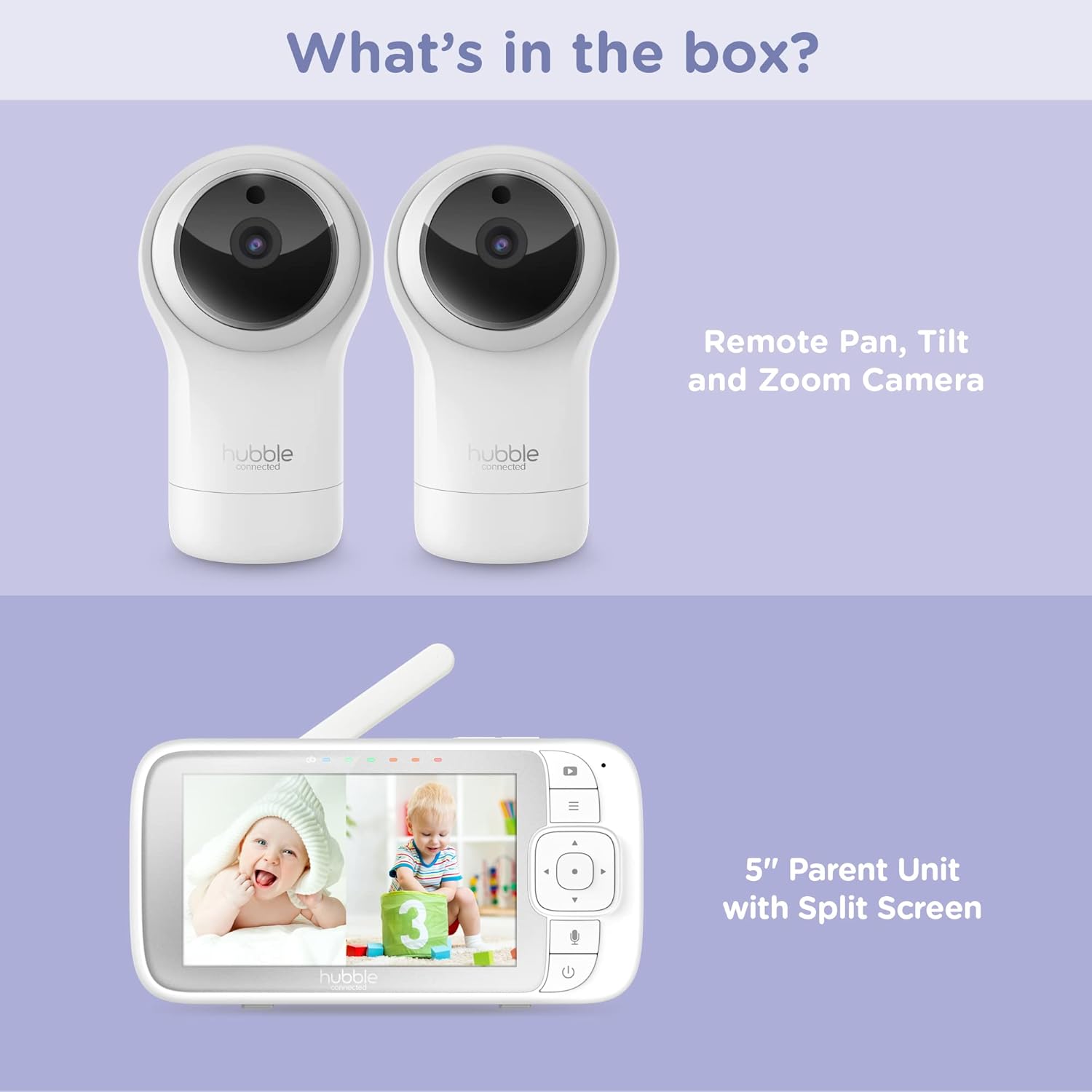
Figure 2.1: Package Contents - Parent Unit and Two Cameras
2.2. Powering On and Initial Placement
- Connect each camera to a power outlet using the provided power adapters.
- Connect the Parent Unit to a power outlet using its dedicated power adapter. The Parent Unit contains a rechargeable battery for portable use.
- Притисните и држите дугме за напајање на родитељској јединици док се екран не укључи.
- Place the cameras in a secure location within the baby's room, ensuring a clear view of the crib or play area. Avoid placing cameras within reach of children or near heat sources.

Figure 2.2: Hubble Connected View Pro Twin Monitor and Cameras
3. Руковање монитором
3.1. Контроле родитељске јединице
The Parent Unit features a 5-inch color display and intuitive buttons for navigation and control:
- Тастер за смер: Used to navigate menus and control camera pan/tilt/zoom.
- Дугме менија: Accesses settings and features.
- Talk Button (Microphone icon): Activates two-way talk.
- Дугме за напајање: Укључује/искључује уређај.
- Дугмад за јачину звука (+/-): Подешава јачину звука.

Figure 3.1: Parent Unit Displaying Split Screen
3.2. Viewинг Модес
Your monitor supports multiple viewинг опције:
- Једна камера View: Displays the feed from one camera at a time. Use the menu to switch between cameras.
- Сплит-Сцреен View: Simultaneously displays feeds from both cameras on the 5-inch screen. This allows for monitoring two areas at once.
- Режим скенирања: The monitor can automatically cycle through the camera feeds periodically.
3.3. Camera Control (Pan, Tilt, Zoom)
Use the directional pad on the Parent Unit to remotely adjust the camera's view:
- Пан: Move the camera horizontally (left/right).
- Нагиб: Move the camera vertically (up/down).
- Зумирање: Enlarge or reduce the image.
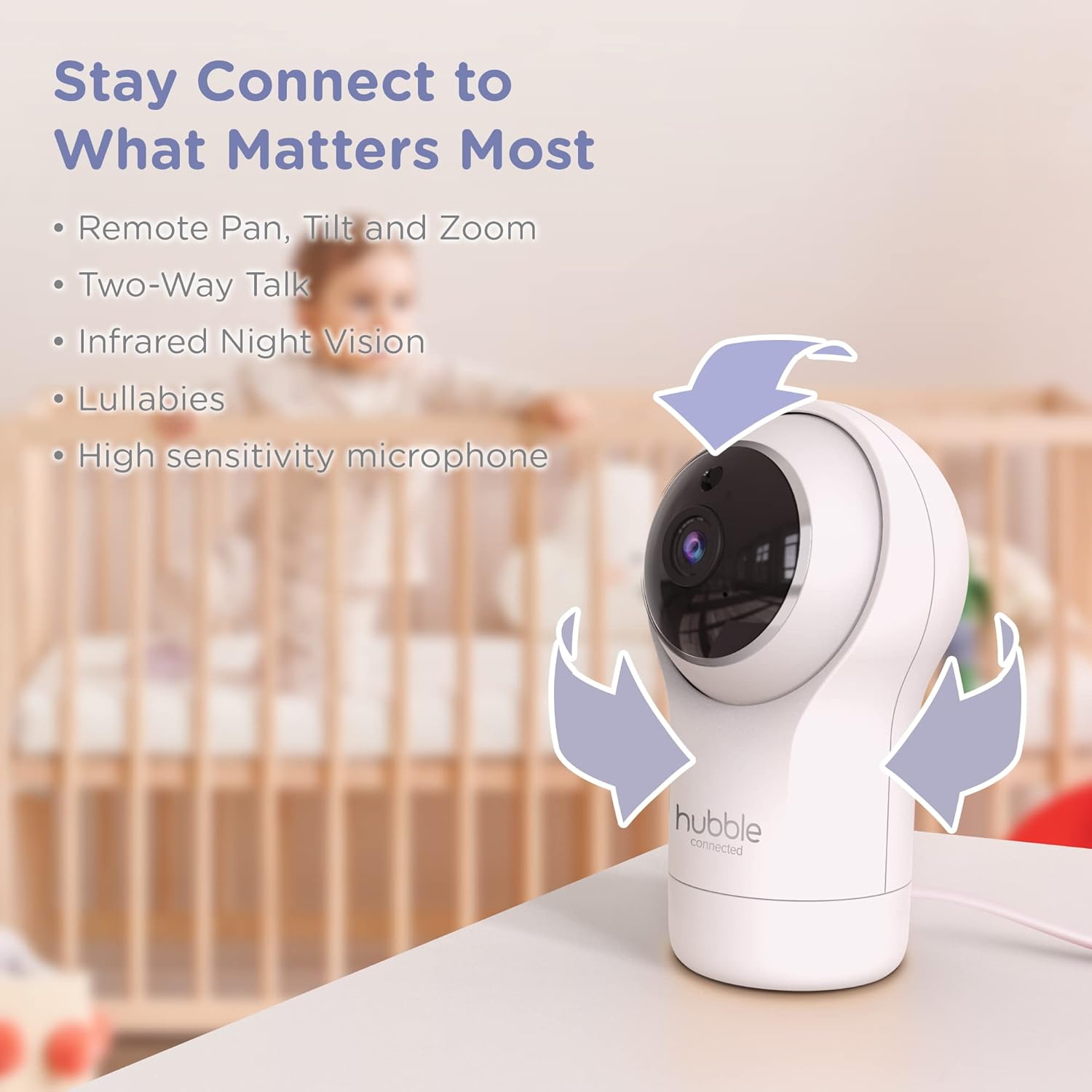
Figure 3.2: Camera Pan, Tilt, and Zoom Functionality
3.4. Двосмерни разговор
To communicate with your baby, press and hold the microphone button on the Parent Unit and speak. Release the button to hear your baby's response.
3.5. Ноћни вид
The cameras are equipped with infrared night vision, which automatically activates in low-light conditions, providing a clear black-and-white image of your baby.

Figure 3.3: Infrared Night Vision in Operation
3.6. Lullabies and Room Temperature Monitoring
The monitor includes preloaded lullabies to soothe your baby. Access these through the Parent Unit's menu. The system also continuously monitors the room temperature, displayed on the Parent Unit, to ensure a comfortable environment for your child.

Слика 3.4: Кључне карактеристике изнадview
3.7. Званични видео производа
Видео 3.1: Крајview of the Nursery View Pro Twin features, including split screen, pan/tilt/zoom, two-way talk, night vision, and lullabies.
4. Одржавање
4.1. Чишћење
To clean the monitor and cameras, use a soft, dry cloth. Do not use abrasive cleaners or solvents. Ensure the devices are unplugged before cleaning.
4.2. Складиштење
When not in use for extended periods, store the monitor and cameras in a cool, dry place, away from direct sunlight and extreme temperatures.
КСНУМКС. Решавање проблема
5.1. No Signal/Poor Image
- Ensure both the Parent Unit and cameras are powered on and within range.
- Check for obstructions between the Parent Unit and cameras that might interfere with the signal.
- Relocate the Parent Unit or cameras to improve reception.
5.2. Battery Not Charging/Low Battery Alert
- Verify that the power adapter is securely connected to the Parent Unit and a working power outlet.
- Allow sufficient time for the battery to charge.
- Ако проблем и даље постоји, контактирајте корисничку подршку.
6. Спецификације
| Феатуре | Детаљ |
|---|---|
| Назив модела | Расадник View Про Твин |
| Број модела | HCNVPRO2 |
| Величина екрана | Екран у боји од дијагонале 5 инча |
| Технологија повезивања | Wireless (Non-WiFi) |
| Домет | До 1,000фт / 300м |
| Резолуција снимања видео записа | 720п |
| Посебне карактеристике | Night Vision, Two-Way Talk, Soothing Nature Sounds, Room Temperature Monitoring |
| Извор напајања | Battery Powered (Parent Unit), AC Adapter (Cameras) |
| Батерије | Потребна је 3 литијум-јонска батерија (укључена) |
| Тежина артикла | 2 фунти |
| Димензије производа | 2.8 к 2.7 к 4.8 инча |
7. Гаранција и подршка
7.1. Информације о гаранцији
Your Hubble Connected View Pro Twin is covered by a One (1) year Limited Warranty from the date of purchase. Please retain your proof of purchase for warranty claims.
7.2. Корисничка подршка
For technical assistance, troubleshooting, or warranty inquiries, please contact Hubble Connected customer support. Visit the official Hubble Connected Store за више информација и ресурса за подршку.