
Milestone MPT-II
Milestone MPT-II 58mm Thermal Printer User Manual
Model: MPT-II | Brand: Milestone
1. Увод
The Milestone MPT-II is a compact and portable 58mm thermal printer designed for various business applications, including retail, restaurants, and mobile logistics. It offers high-speed, clear printing and features Bluetooth connectivity for seamless integration with Android and iOS devices. Its lightweight design and long-lasting battery make it ideal for on-the-go printing needs.

2. Кључне карактеристике
- Блуетоотх штампање: Supports Android and iOS devices for wireless printing.
- Преносивост: Light and compact design allows for printing anywhere, anytime.
- Low Operating Cost: Direct thermal printing eliminates the need for ink ribbons or cartridges, requiring only thermal paper.
- Дуг век трајања батерије: Built-in 7.4V/2500mAh rechargeable lithium battery provides up to 4 hours of continuous printing.
- Versatile Interface: Equipped with both USB and Bluetooth connectivity.
- ESC/POS Compatible: Supports standard ESC/POS print commands for broad software compatibility.

3. Почетно подешавање
3.1 Распакивање и садржај
Carefully unpack the printer and verify all components are present:
- 1 x Milestone MPT-II Thermal Printer
- 1 к УСБ кабл
- 1 x USB Adaptor
- 1 к ролна папира
- 1 x Упутство за употребу (овај документ)
3.2 Пуњење штампача
- Connect the USB cable to the printer's charging port.
- Plug the USB adaptor into a standard power outlet.
- The charging indicator light will illuminate. Charge the printer fully before first use (approximately 2.5-3 hours for continuous printing).
3.3 Убацивање термалног папира
- Open the paper compartment cover by gently pushing the latch.
- Insert the thermal paper roll with the printing side facing outwards (as shown in Figure 2). Ensure the roll is seated correctly.
- Pull a small length of paper out beyond the cutting edge.
- Чврсто затворите поклопац одељка за папир док не кликне на место.
4. Упутство за употребу
4.1 Укључивање/искључивање
- Да бисте укључили: Притисните и држите дугме за напајање док се индикаторска лампица не упали.
- Да бисте искључили напајање: Притисните и држите дугме за напајање док се индикаторска лампица не угаси.
4.2 Блуетоотх веза
The MPT-II printer supports Bluetooth connectivity for mobile devices.
- Ensure the printer is powered on and within range of your mobile device.
- On your mobile device (Android/iOS), go to Bluetooth settings and turn Bluetooth on.
- Тражи available devices. The printer will appear as "MPT-II".
- Select "MPT-II" to pair. If prompted for a password, enter 1234 or 0000.
- Once paired, the printer is ready for use with compatible applications.
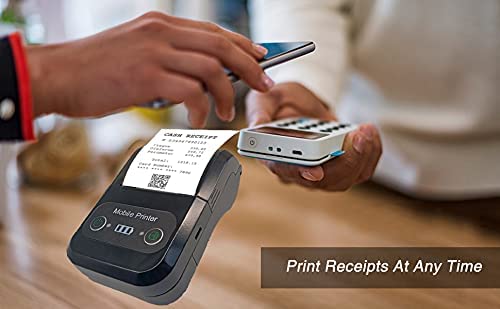
4.3 Коришћење са апликацијама
For mobile printing, you will need a compatible application. Milestone recommends downloading RAWBT Printer App or MYXPrint App from the Google Play Store. For iOS, search for compatible thermal printer apps in the App Store.
- Open your chosen printing application.
- Navigate to the printer settings within the app.
- Select the "MPT-II" printer from the list of available Bluetooth devices.
- You can now send print commands from the application.
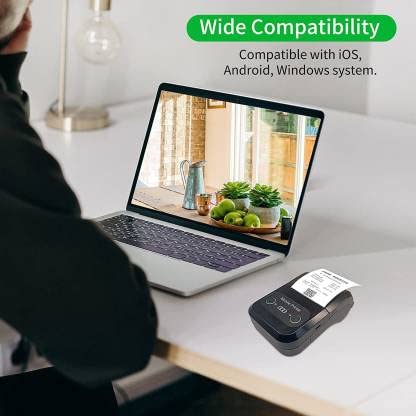

4.4 USB Connection (for PC)
The printer can also be connected to a PC via USB. You may need to install a printer driver, which is typically available from the manufacturer's website or included on a CD with the product (if applicable).
5. Одржавање
5.1 Чишћење штампача
To ensure optimal performance and print quality, regularly clean the printer:
- Глава за штампање: Use a cotton swab lightly dampНежно обришите термалну главу за штампање изопропил алкохолом. Оставите је да се потпуно осуши пре употребе.
- Путања папира: Користите меку, суву крпу или малу четку да бисте уклонили прашину или остатке папира са путање папира.
- Екстеријер: Обришите спољашњост штампача меком,amp тканина. Избегавајте употребу јаких хемикалија или абразивних средстава за чишћење.
5.2 Одржавање батерије
- Пре прве употребе напуните батерију до краја.
- Избегавајте често потпуно пражњење батерије.
- If storing the printer for an extended period, charge it to about 50% and recharge every few months to prevent battery degradation.
КСНУМКС. Решавање проблема
| Проблем | Могући узрок | Решење |
|---|---|---|
| Штампач се не укључује. | Батерија је празна или је истрошена. | Charge the printer using the provided USB cable and adaptor. |
| Не могу се повезати преко Bluetooth-а. | Bluetooth is off on device; incorrect pairing password; printer not discoverable. | Ensure Bluetooth is enabled on your device. Re-attempt pairing with password 1234 or 0000. Restart both printer and device. |
| No print output or blank paper. | Paper loaded incorrectly; out of paper; print head dirty. | Check paper orientation (printing side out). Replace paper roll if empty. Clean the thermal print head (refer to Maintenance section). |
| Лош квалитет штампе (избледела, линије). | Print head dirty; low battery; poor quality thermal paper. | Clean the print head. Charge the printer fully. Use high-quality thermal paper. |
| Printer beeps continuously. | Paper alarm (out of paper or paper jam); low battery reminder. | Check and replace paper roll or clear jam. Charge the printer. |
7. Техничке спецификације
| Феатуре | Спецификација |
|---|---|
| Принтинг Метход | Штампање термичке линије |
| Принтинг Видтх | Paper width 58mm, effective width 58mm |
| Густина штампања | 576 тачка/линија |
| Резолуција | 8 dots/mm, 203 DPI |
| Брзина штампања | 70mm/s (Max Print speed Monochrome: 50 ppm) |
| Printer Core Life | 50KM (25% print density or less than 100 million pulses) |
| Printable Content | English, numbers, symbols, characters, pictures, 1D/2D barcode, multi-languages |
| Интерфејс за комуникацију података | УСБ / Блуетоотх |
| Повер Суппли | Machine charging 9V-1.5A |
| Батерија | Built-in rechargeable 2600mAh lithium-ion battery (7.4V/2500mAh) |
| Continuous Printing Time | 2.5-3 сати |
| Сет инструкција | ЕСЦ / ПОС компатибилан |
| Резање папира | Manually tear |
| Компатибилност оперативног система | Андроид, иОС, Виндовс |
| Димензије производа | 15 Д x 12 Ш x 6 В центиметара |
| Тежина артикла | 310 грама |
| Укључене компоненте | 1 x Thermal Printer, 1 x USB Cable, 1 x USB Adaptor, 1 x Paper Roll, 1 x User Manual |
8. Гаранција и подршка
This product comes with a 10-day warranty as per the purchase terms. For any technical assistance, troubleshooting beyond this manual, or warranty claims, please contact your retailer or the manufacturer's customer support. Refer to your purchase documentation for specific contact details.
Произвођач: Милестоне
увозник: SB RETAILS, SECTOR 28, PRADHIKARAN, PUNE-44, +918888881631