
1. Увод
Thank you for choosing the Aurora AU200MA 200-Sheet Auto-Feed Micro-Cut Paper Shredder. This manual provides essential information for the safe and efficient operation, maintenance, and troubleshooting of your new shredder. Please read these instructions thoroughly before use and retain them for future reference.

Figure 1.1: Aurora AU200MA Paper Shredder
The Aurora AU200MA is designed for commercial and home office use, offering high-security micro-cut shredding for sensitive documents. It features an automatic feed for up to 200 sheets and a manual feed slot for up to 10 sheets, including credit cards and small paper clips.
2. Важна безбедносна упутства
Да бисте смањили ризик од пожара, струјног удара или повреде, увек се придржавајте основних мера безбедности када користите овај уређај:
- Прочитајте сва упутства пре руковања дробилицом.
- Држите децу и кућне љубимце даље од сецкалице.
- Keep loose clothing, jewelry, hair, and hands away from the paper entry slot.
- Do not spray any aerosol-based products into or around the shredder.
- Do not shred metal objects, cardboard, or plastic other than credit cards.
- Не користите сецкалицу ако је кабл за напајање оштећен.
- Увек искључите сецкалицу из струје пре померања, чишћења или пражњења канте за отпад.
- Уверите се да је дробилица постављена на стабилну, равну површину.
3. Производ је готовview
3.1 Компоненте
- Auto-Feed Tray: For automatic shredding of up to 200 sheets.
- Слот за ручно увлачење: For manual shredding of up to 10 sheets, credit cards, and small paper clips.
- Контролна табла: Садржи дугме за напајање и индикаторска светла.
- Канта за отпад: 8.5-gallon pullout bin for shredded materials.
- Котачићи: За лаку мобилност јединице.
3.2 Контролна табла и индикатори

Слика 3.1: Контролна табла изнадview
The control panel includes various LED indicators to communicate the shredder's status:
- Стандби: Indicates the shredder is powered on and ready for operation.
- Прегревање: Illuminates when the shredder has exceeded its continuous run time and needs to cool down.
- Пуна корпа: Indicates the waste bin is full and needs to be emptied.
- Преоптерећење: Lights up if too much paper is inserted, triggering the anti-jam auto-reverse function.
- Отворена врата: Indicates the waste bin is not properly closed or inserted.
4. Подешавање
- Распакујте шредер: Пажљиво извадите сецкалицу из паковања.
- Position the Shredder: Place the shredder on a flat, stable surface. The integrated casters allow for easy movement.
- Прикључите напајање: Укључите кабл за напајање у стандардну 120В АЦ утичницу.
- Ensure Bin is Closed: Make sure the pullout waste bin is fully and correctly inserted into the shredder. The "Door Open" indicator should not be lit.
5. Упутство за употребу
5.1 Auto-Feed Shredding

Figure 5.1: Auto-Feed Tray with Documents
The auto-feed feature allows for convenient shredding of multiple sheets without manual feeding.
- Отворите поклопац лежишта за аутоматско убацивање.
- Stack up to 200 sheets of paper neatly into the auto-feed tray. Ensure the paper is free of staples, paper clips (except small ones in manual feed), and other foreign objects.
- Close the auto-feed tray cover. The shredder will automatically begin processing the documents.
- The shredder has a continuous run time of 60 minutes. After this period, it may enter an overheat state to cool down.
5.2 Manual Feed Shredding

Figure 5.2: Manual Feed Slot and Shredding Capabilities
For smaller quantities of paper or other shreddable items:
- Insert up to 10 sheets of paper into the manual feed slot.
- The manual feed slot can also shred credit cards and small paper clips. Insert these items one at a time into the center of the manual feed slot.
5.3 Anti-Jam Auto-Reverse
The shredder is equipped with an anti-jam auto-reverse function. If too much paper is inserted, the shredder will automatically reverse to clear the jam. If a jam persists, press the reverse button on the control panel to manually clear the paper.
5.4 Auto Power-Sleep
For energy efficiency, the shredder will automatically enter a power-sleep mode after a period of inactivity. It will reactivate when paper is detected or a button is pressed.
6. Одржавање
6.1 Пражњење канте за отпад

Figure 6.1: Pullout Waste Bin
When the "Bin-full" indicator illuminates, the waste bin needs to be emptied.
- Ensure the shredder is in standby mode or unplugged.
- Gently pull out the 8.5-gallon waste bin from the front of the shredder.
- Одложите уситњени материјал.
- Slide the waste bin back into the shredder until it clicks securely into place. Ensure the "Door Open" indicator is off.
6.2 Shredder Oiling
Regular oiling of the shredder blades is recommended to maintain optimal performance and extend the life of your micro-cut shredder. Use shredder oil specifically designed for paper shredders.
- Нанесите танку линију уља за сецкање преко отвора за улазак папира.
- Run a few sheets of paper through the manual feed slot to distribute the oil.
- Repeat this process after every 30 minutes of accumulated shredding or when you notice a decrease in performance.
6.3 Чишћење
Обришите спољашњост сецкалице меком, сувом крпом. Не користите абразивна средства за чишћење или раствараче.
КСНУМКС. Решавање проблема
| Проблем | Могући узрок | Решење |
|---|---|---|
| Шредер не ради. | No power; Waste bin not properly inserted; Overheat protection activated. | Check power connection; Ensure waste bin is fully closed (Door Open indicator off); Allow shredder to cool down if Overheat indicator is on. |
| Застој папира. | Too much paper inserted; Paper not inserted straight. | The shredder has an anti-jam auto-reverse function. If it persists, press the reverse button on the control panel to manually clear the paper. Reduce the amount of paper for future shredding. |
| Шредер се зауставља током рада. | Заштита од прегревања је активирана; канта за отпад је пуна. | Allow shredder to cool down if Overheat indicator is on; Empty the waste bin if Bin-full indicator is on. |
| Shredded material is not fine enough. | Not applicable (Micro-cut shredder). | The Aurora AU200MA is a micro-cut shredder, producing tiny particles (P-5 security level). |
8. Спецификације
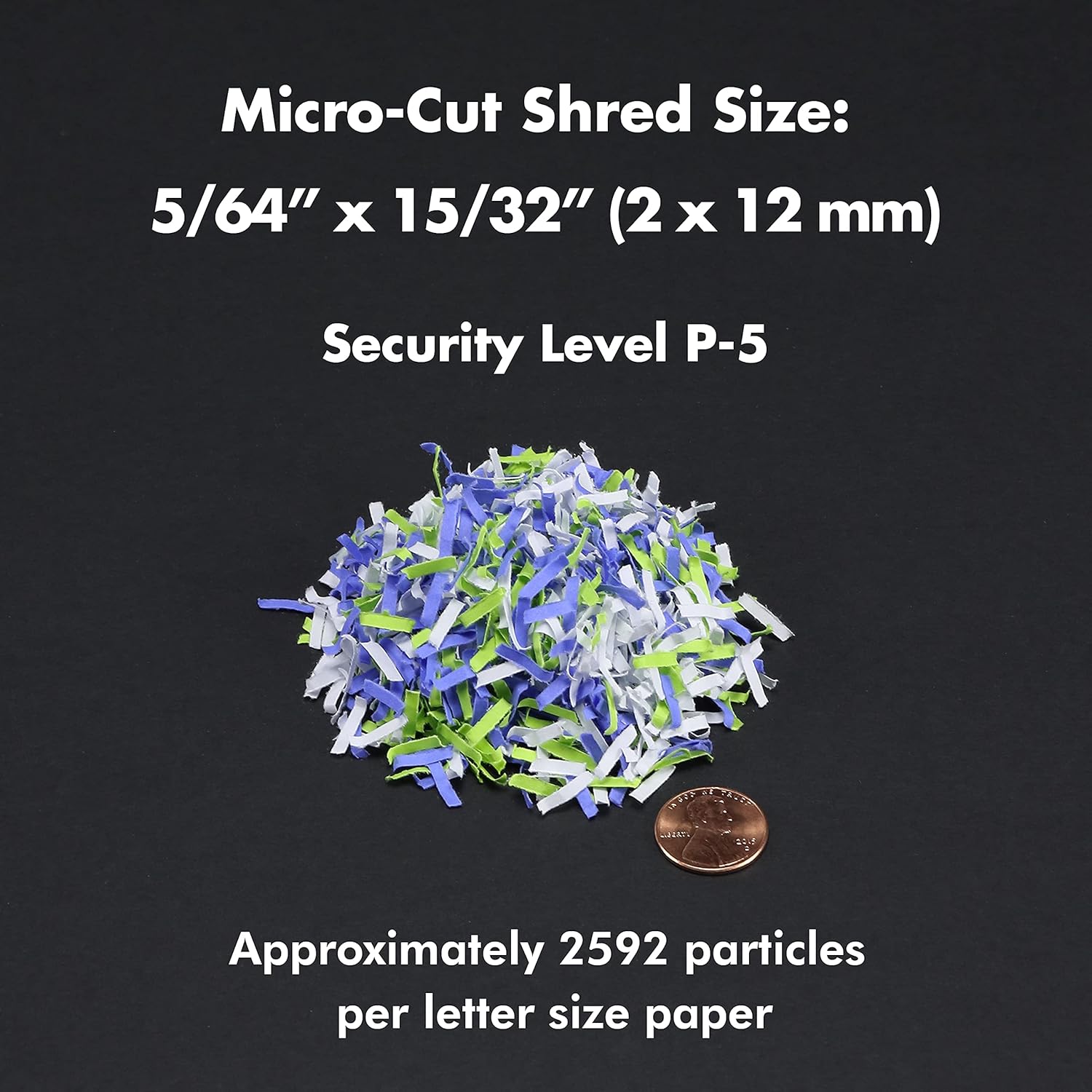
Figure 8.1: Micro-Cut Shred Size and Security Level
- Модел: АУ200МА
- Тип уситњавања: Мицро-Цут
- Схред Сизе: 5/64" x 15/32" (2 x 12 mm)
- Ниво безбедности: П-5
- Auto-Feed Capacity: До 200 листова
- Капацитет ручног увлачења: До 10 листова
- Непрекидно време рада: КСНУМКС минута
- Време хлађења: Approximately 30-40 minutes (after 60 min continuous use)
- Капацитет канте за отпад: 8.5 галона
- комадићи: Paper, Credit Cards, Small Paper Clips
- Волtage: 120В АЦ
- учесталост: 60 Хз
- Product Dimensions (H x W x L): 22.83 cm x 14.02 cm x 18.35 cm
- Тежина артикла: 38.1 лбс
9. Гаранција и подршка
For warranty information or technical support, please refer to the warranty card included with your product or visit the official Aurora website. You may also contact Aurora customer service directly for assistance.
Aurora Customer Service: Please refer to your product packaging or the official Aurora webсајт за најновије контакт информације.